





Arduino UNO Q at Maker Faire Rome 2025: Dual-Brain Demos
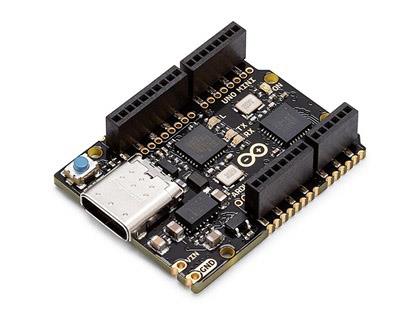
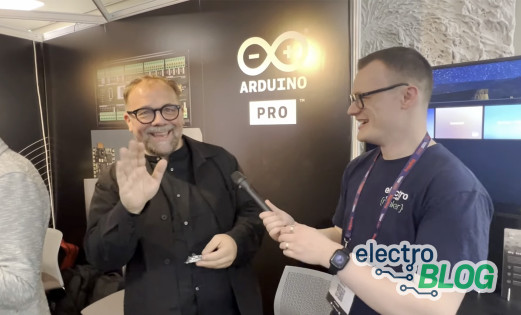
Maker Faire Rome was buzzing. Arduino’s stand drew steady crowds, with the UNO Q front and centre. The board pairs a Linux-capable Qualcomm Dragonwing QRB2210 application processor with an STM32U585 microcontroller in the familiar UNO footprint, putting high-level applications and real-time I/O on a single platform.
News from early October added extra interest: Qualcomm announced its agreement to acquire Arduino while keeping the brand and tools independent. Alongside that backdrop, the team demoed the new Arduino App Lab, showing how Python apps and classic sketches can run side by side on the UNO Q to power practical builds across the show floor.
What is UNO Q?
UNO Q combines two compute domains on a single board: a Linux-capable applications processor and a real-time microcontroller. The Linux side runs full apps and AI workloads, while the MCU handles time-critical I/O, motor control, and sensor tasks. Together, they let you pair rich software with deterministic control without juggling multiple boards.
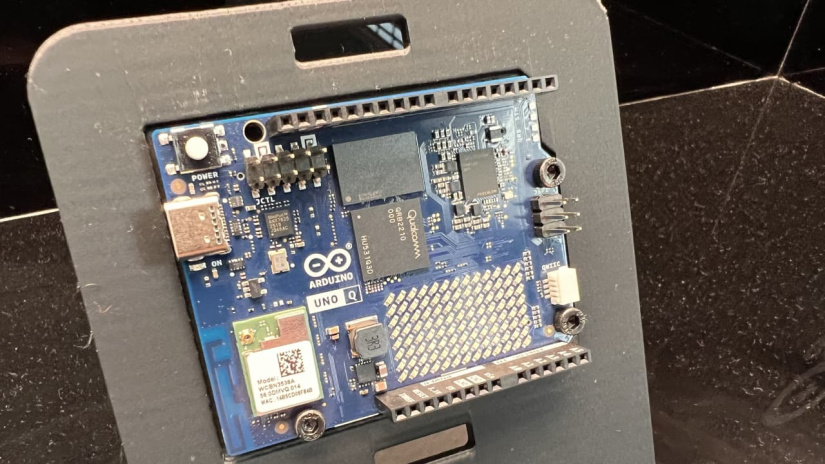
The MPU boots a standard Linux distribution (Debian-based image support is provided), while the MCU runs familiar Arduino sketches. Arduino App Lab brings both sides into one workspace and the Bridge API lets Python code and sketches exchange variables in real time. You edit, deploy, and test from a single flow.
Why UNO Q Matters
UNO Q offers a more flexible way to design, test, and deploy embedded systems. Its dual-processor setup and new development workflow create a bridge between fast control and complex computation, giving makers and engineers more freedom in how they build.
- One board, two compute domains: Linux handles AI and high-level tasks while the microcontroller manages timing-critical control and I/O.
- App Lab workflow: Develop Python scripts and Arduino sketches side by side in a single IDE for smooth integration between both environments.
- Pre-loaded examples: Includes ready-to-run demos such as weather stations, voice commands, and object detection to learn the system’s capabilities quickly.
- Classic UNO footprint: Maintains the familiar layout with added high-speed interfaces for displays, sensors, and peripherals.
Demos on the Stand
Arduino filled its booth with practical demonstrations showing how the UNO Q’s dual-brain design performs in real-world builds. Each project highlighted how the Linux subsystem and microcontroller core can run side by side, handling both complex processing and fast control with ease.
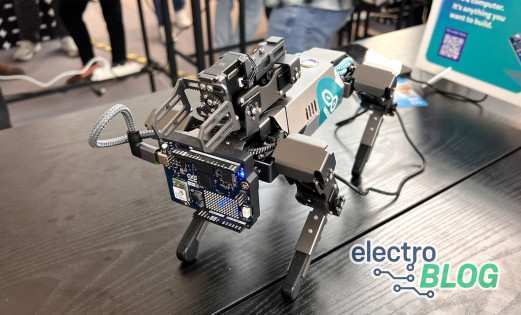
Robot Dog – Real-Time Motion + AI Planning
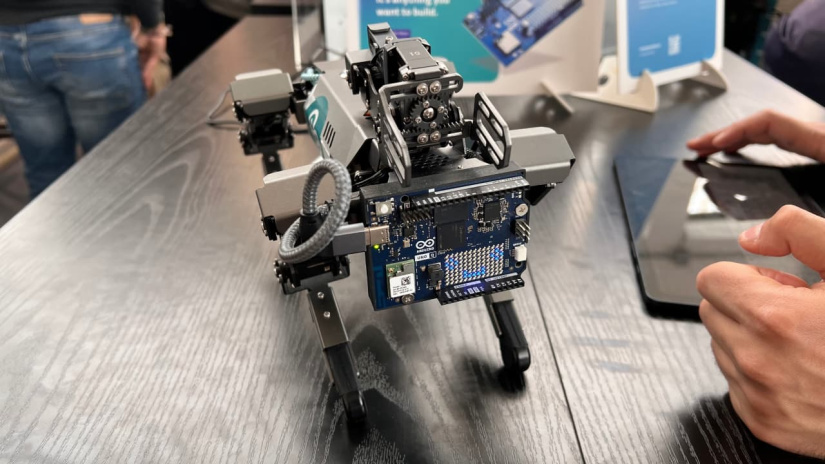
The small quadruped robot on display moved smoothly across the floor, with the STM32U585 microcontroller driving its servos and maintaining balance. At the same time, the Qualcomm QRB2210 processor handled vision and motion planning, interpreting its surroundings and adjusting gait in real time.
Why it’s useful: The setup shows how real-time control stays stable even under heavy AI processing, ideal for robotics and automation projects.
Retro Gaming Cabinet
Another popular build used UNO Q to power a retro gaming system. The microcontroller read joystick inputs with instant response, while the Linux side emulated classic titles on a small display, combining low-latency input with full software emulation.
Why it’s useful: This example demonstrates precise timing and responsive controls while running high-level applications at the same time.
Smart Home Wall with Home Assistant
UNO Q also ran a smart home dashboard using Home Assistant. Connected to Shelly relays, it controlled lighting scenes and sensors locally, proving that full smart home management doesn’t require a separate SBC or cloud service.
Why it’s useful: A single board delivers local automation and privacy-first control, simplifying smart home setups.
Industrial PLC Training Kit
In an industrial showcase, UNO Q was integrated into a PLC training rig. Partners demonstrated how the board could coordinate sensors and actuators in real time while hosting a Linux-based dashboard for data logging and control logic.
Why it’s useful: This approach merges deterministic PLC control with modern Linux computing, providing a bridge between prototyping and industrial systems.
App Lab – One Workspace for Python + Sketches
Arduino App Lab brings the Linux subsystem and the microcontroller into a single IDE. You edit a Python program for the MPU and an Arduino sketch for the MCU side by side, run them together, and view logs in one place. The Bridge library links both domains so variables and messages pass between Python and the sketch in real time.
The Bridge API keeps roles clear: the Python side handles high-level tasks such as AI, UI, logging, and networking, while the sketch manages precise I/O timing, motor control loops, and fast sensor reads. You get rich software on Linux without losing deterministic behaviour on the MCU.
Mini example (Python sets a target; the sketch reads it and toggles an LED for confirmation):
# Python (MPU)
from bridge import Bridge
b = Bridge()
b.set("target_rpm", 1200)
// Arduino Sketch (MCU)
#include <Bridge.h>
Bridge b;
int target = 0;

void setup() {
  b.begin();
  pinMode(LED_BUILTIN, OUTPUT);
}

void loop() {
  target = b.getInt("target_rpm");
  digitalWrite(LED_BUILTIN, target > 0 ? HIGH : LOW);
  delay(50);
Pre-Loaded Examples to Try
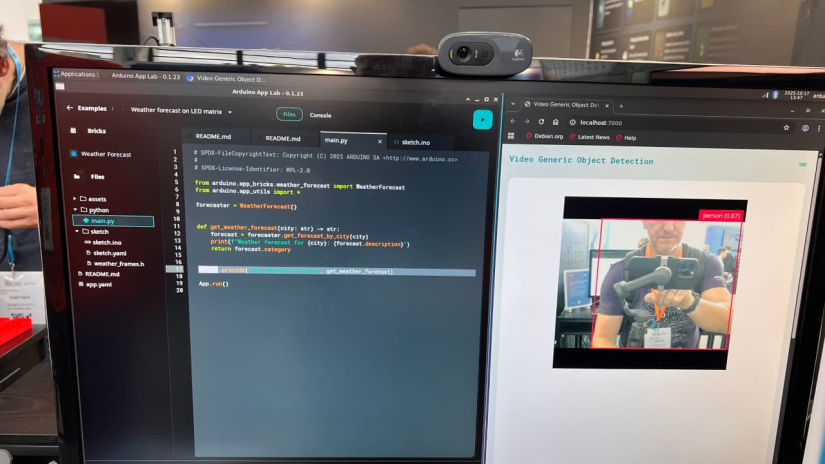
UNO Q comes with a collection of pre-installed projects in App Lab that make it easy to explore what the board can do right out of the box. Each example highlights how the Linux and microcontroller layers work together for real-world applications.
- Weather monitor: Reads environmental sensors through the MCU while the Linux side logs and visualises data for web dashboards, a great starting point for connected projects.
- Voice recognition: Uses onboard AI to identify commands locally without cloud processing, showing how edge computing enables quick, private control.
- Image recognition (YOLO demo): Runs object detection directly on the board to identify people and everyday items, a clear illustration of embedded AI on limited power.
The object detection example is also one of the most flexible. Users can fork it, train their own models, or extend the workflow to custom applications such as inspection, sorting, or automation tasks.
Links and Further Reading

Ian Buckley is a writer, musician, and perpetual tinkerer. Commonly found surrounded by hobby electrical components, he's also a keen programmer and likes to build crazy-sounding instruments with microcontrollers. In addition to Electromaker, Ian writes over at MakeUseOf and has bylines at the likes of Online Tech Tips as well as Help Desk Geek.












Leave your feedback...