





Maker Faire Rome 2026: Highlights From the Show Floor
Maker Faire Rome 2026 had a familiar effect: arrive with a few projects in mind, leave with enough ideas to fill the workbench. Pocket computers with proper keyboards, machines that assemble circuit boards, robotic hands and underwater explorers all shared the floor at this year's event. Even the mushroom-growing jar had something to say.
The fun was getting close enough to see how it all worked. Clear cases, exposed PCBs, printed parts and live software demos gave visitors plenty to investigate. Across this selection of stands, the recurring theme was simple: build something useful, make it understandable and leave room for the next person to experiment.
Orion: a little computer with a lot of charm
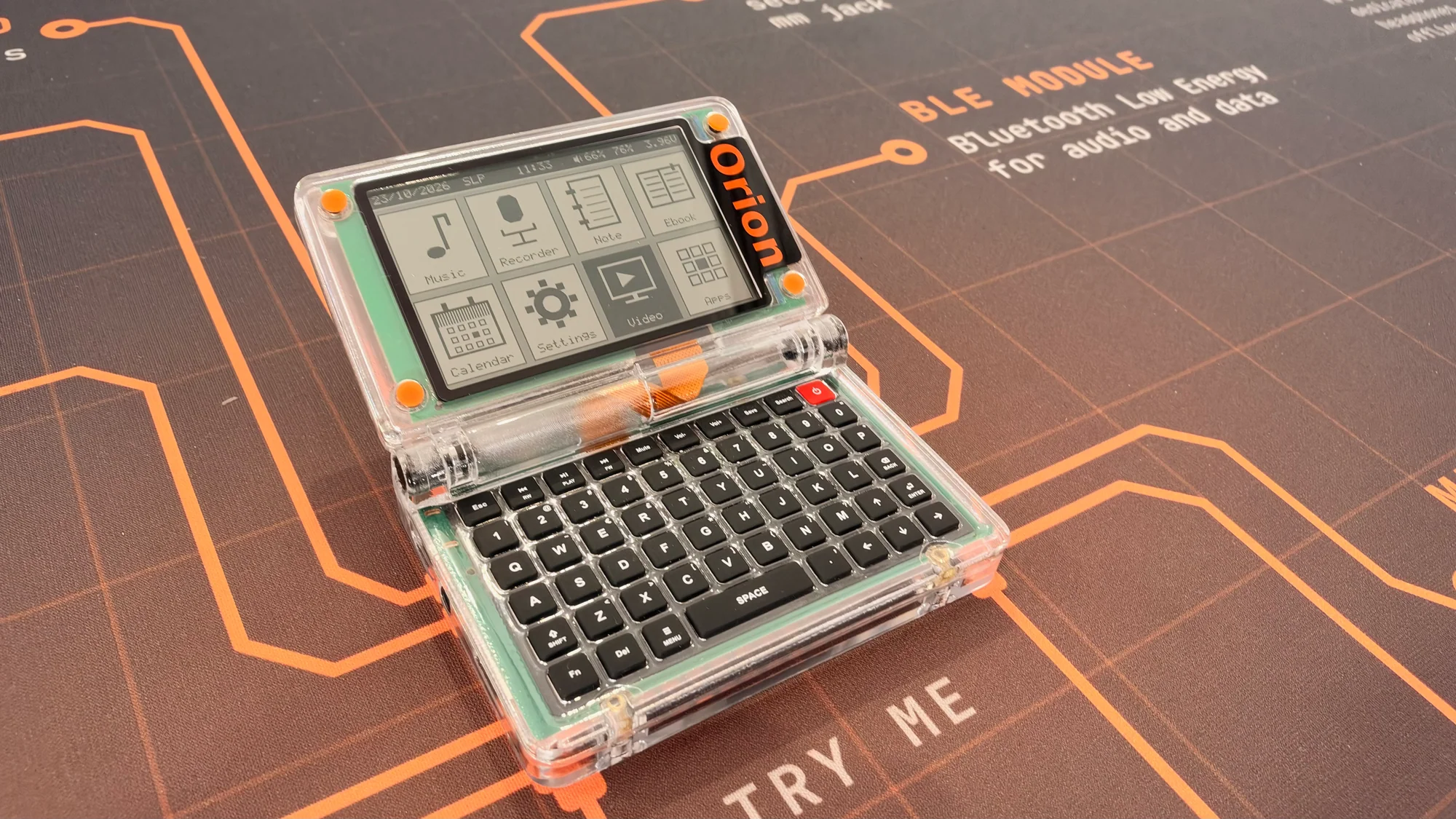
Some gadgets make you want to pick them up before you've read a single specification. Orion is one of them. Its transparent clamshell case, monochrome screen and tiny physical keyboard have the charm of a miniature laptop, with a design that invites a closer look at the electronics inside.
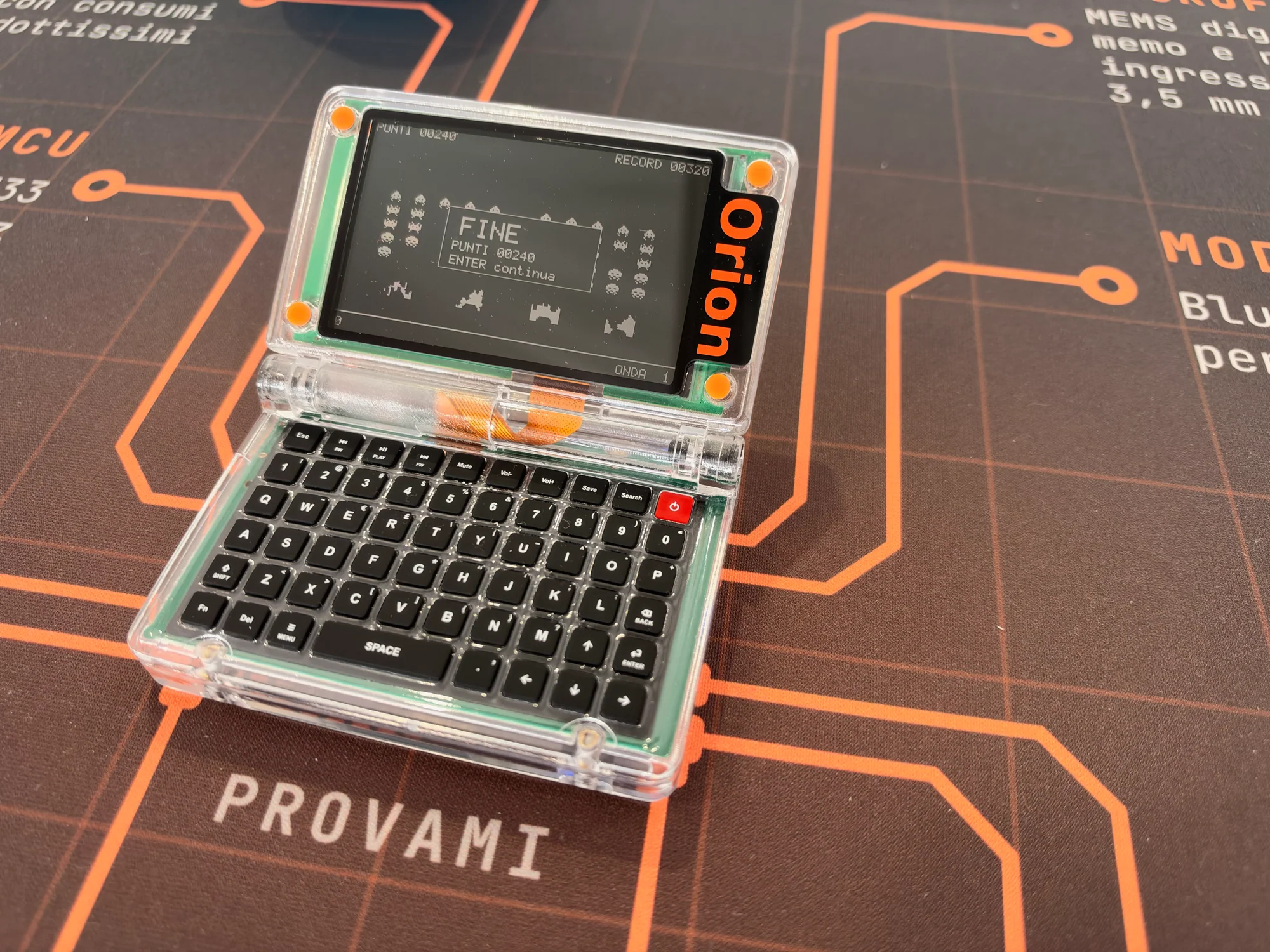
Under the lid is an STM32U575 Cortex-M33 microcontroller running at 160 MHz, paired with 8 MB of PSRAM. The Sharp Memory LCD has a 536 × 336 resolution, and the keyboard squeezes in 60 physical keys. There's microSD storage, USB-C charging, a 0.6 W solar panel and a magnetic 14-pin connector for expansion. That's a lot to fit into something this small.
Orion's software plans give those keys a purpose. Notes, an offline music library and Lua applications loaded from microSD make it a little personal computer you can shape around your own habits. A useful everyday companion that also leaves space for a weekend coding project is an appealing combination.
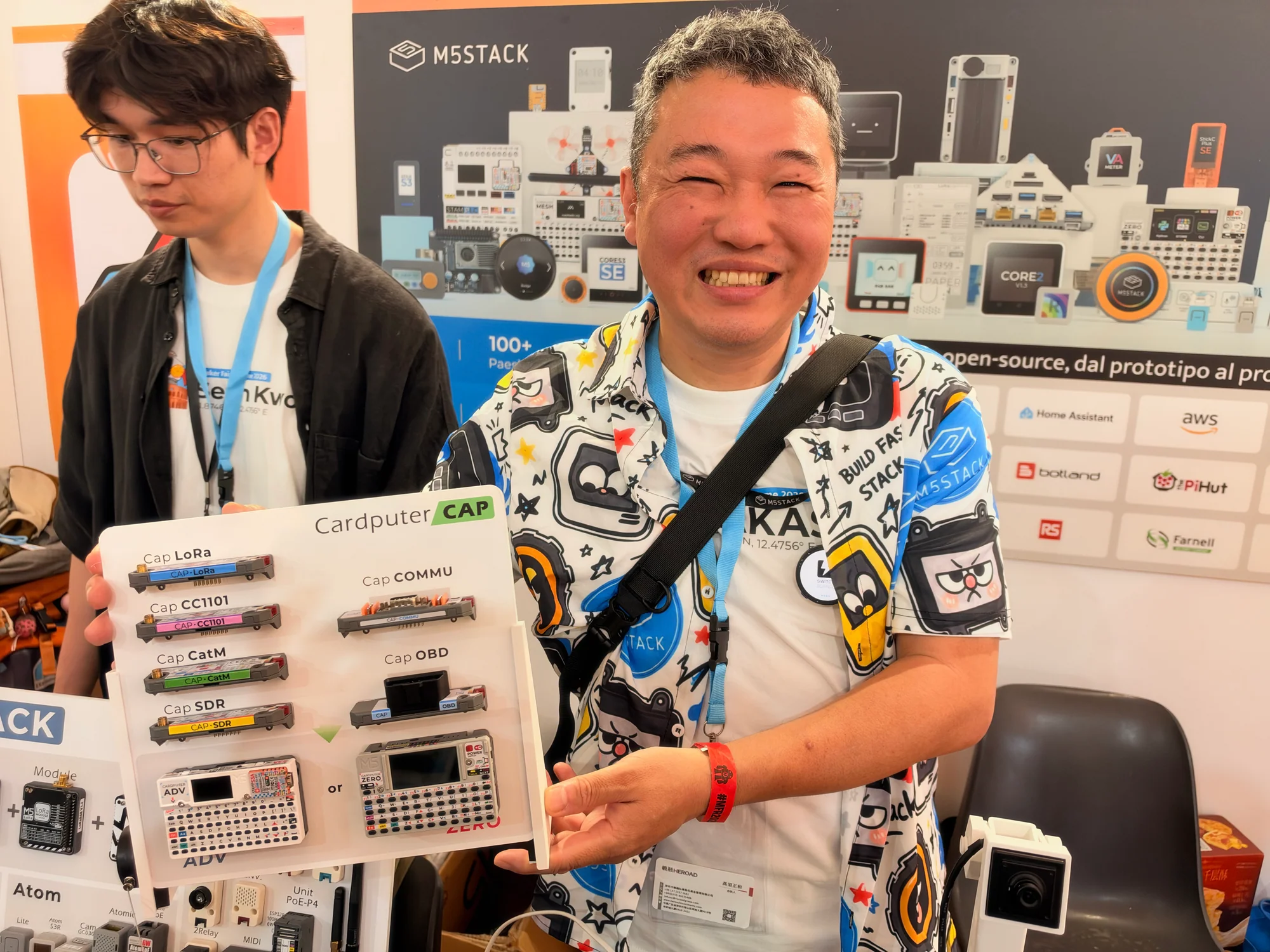
M5Stack: pocket computers with a growing accessory collection
Over at M5Stack, the pocket-computing theme came with a generous helping of add-ons. A unit labeled Cardputer ZERO sat beside a Cap OBD attachment, with more expansion hardware around it. Small computer, growing list of possibilities.
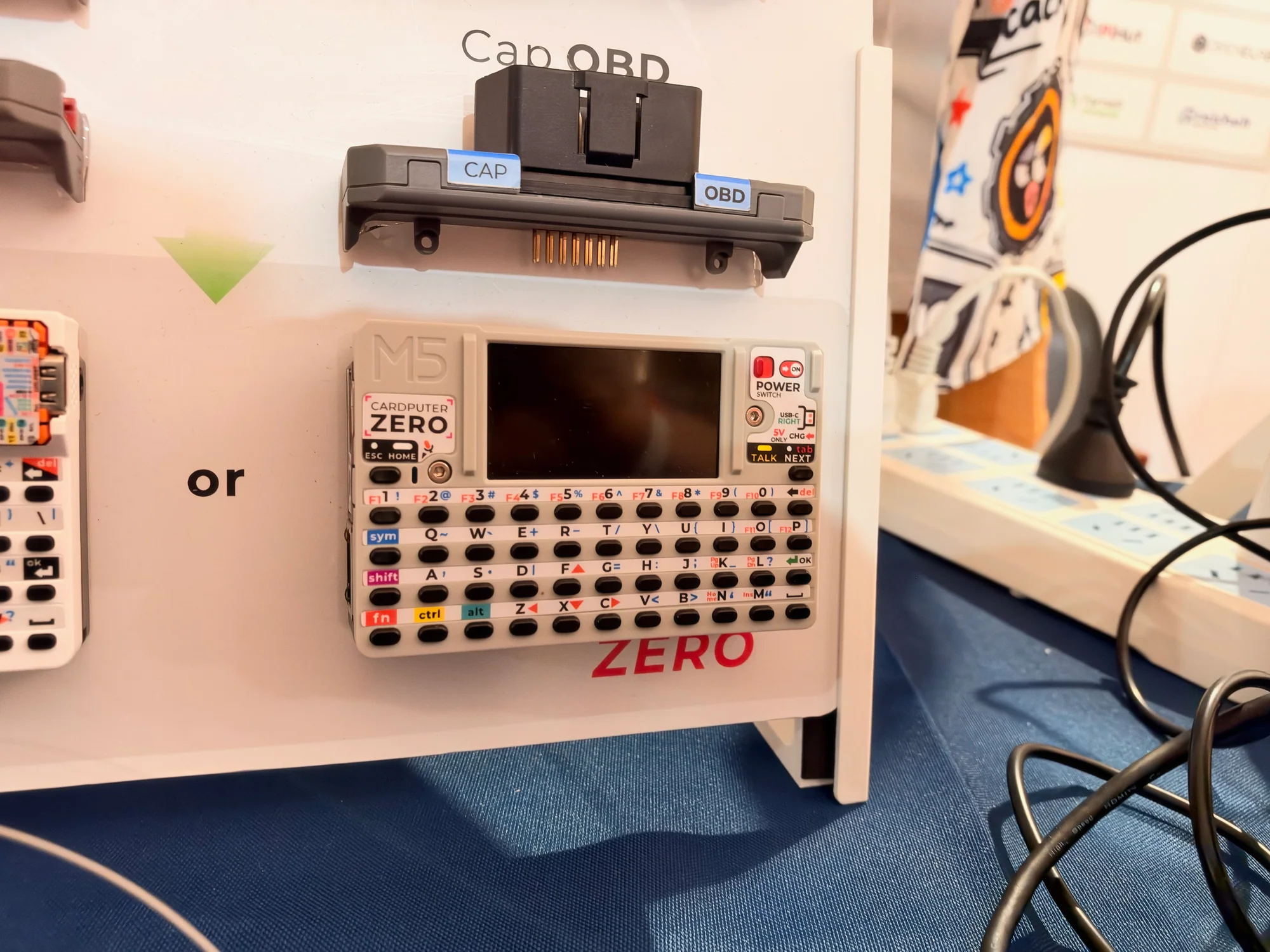
A keyboard and screen give a portable project a useful starting point. Add hardware for a particular job and it starts to feel like your own instrument or controller. That's the attraction of this kind of modular setup: you can picture what you would build with it while standing at the display.
For a way into the family's software tools, M5Stack's Cardputer-Adv documentation includes Arduino IDE and UiFlow2 tutorials. The Adv is another model in the range, with its own hardware specifications, and a useful place to explore the programming experience.
Nuvola32: a handheld with a playful side
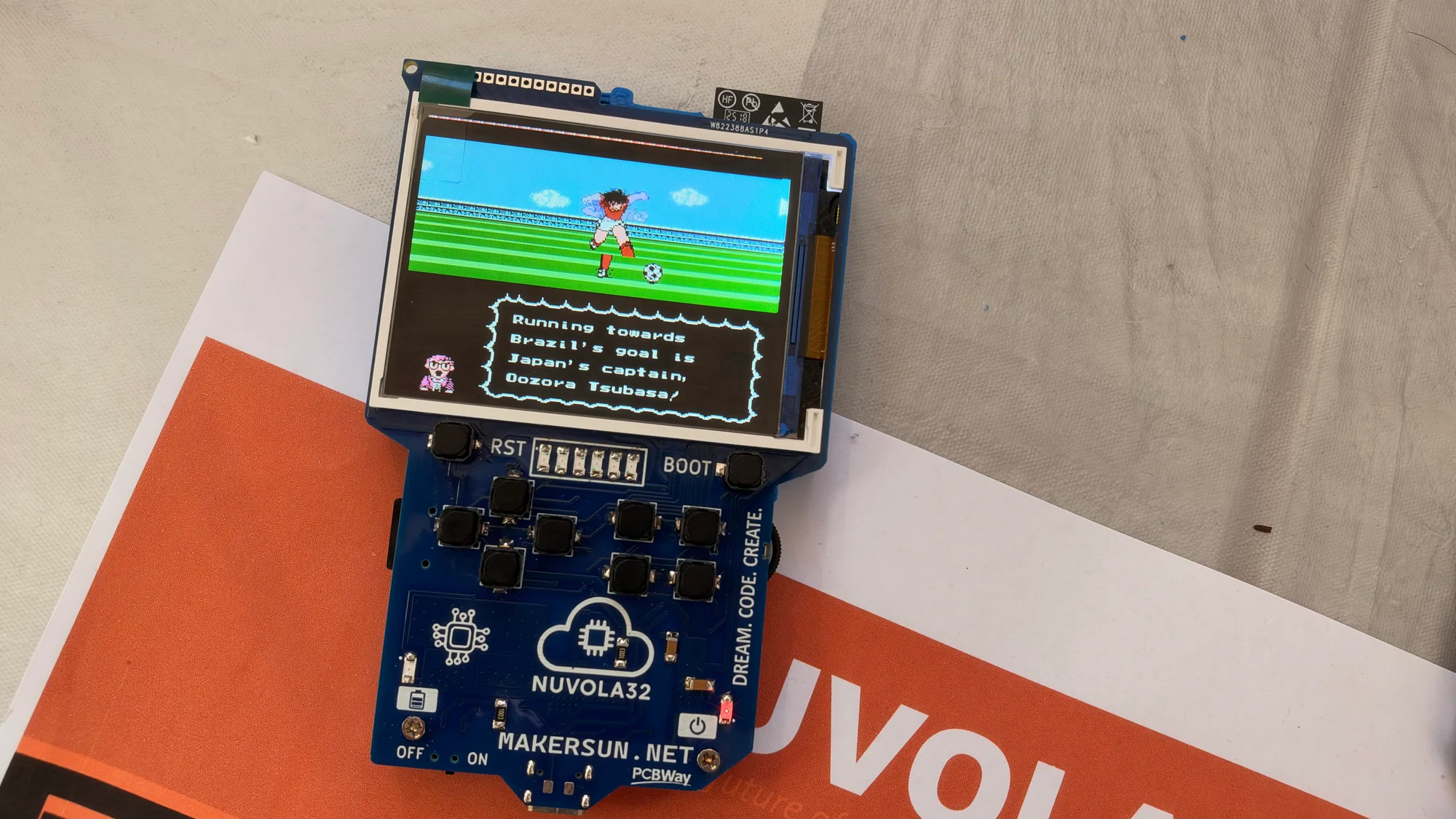
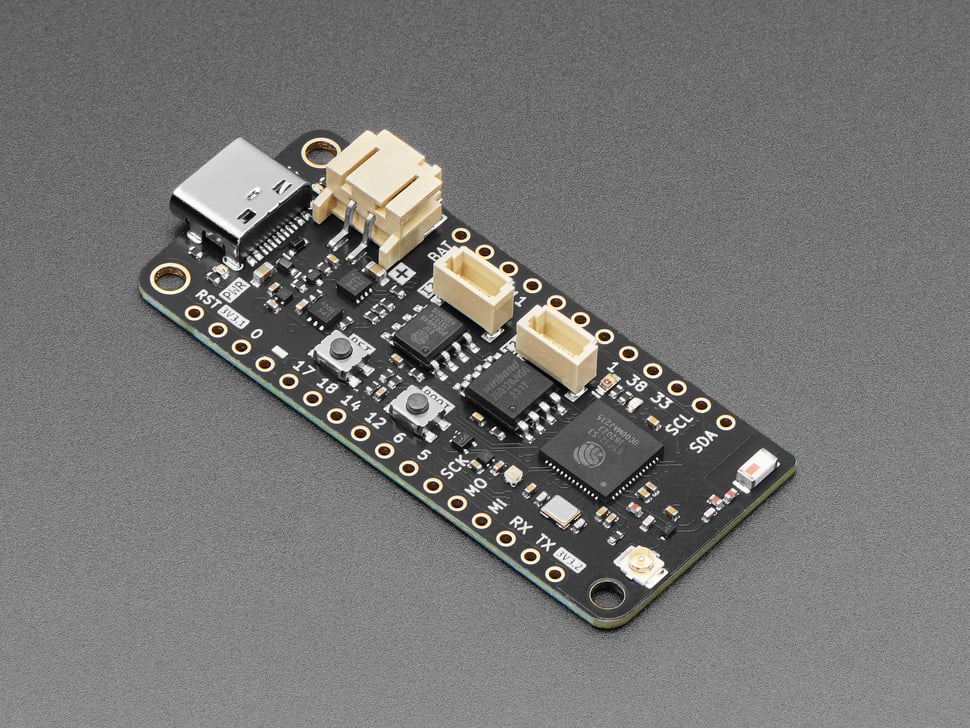
The blue Nuvola32 board from MAKERSUN had a similarly inviting feel. Based on the ESP32-S3, it brings a color screen, physical controls and accessible connections together in a compact handheld layout.
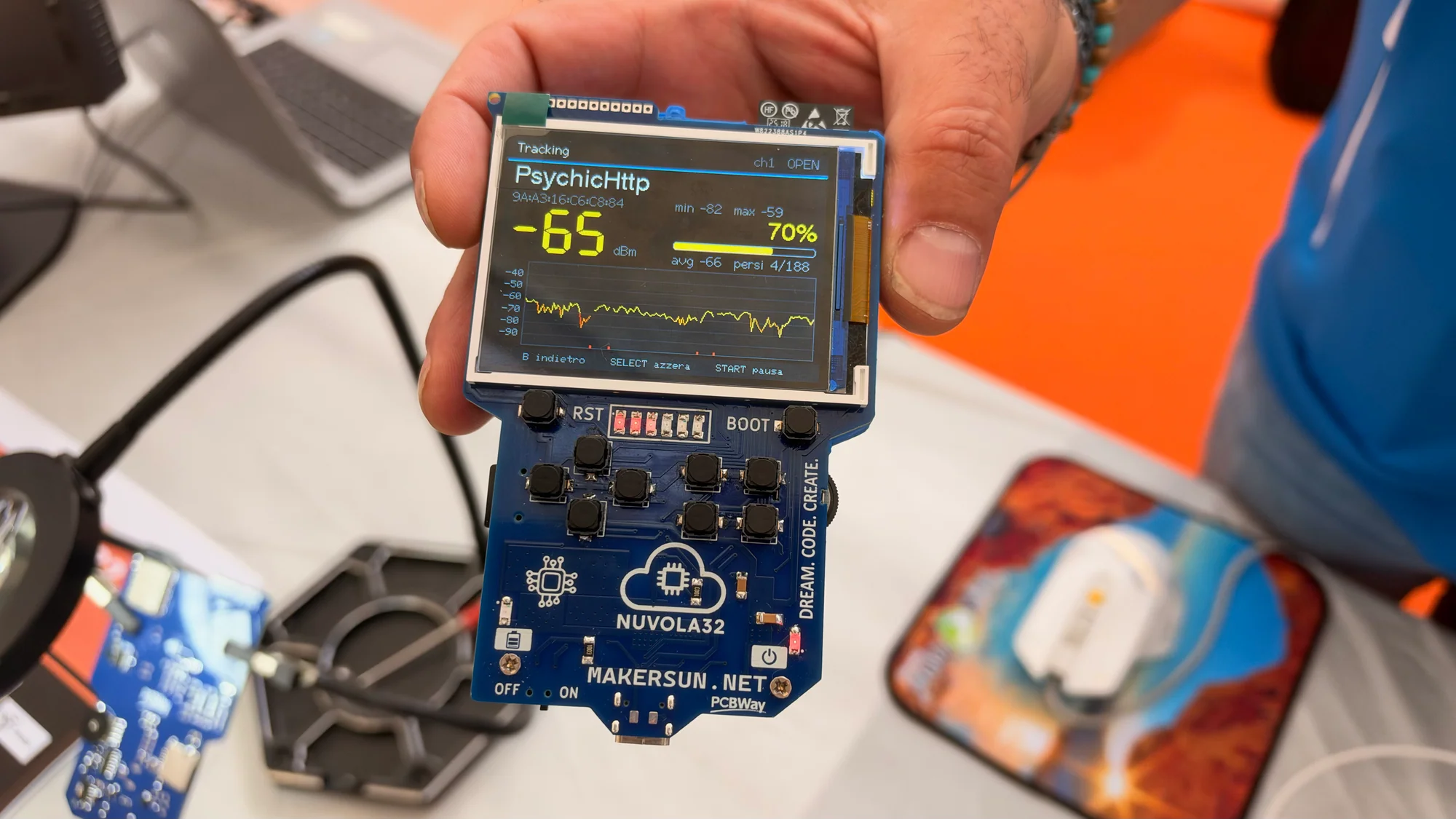
Graphs and numerical readings showed its serious side. A retro-style game showed what happens when the same hardware gets the afternoon off. It's easy to imagine using that combination for a handheld sensor display, a custom controller or a game of your own.
The MAKERSUN GitHub profile and Tindie store are good places to keep exploring once the project ideas start arriving.
OrionPnP takes the fiddly work off your hands
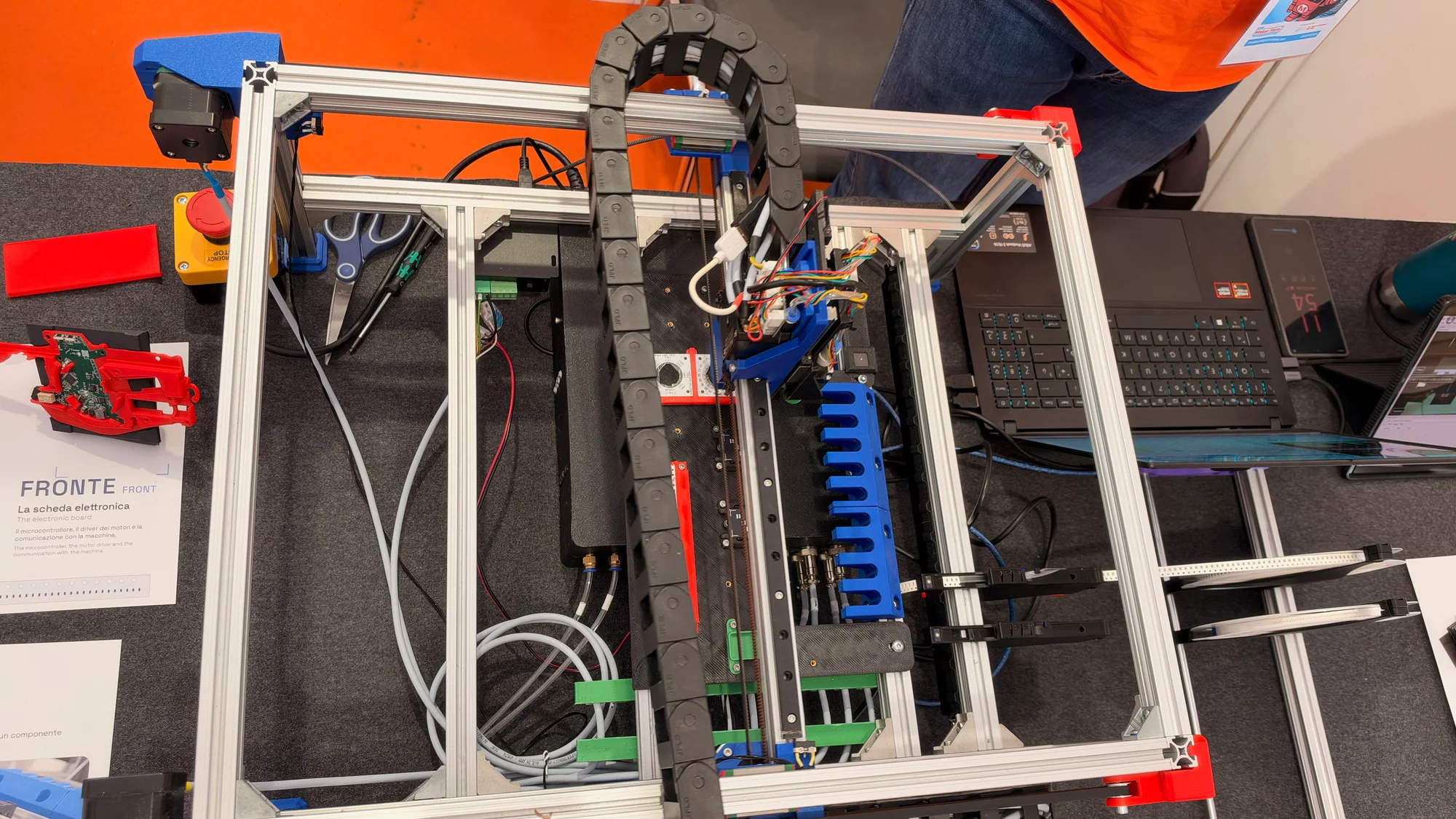
Tiny surface-mount components have a habit of making a perfectly reasonable PCB project feel rather fiddly. OrionPnP takes on that part of the job with an open-source pick-and-place machine. Its aluminum frame, printed components and exposed mechanisms made it particularly satisfying to examine.
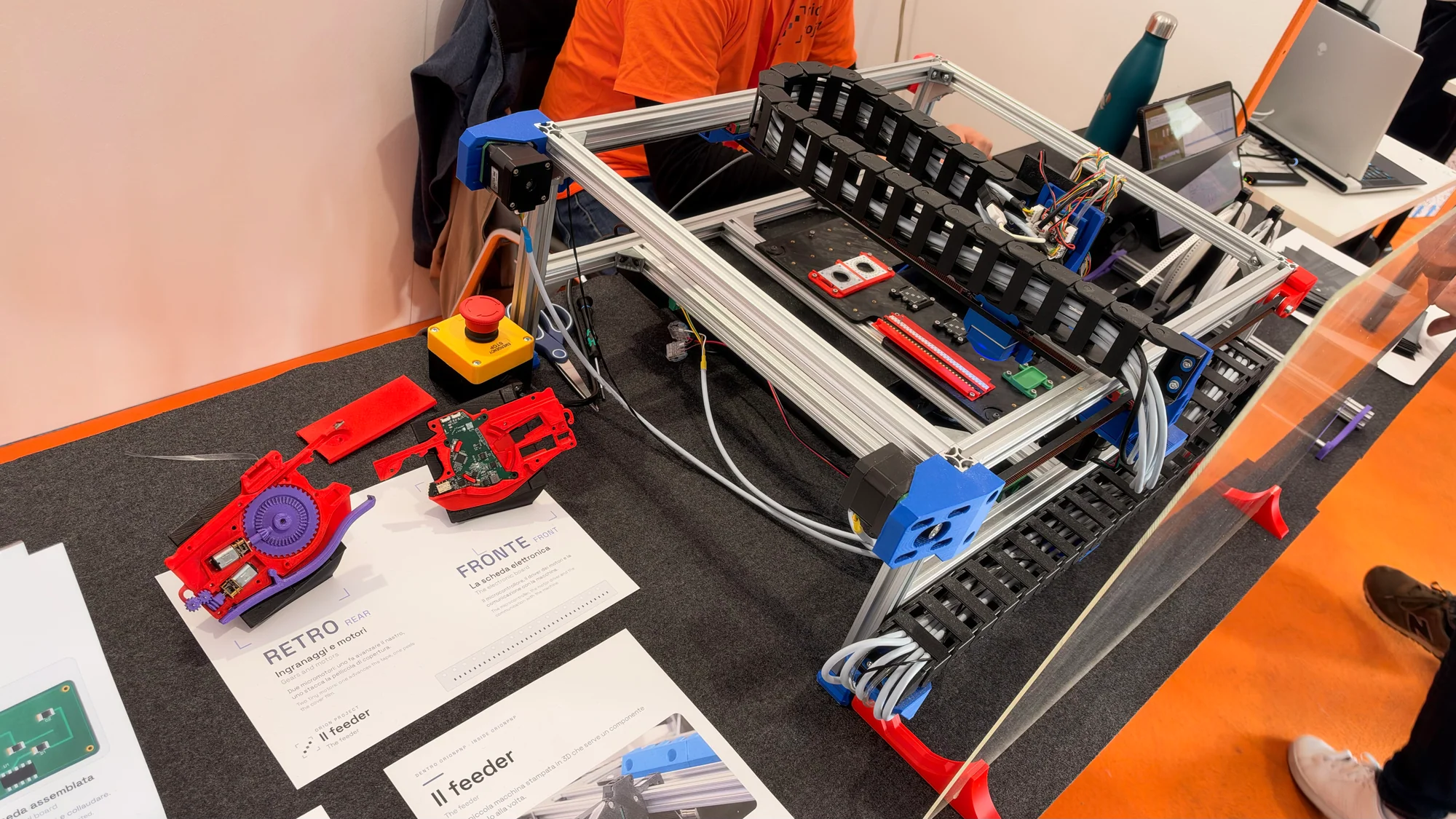
The project describes compatibility with OpenPnP, placement of components down to 0402 size and a parts cost below €1,000. For makers thinking about small-batch production, that puts some interesting workshop automation within reach.
The workflow is straightforward to follow: apply solder paste to the bare board, let the machine place the components, then reflow the assembly to make the solder joints. OrionPnP handles one important step in that chain, and watching the mechanism makes the process much less mysterious. The OrionPnP project site is the place to dig further. Despite the shared name, this is a separate project from the Orion pocket computer.
Spaghetti Lab untangles the prototype
Anyone who has traced a fault through a nest of jumper wires will understand the name Spaghetti Lab. Its answer is a set of blue electronics modules that snap together magnetically. The result is a compact assembly whose connections are much easier to follow.
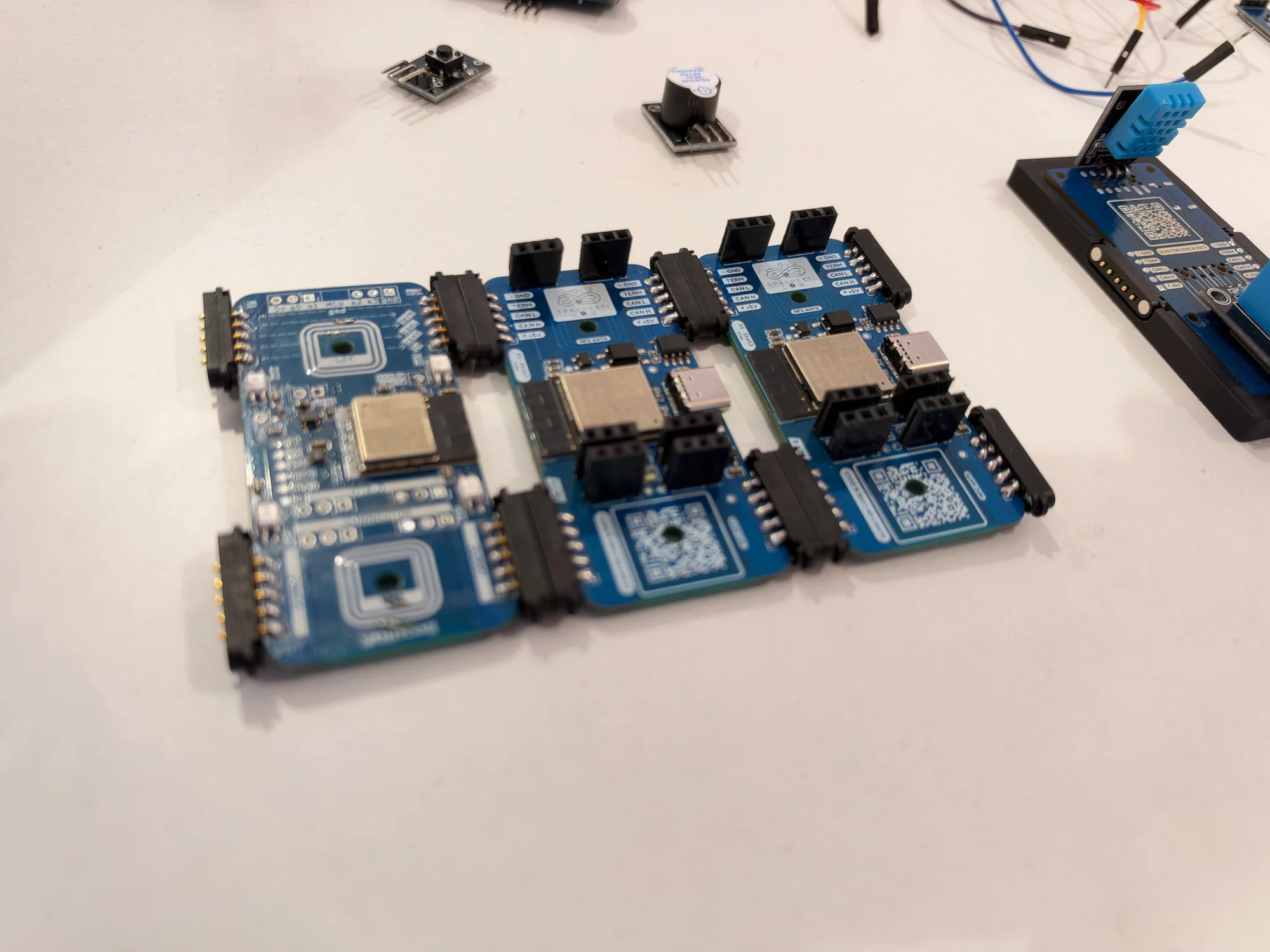
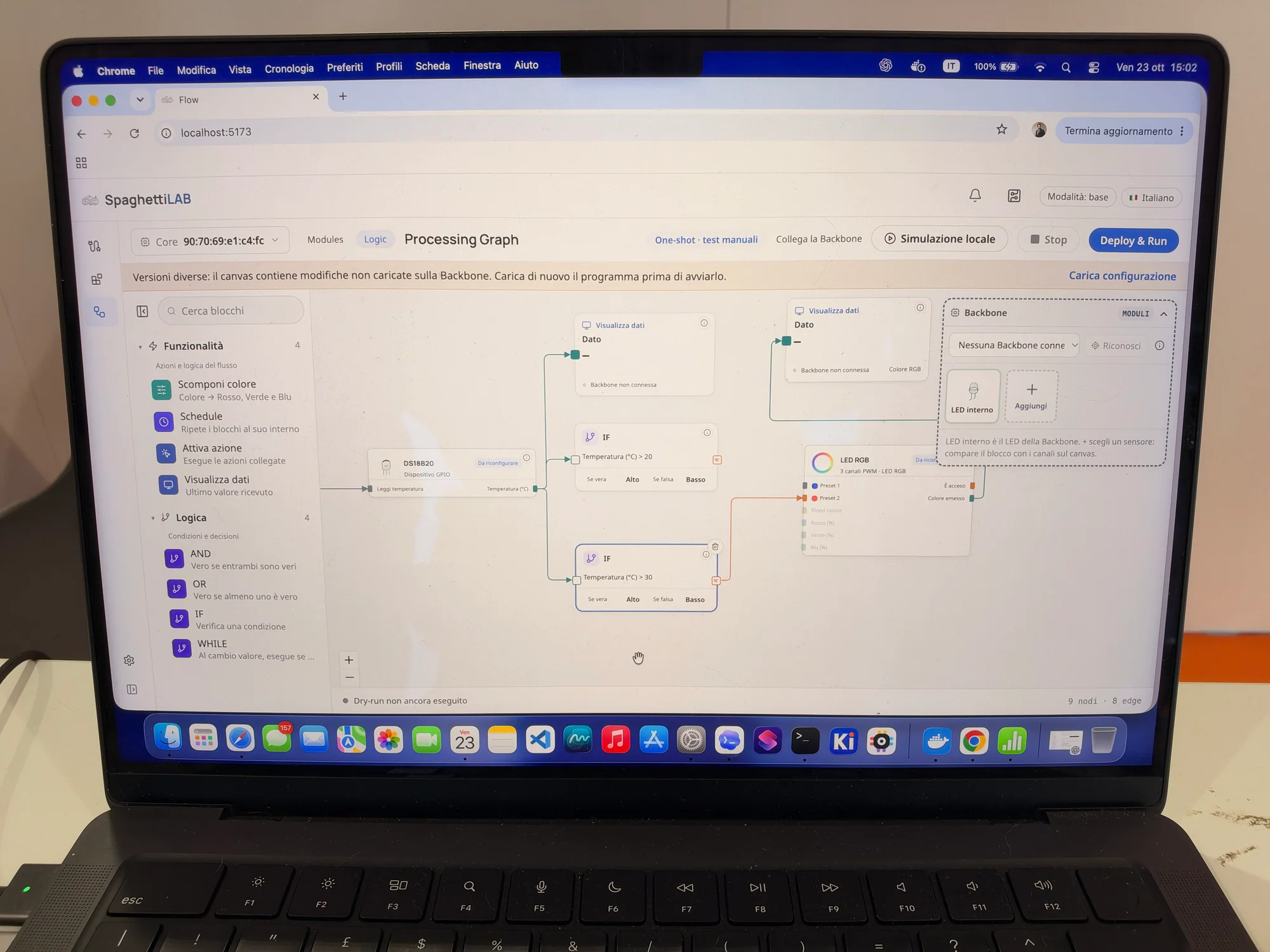
The software follows the same visual approach. On the laptop, a processing graph linked a DS18B20 temperature input to conditional logic, data displays and an RGB LED block. You could follow the sensor reading through a decision and on to an output, with the relationship laid out on screen.
That's a handy way to teach the logic behind a project, as well as a tempting way to try an idea quickly. Change the condition, watch the output and see what happens. There's plenty of learning in that loop, with fewer loose wires to interrupt it.
Please touch the music
Modula's controls are hard to resist
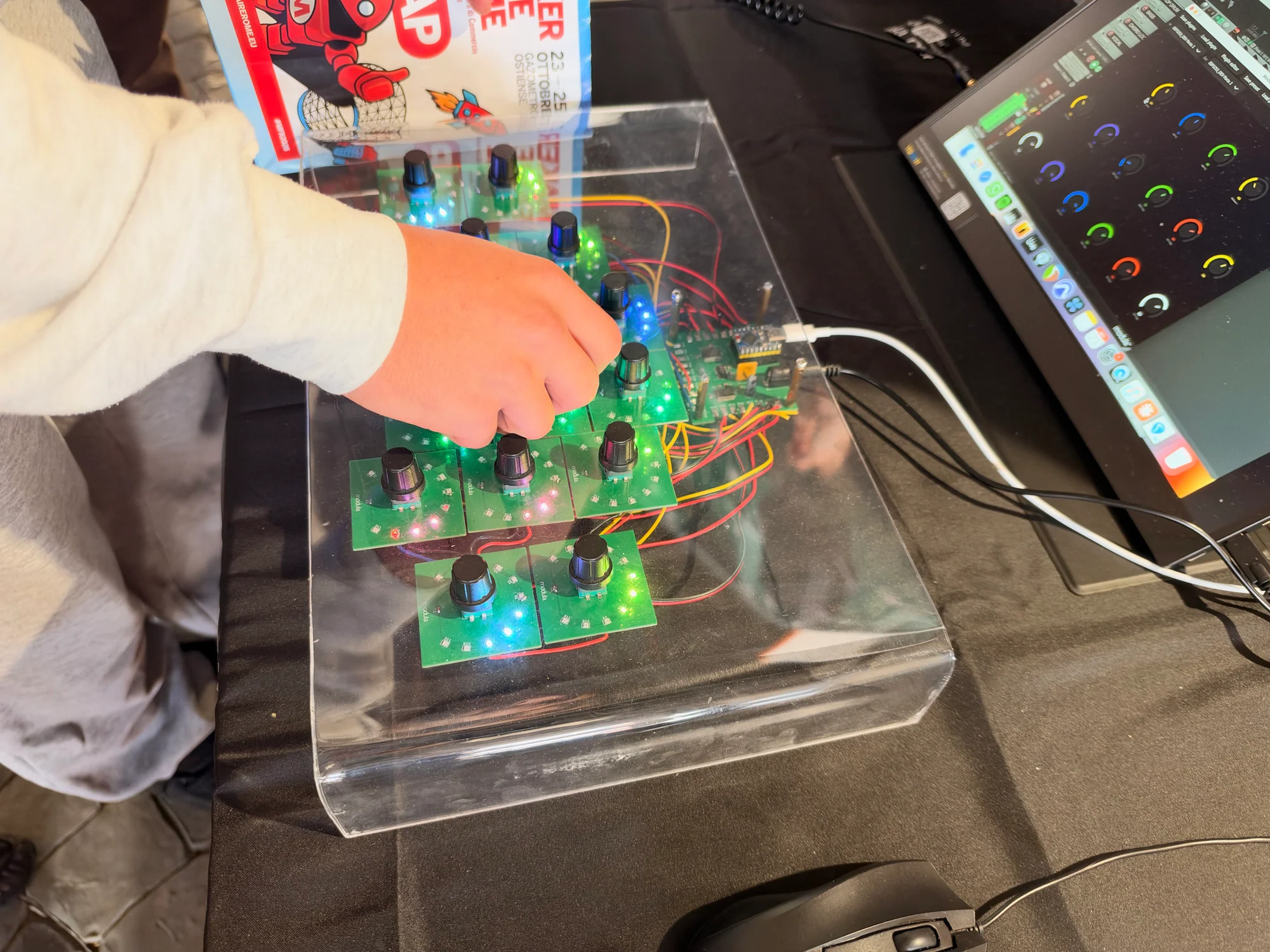
Modula made a strong case for putting your hands back on the controls. Colorful illuminated rings surrounded its rotary controls, while a transparent enclosure showed the boards and wiring underneath. A laptop beside it supplied the software half of the setup.
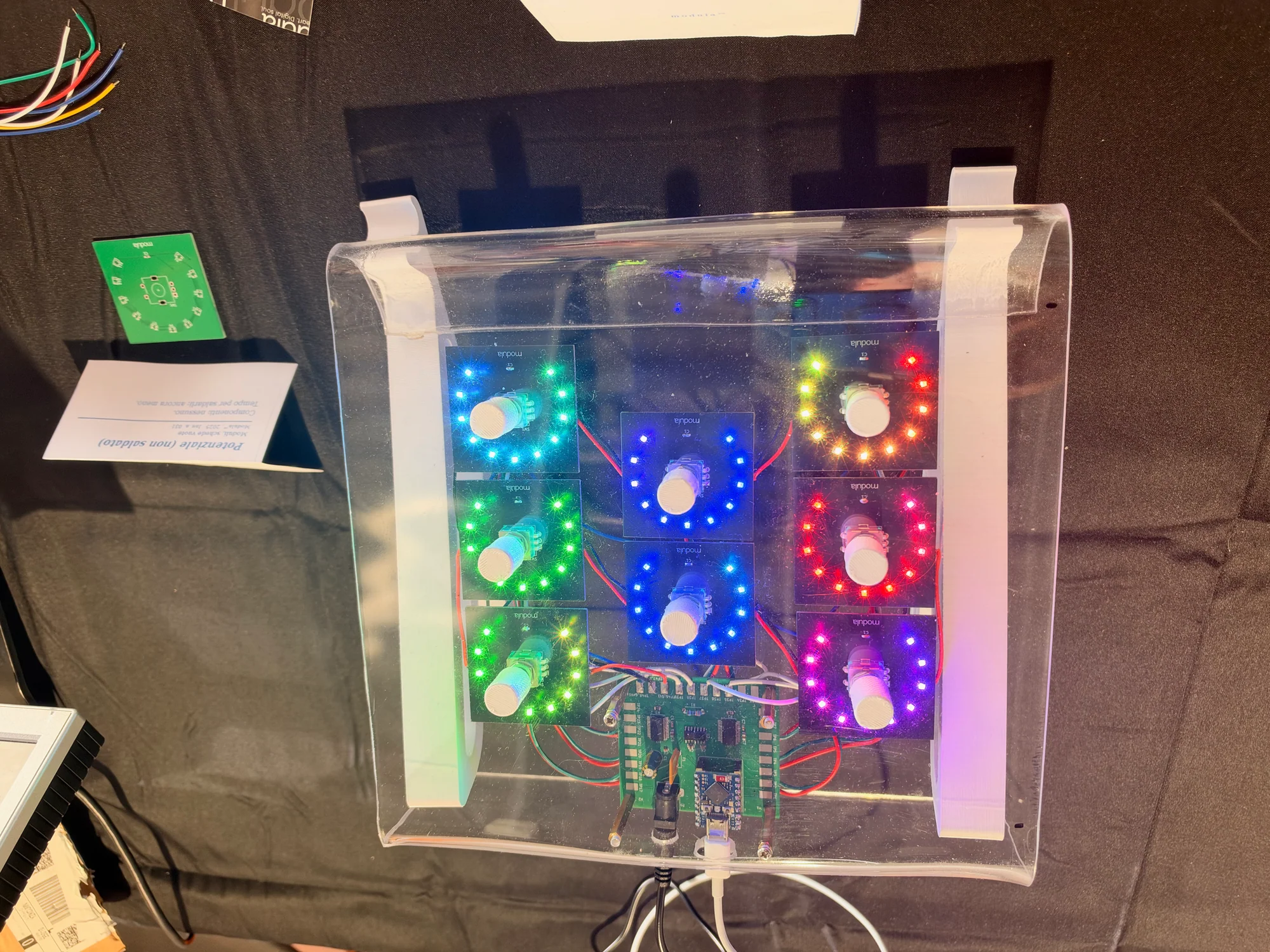
There's something immediately inviting about an interface full of knobs waiting to be turned. The illuminated controls make Modula easy to notice, but the physical interaction is the real draw. Electronic music is a particularly good excuse to build an interface you want to play with.
Music Machine changes its tune
A separate exhibit, Music Machine, added another twist. Its synthesizer concept changes personality with a simple tag, adapting to the person playing it. Orange knobs, a touch-style keyboard and pads gave visitors several ways to get involved.
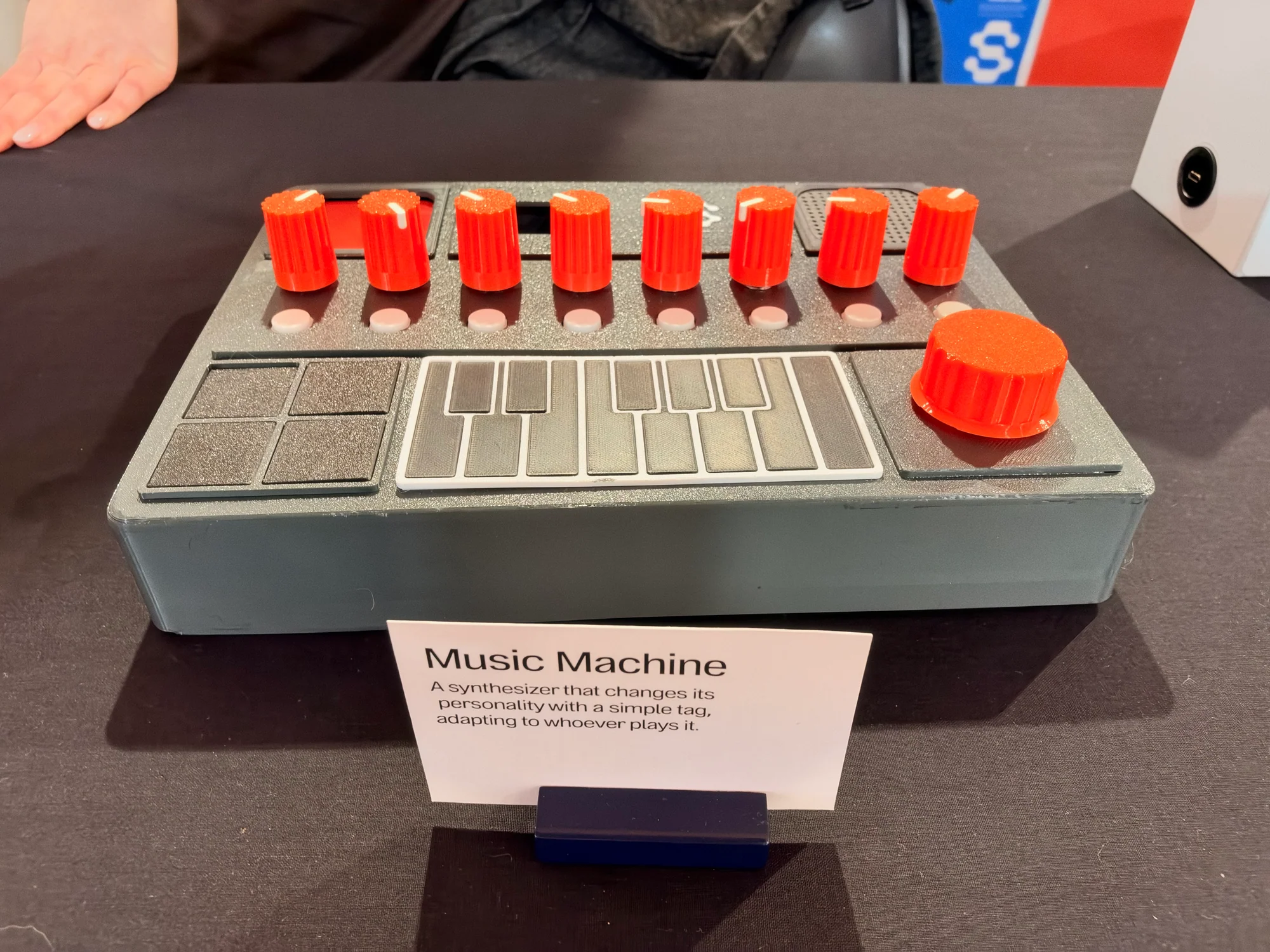
Together, the two projects offered plenty of inspiration for anyone building a musical controller. Think about what the player should reach for, what feedback they need and how much of the experience can happen away from the mouse.
Everyday objects pick up a few new tricks
Some of the most approachable ideas started with objects everyone already knows. A lamp, a camera or a bedtime toy gives connected electronics a job that takes very little explaining.
A local smart home and a lamp with a useful side job
The Home Automation model demonstrated an open-source system that runs locally, keeping control and data in the home. Nearby, Smart Lamp gave the humble desk light a second job. Designed for shared workspaces, it monitors air quality and indicates whether a desk is free.
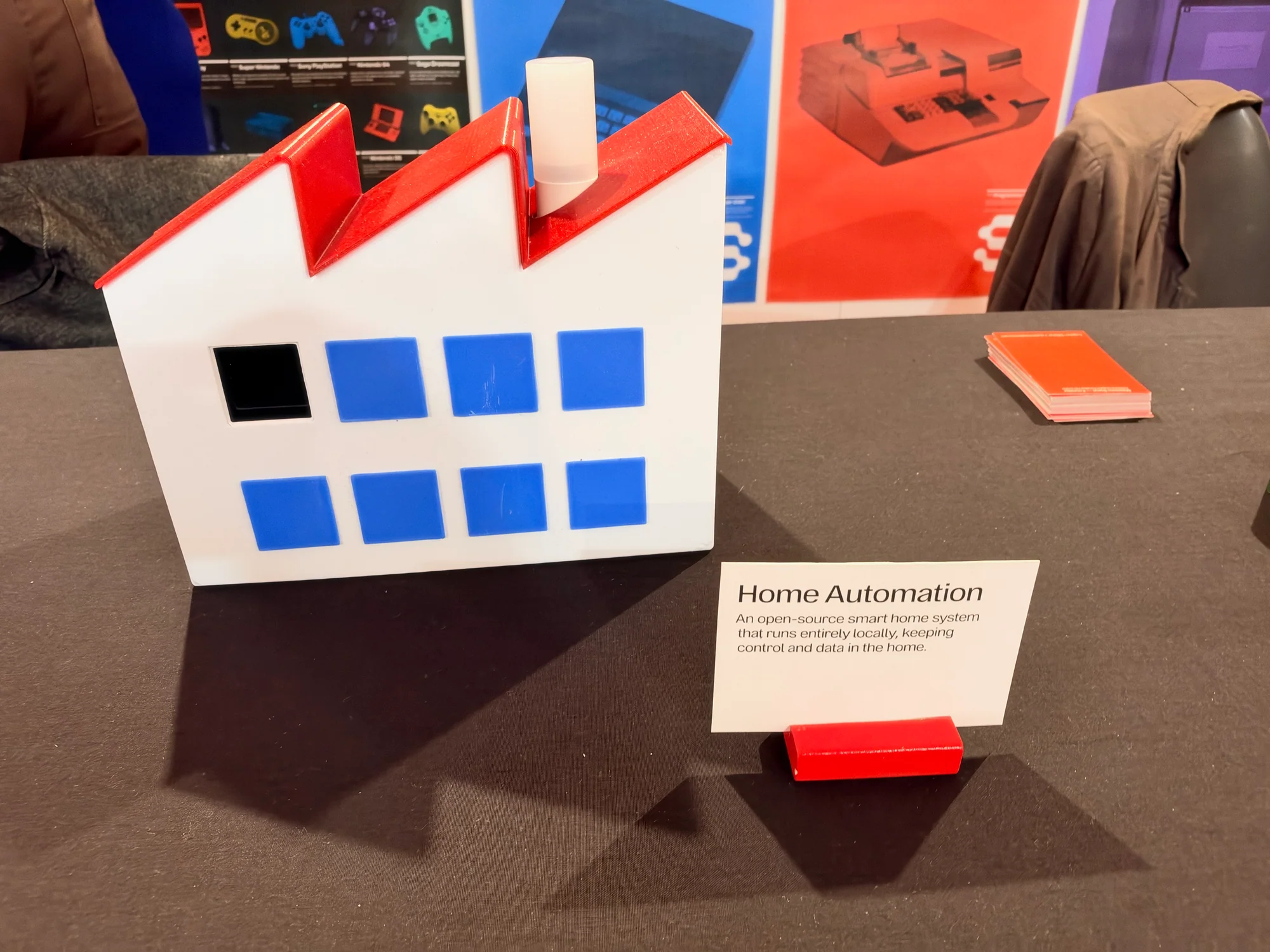
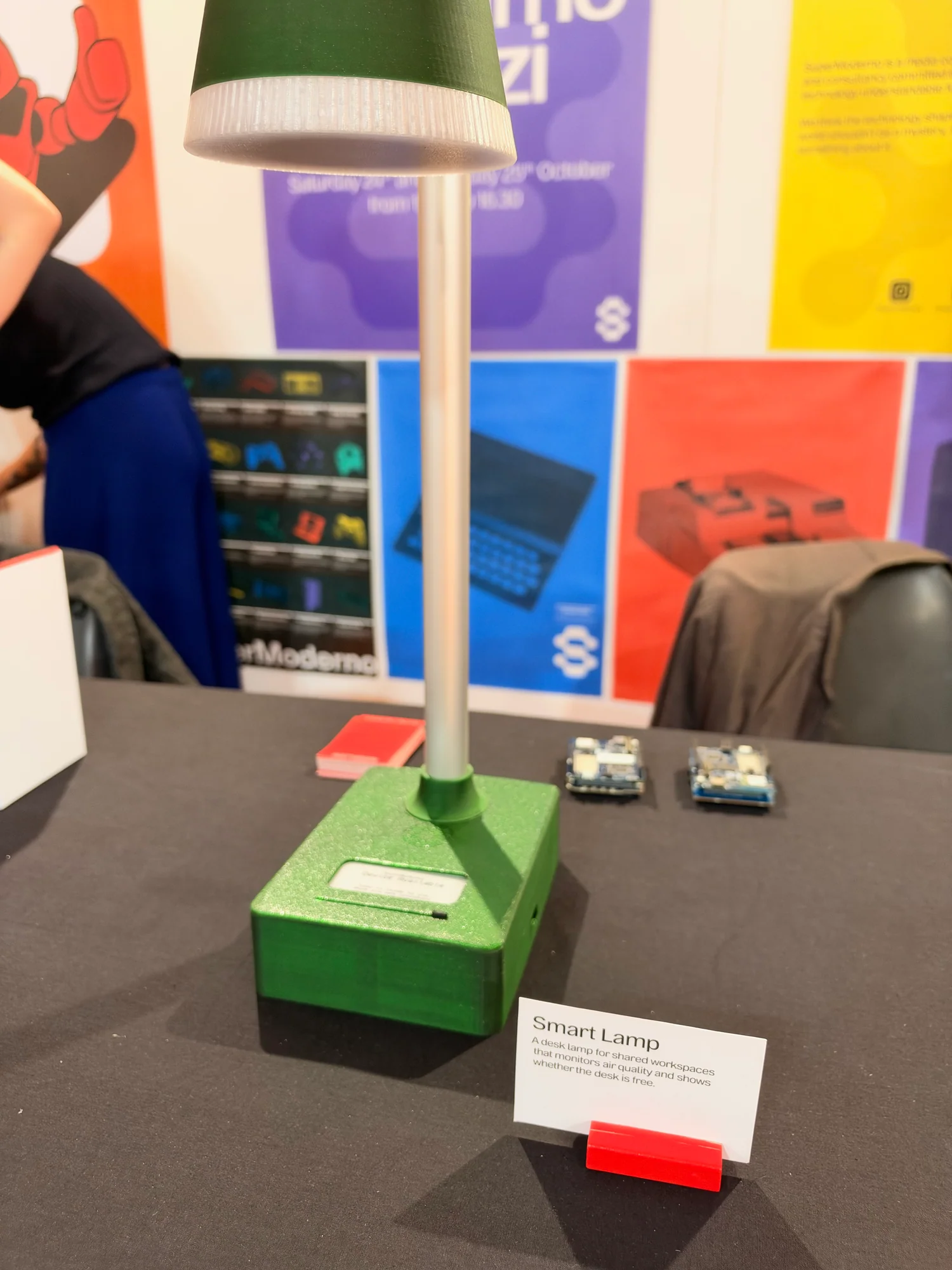
That makes the lamp useful before anyone has opened a dashboard. It puts workspace information into something people already look at and use, a practical design idea worth borrowing for a sensor project of your own.
Cantastorie and 24 Fictions get creative
Cantastorie brought a little character to AI. The bright blue toy, with its camera-like eye and speaker grille, was presented as a private storytelling companion that invents bedtime stories from objects. Alongside it, 24 Fictions gave the camera a creative twist, combining a 24-shot limit with AI-generated interpretations of the photographs.
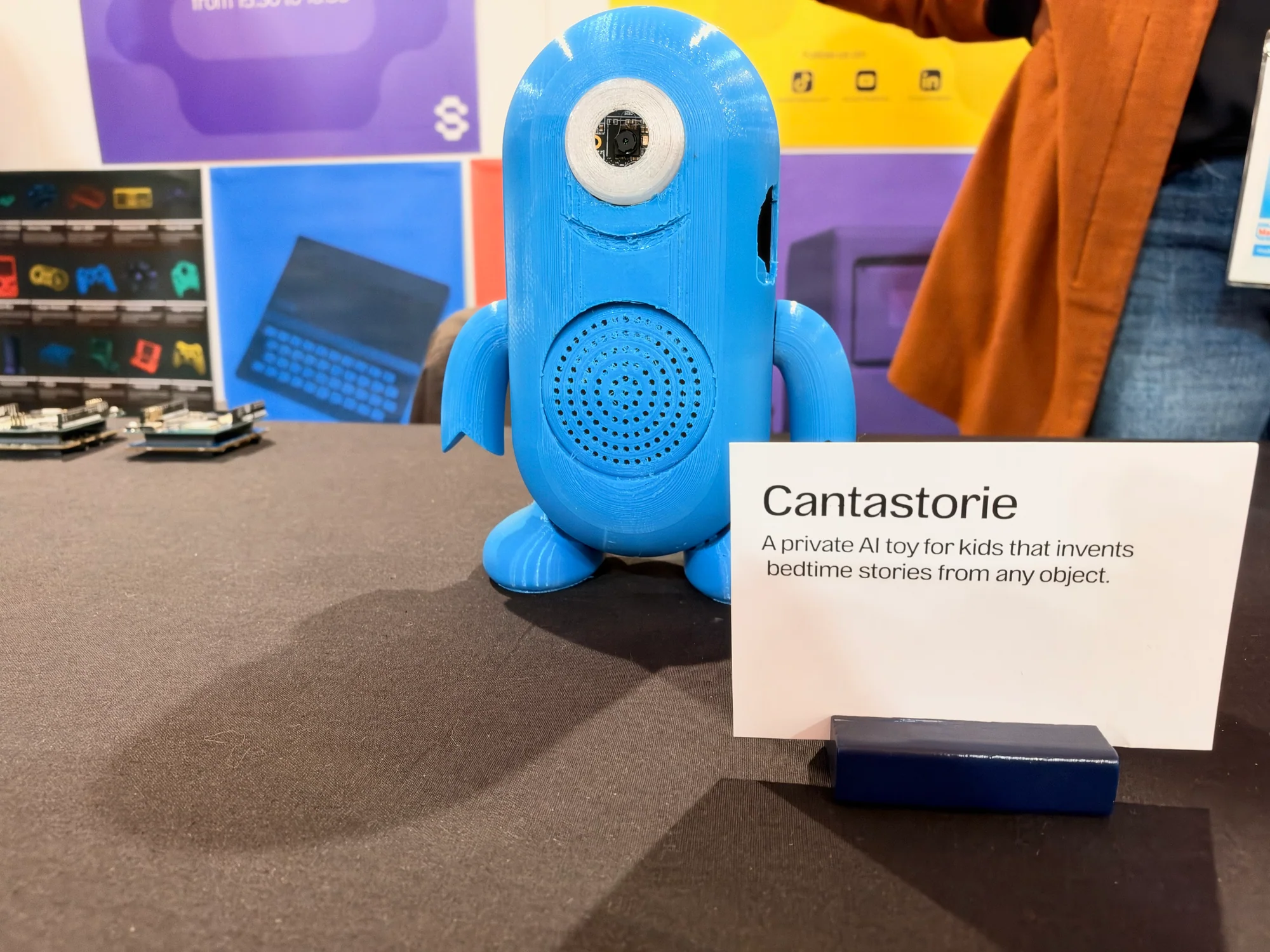
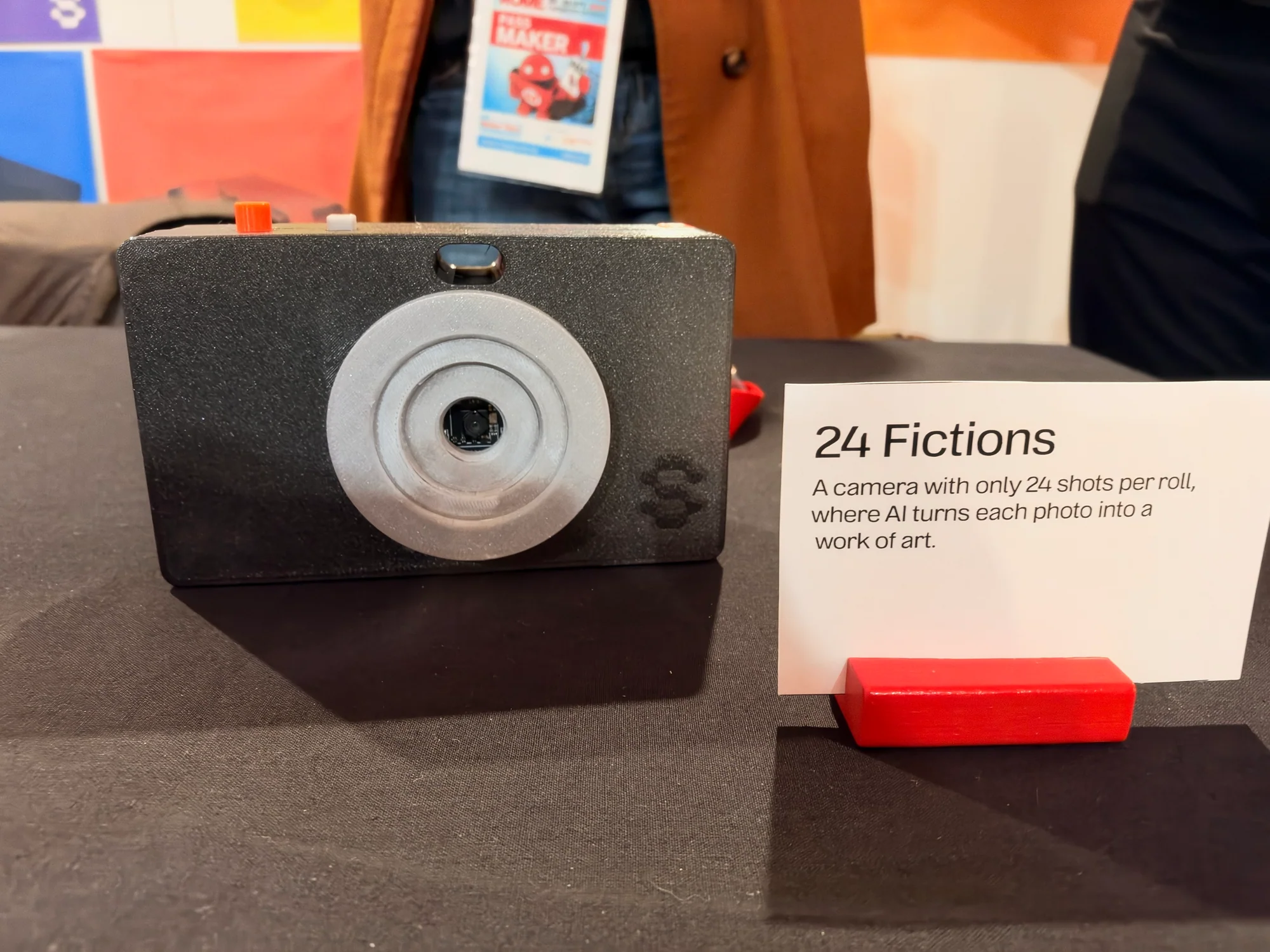
One turns objects into stories. The other turns a limited set of photographs into artwork. Both give the technology a playful, specific role, and both make you curious about what you would try first.
Prensilia: a helping hand, with serious engineering inside
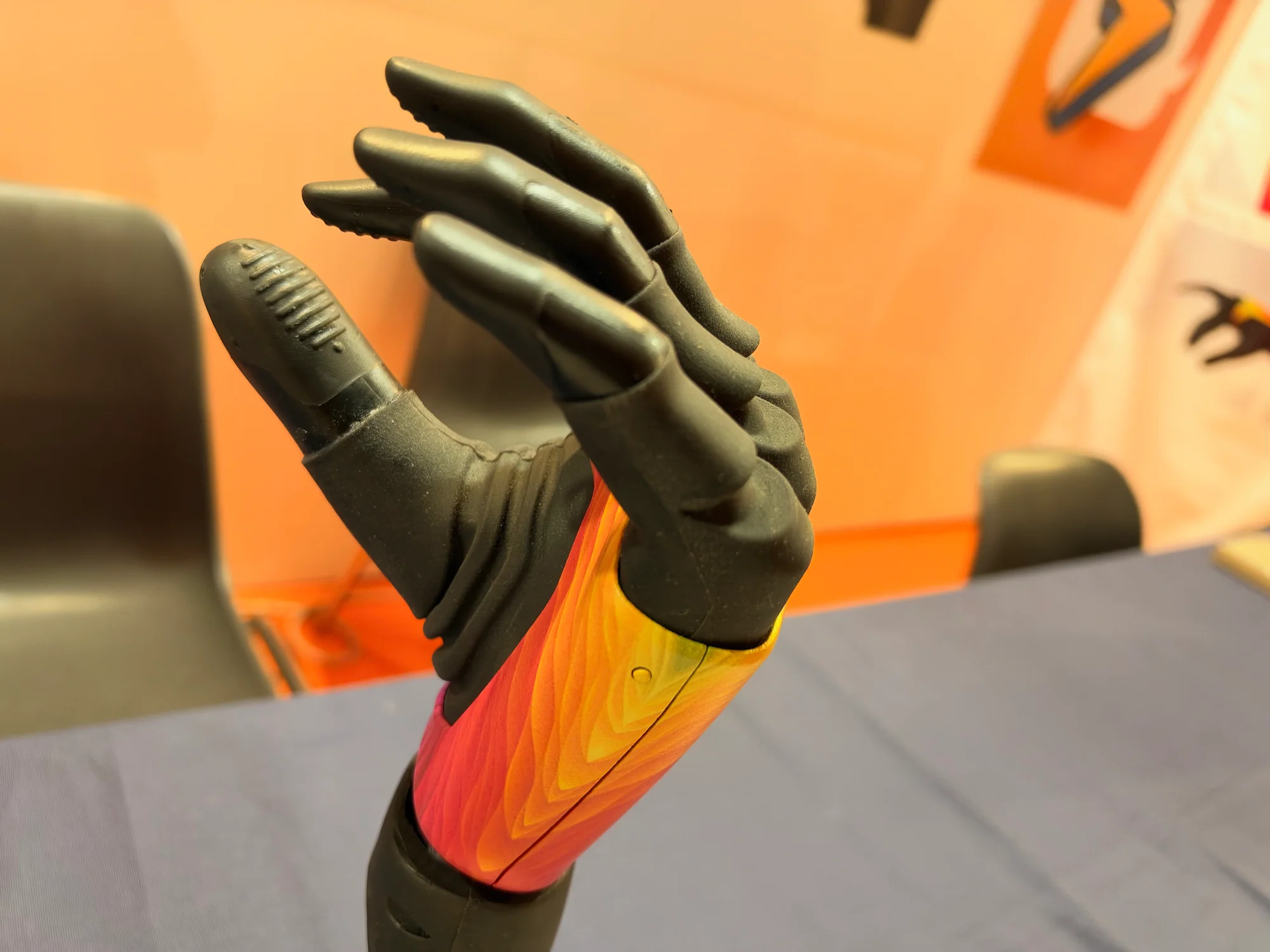
A hand is easy to recognize and remarkably difficult to engineer. The Prensilia MIA Hand brought that challenge into focus with articulated fingers, a forearm assembly and a distinctive colored shell. It was the sort of display that rewarded a slow look at the mechanics.
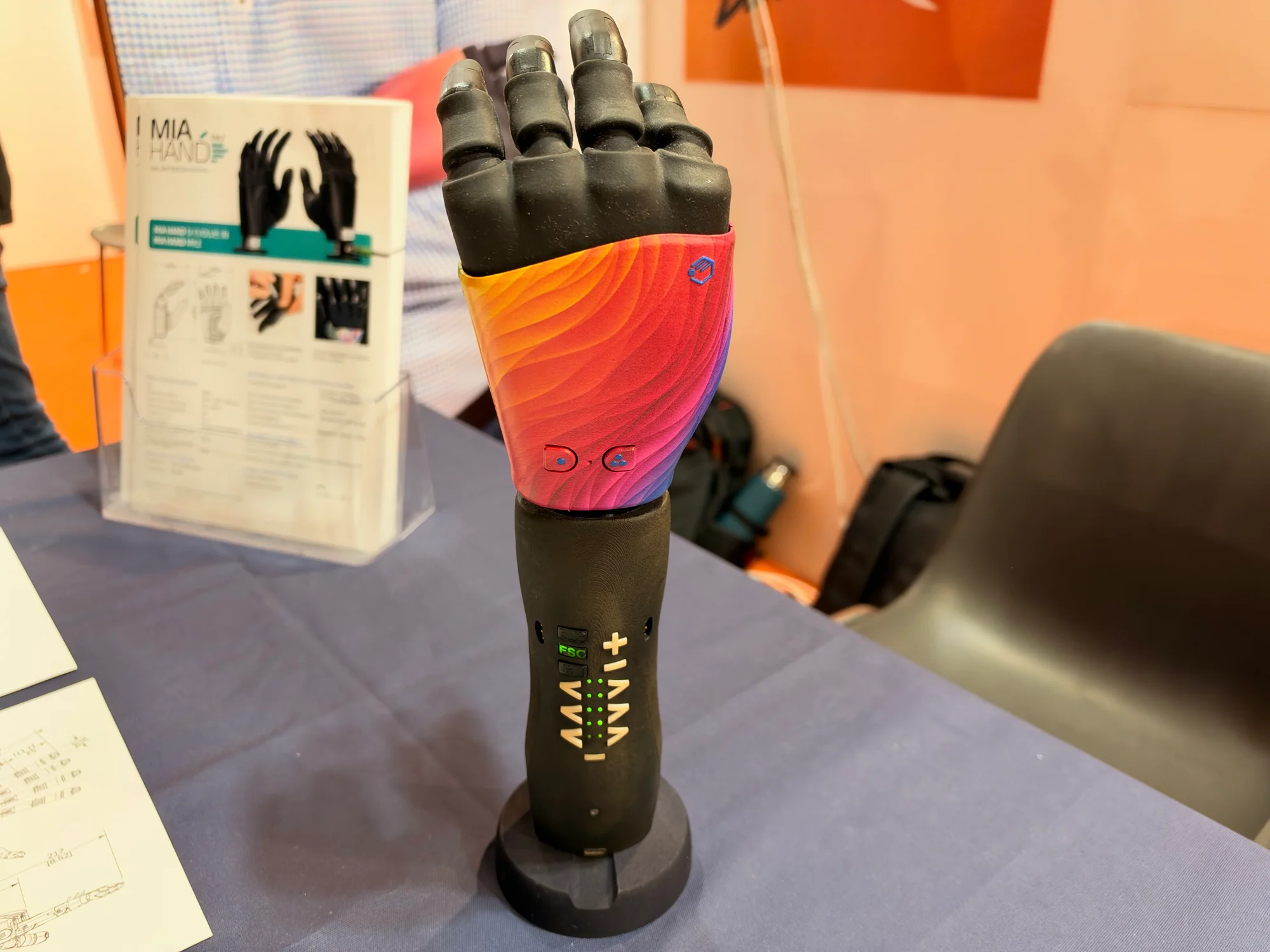
Prensilia describes prosthetic, industrial and research applications for MIA. The stand also introduced a separate research hand, the IH2 Azzurra, with five active axes, force and position sensing, and USB or RS232 communication.
For robotics builders, there's a lot to unpack here. Finger movement, sensing, control and packaging all have to work together in a very small space. A convincing shape is only the beginning. Making that shape do something useful is where the engineering gets especially interesting.
MEYELens puts eye tracking within reach
MEYELens offers an inviting route into a specialist subject: measuring pupils and tracking gaze. Its open-source platform combines modular, 3D-printable eyewear with an open workflow for capturing and analyzing eye movements.
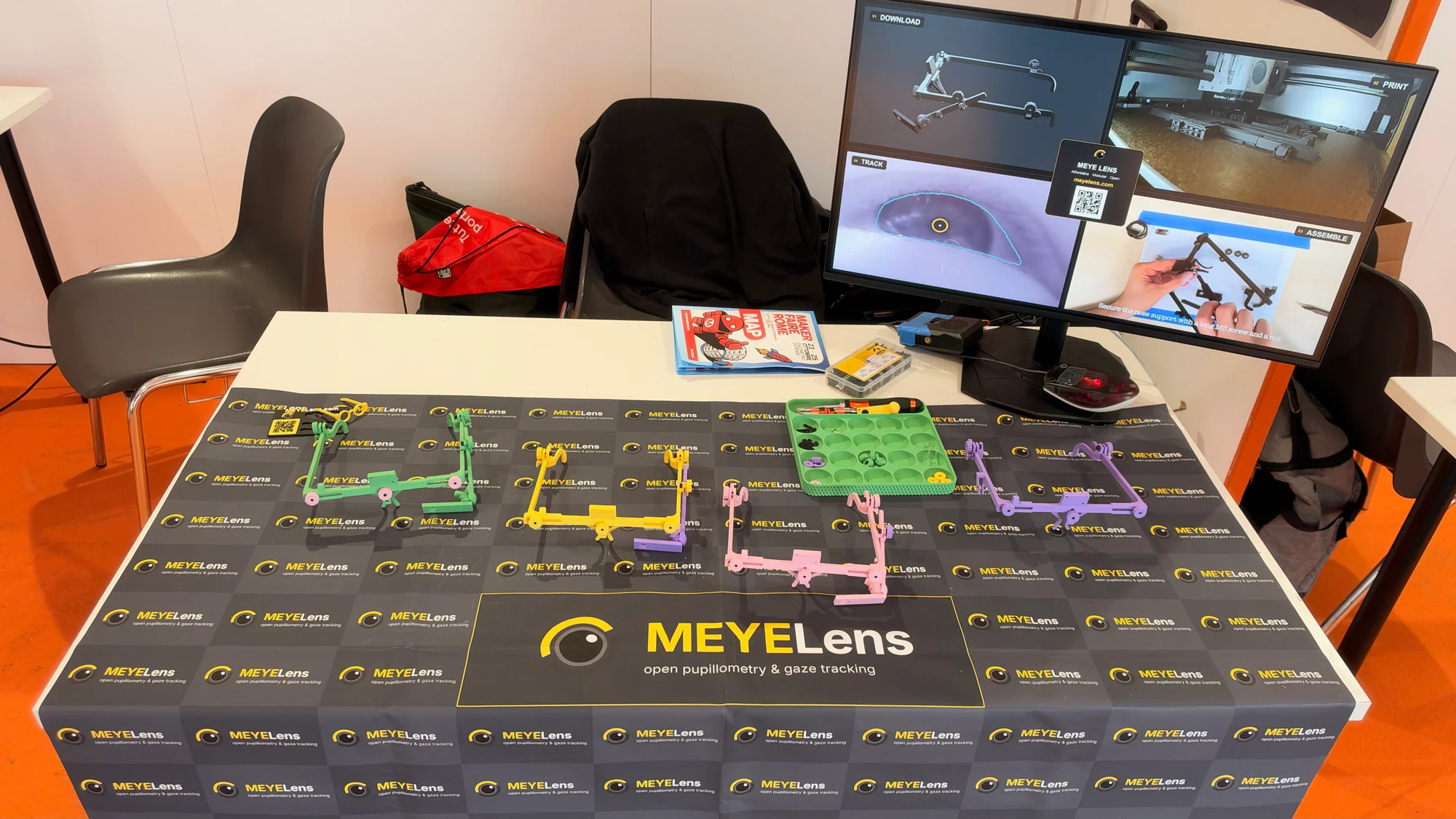
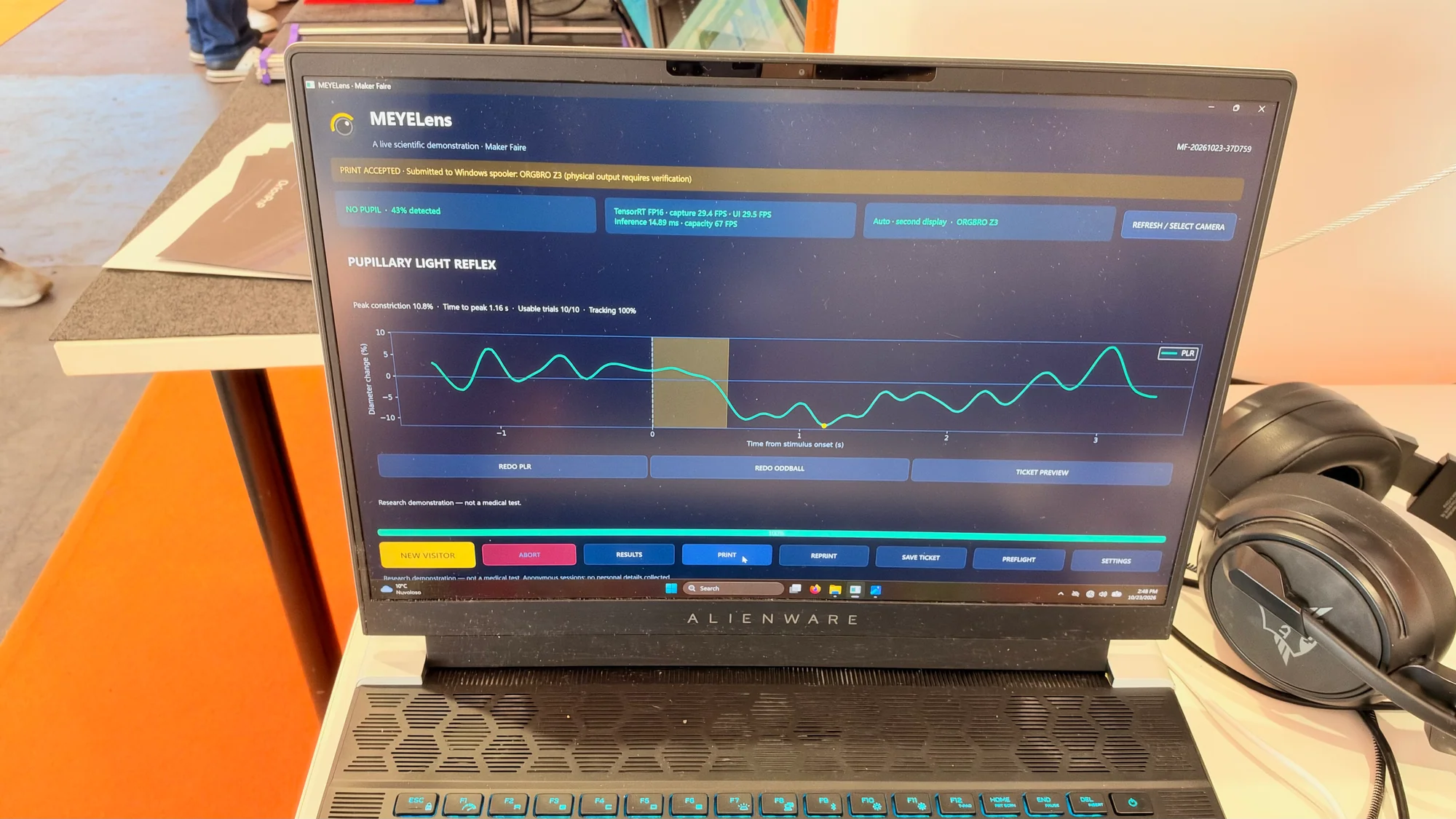
The stand broke the process into three manageable stages. Print and assemble the frame, record infrared video of the eye, then analyze the results with open tools. A nearby screen showed a pupillary light-reflex interface, connecting the hardware to measurements of how the pupil responds to light.
There is a satisfying mix of disciplines in a project like this. The printed frame positions the camera, the imaging captures the eye and the software turns the recording into useful data. Makers get to explore the whole instrument, with plenty of opportunities to understand and adapt each part.
Neuroscience you can get your hands on
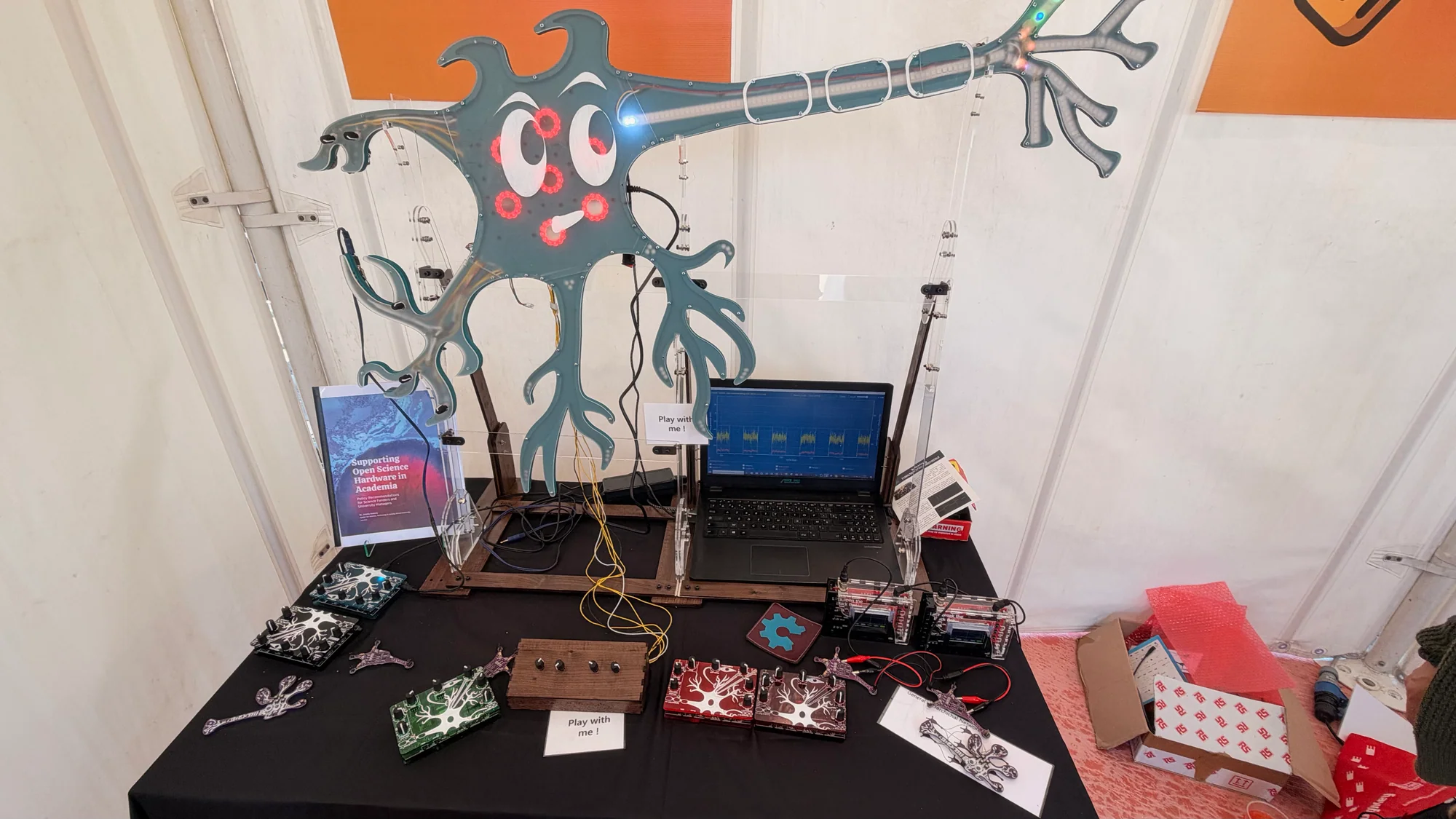
Neuroscience became much more hands-on at a stand filled with an illuminated neuron model, neuron-shaped circuit boards and physical controls. Labels including synapse input and injected current gave visitors a way to connect the electronics with the behavior being explained.
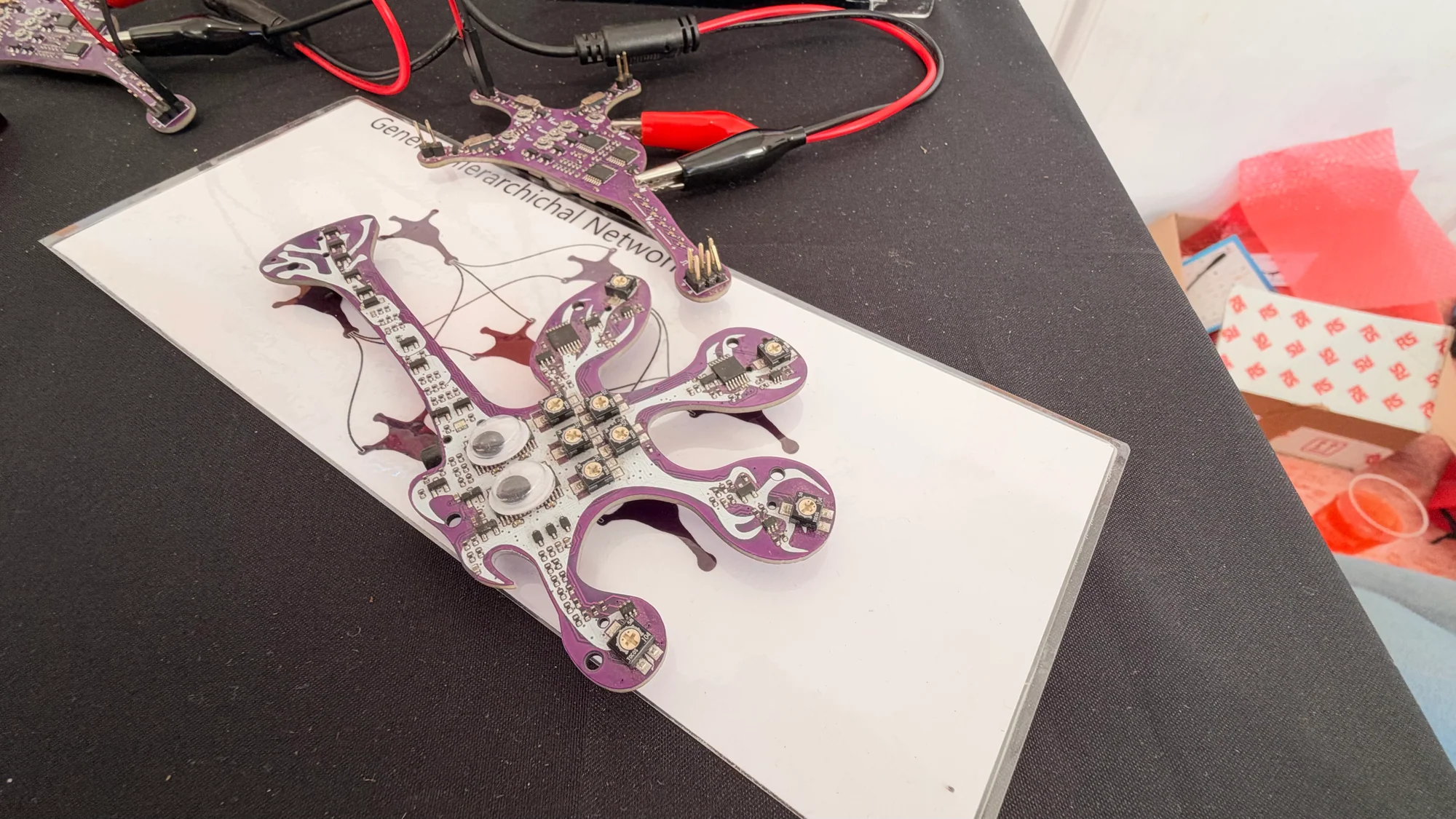
The smaller purple PCBs were a lovely touch. Their branching outlines echo the neurons they represent, so the board itself helps tell the story. For anyone designing an educational kit, that is a useful idea to take home: the shape of the hardware can do some of the teaching.
Dino's Lab brings AI closer to the sensors
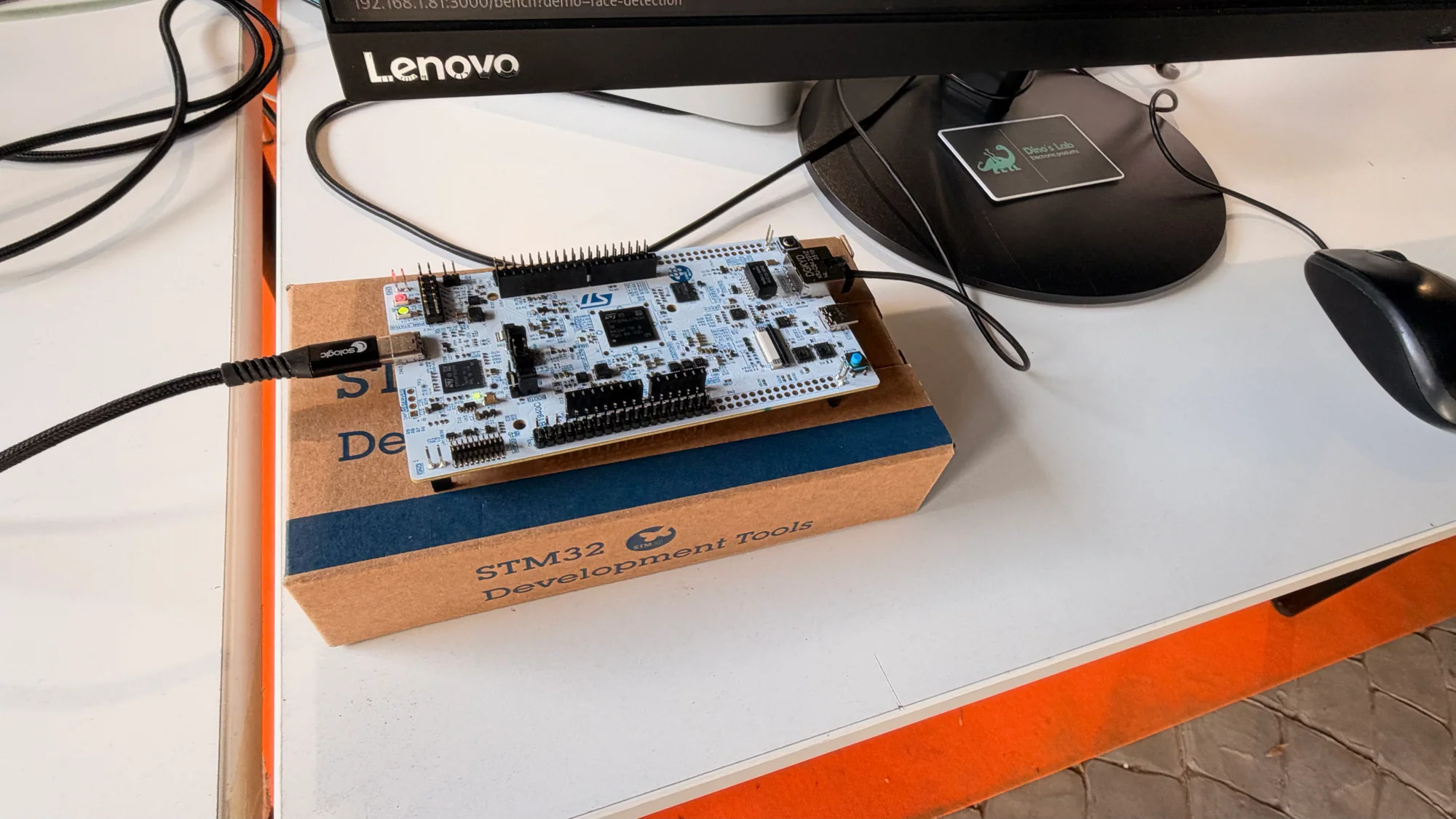
Dino's Lab brought AI back to the circuit board. Its display paired smart Power-over-Ethernet sensors with the DNL-N6 system-on-module, aimed at industrial control and running inference close to the hardware collecting the data.
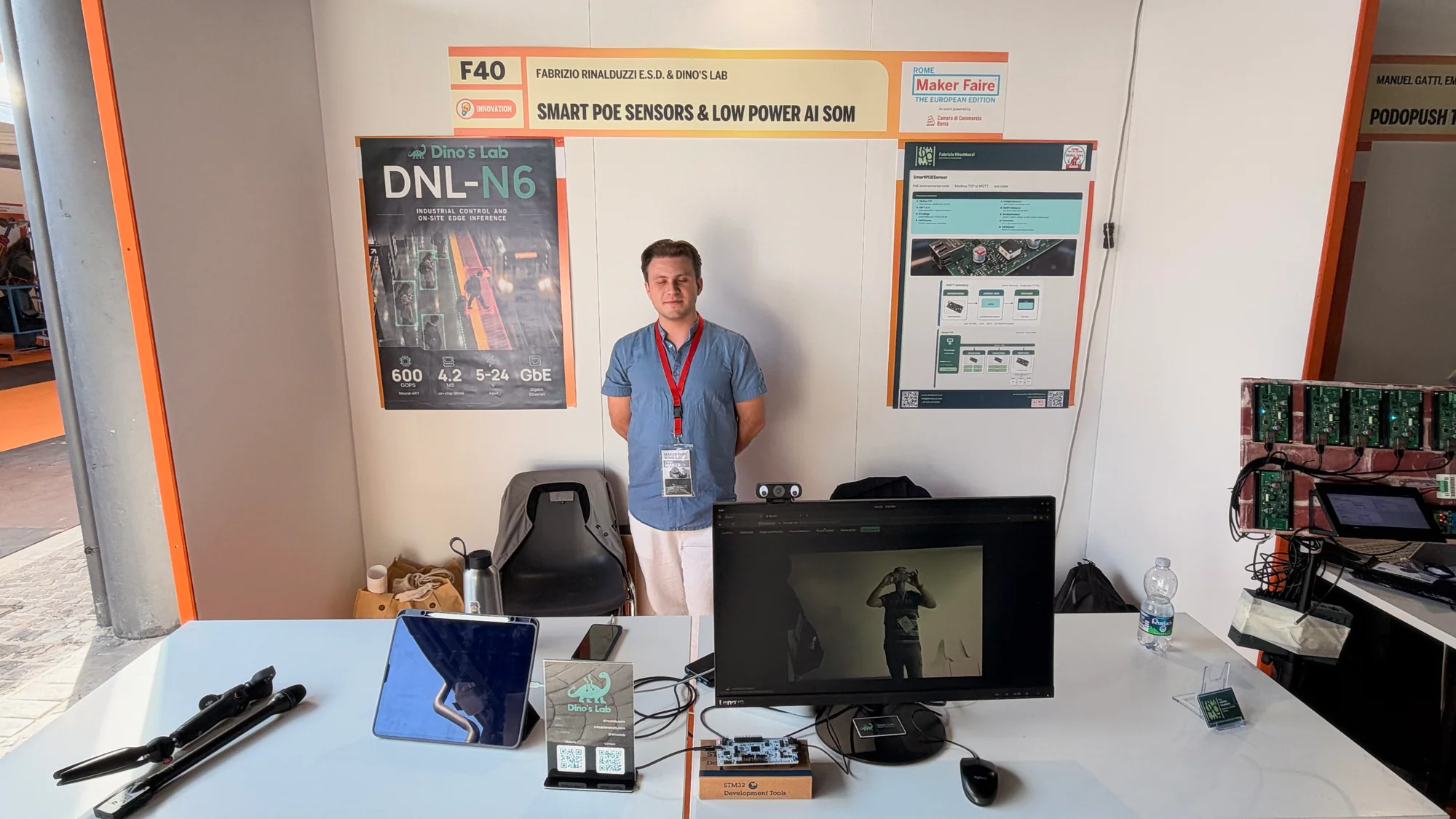
The DNL-N6 uses an STM32N6 microcontroller. ST's STM32N6 platform includes a Neural-ART accelerator delivering up to 600 GOPS and 4.2 MB of embedded RAM. Those are useful building blocks for bringing neural-network workloads into an embedded design.
For a developer, the appeal is doing more of the work beside a sensor or camera. The combination of sensing, local processing and development hardware made this a worthwhile stop for anyone wondering where their next embedded AI experiment might begin.
ArchMesh gets sensor nodes ready for the real world
A sensor node looks simple until it has to work somewhere inconvenient. Archimede's ArchMesh display took on that wider problem, bringing boards, enclosures, communications and power options together.
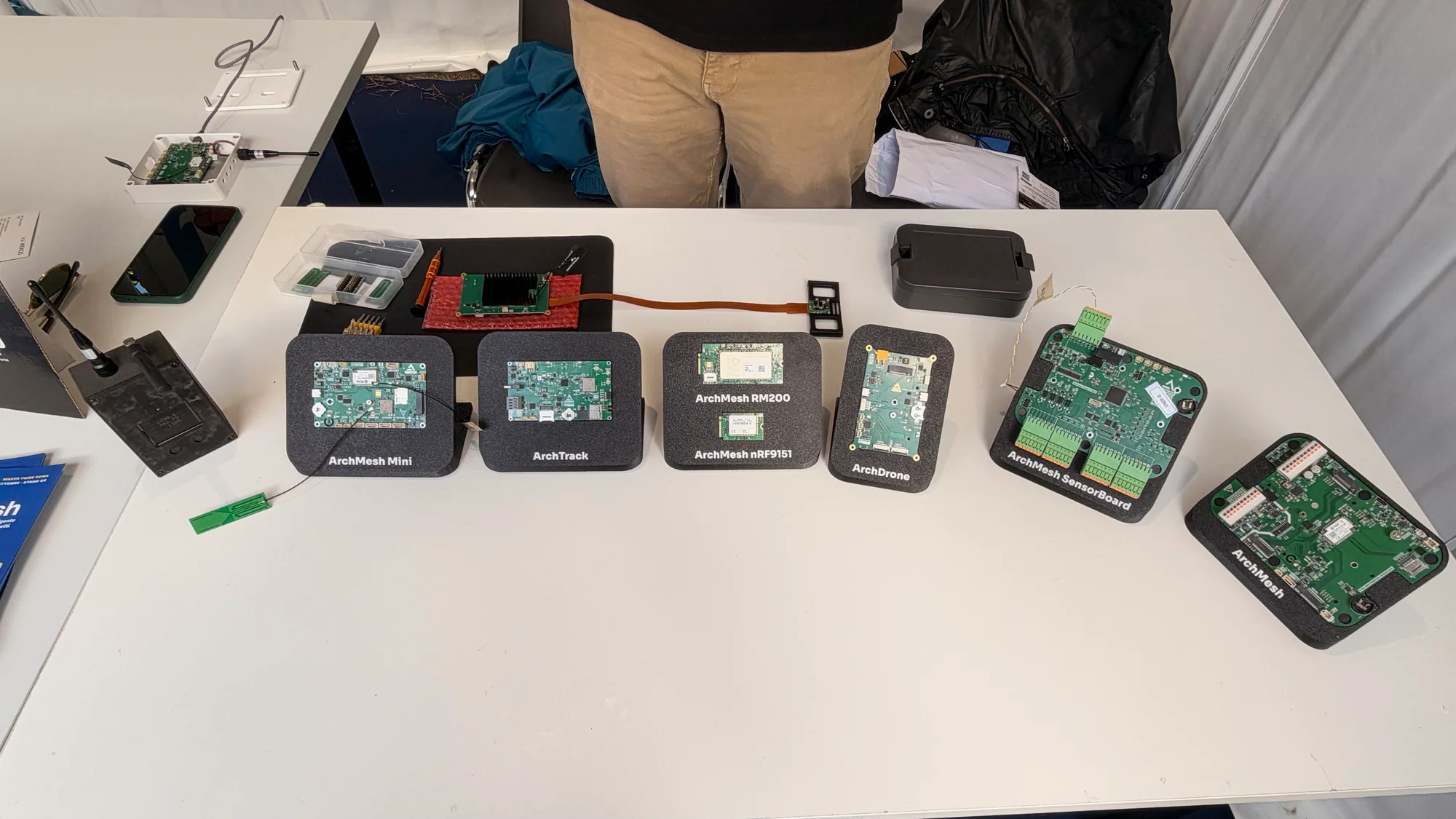
The range includes LoRaWAN, LTE-M and NB-IoT connectivity options, battery and solar operation, RS485/Modbus sensor connections and cloud telemetry. Satellite integration is another possible route for suitable configurations. There are several ways to put a node together, depending on where it needs to live and what it needs to report.
That's where an IoT build gets practical. How will it stay powered? How will its readings get back to you? How will you connect the sensor you actually need? ArchMesh puts those decisions alongside the radio, giving makers a useful view of the work involved in taking a prototype out into the world.
EnergySnap finds the story in your electricity use
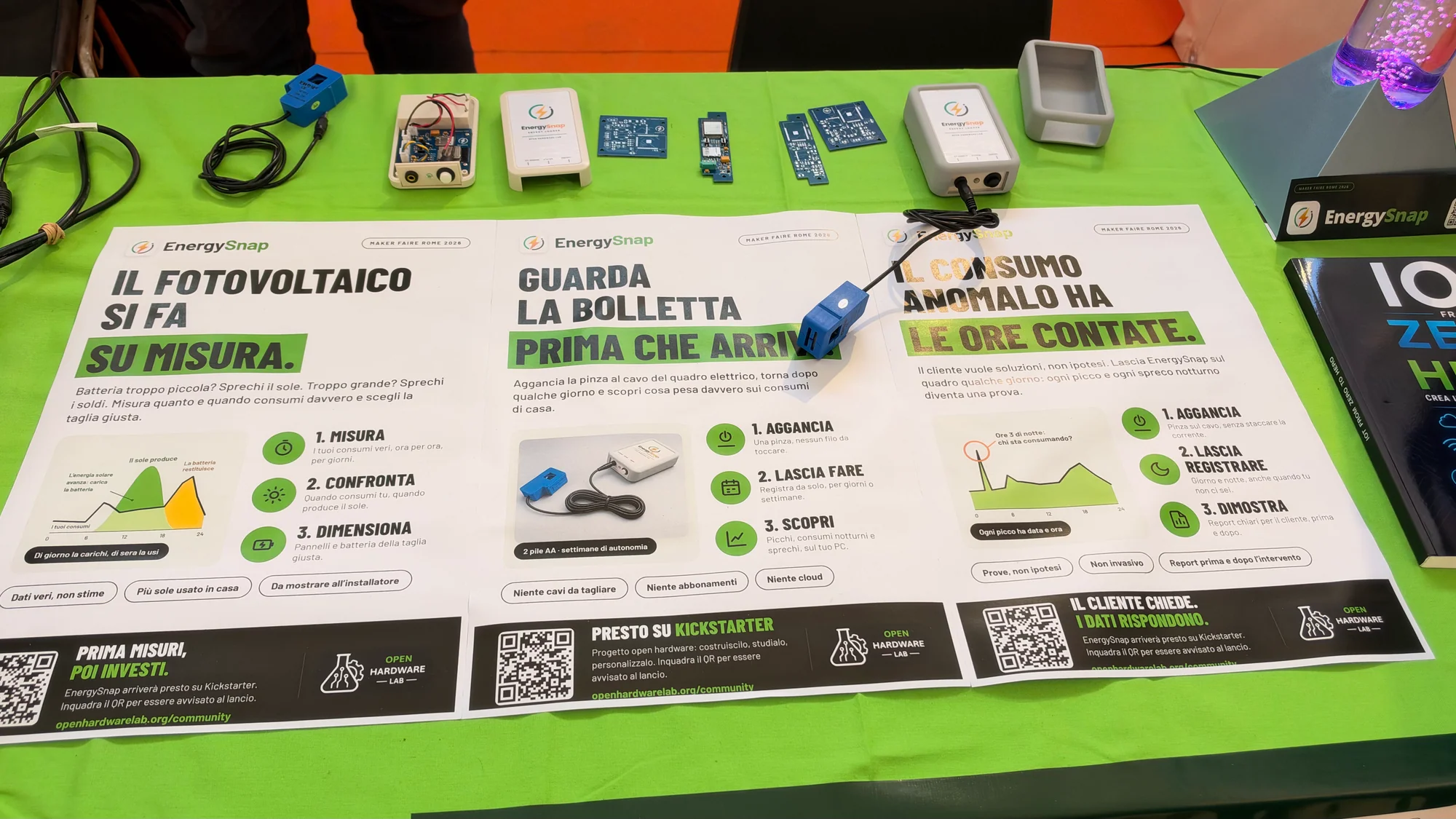
A dashboard is much more useful when it has real measurements to chew on. EnergySnap, from Open Hardware Lab, is a portable, battery-powered logger designed to collect a picture of electricity use over a measurement session. Its stand paired the hardware with a desktop view of the results.
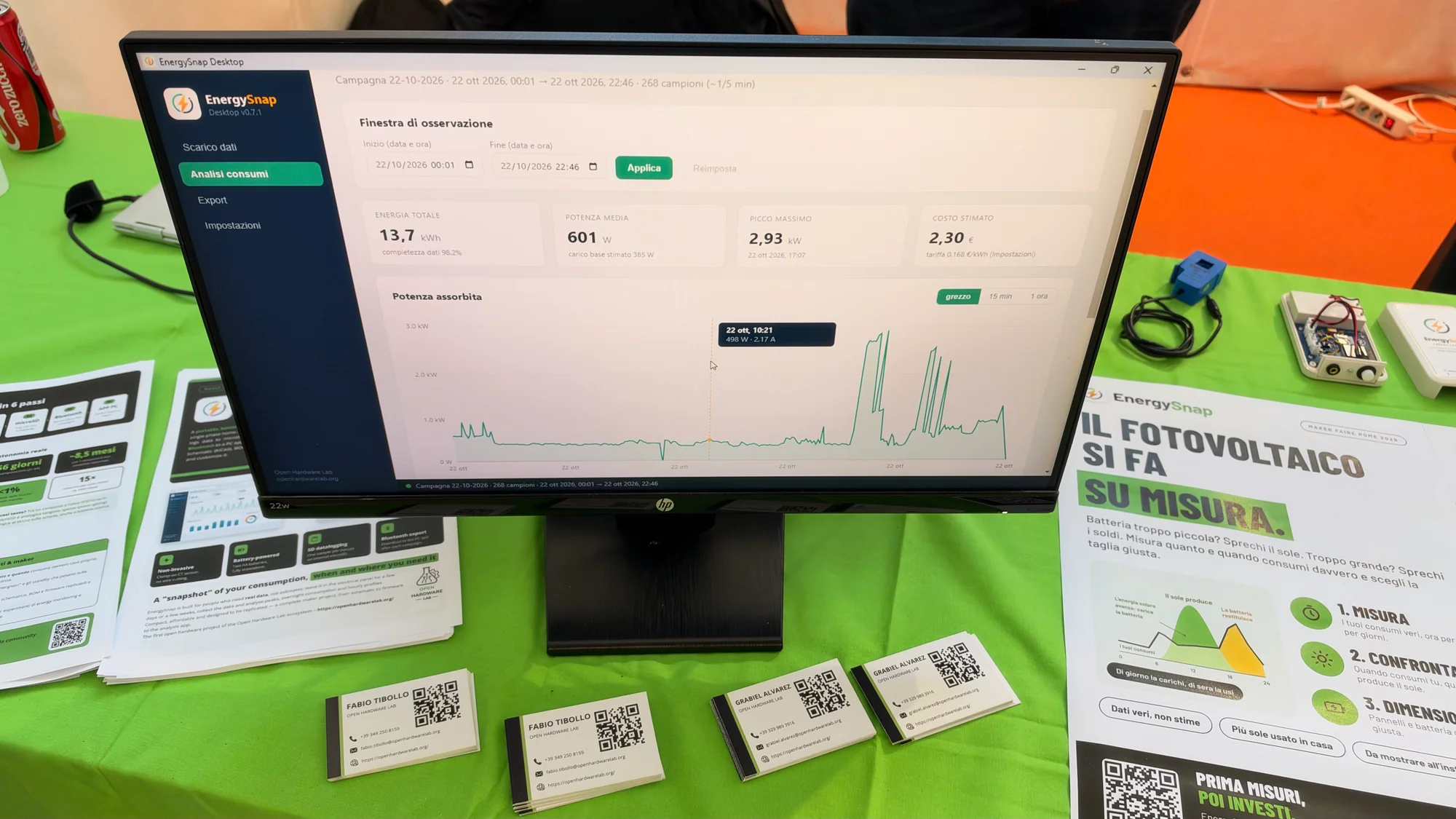
The design uses a clamp current sensor and two AAA batteries, logging once per minute to microSD. Bluetooth transfers the recorded data to a PC application for analysis. The schematic, bill of materials and firmware are open, and the workflow runs without a cloud subscription.
The reward is being able to spot patterns: the overnight baseline, a regular peak or a load that stays busy longer than expected. It's a focused project with a useful outcome, plus an open design for makers who want to understand the measurement chain.
DOZE: a tiny instrument for an invisible world
The DOZE Ultra Micro Geiger Counter at Wekos Mechatronics packed a specialist instrument into a surprisingly small, colorful handheld case. Several versions were on display, giving radiation measurement a much more approachable look.
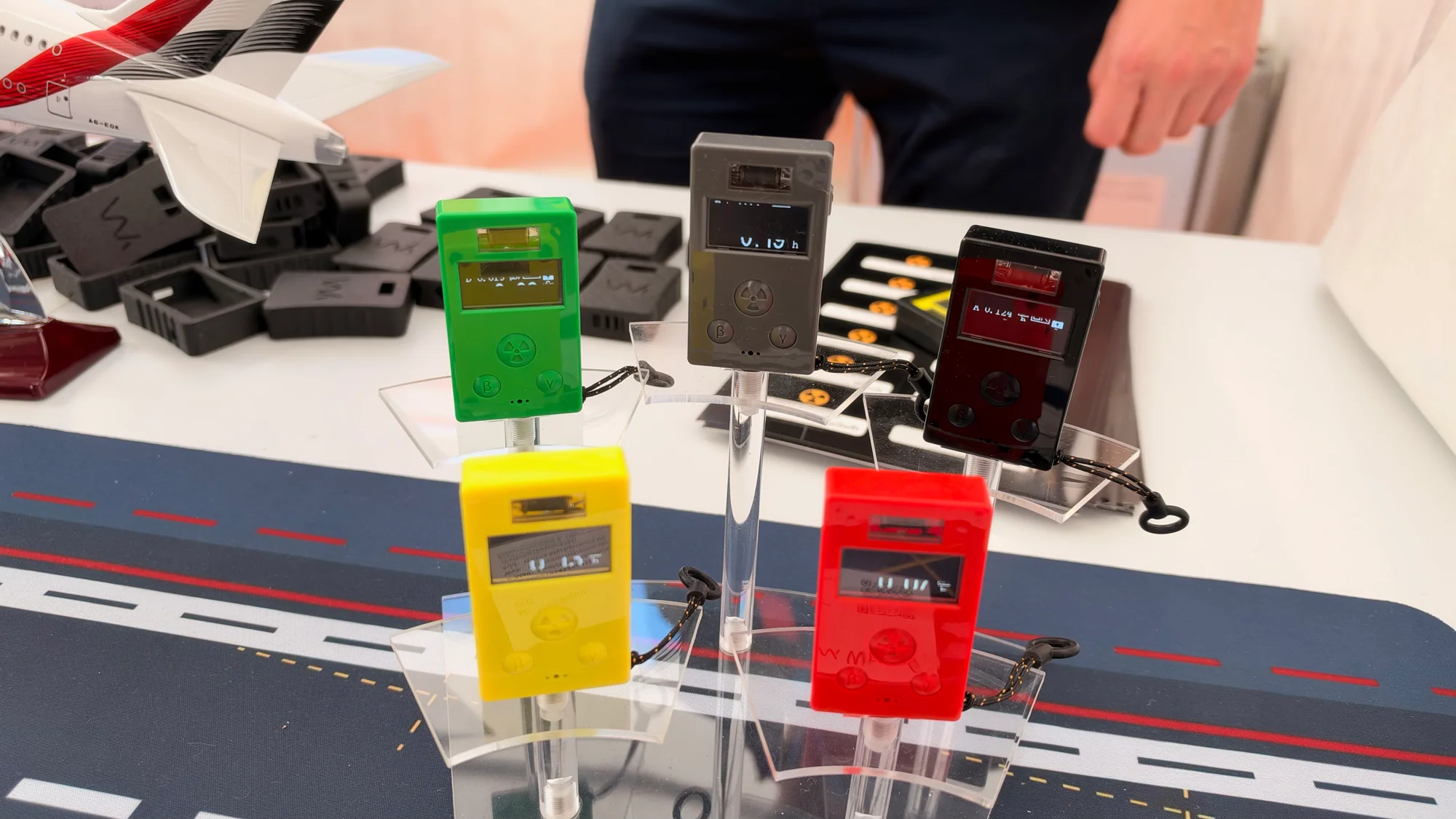
There is an engaging electronics problem inside an instrument like this: detect individual events, count them and turn those signals into a readable result. DOZE brought that chain into a compact format, offering plenty to interest makers who enjoy sensors and measurement hardware.
VasoVivo gives mushrooms a dashboard
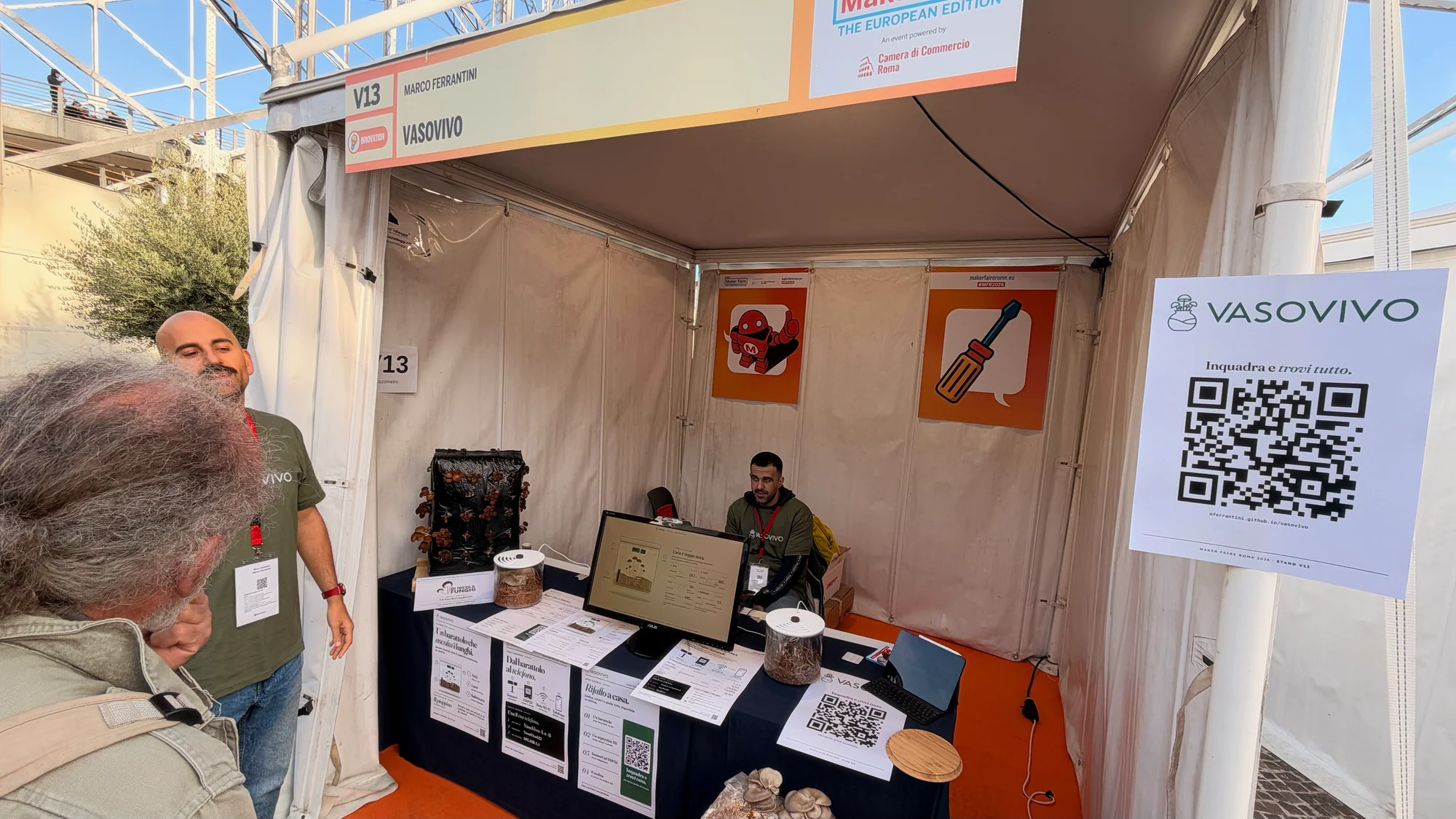
Some projects monitor a room. VasoVivo looks after a much smaller address: a mushroom-growing jar. The display paired that little growing environment with a browser dashboard, giving the mushrooms a way to make their conditions known.
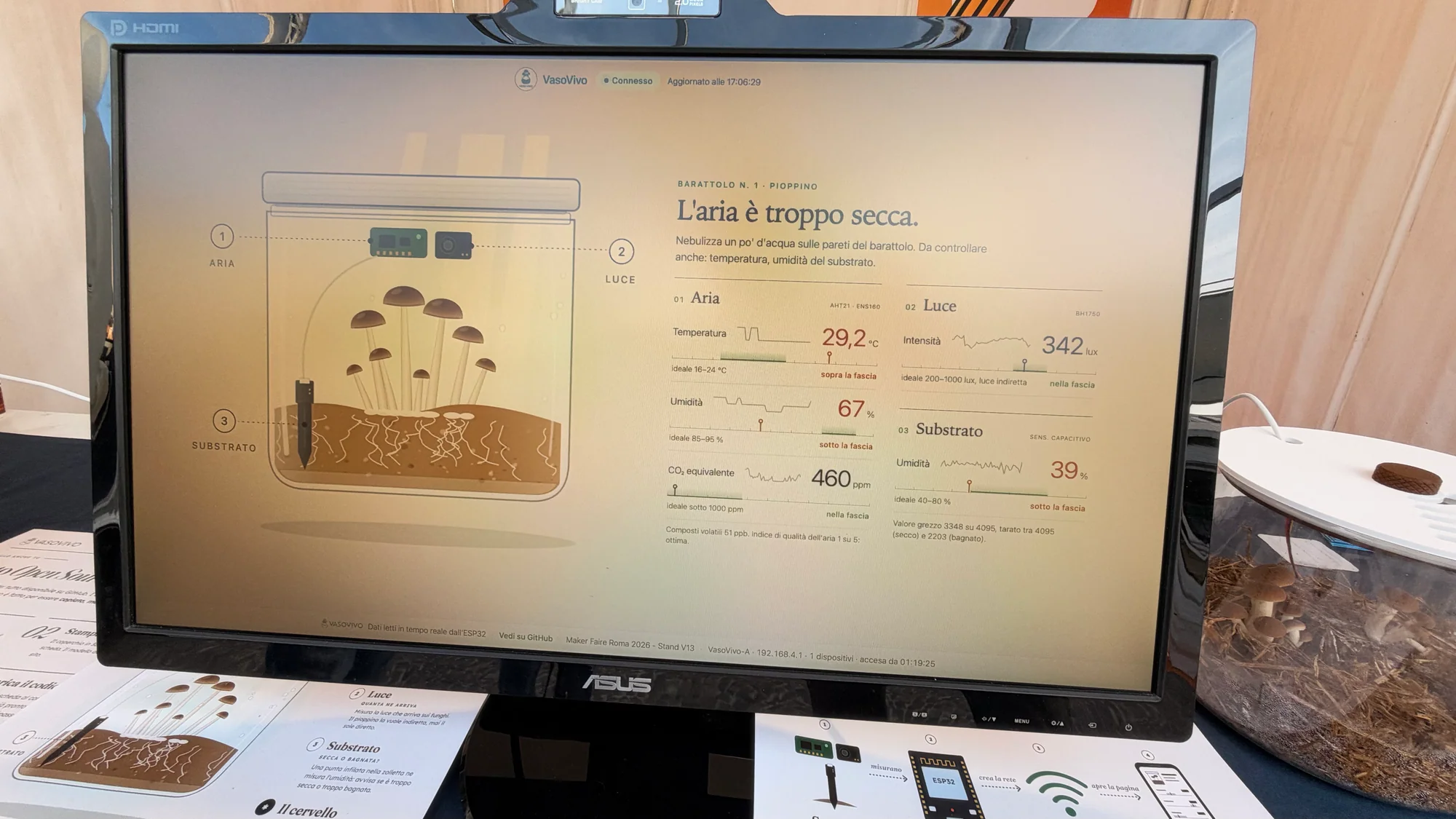
An ESP32 reads sensors for air, light and substrate conditions, then serves the interface over its own local Wi-Fi network. Readings update every five seconds, with no app, internet connection or cloud service needed. Connect to the jar's network, open the interface and see how things are going.
The dashboard is a big part of the charm. A drawing and plain-language messages, including an indication that the air is too dry, make the readings easy to act on. It's a lovely example of a sensor project that remembers the person looking at the screen.
Oyster Next opens up the audio hardware
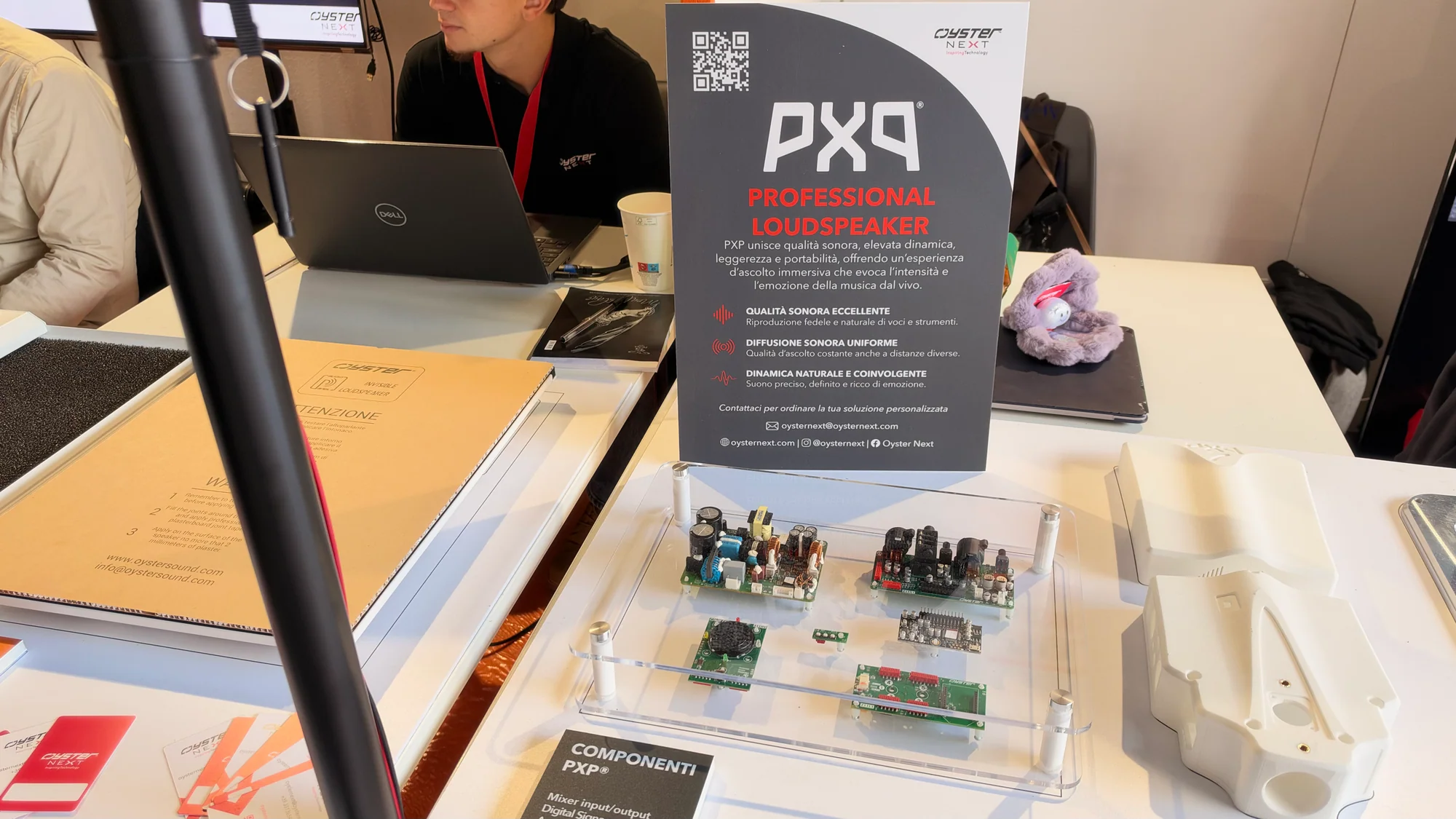
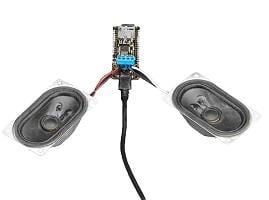
Oyster Next gave audio enthusiasts a chance to look beyond the finished speaker. Its PXP display brought the loudspeaker, exposed electronics and enclosure components together, putting the construction within easy viewing distance.
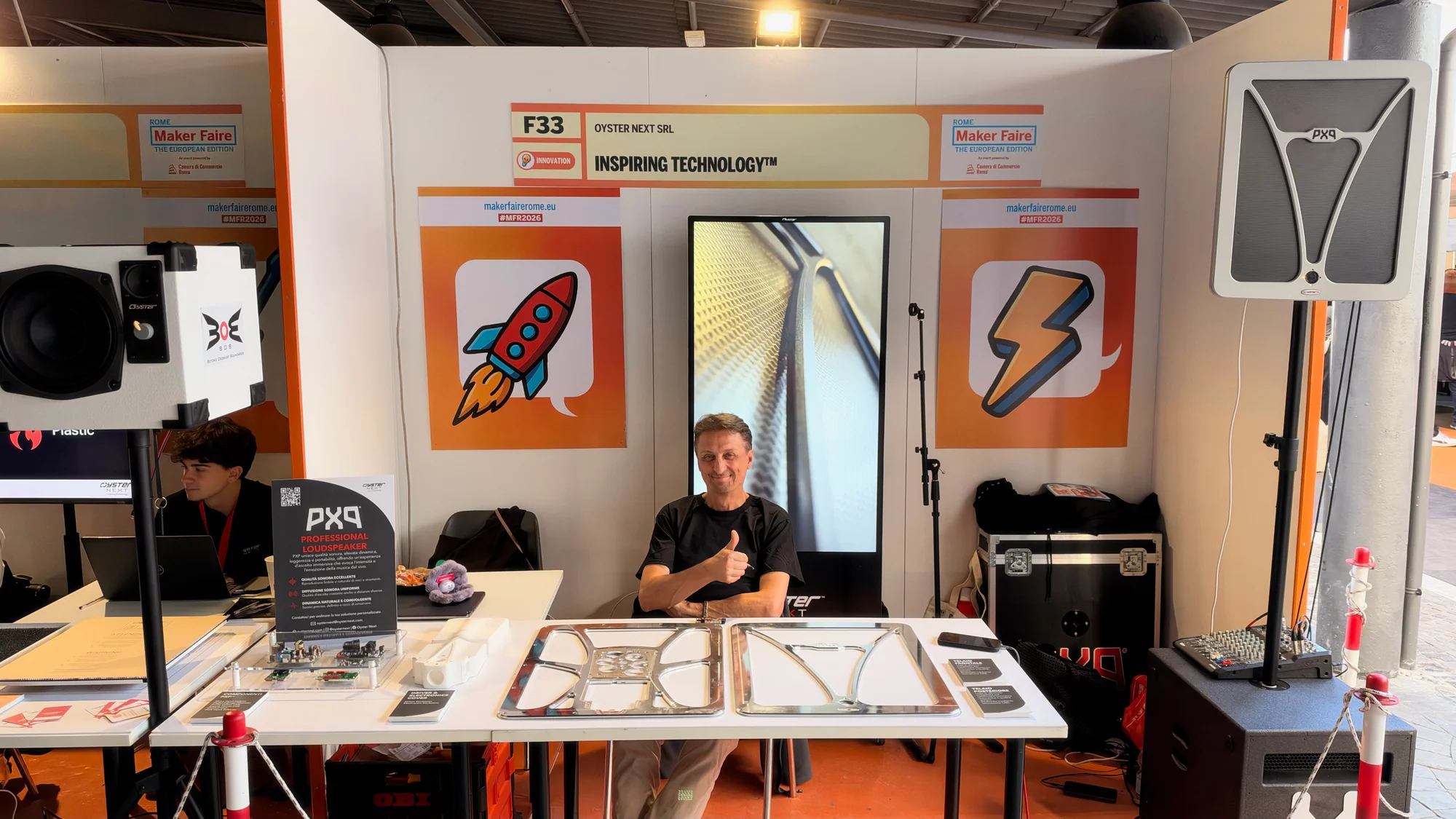
The PXP design uses a distributed-mode acoustic panel with integrated DSP. A carbon-fiber sandwich panel with an aluminum honeycomb core forms part of its acoustic structure, bringing materials and mechanical design into the audio story alongside the electronics.
For makers interested in sound, it was a useful change of perspective. The enclosure and radiating surface deserve just as much attention as the circuit board. Seeing the parts together makes it easier to appreciate how those choices shape the finished system.
Tollus: little displays, plenty of personality
Tollus brought a cheerful collection of illuminated displays to the table. Time, dates, weather-related information and text appeared across the different units, giving each version its own character.
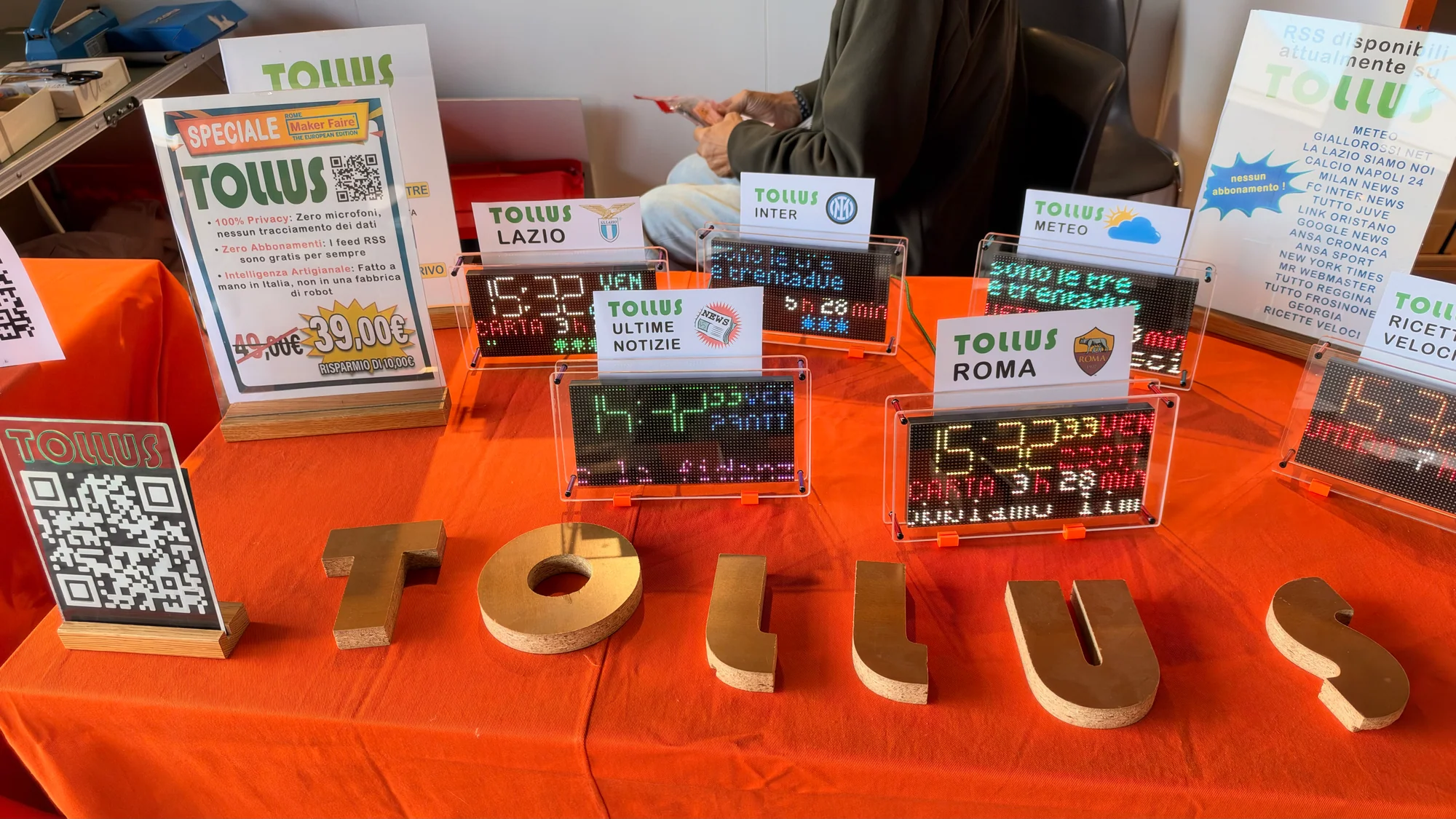
A small display can earn its place on a desk by showing just the information you want at a glance. The examples on show offered plenty of inspiration for a personal dashboard, with the bonus that they looked fun to have around. A little screen can have a lot of personality.
Robots that make you want to build a robot
Elettra Robotics Lab
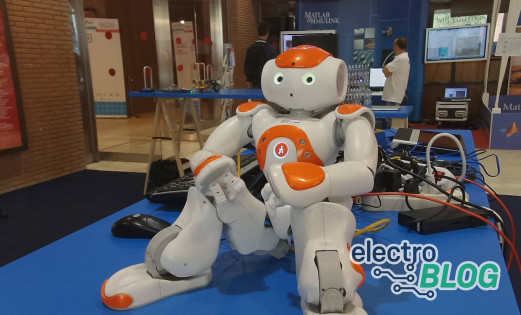
The Elettra Robotics Lab table was an excellent place to spend a few extra minutes. Articulated robots stood with their servos, structure and wiring in view, giving visitors plenty to inspect beneath the personality.
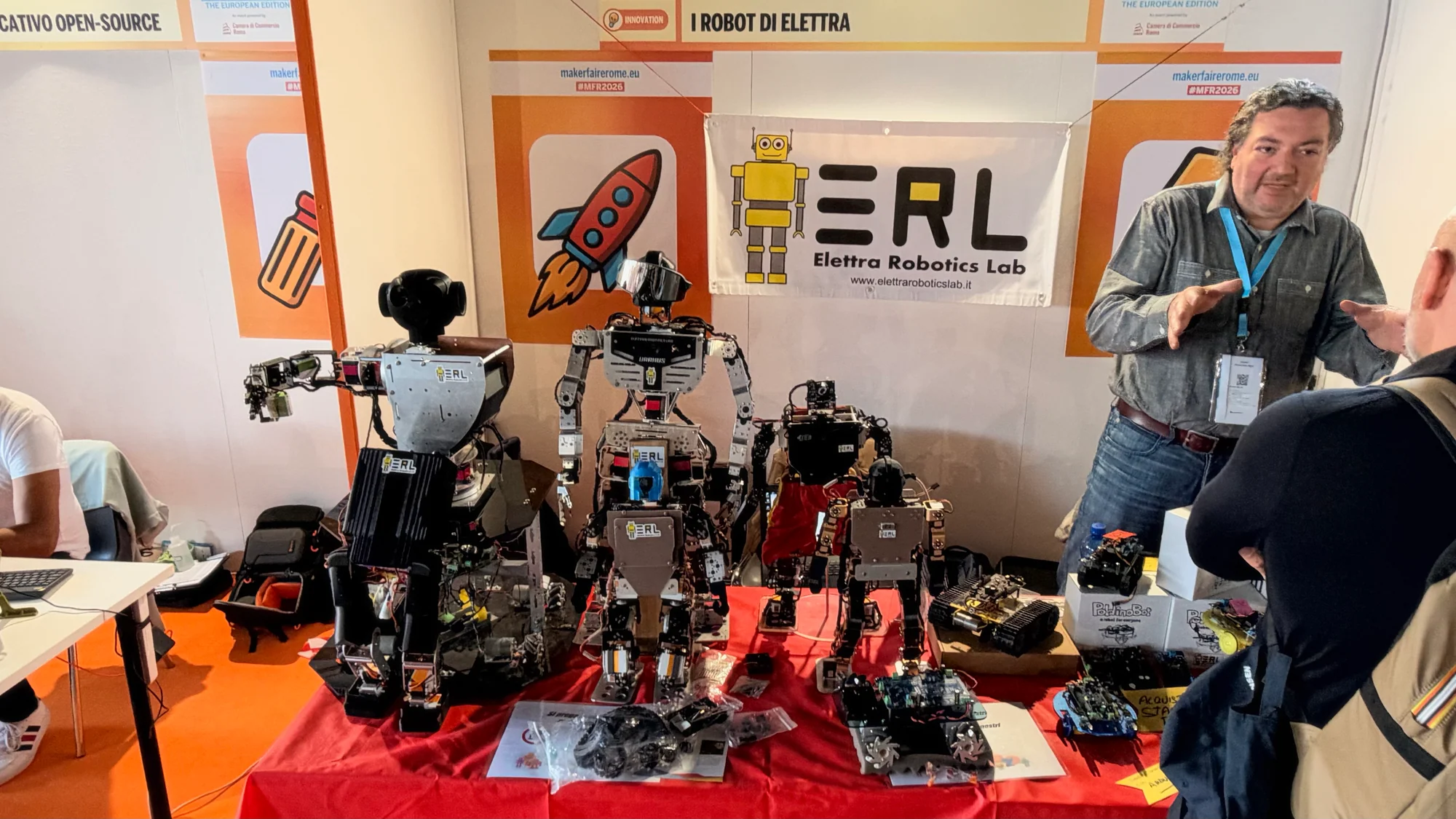
Education and sharing knowledge are central to the group's work, and these machines provide a lively starting point. A joint, a servo or a bundle of wiring can lead straight into a conversation about movement, balance and control. Suddenly, a robotics lesson has something on the table to point at.
ARLOK V2
At a separate stand, ARLOK V2 offered a smaller way in. A row of colorful wheeled robots introduced the open-source educational project, with a compact format that felt ready for a first experiment.
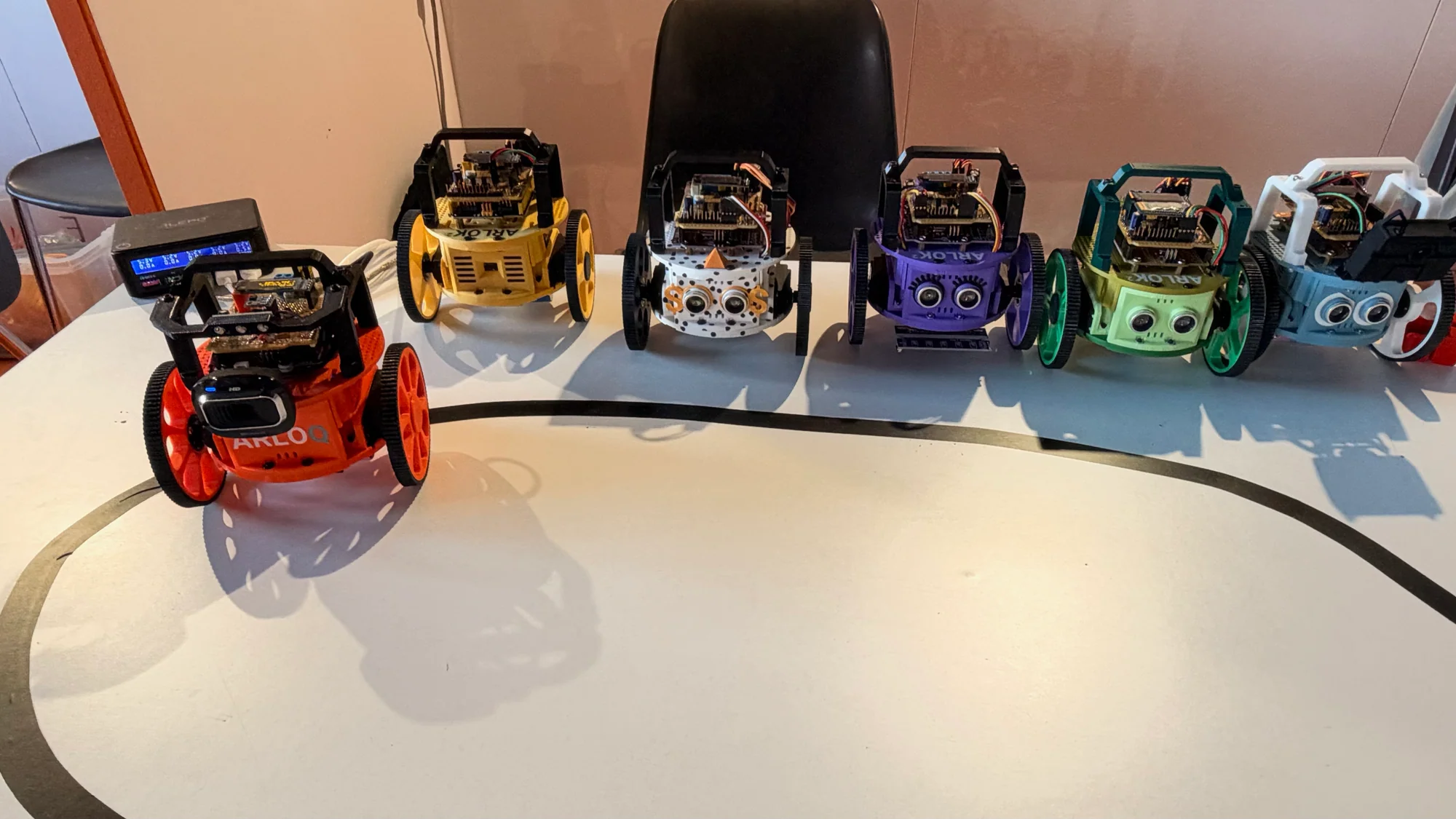
Both displays made the construction part of the attraction. You could enjoy the robot as a character, then look closer and start asking how you might build, program or improve one. That is a useful invitation for a beginner and a familiar temptation for an experienced maker.
Clean AI Surfaces gives a robot a careful cleaning job
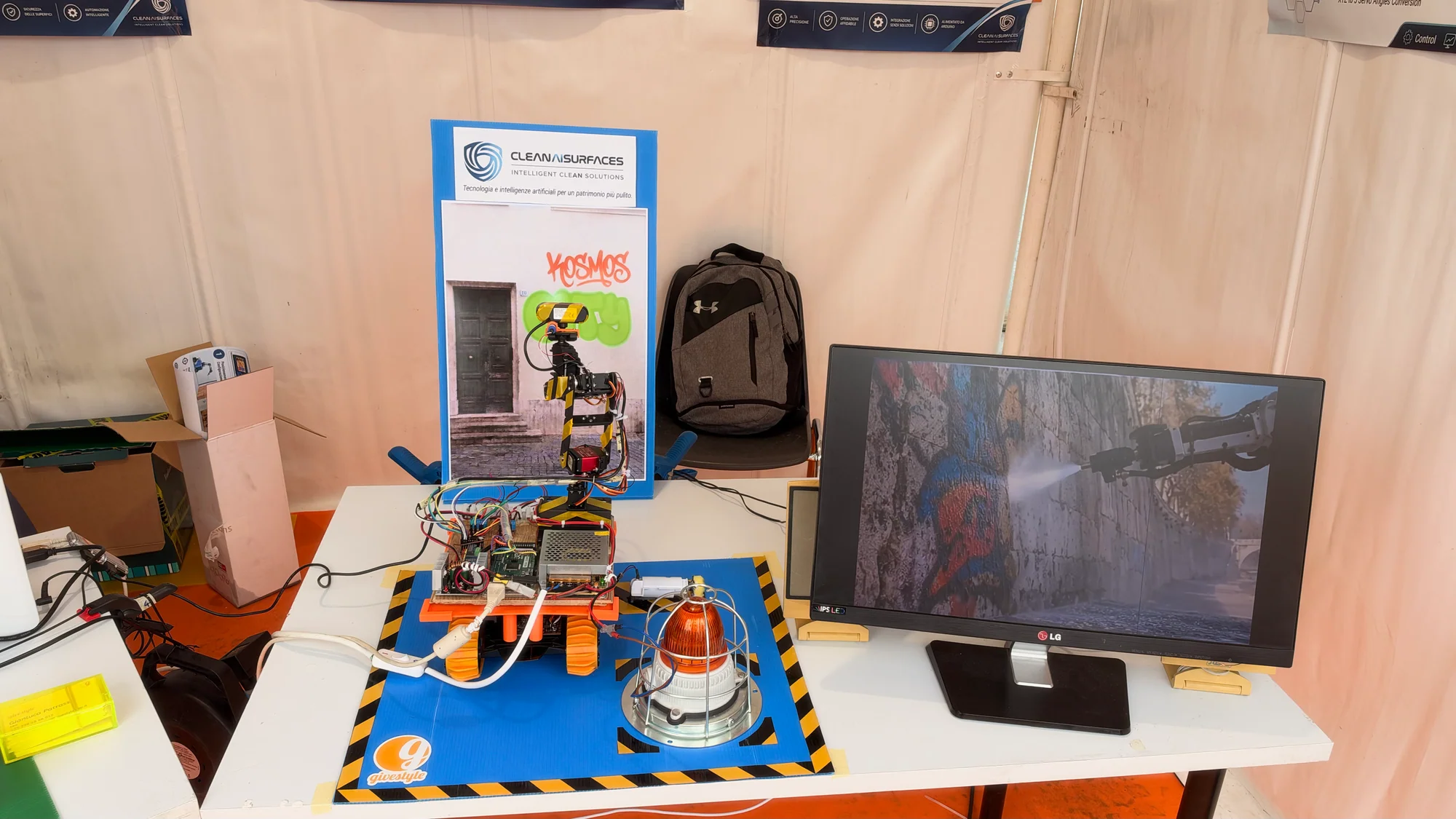
Clean AI Surfaces gave computer vision and robotics a very specific job: a prototype concept for selectively removing graffiti from historical surfaces. A small robotic setup, software interface and system diagram showed how the idea fits together.
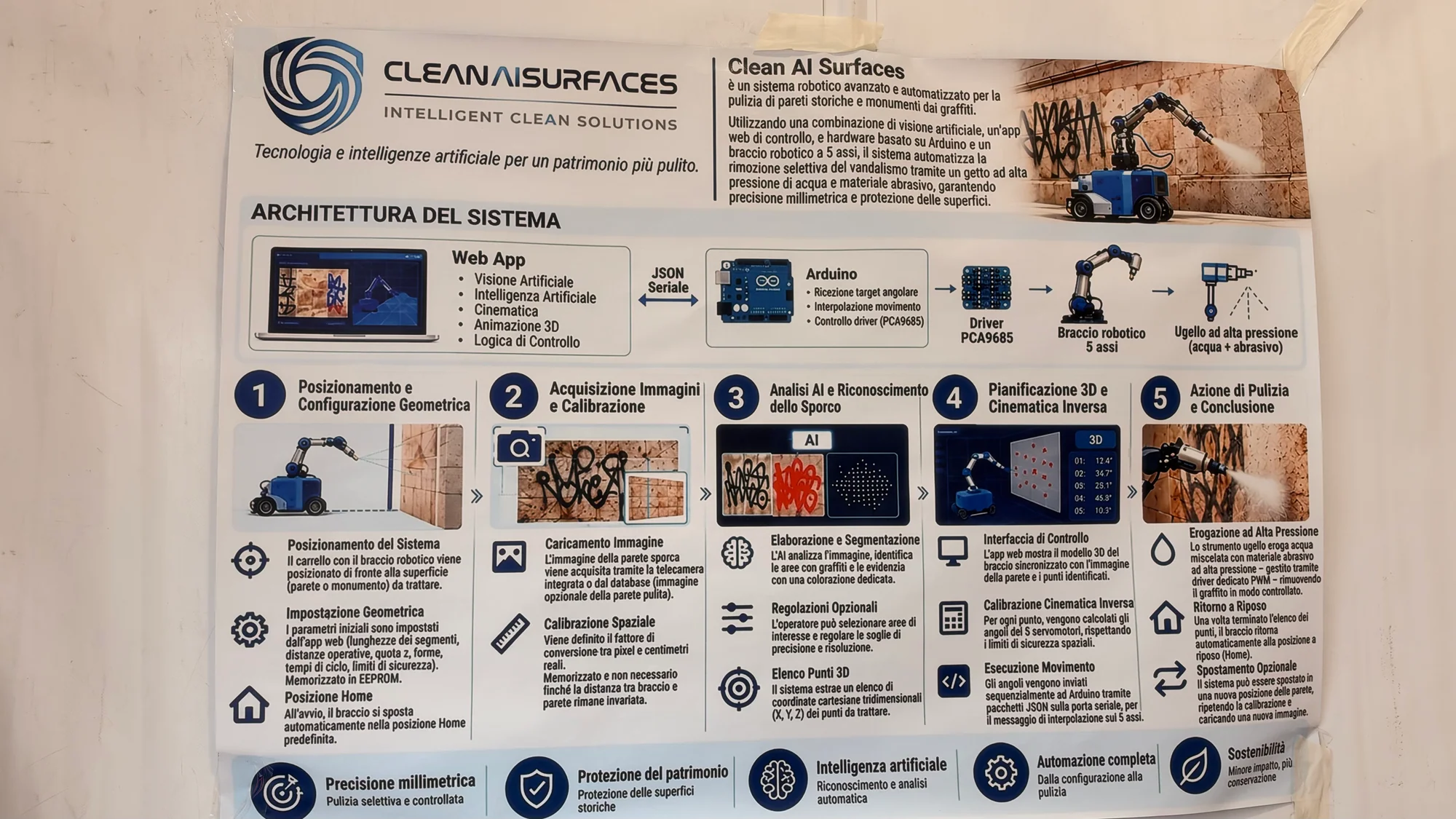
The proposed workflow starts with image capture and calibration, then identifies an area to clean and plans the movement of a nozzle. A web application handles image analysis and motion planning, while an Arduino-based controller and PCA9685 driver form part of the control system for a five-axis arm.
It's a useful project to study if you are moving beyond a robot that simply repeats a sequence. Here, the software has to connect something identified in an image with a physical location and a controlled movement. That bridge between seeing and doing is a substantial part of the challenge.
Roma Tre takes robotics for a dip
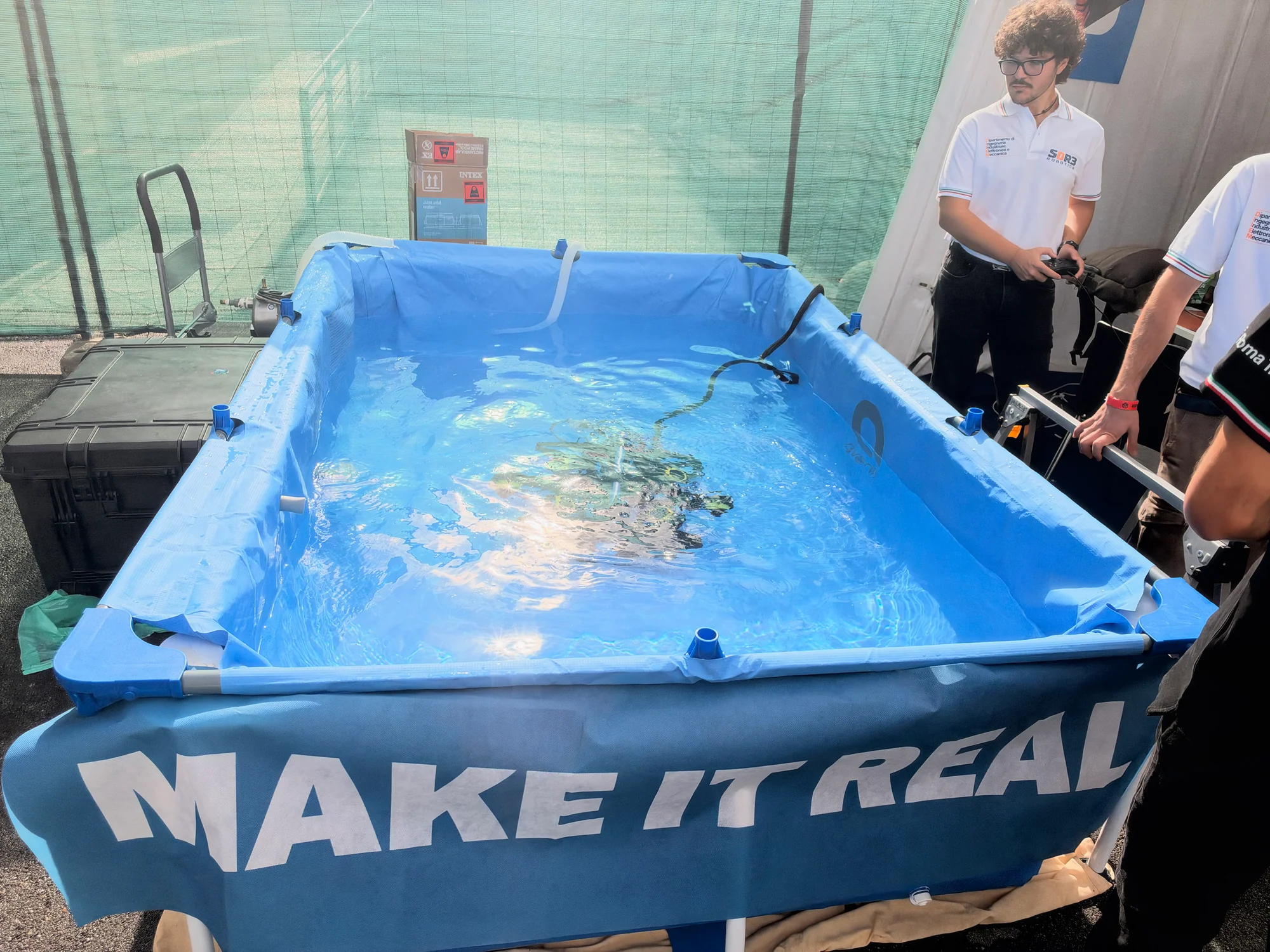
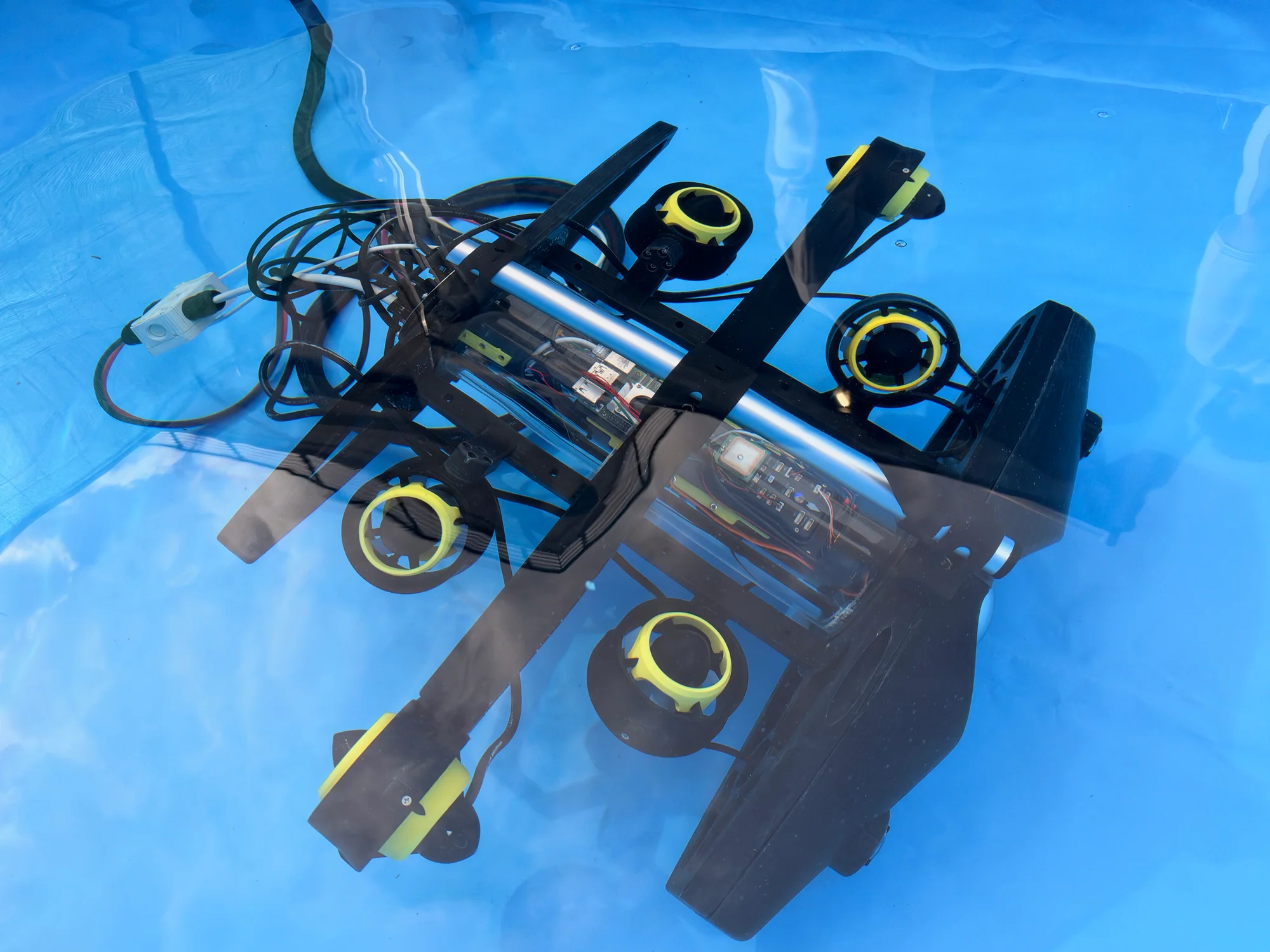
The Scuderia ROV Roma Tre / SDR3 Robotics team brought a tank, which is a good way to make an underwater robot feel a lot more real. Visitors could see the remotely operated vehicle in the environment it was built to move through, with its thrusters, tether and central housing on view.
The tethered ROV exchanges commands, images and measurement data with the surface. The wider display also covered an autonomous profiling float, a robotic manipulator and a ground station, alongside Arduino-based electronics and PID control. There was plenty of engineering packed into this corner of the fair.
Underwater robotics gives every part of a build something to do. Thrusters need a structure, electronics need a dry home and the operator needs a way to communicate with the vehicle. The Roma Tre display brought those pieces together in a demonstration that was easy to spend time watching.
DCS Italia brings the cockpit to the show floor
The DCS Italia Community stand showed what happens when a simulator grows beyond the screen. Dedicated controls, switches and aviation-themed hardware surrounded the flight-simulation display, giving the software a much more physical presence.
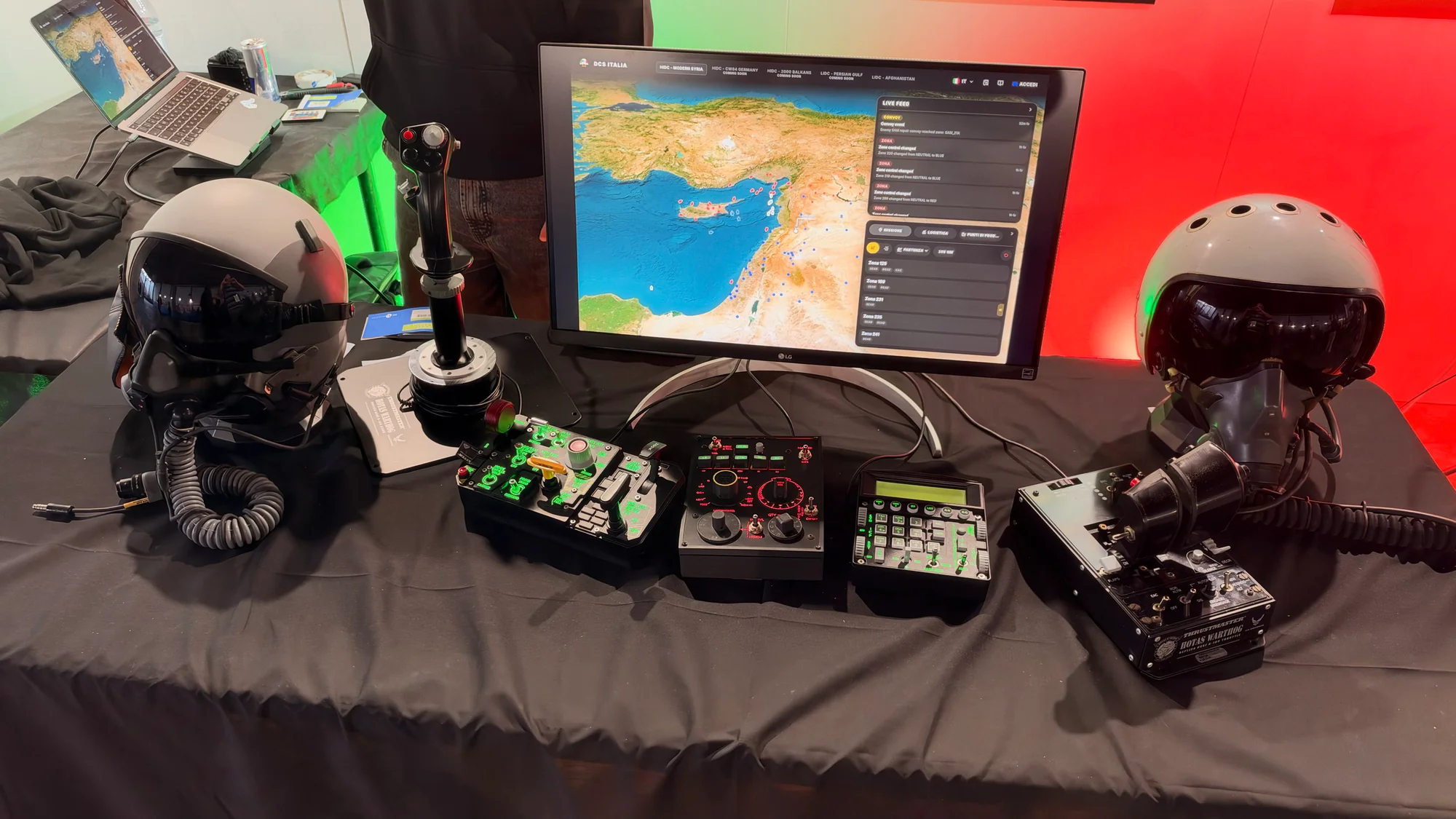
The setup brought together community-developed DCS World scenarios, Meta Quest 3 virtual reality and dedicated MOZA and WINCTRL controls. It showed how much the input hardware contributes to the experience.
For anyone who enjoys building a custom controller, there's plenty of inspiration here. The position of a switch, the feel of a control and the information placed in front of the user all matter. A flight simulator gives those interface decisions a particularly entertaining workout.
Small satellites and big space ambitions
HeliosCube puts a CubeSat on the table
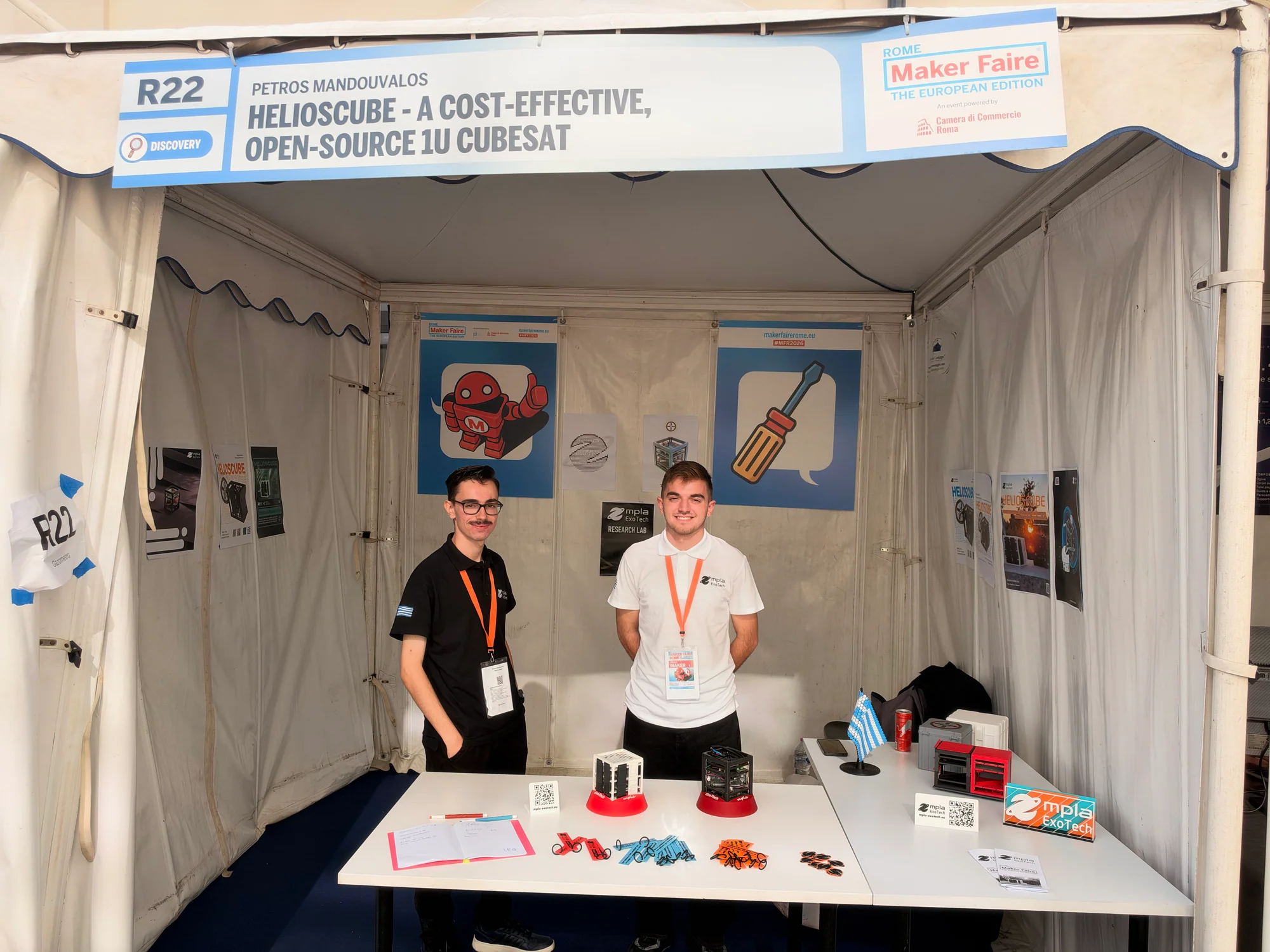
HeliosCube brought satellite engineering close enough to inspect without a telescope. The team described a cost-effective, open-source 1U CubeSat project, with its stacked boards, wiring and frame on display. The mpla ExoTech HeliosCube page offers another route into the project.
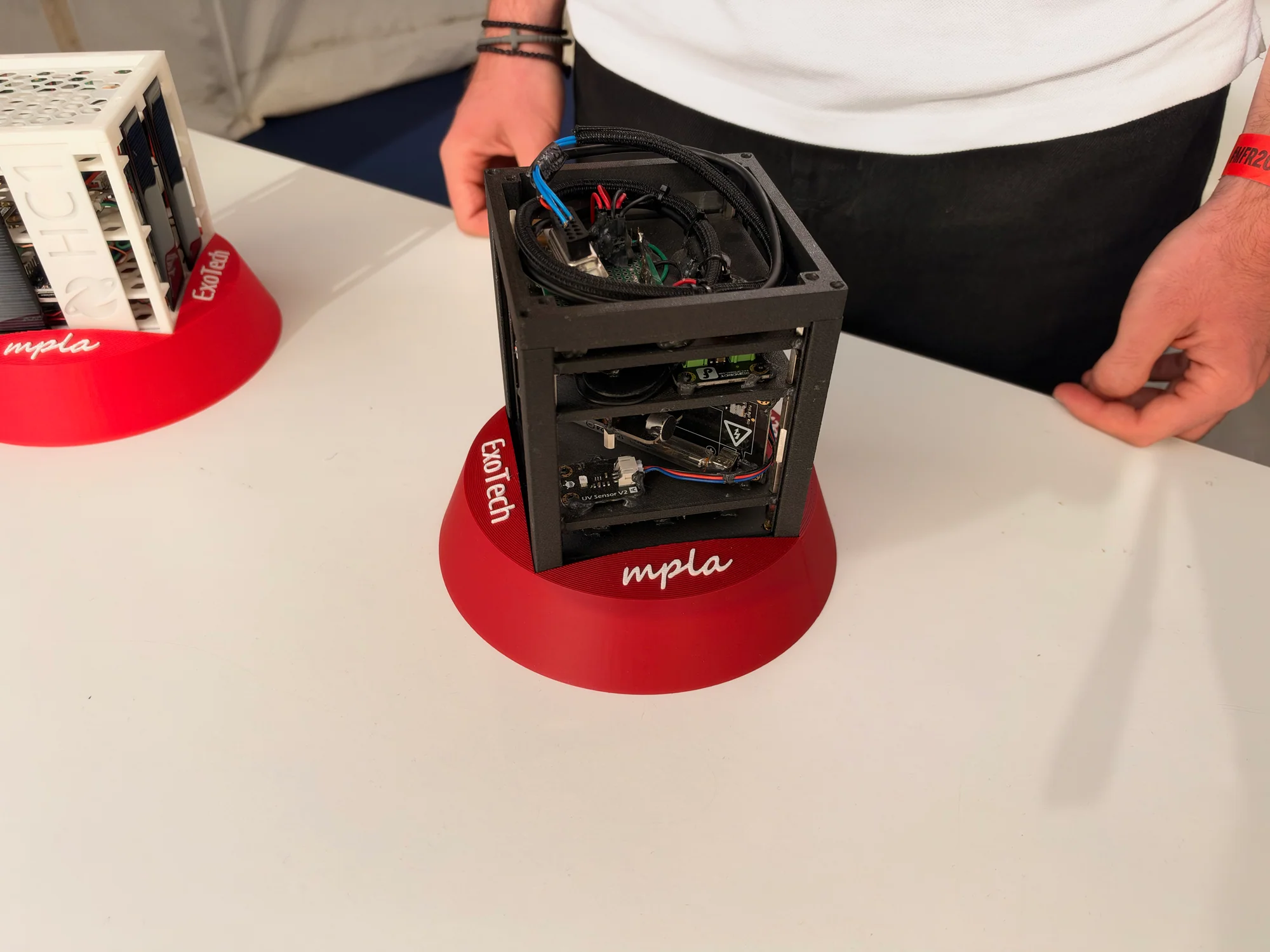
The small format makes packaging part of the challenge. Circuit boards, connections and structural parts all have to share limited space, which gives the demonstrator plenty of appeal for electronics builders. It is an ambitious subject presented as hardware you can walk up to and examine.
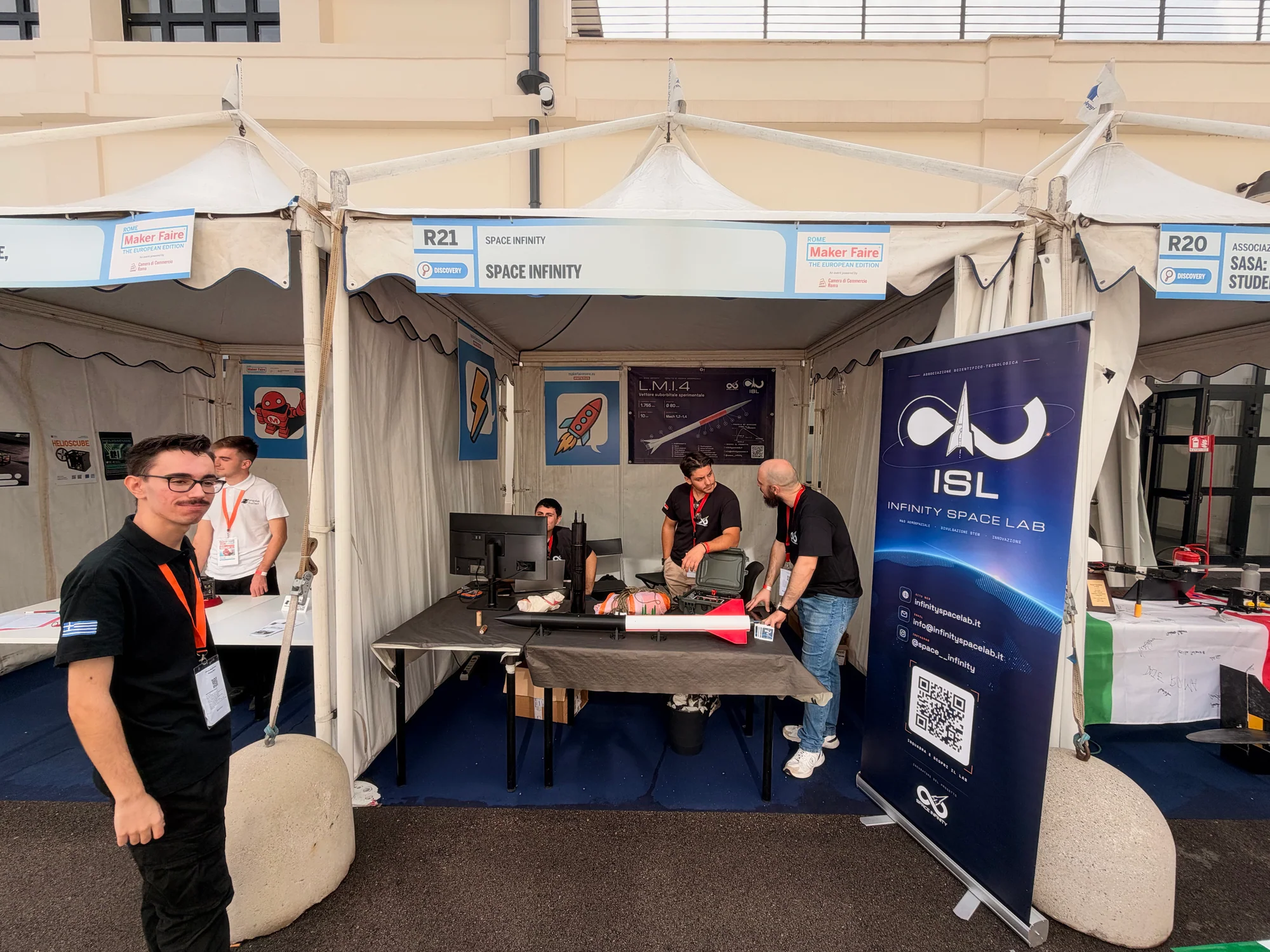
Rocketech Systems and Infinity Space Lab
Rocketech Systems supplied another reason to stop: a tall, open-framed prototype with a central assembly and long supporting legs. With the construction exposed, there was plenty for mechanically minded visitors to investigate.
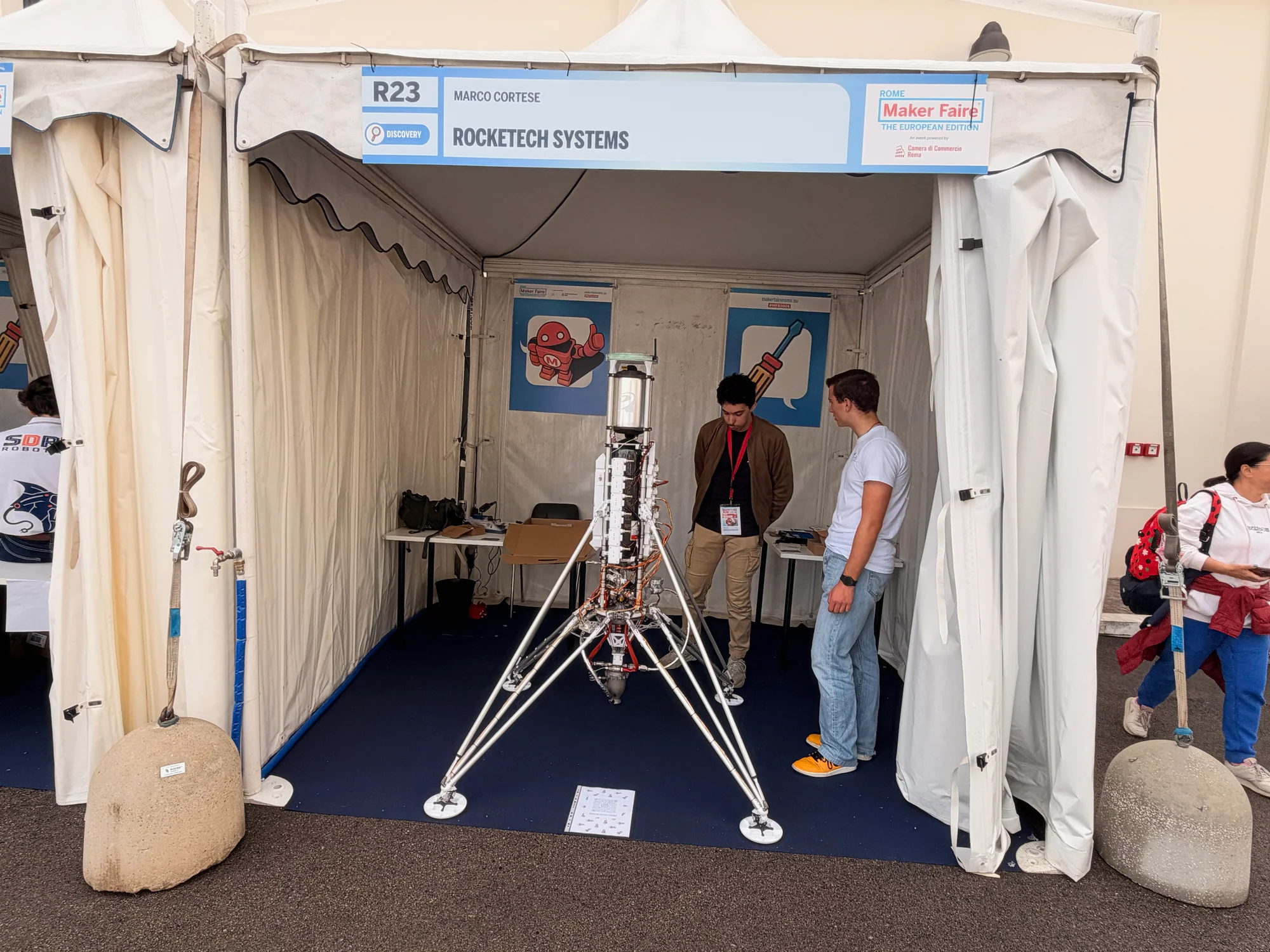
Nearby, Infinity Space Lab added to the space theme. Together, these exhibits gave visitors several ways into a subject that can otherwise feel a very long way from the workbench.
FabLab Lazio: big prototypes and somewhere to build them
The FabLab Lazio display featured a substantial multirotor platform alongside material labeled Telecommunication Tether Drone - Research. The scale of the hardware made it easy to stop for a look, while the project information opened up questions about communications, power and the work behind a research prototype.
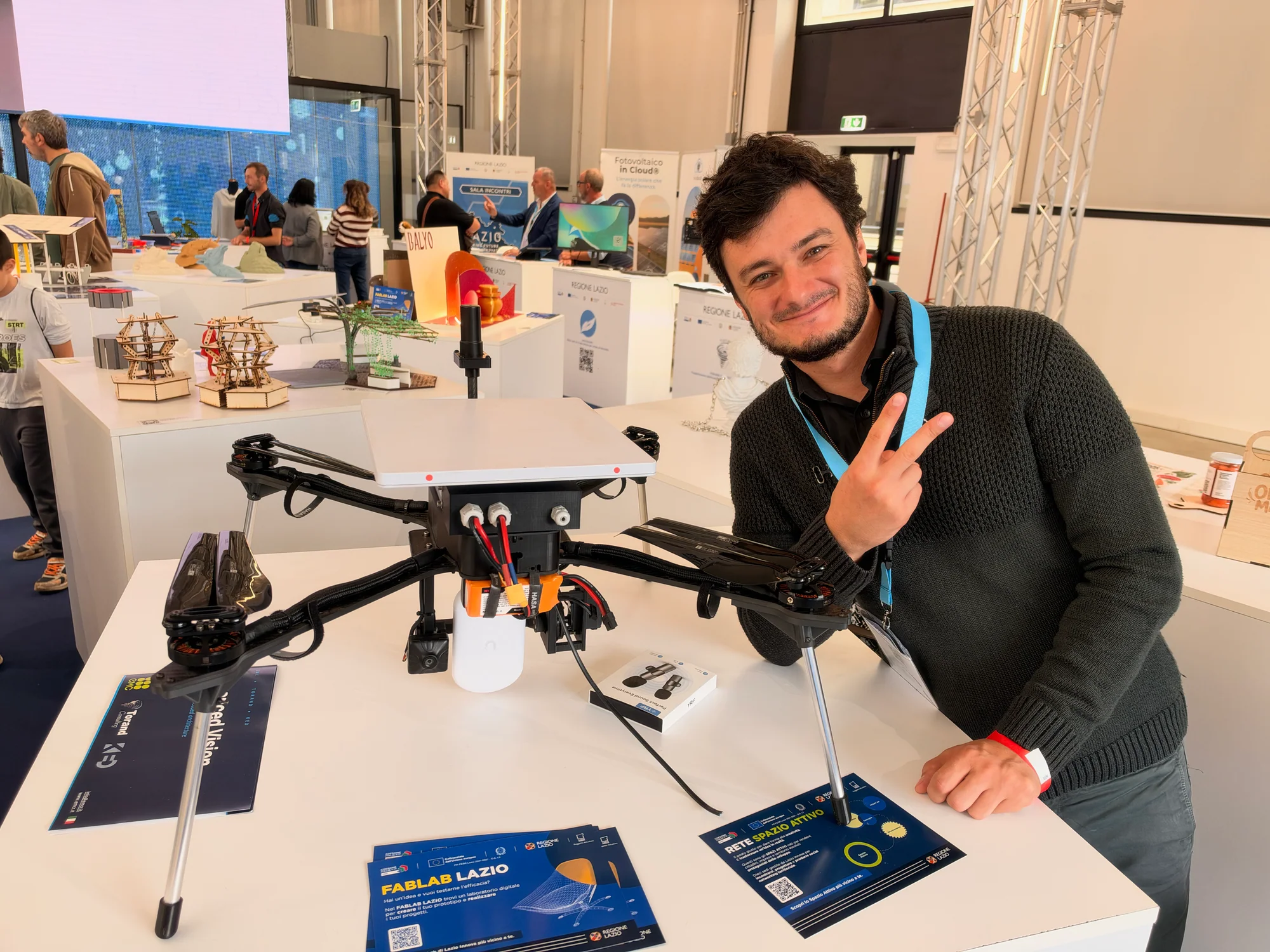
It also pointed to something every ambitious build benefits from: access to tools, space and people who can help turn an idea into working hardware.
Lazio Innova's FabLab Lazio provides a shared environment for makers, designers, students and startups to develop prototypes and custom objects. After a day spent collecting project ideas, that kind of support starts to sound particularly useful.
That's the happy problem with Maker Faire Rome. A quick look at a tiny computer can lead to thoughts of a custom handheld. A mushroom jar can suggest a new use for the ESP32 on your shelf. An underwater robot can make the next build seem a little more adventurous.
The projects here came in wildly different shapes and sizes, but they all offered a reason to look closer and ask how something works. Then comes the enjoyable part: deciding which idea gets the next free patch of workbench.

Residing on the south coast of England, Rich has spent the last few years building Electomaker.io from the ground up. He is usually found behind a laptop coordinating the rest of the EM team and occasionally finding time to contribute articles to the blog. When not tapping away at a laptop, he can be found either paddleboarding, at the beach, playing golf (badly), or camping with his family.






Leave your feedback...