





GPU vs TPU vs NPU: Which AI Accelerator Should You Use?
The useful GPU vs TPU or NPU vs GPU comparison starts with your workload, not a peak compute figure. Training a model, adapting it through fine-tuning, and running it for predictions are different jobs. A camera detector and a local chatbot also place different demands on memory and software.
Choose a graphics processing unit (GPU) for flexible artificial intelligence (AI) development, training, and inference across different models.
Choose a neural processing unit (NPU) when your priority is efficient on-device inference and your application supports that specific processor.
For a tensor processing unit (TPU), first identify which Google product you mean: Cloud TPU supports data-center workloads, while Coral Edge TPU targets compact, local inference systems.
The right AI accelerator is the one that runs your model within your latency, power, and deployment limits.
NPU vs GPU vs TPU: the short answer
These labels describe overlapping capabilities, not three equivalent product classes. This table gives a starting point for choosing hardware, rather than a performance ranking.
| Processor type | Strongest fit | Main advantage | Main limitation | Typical deployment |
|---|---|---|---|---|
| NPU | Supported on-device inference | Specialized processing within a constrained power budget | Device-specific model and runtime support | AI PCs, embedded systems, accelerator modules |
| GPU | Training, fine-tuning, varied inference | Programmable parallel compute and extensive development tools | Memory, cooling, and power requirements vary widely | Desktop PCs, edge computers, servers, cloud |
| Cloud TPU | Compatible large-scale training and serving | Specialized matrix compute and interconnected accelerator systems | Cloud deployment and TPU software requirements | Google Cloud |
| Coral Edge TPU | Compatible quantized edge inference | Compact offload for supported neural networks | Restricted model format and supported operations | USB accessories, PCIe modules, embedded boards |
What is an NPU?
An NPU is a processor optimized for neural-network computation. The name is a broad category, not a standardized architecture or performance tier. An integrated laptop NPU and a dedicated edge accelerator can have very different memory systems, supported operations, and development tools.
Many NPUs focus on inference: running an already-trained model to classify an image, recognize speech, or generate a response. Their appeal is executing supported work efficiently without occupying a larger processor. For example, Intel's OpenVINO NPU documentation describes offloading selected neural-network tasks to its low-power hardware.
An NPU does not automatically accelerate every AI application. Software needs a compatible backend, driver, and model. Microsoft's Windows ML execution-provider explanation shows how hardware-specific backends connect models to NPUs, GPUs, and central processing units (CPUs).
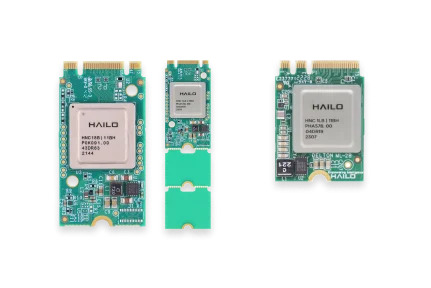
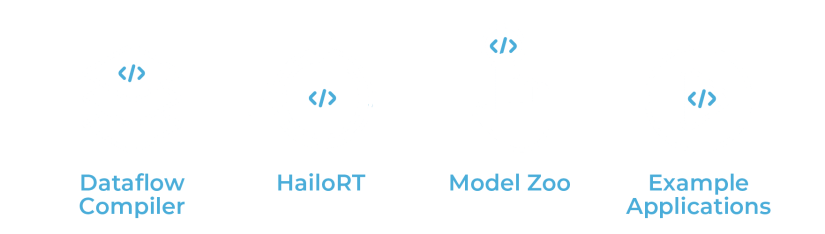
Hailo-8L illustrates dedicated edge inference. Hailo's Hailo-8L module documentation describes a Peripheral Component Interconnect Express (PCIe) accelerator and a compiler-based deployment workflow. Treat successful model conversion as a purchase requirement, not an assumption.
What is a GPU?
A GPU is a highly parallel, comparatively programmable processor. Its graphics origins do not limit it to rendering. NVIDIA's CUDA introduction explains how GPUs execute large numbers of threads and support computing workloads beyond graphics, including AI.
That flexibility makes GPUs a useful starting point when developing models or switching among vision, language, and image-generation workloads. However, framework support, available memory, and optimized kernels still determine what runs well. CUDA is NVIDIA's platform, not a feature shared by every GPU vendor.
GPU memory must accommodate more than model weights. During training, gradients, optimizer state, and intermediate activations also consume space, as explained in Hugging Face's model memory guide. The framework also needs the correct device backend, such as PyTorch's CUDA support for compatible NVIDIA GPUs.
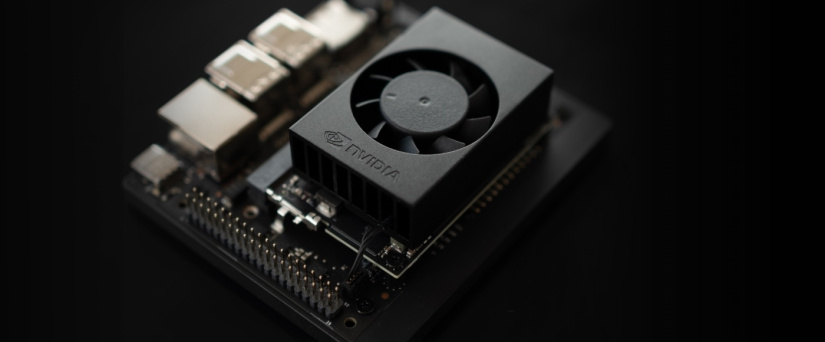
Jetson Orin Nano puts a GPU inside a compact edge computing platform. Its JetPack software stack includes CUDA and TensorRT. It occupies a different memory and power class from desktop graphics cards and data-center GPUs.
What is a TPU?
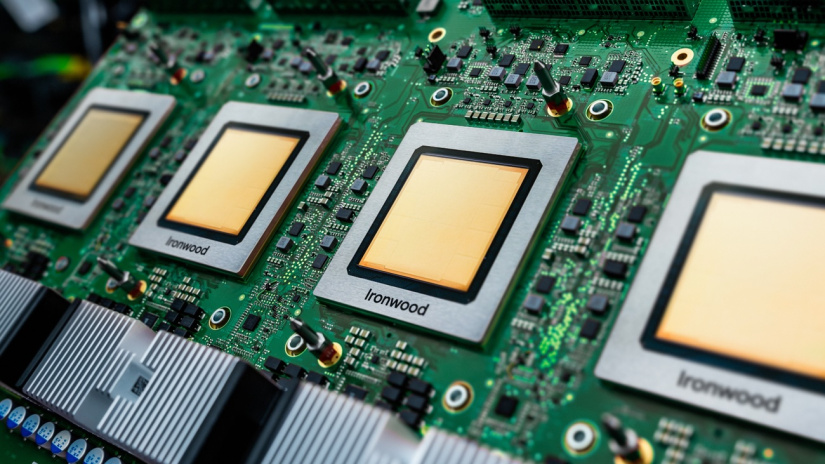
TPU is Google's name for its tensor-processing hardware. It is not a generic synonym for every AI accelerator. Google's Cloud TPU architecture documentation describes specialized matrix-processing units alongside other compute components.
Cloud TPU and Coral Edge TPU are different products
Cloud TPU is data-center infrastructure accessed through Google Cloud. It supports compatible training and inference workloads, with interconnected chips available for larger jobs. Google's architecture documentation includes JAX and PyTorch support. Framework names alone do not guarantee that an existing project will run unchanged.
Coral Edge TPU is a local inference coprocessor used in accessories and embedded hardware. Its model requirements specify quantized 8-bit parameters, supported operations, and compile-time tensor constraints. Quantization represents values with reduced numerical precision, so verify accuracy after conversion. Compatible TensorFlow Lite models are deployed through the Edge TPU compiler and runtime.
You cannot treat a Coral Universal Serial Bus (USB) accelerator as a miniature Cloud TPU server or deploy a cloud training job to it unchanged. Conversely, renting Cloud TPU capacity does not add an accelerator to your Raspberry Pi. Deployment location and software compatibility separate these choices before any speed comparison becomes meaningful.
GPU vs TPU for AI training and inference
For training, compare a GPU system with Cloud TPU, rather than with Coral. GPUs are a practical first choice for projects using GPU-oriented libraries, custom kernels, or frequent model changes. Cloud TPU deserves evaluation when your model and training pipeline fit its compiler and distributed execution environment.
Google's guidance on when to use TPUs highlights matrix-heavy workloads and large effective batch sizes. It also identifies custom operations and other workload characteristics that can favor alternative hardware. TPU support is not limited to one framework, but dependencies and custom operators still need verification.
Scaling introduces another decision. Cloud TPU uses interconnected accelerator slices, while a GPU deployment can range from one local card to a distributed cluster. Compare the actual configuration, memory per device, communication overhead, and access arrangements. Neither label guarantees that adding devices will produce proportional gains.
For inference, measure response latency and sustained throughput separately. A configuration optimized for large batches may not suit an interactive request. Google's TPU performance guide also emphasizes profiling and feeding data fast enough to keep the accelerator occupied.
For a cloud project, include migration effort, regional capacity, quotas, and idle resources in the comparison. Choose the platform that meets your service target at an acceptable total cost.
NPU vs GPU for local and edge AI
The practical NPU vs GPU trade-off is specialization versus flexibility. An NPU can be attractive for a stable, supported model running continuously in a constrained device. A GPU is often worth its additional hardware and cooling requirements when you need varied models, custom processing, or a training workflow.
Model coverage comes first. Check individual operators, tensor shapes, precision, and runtime versions. Framework compatibility is not the same as complete model compatibility. Unsupported processing may require a different model, a custom implementation, or CPU fallback, depending on the software stack.
Memory can decide the result before compute does. A larger GPU memory allocation may enable a model or context length that a smaller accelerator cannot accommodate. For language generation, the attention key-value cache also consumes memory. Hugging Face's cache documentation explains the memory and throughput trade-offs of offloading that cache.
Measure the whole application. Camera capture, decoding, preprocessing, transfers, and postprocessing can dominate response time. NVIDIA's deep-learning performance guidance explains why memory-bound operations do not become faster simply by increasing arithmetic capability.
An efficient accelerator is useful only if the complete host system meets your power and thermal limits. Test sustained operation inside the intended enclosure, rather than relying on a short demonstration.
NPU vs TPU: what is the practical difference?
NPU is a broad descriptive category. TPU identifies Google's particular hardware families. The terms therefore do not describe mutually exclusive scientific categories, and the label alone cannot tell you which device supports your model.
Compare an edge NPU with Coral Edge TPU for a local inference project. Compare an appropriate training or serving platform with Cloud TPU for a data-center job. Comparing a laptop NPU directly with a cloud accelerator cluster obscures the deployment decision.
There is another 2026 naming detail: Google's current Coral documentation covers the newer Coral NPU architecture and separately links first-generation Coral Edge TPU documentation. The Coral USB and M.2 Edge TPU products discussed here belong to that first-generation family. Do not transfer capabilities between products simply because both carry the Coral name.
Which AI accelerator should you choose?
Start with the model and application you actually intend to deploy. The recommendations below follow the documented capabilities above. They are workload-based guidance, not an independently measured speed ranking.
Model training or substantial fine-tuning
Start by evaluating a GPU with sufficient memory and support for your training framework. Training learns model weights from examples. Fine-tuning adapts a pretrained model, while inference uses the resulting model. Parameter-efficient techniques such as low-rank adaptation (LoRA) can reduce requirements, but still need compatible training software. Evaluate Cloud TPU if your pipeline supports it and the scale justifies the deployment work. Do not choose an inference-focused edge module as a substitute for a training system.
Local LLM or generative-AI inference
For a large language model (LLM), choose the supported runtime first, then size memory for weights, context, and execution overhead. A GPU is a useful starting point for broad model experimentation. A generative-AI-capable NPU can suit a more specific deployment. Hailo's generative AI Model Explorer provides device-specific examples to check before selecting Hailo-10H.
Low-power computer vision
Consider an edge NPU or Coral Edge TPU when your detector or classifier has a verified deployment path. Specify image resolution, camera count, required detection frequency, and acceptable accuracy after quantization. If you expect frequent architecture changes or substantial unsupported processing, evaluate a GPU platform alongside the specialized option.
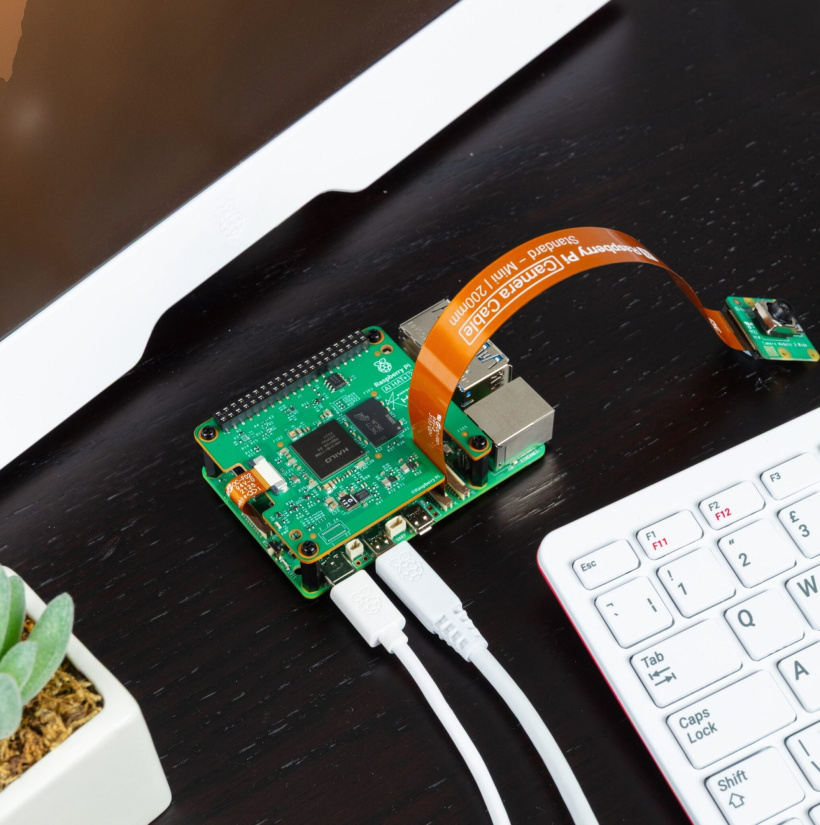
Raspberry Pi or a small edge system
Choose an accelerator explicitly supported by your application and host configuration. A USB accessory avoids an internal slot requirement, while a PCIe module requires compatible connections and mounting. Coral's USB setup guide lists specific operating-system and Python requirements. Verify your exact software versions rather than assuming compatibility with every current Raspberry Pi installation.
Cloud-scale Google-centered workloads
Evaluate Cloud TPU when its supported frameworks, model operations, and scaling arrangements fit your project. Compare equivalent service configurations using representative data. Include utilization, networking, storage, engineering time, and operational requirements. A lower cost per accelerator-hour would not automatically mean a lower cost per completed job.
Broad experimentation and maximum model flexibility
A supported GPU platform is a sensible default when you want to train, try different model families, and reuse existing GPU tools. Verify the vendor backend before buying. If the eventual application becomes a stable, power-constrained inference service, reassess whether a specialized accelerator offers a better deployment fit.
What matters beyond TOPS and FLOPS?
Tera operations per second (TOPS) and floating-point operations per second (FLOPS) describe peak arithmetic under specified conditions. They do not measure complete application performance. Use this checklist to compare an AI accelerator against your requirements.
- Precision and sparsity: 4-bit integer (INT4), 8-bit integer (INT8), and floating-point figures are not interchangeable. A sparse figure assumes a particular pattern of skipped work.
- Model and operator support: confirm conversion, compilation, runtime support, and which stages execute on the accelerator.
- Memory: check capacity, bandwidth, temporary buffers, and whether memory is dedicated or shared with the host.
- Latency and throughput: compare the same model, resolution or context length, batch size, and acceptable output quality.
- Power and cooling: distinguish chip specifications from measured whole-system consumption and sustained thermal behavior.
- Ownership cost: include adapters, power supplies, cooling, software integration, maintenance, and cloud operating costs.
For example, Hailo specifies Hailo-10H's headline performance at INT4 precision, while NVIDIA's Orin Nano Super announcement distinguishes sparse and dense figures. Those numbers are not a direct cross-vendor speed comparison. Request reproducible, application-level measurements before treating a benchmark as buying evidence.
Edge-AI hardware examples from Electromaker
These products illustrate different deployment choices. Select by software compatibility and system requirements, rather than treating them as interchangeable upgrades.
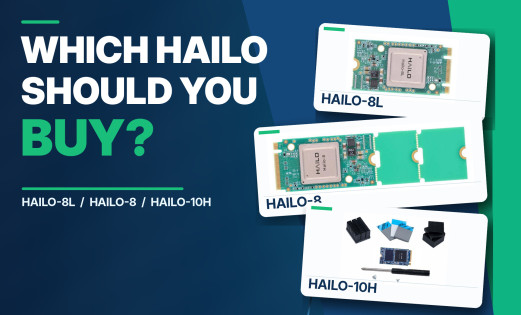
- Hailo-8L M.2 Key A+E 2230 AI Acceleration Module: consider it for supported edge inference in a host with the correct M.2 connection. Validate your model with Hailo's deployment tools first.
- Hailo-10H M.2 Key M 2280 4GB AI Acceleration Module Starter Kit: a generative-AI-oriented example for supported models. Its 4GB configuration requires a model and runtime memory budget that fits. Hailo's module specifications describe the PCIe interface and onboard memory options.
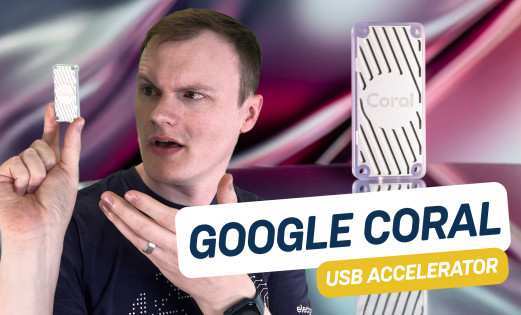
- Coral Edge TPU USB Accelerator: a plug-in example for compatible Edge TPU inference without an internal accelerator slot. The official USB Accelerator datasheet identifies its USB interface. Software requirements still apply.
- NVIDIA Jetson Orin Nano Developer Kit: a complete edge development platform for GPU-based applications. Budget for the platform's memory limits, power supply, cooling, and supported JetPack installation.
Before purchase, check slot, keying, electrical interface, driver, operating system, and exact model compatibility. An M.2 connector's shape alone does not establish support. Also confirm the software release matches the accelerator family: the official HailoRT repository directs Hailo-8L users to a separate branch from the Hailo-10 family.
Frequently asked questions
These answers address common purchasing and compatibility questions.
Does an NPU replace a GPU?
No. An NPU can offload supported neural-network tasks, but it does not replace a GPU's graphics functions or guarantee support for GPU-oriented AI software. Systems can use both processors for different work.
Can a TPU train AI models?
Cloud TPUs support compatible model training and fine-tuning workloads. Coral Edge TPU primarily accelerates inference, with limited transfer-learning workflows described in Coral's documentation. It is not a general training accelerator or a substitute for Cloud TPU.
Is Coral Edge TPU the same as Google Cloud TPU?
No. Coral Edge TPU runs compatible models on local hardware using its own compiler and runtime. Cloud TPU is data-center infrastructure with different hardware, software, and scaling arrangements. Their deployment workflows are not interchangeable.
Is TOPS a fair way to compare AI accelerators?
Only as a limited specification with matching conditions. Precision, sparsity, operation counting, and workload must be comparable. For a purchase decision, prioritize measured application latency, throughput, accuracy, and whole-system power.
Can any NPU run a local LLM?
No. The specific processor, memory capacity, supported model operations, quantization format, and runtime determine whether an LLM can run. Verify the exact model and deployment path instead of relying on the NPU label.
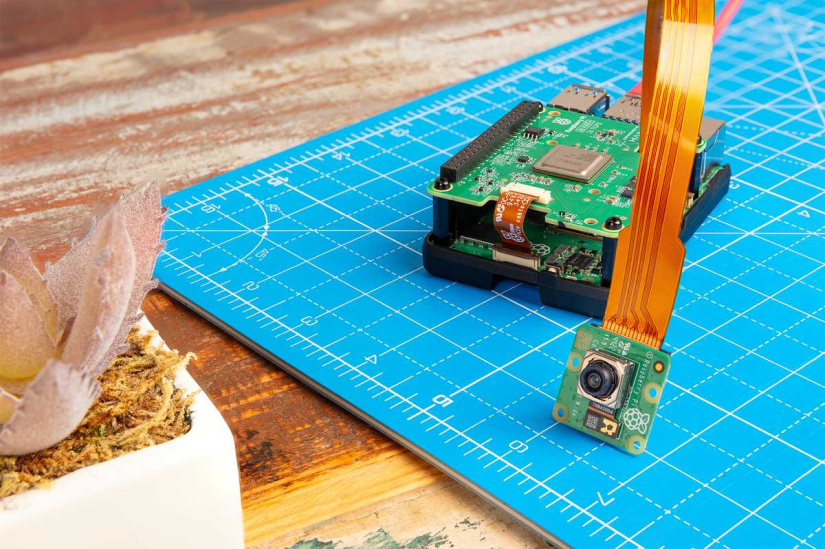
Can I compile Coral models directly on a Raspberry Pi?
The documented Edge TPU compiler requires an x86-64 Debian-based Linux system. Compile compatible models on a supported machine, then deploy them to the Pi's supported runtime. Running inference and compiling models have different host requirements.
Choose the workload before the hardware
Choose a supported GPU for varied development, an appropriate NPU for efficient local inference, or Cloud TPU for compatible cloud-scale work. Consider Coral Edge TPU when its specific model constraints fit your application. Then explore Electromaker's AI accelerator cards with a verified software path and a realistic system budget.

Residing on the south coast of England, Rich has spent the last few years building Electomaker.io from the ground up. He is usually found behind a laptop coordinating the rest of the EM team and occasionally finding time to contribute articles to the blog. When not tapping away at a laptop, he can be found either paddleboarding, at the beach, playing golf (badly), or camping with his family.






Leave your feedback...