





Coral USB Accelerator: Add Fast Edge AI to Any Host
This week’s featured product is the Coral USB Accelerator, a compact Edge TPU module from Google that brings high-speed, low-power machine learning to almost any system. Simply plug it into a USB 3.0 port and you’ve instantly added on-device AI inferencing that’s both fast and efficient.
Watch the full Electromaker Product of the Week video to see the Coral USB Accelerator in action.
With up to 4 TOPS of performance while consuming only around 2 watts, the Coral USB Accelerator turns single-board computers, laptops, and even Raspberry Pi boards into capable AI platforms. It’s the easiest way to give existing hardware a serious upgrade for TensorFlow Lite models, computer vision, or local intelligence, without relying on the cloud.
Tell us in the comments: How would you use this device in your next project?
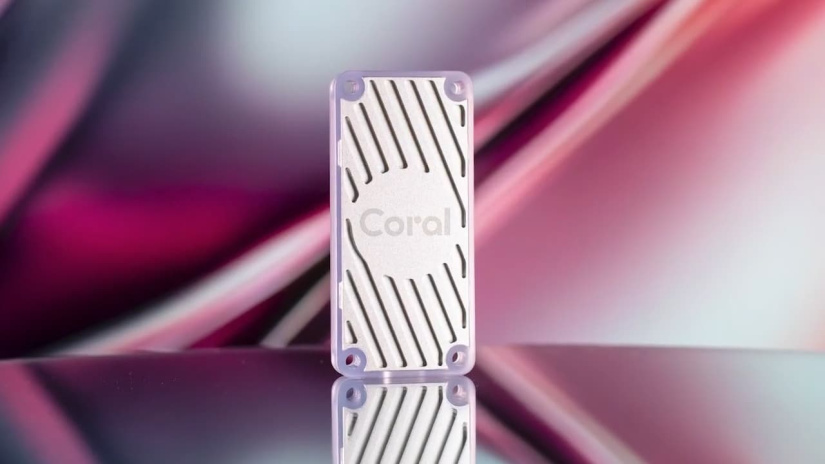

What the Coral USB Accelerator Does
The Coral USB Accelerator is a compact plug-in module that adds Google’s Edge TPU co-processor to your system, providing dedicated hardware acceleration for TensorFlow Lite inference tasks. By offloading intensive AI computations from the host CPU, it delivers faster processing, lower latency, and improved energy efficiency, all while keeping your data local for greater privacy and reduced cloud dependence.
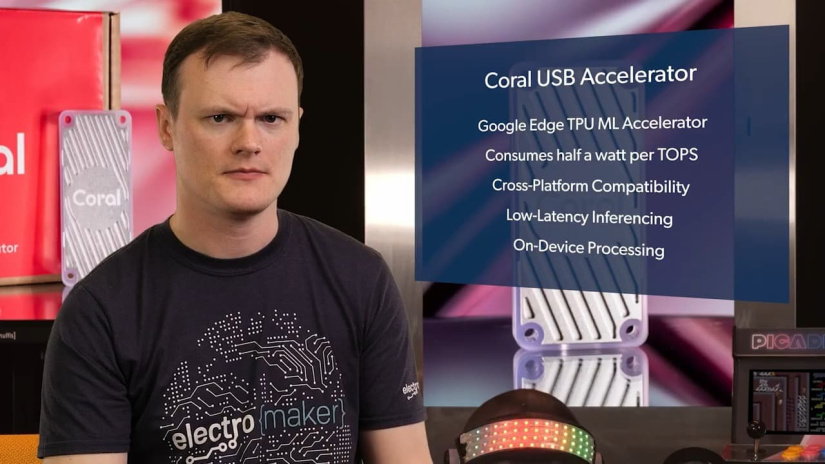
“A plug-in Edge TPU that brings fast, private AI inferencing to almost any host.”
Key Specs at a Glance
| Feature | Spec |
|---|---|
| ML Accelerator | Google Edge TPU, up to 4 TOPS (int8), ~2 TOPS/W |
| Interface | USB 3.0 (USB 3.1 Gen 1), Type-C socket; SuperSpeed 5 Gbps |
| Host OS Support | Linux (Debian 10+ derivatives, x86-64, Armv7, Armv8), macOS 10.15, Windows 10, Raspberry Pi 3 B+ and Pi 4 tested |
| Performance Example | MobileNet V2 up to ~400 FPS |
| Power | 5 V via USB; typical ~2 W; peak current up to ~900 mA |
| LED States | Solid: initialised; Pulse: running |
| Dimensions | Module body approx. 65 × 30 × 8 mm; four mounting holes; USB-C cable 300 mm |
| Part Numbers | G950-01456-01, G950-06809-01 |
Figures from the Coral USB Accelerator datasheet v1.4.
Why Makers Care: Speed, Power Efficiency, and Privacy
For makers and developers, the Coral USB Accelerator offers an immediate way to boost AI performance on compact or ageing systems. Delivering up to 4 TOPS of processing power while drawing only around 2 watts, it allows single-board computers and laptops to handle machine learning inference tasks that would normally overwhelm a CPU. The result is faster project performance, smoother live AI responses, and a drastically smaller power footprint, ideal for portable, battery-powered, or low-wattage builds.
Because all processing happens locally on the Edge TPU, projects benefit from reduced latency and enhanced data privacy. There’s no need to rely on cloud-based processing, which means sensitive data, whether it’s camera footage, sensor readings, or personal analytics, stays within the device. This combination of speed, energy efficiency, and privacy makes the Coral USB Accelerator a standout upgrade for any AI-enabled maker project.
Compatibility and System Requirements
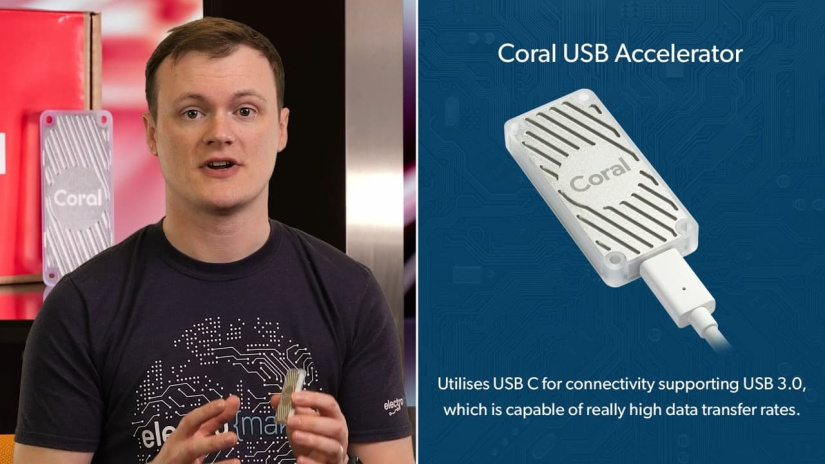
The Coral USB Accelerator is designed to work across a wide range of host systems, making it one of the most flexible AI add-ons available. It supports common desktop and embedded operating systems, multiple CPU architectures, and integrates easily with TensorFlow Lite via the Edge TPU runtime.
- Operating Systems: Linux (Debian 10 or newer, including Ubuntu 18.04 derivatives), macOS 10.15, and Windows 10.
- Supported Architectures: x86-64, Armv7 (32-bit), and Armv8 (64-bit).
- Raspberry Pi Support: Fully tested on Raspberry Pi 3 Model B+ and Raspberry Pi 4.
- Python Compatibility: Works with Python 3.5, 3.6, and 3.7 for official TensorFlow Lite examples and demos.
- USB Requirement: USB 3.0 port (USB 3.1 Gen 1) recommended for full bandwidth and performance.
Quick Compatibility Matrix
| Host Type | Support Notes |
|---|---|
| Linux PCs | Debian 10+ (x86-64); install the Edge TPU runtime for full TensorFlow Lite support. |
| Raspberry Pi 3 B+ / 4 | Tested models; Armv7/Armv8 architectures supported with Edge TPU runtime and Python 3.x. |
| Windows 10 | Requires Edge TPU runtime installation; supports TensorFlow Lite demos and USB 3.0 connection. |
| macOS 10.15 | Compatible via MacPorts or Homebrew; Edge TPU runtime required for inference tasks. |
For best results, ensure a stable USB 3.0 connection and install the latest Edge TPU runtime for your platform.
Performance and Power in Practice
The Coral USB Accelerator provides two selectable clock profiles to balance performance and power consumption. In maximum frequency mode, the Edge TPU runs at full speed, delivering roughly twice the inferencing rate of the reduced mode, but with higher power draw and more heat output. The reduced frequency mode is designed for energy efficiency and thermal comfort, maintaining strong AI performance for most edge workloads while keeping temperatures lower.
To put its speed into perspective, the device can execute TensorFlow Lite models such as MobileNet V2 at up to ~400 frames per second. When connected via USB 3.0, the accelerator benefits from 5 Gbps data bandwidth, ensuring smooth, low-latency communication between the host system and the TPU—especially valuable for video streams, image recognition, and real-time automation tasks.
Thermal Guidance
According to the official datasheet, the recommended maximum ambient temperature is 35 °C when running at reduced frequency and 25 °C at maximum frequency. During heavy operation, the metal enclosure can become hot to the touch. To ensure safe handling, either mount the device out of direct contact range or select the reduced-frequency runtime for extended sessions.
“Peak draw can approach 900 mA. Use a solid USB 3.0 port or powered hub.”
Hardware Overview and LED Behaviour
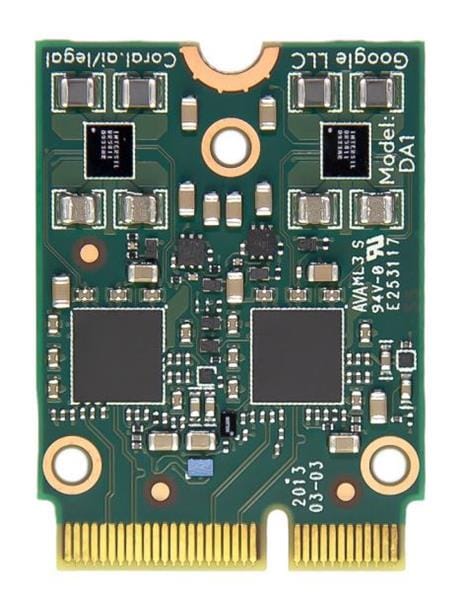
The Coral USB Accelerator features a clean, minimal hardware design built for easy integration into maker projects and prototypes. Its compact aluminium enclosure measures approximately 65 × 30 × 8 mm and includes four mounting holes for secure attachment to enclosures, panels, or robotic platforms. A 300 mm ± 20 mm USB-C cable is supplied, providing a flexible connection to laptops, Raspberry Pi boards, or embedded hosts.
Visual feedback is provided through a built-in status LED that communicates the device’s current state:
- Solid light: The Edge TPU has initialised and is ready for inference.
- Pulsing (breathing effect): The TPU is actively running an inference task.
This simple LED feedback makes it easy to confirm activity at a glance, especially useful when debugging or running batch inference scripts on headless systems.
Getting Started: Driver, Runtime, First Inference
Setting up the Coral USB Accelerator is quick and straightforward. With the right runtime installed, you can have TensorFlow Lite models running in minutes on almost any compatible system.
- Connect the Coral USB Accelerator to your host device using the supplied USB-C cable. For best performance, use a USB 3.0 port or a powered USB hub.
- Install the Edge TPU runtime and API library for your operating system. The installation packages are available from Coral’s official documentation pages for Linux, macOS, and Windows.
- Run a TensorFlow Lite example to confirm that the accelerator is functioning correctly. Coral provides ready-to-use scripts that can process camera feeds or sample images.
- Check the LED indicator: a solid light means the Edge TPU has initialised, while a pulsing LED shows that an inference is running.
- Optional: you can switch between reduced and maximum frequency modes by installing the corresponding Edge TPU runtime package. The higher-speed mode doubles throughput but also increases power draw and heat.
Tips for Raspberry Pi
- Use a Raspberry Pi 4 or Pi 3 Model B+, as these have been officially tested for compatibility.
- Ensure the device remains well ventilated; add a small heatsink or active airflow if operating in a tight enclosure.
- Power your Pi from a reliable PSU, especially if running additional hardware such as cameras or sensors alongside the accelerator.
Proven Reliability and Environmental Tests
The Coral USB Accelerator is built to withstand demanding environments and repeated use in prototyping and production setups. According to the official datasheet, it has passed a wide range of environmental and mechanical reliability tests to ensure consistent performance over time.
- Heat soak: Non-operational at 60 °C / 90% RH for 72 hours
- Temperature cycling: −20 °C to 60 °C across 300 cycles
- Long-term operational stress (LTOS): Operational at 40 °C / 90% RH for 1000 hours
- Electrostatic discharge (ESD): 12 kV air discharge, 8 kV contact discharge
- Mechanical durability: Repeated drop, vibration, and connector cycling tests (USB-C plug tested to 1000 insertions, cable bend tests under load)
These tests confirm that the device is suitable for both experimental and long-term embedded use, maintaining electrical and mechanical integrity even under stress.
CAD File
For makers designing custom housings or enclosures, a STEP 3D CAD file of the Coral USB Accelerator is available from Coral’s official website, enabling precise integration into printed or machined assemblies.
Practical Builds the Accelerator Enables
The Coral USB Accelerator opens up a wide range of creative possibilities for makers, engineers, and hobbyists. Its compact design and low power draw make it ideal for edge AI projects where performance, portability, and efficiency all matter. Here are a few example use cases that showcase what it can do.
Mobile Robots and AGVs
When paired with a Raspberry Pi and a camera, the Coral USB Accelerator provides real-time object detection and navigation support for mobile robots or automated guided vehicles (AGVs). It can identify obstacles and regions of interest on the move, allowing for safer, faster navigation, all while keeping power usage low enough for battery operation.
Retrofit for Industrial QA
Existing factory or production-line machines can gain modern AI inspection capabilities without a full system overhaul. By mounting the Coral USB Accelerator alongside a camera and simple conveyor control interface, older systems can perform defect detection or product classification directly on the edge. This upgrade eliminates the need for expensive GPUs or constant cloud connectivity.
Private Edge IoT
For home labs, smart devices, or IoT projects where data privacy is a concern, the Coral USB Accelerator enables on-device AI processing. Running inference locally reduces latency and ensures that sensitive video, audio, or sensor data never leaves the device. It’s a practical solution for privacy-focused projects that still demand responsive, intelligent behaviour.
“Keep responses short in UI loops. Use lightweight models for tight latency budgets.”
Troubleshooting and Best Practice
While the Coral USB Accelerator is designed for straightforward setup and reliable operation, a few common issues can affect performance or stability. Here are some quick checks and best practices to keep your projects running smoothly:
- Low throughput? Confirm that you’re using a USB 3.0 port and a certified SuperSpeed USB-C cable. Slower USB connections can severely limit data transfer rates and inference performance.
- Device running hot? Switch to the reduced frequency runtime or improve airflow around the module. Avoid enclosing it in unventilated cases, especially when running high workloads.
- Host not detecting the accelerator? Reinstall the Edge TPU runtime and ensure you’ve selected the correct package for your OS and CPU architecture. On Linux, verify that the device appears under
lsusbwhen connected.
Following these simple practices will help maintain optimal performance and longevity, especially during continuous operation or high-intensity inference workloads.
FAQs
What does the Coral USB Accelerator add to a host system?
An Edge TPU for fast TensorFlow Lite inferencing, up to 4 TOPS at around 2 W, over USB 3.0.
Which operating systems are supported?
Linux (Debian 10+ derivatives on x86-64, Armv7, Armv8), macOS 10.15, Windows 10, plus Raspberry Pi 3 B+ and Pi 4 tested.
How hot does it get and how do I manage it?
At maximum frequency it can become very hot to the touch. Use reduced frequency, mount out of reach, and ensure airflow.
What performance can I expect on common models?
MobileNet V2 can reach around 400 FPS when properly configured over USB 3.0.
Does it work from a USB hub?
Use a powered USB 3.0 hub to ensure adequate current. Peak current can approach ~900 mA.
Final Thoughts
The Coral USB Accelerator offers quick wins for on-device AI in a compact form factor. With up to 4 TOPS at around 2 W, it slips into builds where power and space are tight yet responsive inference still matters, from single-board computers to laptops and retrofitted equipment.
Whether you’re adding vision to a robot, upgrading a legacy QA station, or keeping data local for privacy, this plug-in Edge TPU keeps projects fast and efficient. Tell us in the comments how you’d put it to work in your next build.



Matt Walker is a key contributor at Electromaker. With extensive experience in digital marketing, he crafts high-impact strategies that boost visibility for tech brands. His campaigns help businesses stay ahead in the fast-moving world of electronics and embedded systems.












Leave your feedback...