





Pocket AI: A Mini Data Centre You Can Slip in a Bag
Pocket AI is a portable AI accelerator built for people who want desktop-class inference without the desktop. Think of it as a “mini data centre you can slip in a bag”, pairing an NVIDIA RTX A500 with fast Thunderbolt connectivity to deliver on-device AI that avoids cloud latency and keeps data close to where it is generated.
It is made for developers pushing computer vision pipelines, professional graphics users handling heavy video analytics, and embedded teams who need predictable performance in the field. Local execution means tighter control of timing, simpler compliance for sensitive data, and rapid iteration when a network is unreliable or off limits.
Who it’s for and why it exists
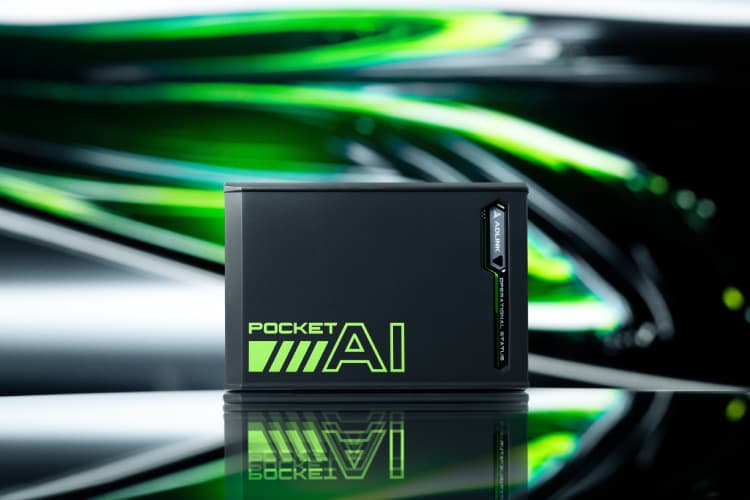
Not every “portable” workload is power-constrained. Many edge tasks need raw, local performance to deliver results on time, every time. Pocket AI is built for exactly that. As a portable AI accelerator with NVIDIA RTX A500 graphics, it favours deterministic latency and privacy by keeping inference on-device. For robotics, drones, and industrial vision, where frames arrive continuously and decisions must be made in milliseconds, avoiding cloud hops removes jitter, cuts failure points, and helps with compliance when data cannot leave the site.
- AI developers prototyping and deploying edge inference: iterate quickly on models, quantisation, and pipelines without shipping data to the cloud.
- Professional graphics users moving heavy video analytics: decode, process, and analyse multiple streams locally for real-time dashboards and alerts.
- Embedded and industrial teams needing predictable timing: integrate on-device AI into robots, kiosks, and factory systems where offline operation is mandatory.
In plain English, Pocket AI helps you work faster and with fewer surprises: iteration cycles shorten because data stays on the device; there is no dependency on an internet link or external servers; and operational privacy improves because sensitive footage and telemetry never leave your control. If you need on-device AI that behaves consistently in the field, this is built to keep pace when bandwidth drops, networks are segmented, or security policies forbid the cloud.

Hardware at a Glance
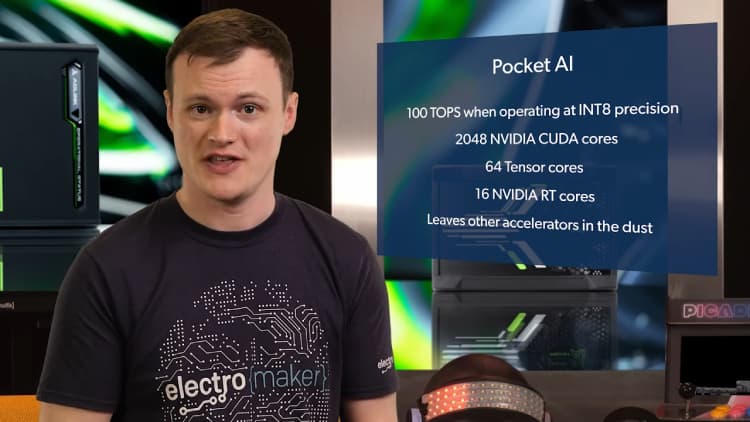
Key specifications from the datasheet, kept brief for fast reference:
- GPU: NVIDIA RTX A500 (Ampere GA107)
- Cores: 2,048 CUDA, 64 Tensor, 16 RT
- Performance: up to 100 TOPS (INT8); 6.54 TFLOPS FP32 peak
- Memory: 4 GB GDDR6, 64-bit, 96 GB/s; memory clock 6001 MHz
- Clocks: 435 MHz base, 1335 MHz boost
- Video engines: NVENC 1×, NVDEC 2×
- Power: 25 W TGP; requires USB PD 3.0+ at 15 V, 40 W+
- Interface: Thunderbolt 3 (PCIe 3.0 ×4)
- Size & weight: 106×72×25 mm (without case); 110×76×32 mm (with case); ~250 g
- OS: Windows 10/11; Linux (no hot-plug)
- Operating temperature: 0–40 °C
- Software: NVIDIA CUDA X; RTX software enhancements
Performance Explained
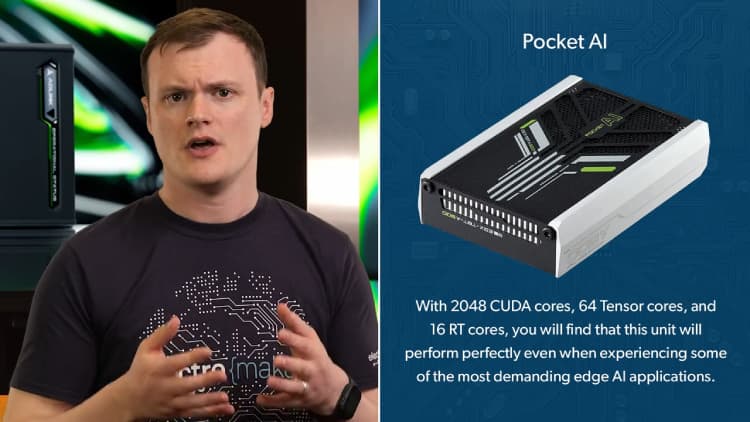
Pocket AI is built for real work, not synthetic glory. Think of it as a compact pit crew for your models. The headline figure is up to 100 INT8 TOPS. In practice, that means fast object detection and tracking where frame cadence matters. INT8 arithmetic reduces compute and memory pressure, so detectors and multi-object trackers can keep pace with live camera feeds without handing frames to the cloud.
There are times when FP32 performance is still the right call. Precision-sensitive steps, custom operators that do not quantise cleanly, or calibration phases benefit from full-precision math. With 6.54 TFLOPS of FP32 performance, you can reserve accuracy where it counts, then drop back to INT8 for the hot path.
Tensor Cores accelerate common deep learning operations such as convolutions and matrix multiplies. This is where most inference time is spent, so the speed-up is immediate. RT Cores assist graphics and certain spatial workloads, useful in mixed pipelines that combine rendering or depth processing with inference, for example augmented reality overlays or scene understanding.
The 25 W TGP looks modest next to a desktop GPU, yet it is a clear win in portable rigs. You gain predictable thermals, simpler power delivery over USB PD, and the ability to mount the unit on robots, kiosks, or field kits without a heavy PSU.
Thunderbolt 3 with PCIe 3.0 ×4 provides enough bandwidth for multi-stream video. You can decode, pre-process, infer, and display several 1080p feeds if the models are sized appropriately. If you plan to publish results, describe methodology and settings rather than chasing headline numbers.
Connectivity, Power, and Compatibility
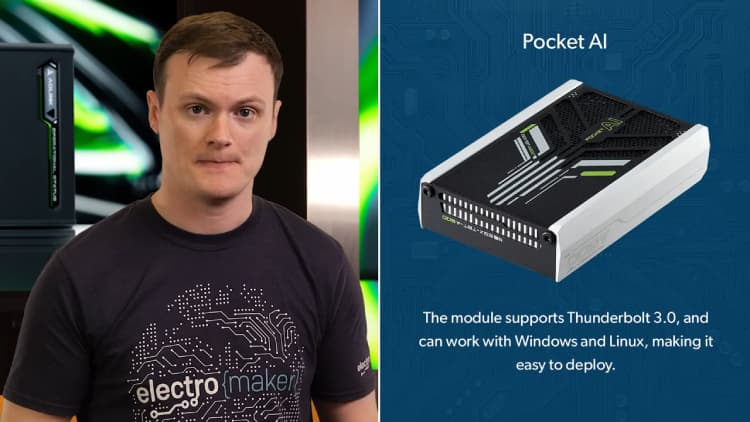
Pocket AI connects over Thunderbolt 3, tunnelling PCIe 3.0 ×4 to your host. In practice this delivers ample bandwidth for typical edge workloads, including multi-stream 1080p video pipelines and rapid round-trips between CPU and GPU buffers. Keep cable runs short and use certified Thunderbolt 3 leads to avoid intermittent link drops under load.
Power is straightforward but important: use a USB Power Delivery supply or power bank rated for 15 V at 40 W+. Under-spec adapters can cause brownouts or sudden resets when workloads spike, which look like random crashes but are simply power starvation. If you see instability, check the adapter’s voltage profile and the cable’s PD rating first.
On Linux, hot-plug is not supported. Connect Pocket AI before boot, ensure Thunderbolt security policies allow PCIe tunnelling, then verify enumeration and drivers after login. For many distros that means confirming the device appears on the PCIe bus and that the NVIDIA kernel modules are loaded.
On Windows, hot-plug and driver initialisation are typically seamless. After connecting, confirm the device appears correctly and that your CUDA toolkit and runtime are detected before launching production workloads.
Quick tip: before starting any pipeline, confirm device readiness (Thunderbolt link up, drivers loaded, correct PD power negotiated). This simple check prevents most “it worked yesterday” issues in the field.
Software Stack and Workflows
Pocket AI sits neatly inside the CUDA X ecosystem, so most developers can use familiar tooling from day one. Common inference runtimes such as TensorRT and ONNX Runtime with CUDA support run smoothly, and existing projects that already target NVIDIA hardware typically need minimal changes. A typical edge pipeline uses the hardware blocks efficiently: decode incoming video with NVDEC, perform any resizing or normalisation, run inference on Tensor Cores, then apply post-processing before encoding or streaming results with NVENC.
The Thunderbolt link means you can iterate on a laptop or NUC without hauling a full desktop. Models, pre-processing graphs, and thresholds can be tweaked quickly, and field deployments are simpler when the same portable unit moves between bench and site. With 4 GB of GDDR6, Pocket AI is a strong fit for compact detectors, lightweight classifiers, and multi-stage video analytics graphs where memory footprint matters.
Developer checklist:
- Install the CUDA toolkit and confirm version compatibility with your runtime.
- Install the correct NVIDIA drivers and verify device visibility.
- Confirm USB Power Delivery negotiates 15 V / 40 W+.
- Check Thunderbolt security settings allow PCIe tunnelling.
- Validate the full path: NVDEC → pre-proc → inference → post-proc → NVENC on sample data.
Use-case scenarios
From autonomous drones to factory monitoring, here are four practical builds where on-device inference pays off. Each example keeps processing local for low latency, stronger privacy, and resilience when networks are unreliable.
A. Drone surveillance
Drones live and die by latency. With on-device inference, Pocket AI runs object and person detection directly on the airframe, keeping decisions close to the sensors. Add thermal or low-light cameras and you can fuse detections without piping frames to the cloud. That means fewer dropouts, lower operating costs, and better privacy when flights cover sensitive areas. The RTX A500’s INT8 throughput helps sustain real-time tracking across multiple 1080p feeds, while NVDEC/NVENC handle efficient ingest and downlink if you choose to stream metadata. For edge AI teams, this is a practical way to deliver autonomous patrols, perimeter monitoring, and search-and-rescue tasks where every millisecond matters.
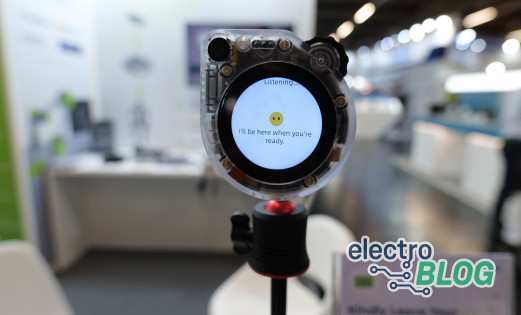
B. Offline AI assistant
Build a privacy-first assistant that never leaves your device. Pair a compact speech-to-text model with an NLU pipeline and a lightweight responder to run fully offline. With 4 GB of GDDR6, aim for distilled and quantised models, prioritising INT8 where possible to keep memory and bandwidth in check. The result is a snappy assistant for field kits, kiosks, or secure workstations that cannot rely on the internet. On-device AI avoids data sharing concerns, reduces recurring costs, and gives you deterministic performance during demos or in patchy network environments. Rapid iteration over Thunderbolt makes it easy to tune prompts, grammars, and wake-word logic.
C. Robotics with gesture recognition
Human-robot interaction benefits from fast, consistent perception. Pocket AI lets you run gesture and emotion classifiers alongside pose estimation so robots can react smoothly to hand signals and body language. Deterministic timing is key: Tensor Cores accelerate the heavy lifting, while the 25 W power envelope keeps thermals predictable inside mobile bases or small enclosures. Integrate the outputs with motor control loops to gate behaviours, safety stops, or task selection. For robotics vision, this approach trims latency, cuts dependence on Wi-Fi, and improves resilience in noisy RF environments, all while keeping sensitive camera data local to the platform.
D. Industrial anomaly detection
On a factory floor, shipping every sensor stream to the cloud is costly and slow. Pocket AI enables industrial AI at the edge: learn “normal” from vibration, current draw, or video feeds, then flag deviations in real time. On-device inference reduces backhaul traffic and keeps production data inside the plant. The 0–40 °C operating range suits many indoor deployments, and the compact form factor mounts neatly into cabinets or kiosks. Teams can start with an unsupervised detector and add supervised classifiers for known faults as they gather examples. The payoff is faster intervention, fewer false alarms, and predictable performance during maintenance windows.
Form Factor, Thermals, and Integration
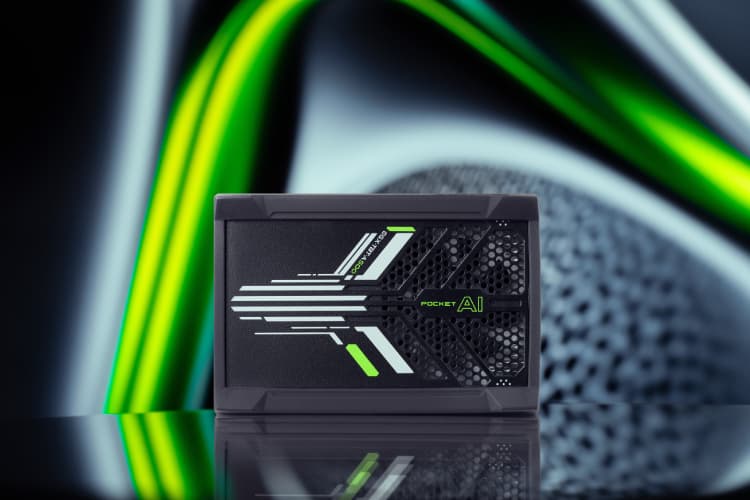
Pocket AI is compact and sturdy: 106 × 72 × 25 mm without the protective case, 110 × 76 × 32 mm with it, and around 250 g. The footprint suits mobile robots, kiosks, and panel PCs where space is tight. Mount with a small bracket, DIN-rail shelf, or a 3D-printed cradle with rubber isolation to tame vibration. Keep ports accessible and maintain sensible bend radii for Thunderbolt and PD leads.
Give the enclosure breathing room. Avoid sealing the unit in a dead-air pocket; provide a gentle airflow path and keep vents clear. The specified ambient range is 0–40 °C, so plan placement away from PSU heat, motor drivers, and sun-exposed panels, and consider derating as you approach the upper limit.
- Power: use a certified USB PD cable and adapter negotiating 15 V / 40 W+; keep the cable short.
- Strain relief: add a service loop and tie-down so connectors aren’t carrying the load.
- Thunderbolt: use a certified short cable and secure it with clips to prevent accidental disconnects.
Buyer’s Checklist
- Do your models run well in INT8, or do you need FP16/FP32 for accuracy-critical stages?
- Is a 25 W power budget acceptable for your platform and thermal design?
- Does your host provide Thunderbolt 3 with PCIe tunnelling enabled?
- OS fit: Linux (cold-plug only) or Windows (hot-plug supported)?
- Will your pipelines fit within 4 GB VRAM, or can you prune/quantise to meet that limit?
- Do you have a USB PD supply and cable rated for 15 V / 40 W+?
Full Specifications
| Feature | Specification |
|---|---|
| GPU architecture | NVIDIA Ampere GA107 |
| CUDA cores | 2,048 |
| Tensor Cores | 64 |
| RT Cores | 16 |
| FP32 peak | 6.54 TFLOPS |
| INT8 inference | Up to 100 TOPS |
| Memory | 4 GB GDDR6, 64-bit, 96 GB/s, 6001 MHz |
| Base/boost clocks | 435 / 1335 MHz |
| Video engines | NVENC 1×, NVDEC 2× |
| Interface | Thunderbolt 3 (PCIe 3.0 ×4) |
| TGP | 25 W (USB PD 3.0+ 15 V / 40 W+) |
| OS | Windows 10/11, Linux (no Linux hot-plug) |
| Operating temperature | 0–40 °C |
| Dimensions | 106×72×25 mm (no case); 110×76×32 mm (with case) |
| Weight | ~250 g |
Final Thoughts
Pocket AI delivers desktop-class NVIDIA RTX acceleration in a compact, Thunderbolt-powered package built for fast, private edge AI. With up to 100 INT8 TOPS, 4 GB of GDDR6, and a predictable 25 W power envelope, it brings on-device performance to robots, drones, kiosks, and field kits without the weight and noise of a full desktop. Local execution trims latency, keeps sensitive data on site, and simplifies compliance, while Thunderbolt 3 makes iteration on a laptop or NUC straightforward. Whether you are refining a vision pipeline, adding analytics to a product, or standing up an offline assistant, this unit gives you consistent results in a portable form factor.
Ready to take the next step? Check availability and pricing at the Electromaker Store and see how Pocket AI fits into your build.
FAQs
Does Pocket AI support hot-plug on Linux?
No; connect before boot.
What power adapter do I need?
USB PD 3.0+ delivering 15 V / 40 W+.
Can it run LLMs?
Suitable for compact or distilled models; prioritise INT8/quantised, memory-efficient graphs.
Is Thunderbolt 4 required?
Thunderbolt 3 is sufficient; ensure PCIe tunnelling is enabled.
How does it compare to a desktop GPU?
Lower absolute throughput, far higher portability and power efficiency than a desktop rig.
Does it work on macOS?
Not officially supported.
Can I hot-plug on Windows?
Yes; hot-plug and driver initialisation are typically straightforward.
What are the operating temperature limits?
0–40 °C ambient; keep airflow unobstructed.

Residing on the south coast of England, Rich has spent the last few years building Electomaker.io from the ground up. He is usually found behind a laptop coordinating the rest of the EM team and occasionally finding time to contribute articles to the blog. When not tapping away at a laptop, he can be found either paddleboarding, at the beach, playing golf (badly), or camping with his family.








Leave your feedback...