





Arduino Uno Q: Specs, Features, and Why Qualcomm’s AI Partnership Matters
Arduino has joined Qualcomm. The goal is simple. Put advanced AI and edge computing in the hands of everyone while keeping Arduino open, human-centred, and easy to use. The first result of the partnership is the Arduino Uno Q, a dual-brain board that pairs a Qualcomm microprocessor running Debian Linux with an STM32 microcontroller running Zephyr and the Arduino core. You get real-time control and high-level AI on the same board with the simplicity you expect from Arduino.
Qualcomm stated that Arduino will remain an independent subsidiary. Multi-vendor support continues. Open hardware and open software remain central. Schematics and Gerbers will be released under open licenses. For you, this means familiar workflows, broader capability, and a faster path from prototype to product.
Who it’s for and why it exists
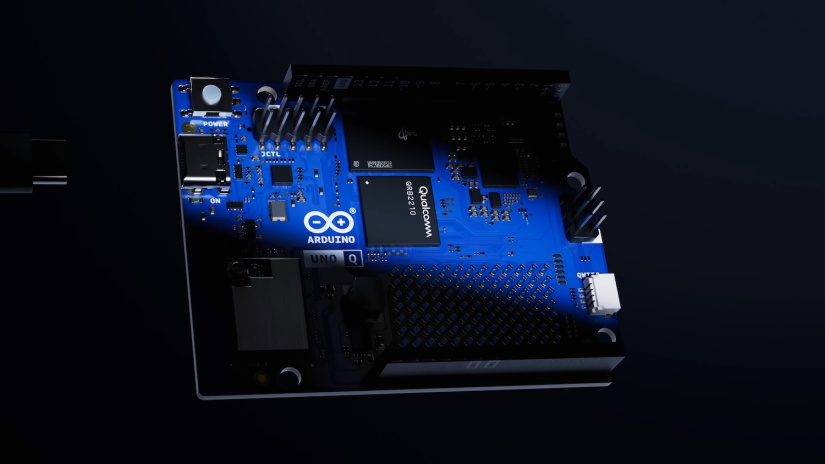
Many embedded projects now need AI, rich UIs, and low latency control. Until now you often stitched a Linux SBC to a microcontroller. Uno Q removes that friction. You develop in one environment, deploy to one board, and keep both real-time and high-level tasks under control.
- Students and educators: teach AI, computer vision, and real-time control on one consistent platform.
- Makers and content creators: build robots, smart tools, wearables, and art without juggling multiple boards.
- Professional developers: prototype fast on Debian, keep real-time loops on the MCU, then move toward production with long-life silicon.
- Industrial teams: use on-device AI for inspection, anomaly detection, HMI, and PLC-style control with vendor-neutral tooling.
The focus is practical. Faster prototypes. Fewer moving parts. Clear upgrade paths from demo to deployment.

Hardware at a Glance
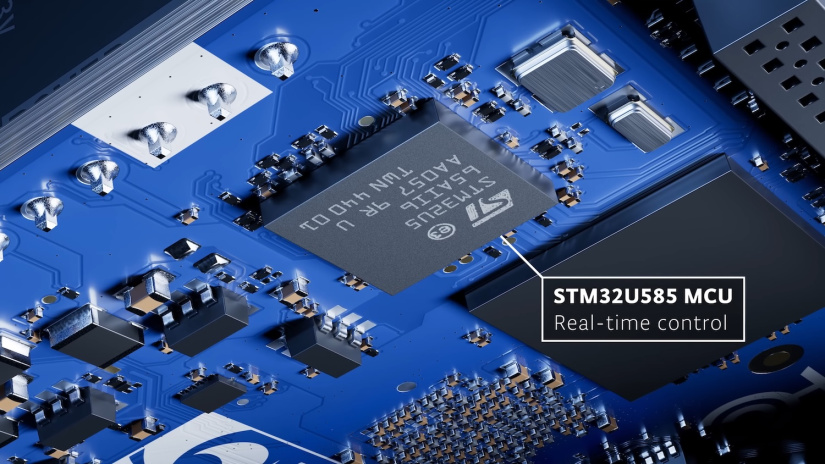
Key points for quick reference:
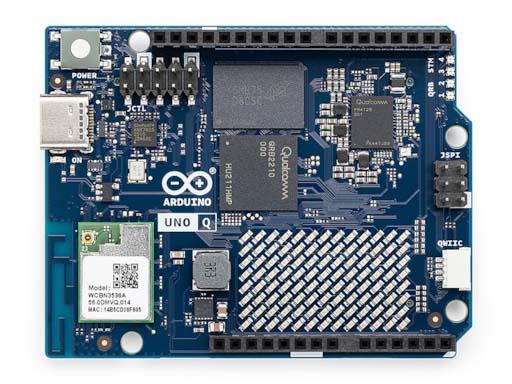
- Processor: Qualcomm QRB2210 quad-core up to 2 GHz with integrated GPU, VPU, DSP, dual ISP.
- Microcontroller: STM32-based MCU running Zephyr and the Arduino core.
- Memory and storage: 2 GB or 4 GB RAM, 16 GB or 32 GB onboard storage.
- Wireless: Dual-band Wi-Fi and Bluetooth 5.1.
- I/O and expansion: Classic Uno headers for shields, Qwiic-style quick connector, high-speed carrier connectors to the SoC.
- USB-C: One cable for power, programming, and peripherals such as display, keyboard, webcam.
- Extras: On-board LED matrix for quick feedback and demos.
Performance and architecture explained
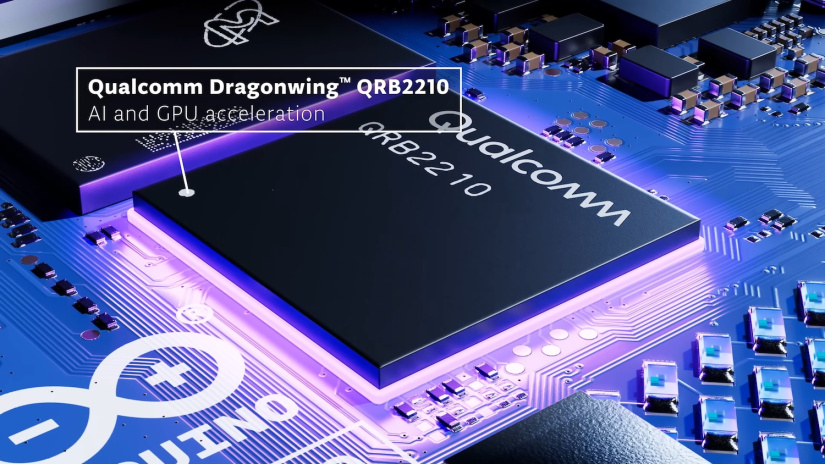
Uno Q uses a dual-brain design. The Qualcomm SoC runs Debian for AI, graphics, and connectivity. The STM32 handles real-time I/O with predictable timing. An Arduino Bridge library links the two sides, so your project logic stays simple. Use AppLab to write Python on the SoC and sketches on the MCU in one project. Add AI with ready models and modular bricks. No manual container plumbing. No fragile multi-board wiring.
QRB2210 is built for the edge. It supports on-device AI for vision, audio, and time-series tasks. The VPU offloads video streaming and recording. The GPU supports OpenGL ES and OpenCL for parallel compute. A low-power DSP handles keyword spotting and audio features. All of this fits inside a tight power envelope that works without a fan.
Connectivity, power, and compatibility
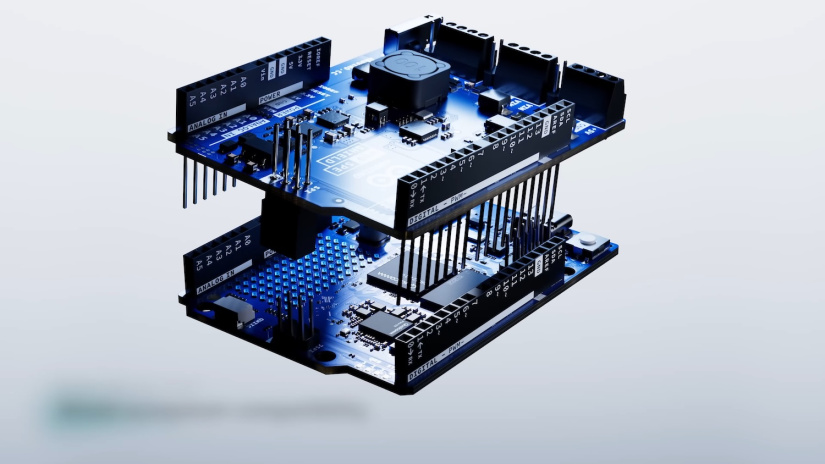
Uno Q keeps the familiar Uno shield headers. Your existing shields and many community libraries will work with minimal changes. Use the quick connector to daisy-chain sensors. When you need bandwidth, the rear carrier connectors expose high-speed lines from the SoC for displays, cameras, and fast GPIO.
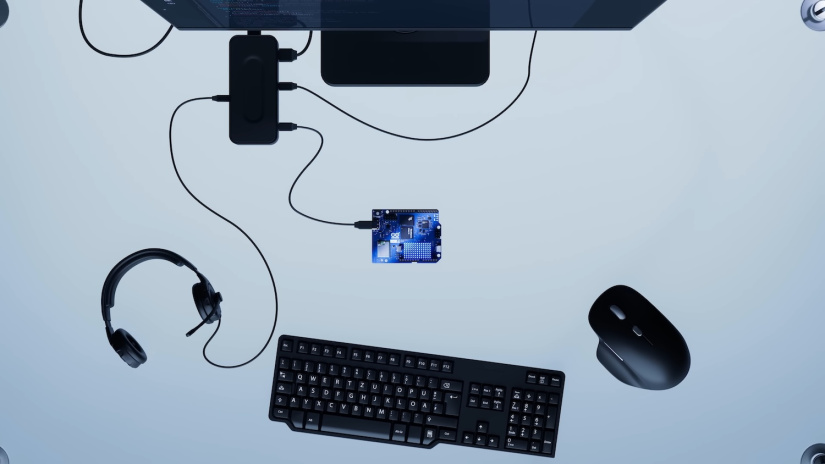
Power and I/O arrive over USB-C. You can connect a hub or a single compact dock. Attach a monitor, keyboard, mouse, webcam, or a microphone. For field work, use a quality USB-C PD supply.
Software stack and workflows
Uno Q ships with Debian on the SoC, using an upstream-first approach. Qualcomm and Arduino engineers contributed patches back to Linux, Mesa, U-Boot, and related projects. You get a clean base with minimal vendor delta and long-term maintainability. On the MCU, Zephyr provides the RTOS, drivers, and a modern build system. The Arduino core runs on top, so sketches work as expected.
Arduino AppLab unifies development. Write Python for high-level logic. Write sketches for hard real-time control. Use bricks to add features such as object detection or sound recognition. Pick an example, run it, then tailor it for your sensors and actuators. Models run locally. No cloud dependency.
- Start fast: run ready examples for vision, audio, and anomaly detection.
- Tinker: swap sensors, tweak thresholds, and adjust I/O without touching containers.
- Learn: read built-in docs and tutorials in AppLab. Follow step-by-step guides.
- Master: build from scratch and train custom models with Edge Impulse integration.
Use-case scenarios
Here are practical builds that show what you achieve with a single board and a clear workflow.
A. Robotics and vehicles
Use face or object detection to steer a small vehicle. Run the model on Debian. Close the loop on the MCU with PID control and servo libraries. Keep latency low. Keep control stable while the SoC handles vision and UI.
B. Industrial smart fixtures
Combine an HMI, sensors, and a camera on one board. Run machine vision for presence and quality checks. Drive actuators from MCU pins with Zephyr and Arduino APIs. Save space and reduce cost by avoiding extra PCs and displays.
C. Home and small business security
Use a human detection model to reduce false alarms. Ignore pets. Arm the system from a web UI or a physical button. Trigger a buzzer or lights on detection. Log events locally. Add email alerts if needed.
D. Workshops and labs
Add RFID tags to tools. Scan them with a reader. Take a photo of the borrower. Store entries in a local database. Email a receipt. Run the data flow on Debian. Handle sensors and indicators with an Arduino sketch.
Form factor, thermals, and integration
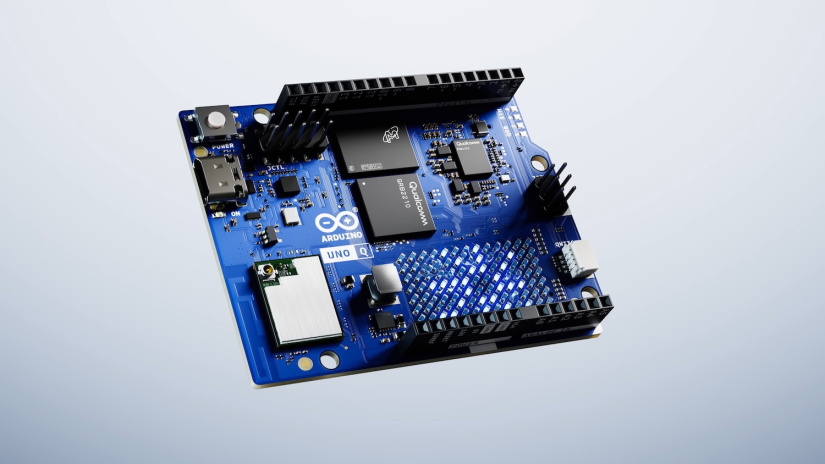
Uno Q follows the classic Uno footprint with added connectors on the back edge. Keep cables tidy. Plan for light airflow if the SoC handles sustained video or continuous AI. Mount the board so the high-speed connectors are accessible. Use strain relief for USB-C docks and sensor looms.
- Power: use a certified USB-C PD adapter and cable.
- Strain relief: avoid stress on ports and headers.
- Carrier connectors: leave space for add-on boards that expose MIPI camera and display interfaces.
Buyer’s checklist
- Do you need Debian for vision, UI, or databases, and an MCU for deterministic I/O.
- Will your model run in real time on the SoC GPU, VPU, or CPU.
- Do you plan to reuse existing Uno shields and Arduino libraries.
- Do you need dual-band Wi-Fi and Bluetooth 5.1 for your deployment.
- Which option fits your workload, 2 GB RAM with 16 GB storage, or 4 GB RAM with 32 GB storage.
- Do you require high-speed display or camera links from the SoC connectors.
- Do you have a quality USB-C PD power source.
Where to buy and pricing
The entry version with 2 GB RAM and 16 GB storage is available to order now and is planned to ship from October 24, 2025. Pricing starts at $39 or $44 depending on market. The 4 GB RAM and 32 GB storage version will open orders in November and is planned to ship by year end at €53 or $59.
You can order from the Electromaker Store. Stock available 24th October 2025.
| Feature | Specification |
|---|---|
| SoC | Qualcomm QRB2210 quad-core up to 2 GHz |
| Graphics and video | Integrated GPU with OpenGL ES, OpenCL, VPU with hardware codecs |
| Audio DSP | Low-power DSP for voice and audio features |
| Imaging | Dual ISP for stereo and advanced perception, DSI display support |
| Power envelope | Designed for low power operation, fanless use cases |
| Microcontroller | STM32-based MCU running Zephyr with Arduino core support |
| RAM and storage | 2 GB or 4 GB RAM, 16 GB or 32 GB onboard storage |
| Wireless | Dual-band Wi-Fi, Bluetooth 5.1 |
| USB-C | Power, programming, and peripherals through a single port |
| Expansion | Uno shield headers, quick connector for I2C, high-speed carrier connectors to SoC |
| Operating systems | Debian on SoC, Zephyr RTOS on MCU with Arduino core |
| Software | Arduino AppLab with Python, sketches, AI bricks, Edge Impulse integration |
| Openness | Open schematics and Gerbers, upstream-first Linux enablement |
Final thoughts
Uno Q brings Linux, AI, and real-time control together in the most familiar Arduino form factor. You work in one environment. You deploy to one board. You keep timing predictable while you add vision, audio, UI, and connected services. The acquisition pairs Arduino’s community and openness with Qualcomm’s edge platform and scale. If you teach, learn, prototype, or ship products at the edge, this is a strong base for your next build.
FAQs
Will Arduino remain open and vendor-neutral
Yes. Arduino operates as an independent subsidiary and continues to support multiple silicon vendors. Hardware and software remain open.
Does Uno Q run standard Debian
Yes. The SoC runs Debian with upstream-first enablement. This keeps your base clean and maintainable.
Do my existing Uno shields work
Yes. Uno Q keeps the classic headers for shields. You also get new high-speed connectors to the SoC.
How do I add AI without complex setup
Use AppLab bricks and examples. Train custom models with Edge Impulse. Deploy and run on the board without cloud services.
What versions are available and what do they cost
2 GB RAM with 16 GB storage starts around $39 or $44 by market. 4 GB RAM with 32 GB storage is priced around €53 or $59.
When does shipping start
Entry version is planned to ship from October 24, 2025. The 4 GB version follows by year end.
Where do I buy
The Arduino Store and major distributors, including Digi-Key, Mouser, RS, and Robu.



Residing on the south coast of England, Rich has spent the last few years building Electomaker.io from the ground up. He is usually found behind a laptop coordinating the rest of the EM team and occasionally finding time to contribute articles to the blog. When not tapping away at a laptop, he can be found either paddleboarding, at the beach, playing golf (badly), or camping with his family.













Leave your feedback...