





Coral M.2 Edge TPU A+E Key Guide for Embedded AI
The Coral M.2 Edge TPU Accelerator A+E Key is a compact PCIe AI accelerator for adding Google Edge TPU inference to compatible embedded systems, mini PCs, industrial gateways, and edge devices. At the time of writing, Electromaker lists the Coral TPU M.2 A+E module G650-04527-01 with 1112 in stock at $30.30. For makers and engineers, the important question is not just whether the card fits. It is whether the host slot exposes the right PCIe connection, whether your operating system can load the Coral PCIe driver, and whether your TensorFlow Lite model can compile for the Edge TPU.
Used well, this is not a graphics card replacement. It is a low-power machine learning accelerator module for fast local INT8 inference. That makes it useful for object detection, classification, camera analytics, robotics, automation, and privacy-focused edge AI where sending data to the cloud is undesirable or unavailable. Check the current listing on the Electromaker Coral M.2 Edge TPU Accelerator A+E Key product page, or browse related options in the Electromaker accelerator cards category.
For design work, cross-check your host hardware against the official Coral M.2 Accelerator datasheet, the Coral M.2 setup documentation, and the TensorFlow models on the Edge TPU guide. The module is small, but the software, model, power, and slot requirements are specific.
Coral M.2 Edge TPU Accelerator A+E Key: hardware at a glance
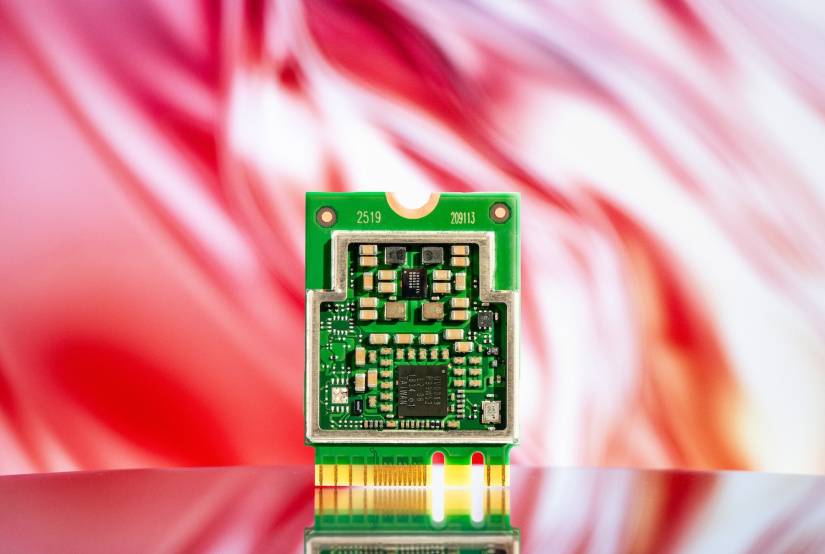
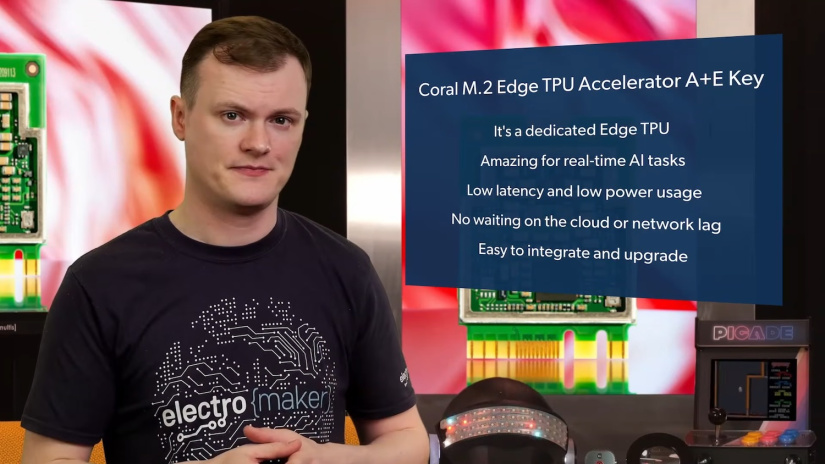
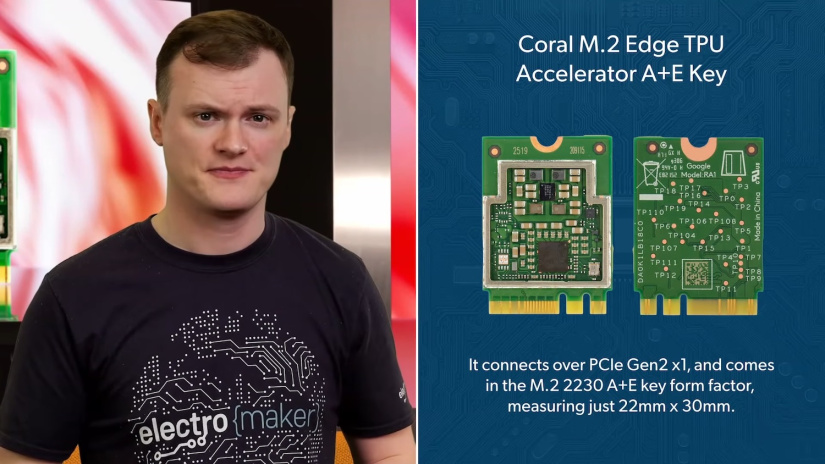
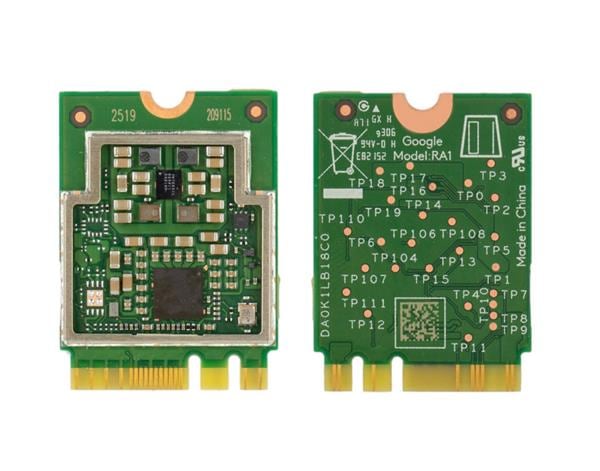
The Coral M.2 Accelerator A+E Key is the 22 mm by 30 mm version of Google’s single Edge TPU M.2 module. It uses PCIe Gen2 x1 and is intended for hosts with a compatible M.2 A+E slot, commonly associated with Wi-Fi style expansion slots rather than NVMe storage slots.
| Feature | Coral M.2 Edge TPU Accelerator A+E Key specification |
|---|---|
| Product type | M.2 AI accelerator for edge computing and embedded machine learning inference |
| Electromaker product | Coral TPU M.2 A+E module G650-04527-01 |
| ML accelerator | Google Edge TPU |
| Peak performance | 4 TOPS total peak performance for 8-bit fixed-point maths |
| Efficiency rating | 2 TOPS per watt |
| Host interface | PCIe Gen2 x1 |
| M.2 form factor | M.2-2230-A-E-S3, A+E key |
| Dimensions | 22.00 mm by 30.00 mm by 2.35 mm |
| Weight | 3.1 g |
| Supply | 3.3 V, plus or minus 10 percent |
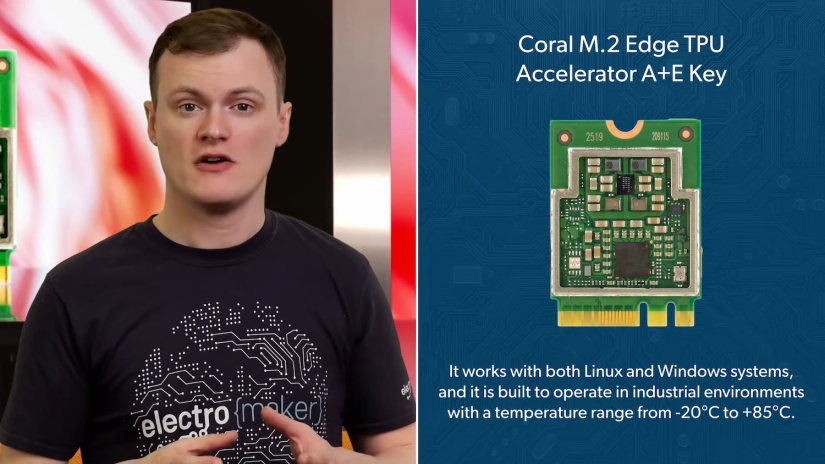
| Operating temperature | -20°C to +85°C, subject to host thermal design |
| Software stack | Coral PCIe driver, Edge TPU runtime, TensorFlow Lite, and PyCoral or TensorFlow Lite APIs |
| Best fit | On-device AI accelerator for embedded systems, mini PCs, industrial gateways, robotics, smart cameras, and local inference appliances |
What the Google Edge TPU actually accelerates
The Edge TPU is designed for inference, not general compute. It accelerates compatible TensorFlow Lite models that are quantised and compiled for the Edge TPU. That focus is what makes the module useful in small systems: instead of running a neural network on the host CPU, the host can send supported inference work to the TPU while the CPU handles capture, preprocessing, application logic, storage, and networking.
This is especially useful for real-time vision workloads where the model is already Edge TPU friendly. Examples include MobileNet-style image classification, SSD object detection, camera event filtering, parts detection on a production line, robot perception, wildlife cameras, smart access systems, and local safety or monitoring appliances.
The limitation is equally important. A TensorFlow Lite inference accelerator module does not automatically run every TensorFlow, PyTorch, ONNX, YOLO, or transformer model. For best results, start with a model architecture already known to work on the Edge TPU, retrain it where needed, convert it to TensorFlow Lite, quantise it, and compile it with the Edge TPU Compiler.
M.2 A+E compatibility: check more than the notch
A common mistake is to treat all M.2 slots as interchangeable. They are not. The Coral M.2 Accelerator A+E Key is not an NVMe SSD, and it is not designed for a normal M-key storage slot. The physical keying matters, but so does the electrical wiring behind the connector.
| Compatibility check | What to verify | Why it matters |
|---|---|---|
| Mechanical key | Host must accept an M.2 A+E key 2230 module. | A physically different M.2 socket may not accept the card at all. |
| PCIe lane | The slot must expose a usable PCIe connection, ideally matching PCIe Gen2 x1 support. | Some wireless-oriented slots are not wired as a standard PCIe slot for every card type. |
| 3.3 V power | The host should provide a stable 3.3 V rail with transient headroom. | The card’s average draw is low, but inference can create short current spikes. |
| MSI-X support | The host system must support MSI-X. | The official software requirements call this out for PCIe operation. |
| Operating system | Use a supported 64-bit Linux or Windows system, with a compatible architecture and Python version for PyCoral. | Driver and runtime support is as important as the physical module. |
| BIOS or firmware | Check that the slot is enabled and not restricted to a wireless module allow-list. | Some mini PCs and laptops treat the Wi-Fi slot differently from general expansion. |
| Clearance and cooling | Check screw position, shield clearance, airflow, and nearby hot components. | Thermal throttling or poor contact can affect sustained inference performance. |
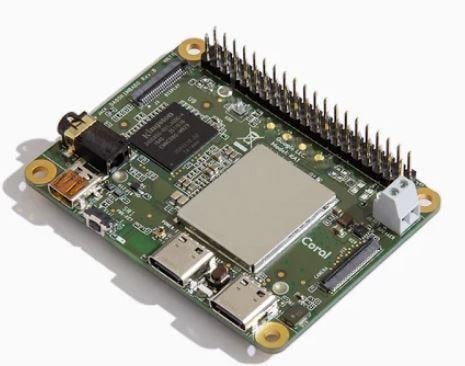
For Raspberry Pi projects, remember that this is not a 40-pin HAT. A Raspberry Pi 5, Compute Module carrier, or other SBC needs a suitable PCIe to M.2 A+E carrier or adapter. For mini PCs, the slot that previously held Wi-Fi may be a good candidate, but only if it exposes PCIe in a way the Coral module can use.
Coral M.2 Accelerator vs USB Accelerator and B+M Key
The same Edge TPU family appears in several physical formats. The right one depends on how you want to integrate it, not only on raw AI performance. Coral M.2 Accelerator vs USB Accelerator searches usually come down to serviceability and host design. Coral M.2 A+E vs B+M Key searches usually come down to which socket your board actually provides.
| Option | Best use | Practical trade-off |
|---|---|---|
| Coral M.2 A+E Key | Internal accelerator for mini PCs, embedded boards, industrial gateways, and compact products with a compatible A+E slot. | Clean internal integration, but slot wiring and driver setup must be checked carefully. |
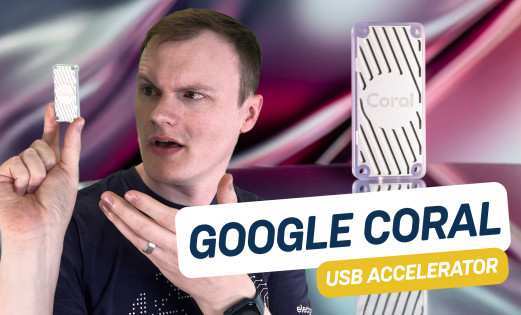
| Coral USB Accelerator | Fast prototyping, lab testing, and hosts where an internal M.2 slot is not available. | Easier to move between systems, but it occupies a USB port and adds an external device. |
| Coral M.2 B+M Key | Systems with a compatible longer M.2 B or M style slot and enough 2280-length clearance. | Better fit for some motherboard and adapter layouts, but still requires PCIe and software validation. |
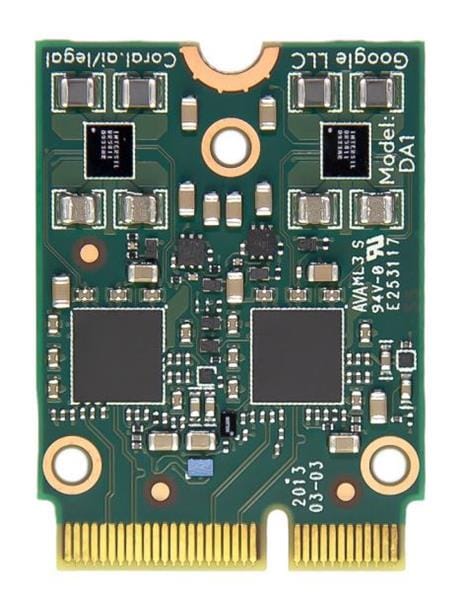
| Coral M.2 Accelerator with Dual Edge TPU | Multi-model or multi-stream inference where the host exposes the required PCIe connectivity. | Do not assume both TPUs will appear in every E-key slot. Lane wiring matters. |
| GPU or larger AI accelerator | Larger models, broader framework support, or workloads that do not fit Edge TPU model requirements. | Often more flexible, but usually larger, more power-hungry, and less tidy for small embedded builds. |
Power and thermal design matter
The Coral M.2 accelerator is often described as low power, but that does not mean power design can be ignored. The datasheet notes that average current may be modest, but inference can produce short, high current transients. In production, the host board’s 3.3 V rail and M.2 socket should be validated with the actual model and inference rate you intend to deploy.
Thermals are similar. A tiny module can be easy to fit into a sealed product, but sustained inference still turns electrical power into heat. For an industrial gateway, smart camera, or robot controller, test the final enclosure, airflow, ambient temperature, and duty cycle. If the Edge TPU gets too hot, the PCIe driver can reduce the operating frequency and may reset the TPU to protect the device.
- Do not size power only from idle draw: test inference spikes with your real model.
- Do not assume an old Wi-Fi slot has enough headroom: check the host board documentation where possible.
- Do not bury the module under insulating material: give the shield can a real thermal path where sustained load is expected.
- Do not treat benchmark numbers as system numbers: preprocessing, camera capture, storage, and Python overhead can change application latency.
How to get started on Linux
This setup path is for a compatible Linux host using a Coral M.2 Edge TPU Accelerator A+E Key over PCIe. The official Coral documentation also covers Windows, but most embedded AI and industrial IoT work will start on Debian or Ubuntu-based Linux.
Prerequisites
Before installing software, check the hardware and operating system. For a reliable first test, use a machine you can reboot freely and a known-good M.2 A+E PCIe slot.
- A compatible host with an M.2 A+E slot wired for PCIe.
- A 64-bit Debian 10 or Ubuntu 16.04 or newer Linux system, using x86-64 or ARMv8.
- MSI-X support on the host.
- Python 3.6 to 3.9 for the official PyCoral path.
- Kernel headers and DKMS support for the Coral PCIe driver.
- An internet connection for packages and example files.
1. Fit the module
Shut the host down completely before installing the card. Fit the Coral module into the A+E slot according to the host manufacturer’s instructions, secure it with the correct screw, then boot the system. Do not force the module into a slot with the wrong keying.
2. Check whether the PCIe device appears
Before installing user-space libraries, check whether Linux can see the PCIe device. This helps separate physical slot problems from runtime problems.
lspci -nn | grep 089aIf the command shows a device with ID 089a, the host can see the Edge TPU over PCIe. If it returns nothing, check the slot type, BIOS settings, whether the slot is disabled, and whether the host slot actually exposes PCIe.
3. Install the Coral PCIe driver and Edge TPU runtime
The commands below follow Google’s Coral setup flow for Debian-based Linux. On newer distributions, your package manager may warn that apt-key is deprecated. In that case, use your distribution’s recommended keyring method while keeping the same Coral package repository.
echo "deb https://packages.cloud.google.com/apt coral-edgetpu-stable main" | sudo tee /etc/apt/sources.list.d/coral-edgetpu.list curl https://packages.cloud.google.com/apt/doc/apt-key.gpg | sudo apt-key add - sudo apt-get update sudo apt-get install gasket-dkms libedgetpu1-std python3-pycoralIf you will run inference without root permissions, add a udev rule and add your user to the apex group.
sudo sh -c 'echo "SUBSYSTEM==\"apex\", MODE=\"0660\", GROUP=\"apex\"" > /etc/udev/rules.d/65-apex.rules' sudo groupadd -f apex sudo usermod -aG apex "$USER" sudo reboot4. Verify the driver
After rebooting, check that the device node exists. You may need to log out and back in for group membership to apply.
ls /dev/apex_0If the command prints /dev/apex_0, the driver and runtime path are ready for a first inference test.
5. Run a PyCoral example
This example uses Google’s PyCoral image classification example with a precompiled MobileNet v2 model. It requires Git and Bash on the host.
mkdir coral-test cd coral-test git clone https://github.com/google-coral/pycoral.git cd pycoral bash examples/install_requirements.sh classify_image.py python3 examples/classify_image.py \ --model test_data/mobilenet_v2_1.0_224_inat_bird_quant_edgetpu.tflite \ --labels test_data/inat_bird_labels.txt \ --input test_data/parrot.jpgThe first inference is usually slower because the model is loaded into Edge TPU memory. Repeated inference calls are the better guide to runtime behaviour on your host.
6. Minimal PyCoral classification script
Once the example works, this small Python 3 script is a cleaner starting point for your own image classification tests. It expects PyCoral, TensorFlow Lite runtime, and Pillow to be installed, and it expects an Edge TPU compiled .tflite model.
#!/usr/bin/env python3 import argparse import time from PIL import Image from pycoral.adapters import classify from pycoral.adapters import common from pycoral.utils.edgetpu import make_interpreter def load_labels(path): labels = {} with open(path, "r", encoding="utf-8") as label_file: for line in label_file: parts = line.strip().split(maxsplit=1) if len(parts) == 2: labels[int(parts[0])] = parts[1] return labels def main(): parser = argparse.ArgumentParser() parser.add_argument("--model", required=True) parser.add_argument("--labels", required=True) parser.add_argument("--image", required=True) args = parser.parse_args() labels = load_labels(args.labels) interpreter = make_interpreter(args.model) interpreter.allocate_tensors() width, height = common.input_size(interpreter) try: resample = Image.Resampling.LANCZOS except AttributeError: resample = Image.LANCZOS image = Image.open(args.image).convert("RGB").resize((width, height), resample) common.set_input(interpreter, image) for run in range(3): start = time.perf_counter() interpreter.invoke() elapsed_ms = (time.perf_counter() - start) * 1000 print(f"Inference {run + 1}: {elapsed_ms:.2f} ms") for result in classify.get_classes(interpreter, top_k=3): label = labels.get(result.id, str(result.id)) print(f"{label}: {result.score:.3f}") if __name__ == "__main__": main()Save it as classify_local.py and run it against the same model, label, and image files downloaded by the PyCoral example.
python3 classify_local.py \ --model test_data/mobilenet_v2_1.0_224_inat_bird_quant_edgetpu.tflite \ --labels test_data/inat_bird_labels.txt \ --image test_data/parrot.jpgModel compatibility and Edge TPU compiler checks
The Google Edge TPU accelerator for TensorFlow Lite is fast when the model fits its rules. The model must be quantised, use supported operations, and be compiled for the Edge TPU. If a TensorFlow Lite model is not compiled for the Edge TPU, it will not use the accelerator in the way you expect.
For your own model, the usual workflow is to train or retrain a compatible architecture, convert it to TensorFlow Lite, apply full integer quantisation or quantisation-aware training, then compile it.
edgetpu_compiler model_quant.tfliteThe compiler output is important. If unsupported operations appear, part of the graph may run on the CPU instead. That can still work, but it may not deliver the latency or CPU-load reduction you were expecting. For purchase planning, treat model compatibility as a first-class requirement, not a final software detail.
Troubleshooting Coral M.2 setup problems
Most real setup problems fall into three groups: the module is not visible on PCIe, the driver or runtime is not installed correctly, or the model is not compatible with the Edge TPU. Work through them in that order.
| Problem | Likely cause | What to check |
|---|---|---|
| Coral M.2 accelerator not detected | The module is not visible on PCIe. | Run lspci -nn | grep 089a. If nothing appears, recheck the slot, seating, BIOS settings, and whether the A+E slot exposes PCIe. |
| Coral M.2 PCIe not recognised | The host may have a wireless-oriented slot that is not a standard PCIe path for this module. | Check the mini PC, motherboard, or carrier board documentation. Physical A+E keying alone is not enough. |
/dev/apex_0 missing |
The Coral PCIe driver is not loaded or permissions are wrong. | Check lsmod | grep apex, reinstall gasket-dkms, confirm kernel headers, add the udev rule, and reboot. |
| Edge TPU runtime install error | Repository, Python, DKMS, Secure Boot, or kernel version issue. | Confirm package source setup, Python compatibility, kernel headers, DKMS build logs, and module signing requirements if Secure Boot is enabled. |
| TensorFlow Lite model not running on Edge TPU | The model is not compiled, not quantised, or includes unsupported operations. | Use an *_edgetpu.tflite model for testing, then inspect your own compiler output before benchmarking. |
| PCIe errors or HIB errors on Linux | Platform-specific PCIe or DMA behaviour. | Google’s troubleshooting notes include kernel arguments such as gasket.dma_bit_mask=32, swiotlb=65536, and pcie_aspm=off. Apply boot changes only after checking your platform documentation. |
| Performance lower than expected | Preprocessing, Python overhead, CPU fallback, thermal throttling, or camera pipeline cost. | Measure model-only inference separately from capture and preprocessing. Check compiler output and device temperature. |
Real-world project ideas
The Coral M.2 Edge TPU Accelerator A+E Key is most useful when local inference is part of a larger embedded system, rather than the whole product. It lets a small Linux host keep up with vision or classification tasks while keeping data on-device.
- Smart camera gateway: run person, vehicle, animal, or package detection locally before deciding what to store or transmit.
- Home Assistant or Frigate-style object detection: move supported camera inference away from the CPU on a compatible mini PC or server.
- Industrial inspection node: classify parts, detect missing labels, or flag visual defects without sending camera frames off-site.
- Robotics perception module: add local object classification or detection to a compact robot controller with a supported M.2 slot.
- Retail or kiosk analytics: process simple vision events locally for responsiveness and privacy.
- Remote monitoring appliance: combine camera input, local inference, and intermittent network connectivity for field deployments.
Who should buy it?
Buy the Coral M.2 Edge TPU Accelerator A+E Key when your host and model are both a good fit. The module is compact and efficient, but it rewards careful planning. The most successful builds start by validating slot compatibility and running a known Edge TPU model before committing to a full enclosure, fleet image, or production carrier board.
- Buy it for: compatible mini PCs, embedded Linux gateways, local object detection, TensorFlow Lite inference, smart cameras, industrial IoT, robotics, and privacy-focused edge AI.
- Think twice if: you are unsure whether your A+E slot exposes PCIe, you need to keep the host Wi-Fi card, or you cannot test the Linux driver on the target kernel.
- Skip it if: you need broad GPU-style model support, training acceleration, large unquantised models, or a plug-in solution for an M-key NVMe slot.
- Do not skip: model compilation checks, power validation, thermal testing, and a clean driver install test on the final host.
FAQs
What is the Coral M.2 Edge TPU Accelerator A+E Key?
It is a 22 mm by 30 mm M.2 A+E PCIe accelerator module with a single Google Edge TPU. It is used to accelerate compatible TensorFlow Lite inference workloads on embedded systems, mini PCs, industrial gateways, and other edge devices.
Does the Coral M.2 A+E module work in any M.2 slot?
No. It needs a compatible M.2 A+E slot that exposes PCIe and provides suitable 3.3 V power. It is not an NVMe SSD, and it should not be treated as compatible with every M.2 connector just because the shape looks similar.
Is the Coral M.2 Accelerator better than the USB Accelerator?
It depends on the project. The M.2 version is better for clean internal integration in a compatible host, while the USB Accelerator is usually easier for quick testing and moving between systems. Both require compatible models and the Edge TPU runtime.
Can it run any TensorFlow Lite model?
No. The model must meet Edge TPU requirements. It should be quantised, use supported operations, and be compiled for the Edge TPU. Unsupported operations may run on the CPU or prevent the model from performing as expected.
Why is my Coral M.2 accelerator not detected?
Start by checking whether the device appears with lspci -nn | grep 089a. If it does not appear, the problem is likely physical slot compatibility, PCIe wiring, BIOS settings, seating, or power. If it appears in lspci but /dev/apex_0 is missing, focus on the Coral PCIe driver, udev rule, DKMS build, and reboot steps.
Where can I buy the Coral TPU M.2 A+E module G650-04527-01?
Electromaker lists the Coral TPU M.2 A+E module G650-04527-01 in the store. Check the Electromaker product page for current stock, price, and ordering details before you commit to a build.

Residing on the south coast of England, Rich has spent the last few years building Electomaker.io from the ground up. He is usually found behind a laptop coordinating the rest of the EM team and occasionally finding time to contribute articles to the blog. When not tapping away at a laptop, he can be found either paddleboarding, at the beach, playing golf (badly), or camping with his family.







Leave your feedback...