





Atom Echo: Pocket-Sized Smart Speaker for Makers
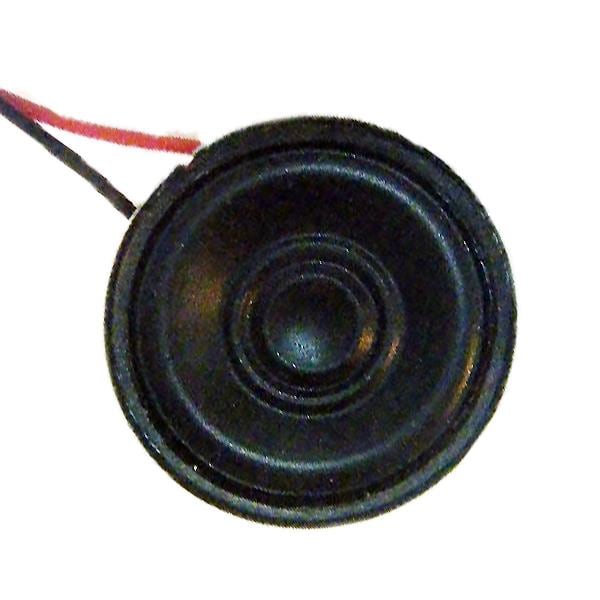
Say hello to the Atom Echo! A compact, programmable smart speaker that truly packs a punch for voice control, audio-first interactions, and fast IoT prototypes. Measuring just 24 × 24 × 17 mm, it slips into projects where space is tight yet features matter: an ESP32 at its core, built-in microphone and speaker, Bluetooth audio, Wi-Fi, and an RGB status LED.
? WIN an Atom Echo! Tell us in the YouTube comments below what you’d build with this device for your chance to win. Best comment wins. The winner will be announced soon.
From Tiny Form Factor to Big Ideas: What Atom Echo Is
The Atom Echo is a pocket-sized smart speaker built around the ESP-PICO-D4 (ESP32) chip, giving it dual-core processing, built-in Wi-Fi, and Bluetooth A2DP playback for streaming audio from your phone or tablet. It features a clear onboard microphone, compact speaker, RGB status LED, single programmable button, and a GROVE expansion port for effortless add-ons such as sensors or displays. Together, these features make it a flexible, maker-friendly tool for voice-controlled projects, smart devices, or IoT experiments that need full functionality in minimal space.
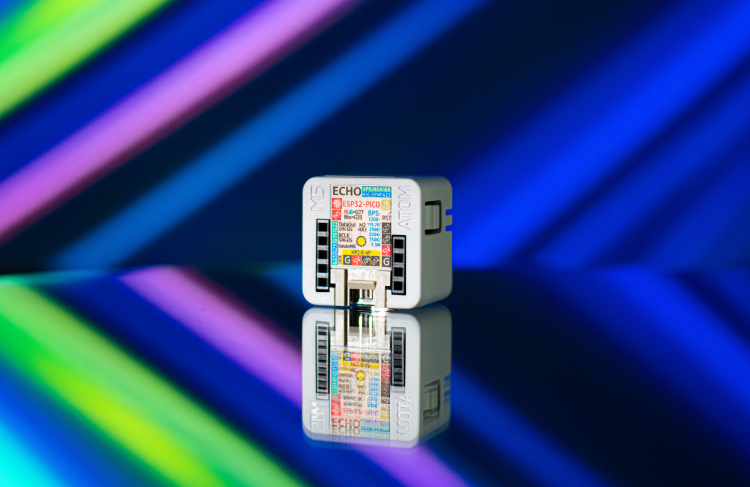
“A matchbox-sized smart speaker you can program for voice, audio, and IoT.”

Why Makers Care: Simplicity Meets Real Capability
The Atom Echo might be small, but it does far more than you’d expect from a board its size. Its programmability is where it truly shines; developers can start fast with the Arduino IDE for simple sketches or dive deeper using the ESP-IDF and ESP-ADF toolchains for advanced audio handling, including Bluetooth streaming and voice response. Whether you’re creating interactive audio systems or fine-tuning signal processing, there’s a workflow to match your skill level. For automation enthusiasts, it’s fully compatible with ESPHome and Home Assistant, allowing the Atom Echo to slot straight into existing smart home setups with voice feedback, sound alerts, or room-level assistants, all without extra hardware or complex configuration.
Inside the Atom Echo: Key Specs At-a-Glance
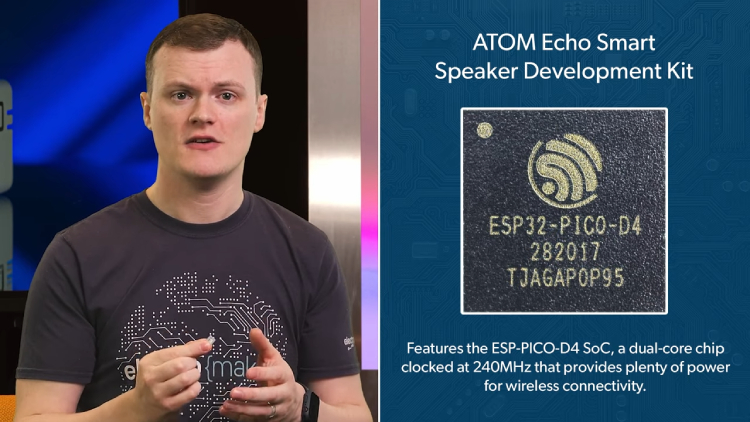
Don’t let its miniature size fool you, the Atom Echo is a full-featured ESP32 development module designed for serious creative work. Built around the ESP-PICO-D4 system-on-chip, it combines dual-core performance with integrated Wi-Fi and Bluetooth connectivity to handle voice, audio, and data processing with ease. Every millimetre of its design is optimised for usability, from the onboard microphone and 0.5 W speaker to its RGB LED and GROVE expansion port for easy add-ons. It’s the kind of hardware that turns simple ideas into working prototypes without compromise.
| Feature | Spec |
|---|---|
| SoC | ESP-PICO-D4 (ESP32), dual-core @ 240 MHz |
| Memory | 4 MB flash |
| Wireless | 2.4 GHz Wi-Fi (802.11 b/g/n), BLE; Bluetooth A2DP playback |
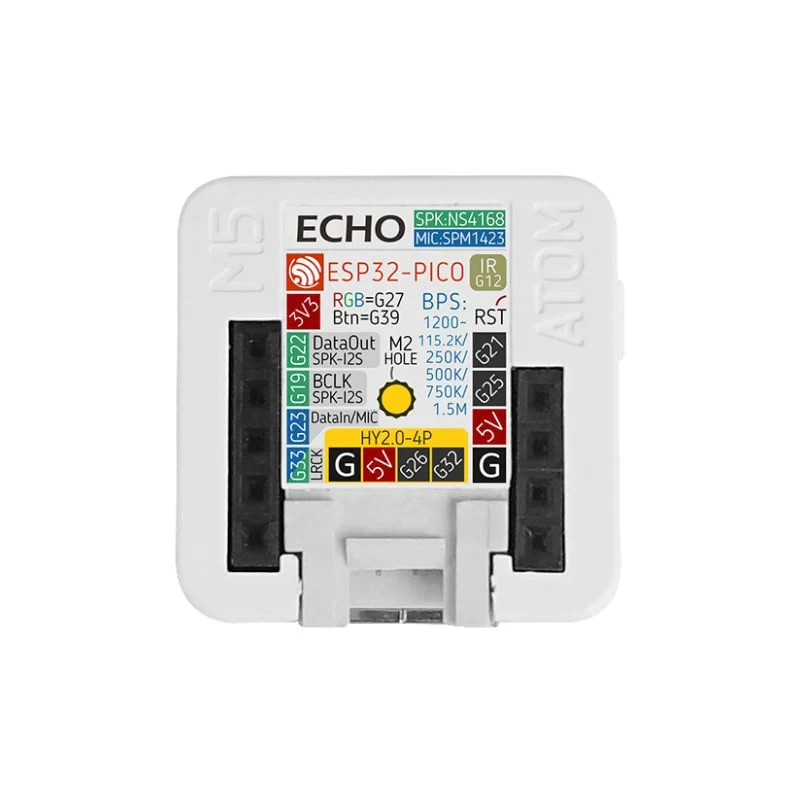
| Audio | Mic: SPM1423 (PDM); Amp: NS4168 (I2S); 0.5 W speaker |
| I/O | RGB LED (SK6812), IR-TX, GROVE, function + reset buttons |
| Pins | G21, G25, 5V, GND, 3V3, G22, G19, G23, G33 |
| Size / Weight | 24 × 24 × 17 mm; ~5 g |
| Dev Platforms | Arduino, ESP-IDF, ESP-ADF |
Specifications sourced from the official M5Stack store.
Connectivity and Interfaces: More Than a Portable Speaker
Pair a phone or tablet and stream straight to the Atom Echo via Bluetooth A2DP, then tap into 2.4 GHz Wi-Fi for cloud links or fast local automations. This combination makes it just as comfortable playing music as it is announcing alerts, syncing with web services, or talking to your home hub. It’s a neat way to merge audio playback with real-time control in one tiny unit.
The GROVE expansion port enables solder-free builds, so you can prototype quickly with common add-ons and grow features as your project evolves. Typical plug-ins include:
- IMUs for motion and gesture input
- Environmental sensors (temperature, humidity, air quality)
- Small displays for status, menus, or visual feedback
Getting started with automation is straightforward: flash ESPHome or connect to Home Assistant to create room-level voice prompts, chimes, and contextual responses without extra shields or complex wiring.
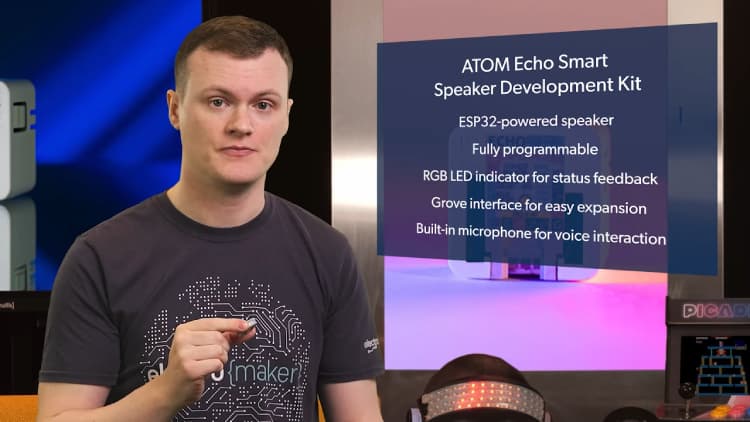
“Plug a sensor into GROVE, flash ESPHome, and you have a room assistant in minutes.”
Performance Gains in Practice: What the ESP32 Unlocks
The ESP32 at the heart of Atom Echo gives projects a noticeable lift where it counts: audio stays snappy with low latency, voice triggers feel immediate, and multiple tasks can run side by side without stutter. That means you can stream music, listen for a keyword or button press, and push network updates at the same time, ideal for assistants, smart notifications, and interactive audio projects.
Under the hood, a dual-core processor clocked at 240 MHz separates time-critical audio from background jobs, keeping response times tight even as workloads grow. When you need richer sound handling, the Audio Development Framework (ADF) provides robust building blocks for input, processing, and output pipelines, helping you manage Bluetooth playback, effects, and routing with predictable performance.
Use Case Scenarios: Where Atom Echo Shines
Small size aside, Atom Echo’s built-in mic, speaker, Wi-Fi and GROVE port open up a wide range of practical builds. From local assistants and classroom tools to playful audio projects and sensor-driven automations, it’s designed to turn quick ideas into working prototypes without extra hats or heavy wiring.
Voice Assistant Node
The Atom Echo can serve as a compact, voice-enabled hub for a single room or desk. Use the button for wake-free actions, play local TTS alerts for reminders, and trigger room-level automations via ESPHome or Home Assistant. Typical tasks include toggling lights, announcing calendar events, or reporting sensor readings on demand. A practical tip: keep responses short and use ESPHome’s script and tts helpers to maintain snappy feedback.
Audio-First Games and Learning Tools
With microphone, speaker and an RGB LED, you can build no-screen games, audio quizzes, or pronunciation trainers that rely on sound cues and spoken feedback. The LED acts as a progress or status indicator, while timed prompts guide the player or learner. Add Wi-Fi for simple multiplayer sessions where devices exchange minimal state data to coordinate rounds, great for classrooms or meetups.
Smart Notifications and Intercom
Turn build status updates, doorbell events, or sensor thresholds into clear spoken messages. Use TTS for announcements (“Front door opened”) and the function button for push-to-talk intercom in small spaces. Pair with automation rules so the device chimes during work hours and switches to silent, LED-only alerts at night.
IoT Add-Ons via GROVE
The GROVE port enables solder-free expansion, making it easy to attach sensors and iterate quickly. Add an environmental module for temperature and humidity cues, a gesture or IMU board for motion input, or a small display for menus and status. Example stack: ENV sensor + ESPHome rule to announce “Air quality is high” when values exceed a threshold, with the LED switching colour to match the alert.
Developer Experience: Toolchains and First Flash
Getting the Atom Echo up and running is straightforward, with options that scale from quick demos to production-grade audio work. Choose the path that fits your project, then iterate as your requirements grow.
- Start fast — Arduino IDE: Install the ESP32 board package, open an example, and flash your first sketch in minutes. Ideal for button actions, LED feedback, basic audio cues, and quick proofs of concept.
- Audio-rich — ESP-ADF: Use the Audio Development Framework for stable input/output pipelines, Bluetooth A2DP playback, streaming, and effects. Great for projects that need predictable latency and structured audio routing.
- Bare-metal control — ESP-IDF: For maximum control over tasks, timers, and peripherals, build with IDF. This path suits performance-sensitive logic, custom drivers, and fine-grained power or memory management.
For Bluetooth A2DP playback, pair the Atom Echo with your phone or tablet in the system Bluetooth menu, then select it as the audio output device to stream music or prompts.
For deeper reference material and parameters, see the manufacturer’s page: M5Stack: ATOM Echo Smart Speaker Dev Kit.
Final Thoughts: A Tiny, Capable Smart Speaker You Can Shape
The Atom Echo brings together capability and convenience in a form factor that fits neatly into breadboard-sized builds, wearable enclosures, or compact IoT housings. It’s powerful enough for serious prototyping yet simple enough for classrooms and workshops, where its built-in mic, speaker, and GROVE expansion make learning about voice and audio systems straightforward and engaging. For makers looking to explore sound, automation, or interaction design, it’s an approachable platform that rewards experimentation without steep setup demands.
Whether you’re developing a smart assistant, a sound-based game, or an inventive audio interface, Atom Echo gives you the flexibility to shape it your way. Share your build ideas in the comments; we’d love to see how you put this tiny smart speaker to work.
Make sure you subscribe to The Electromaker Show for similar content and subscribe to our monthly newsletter !
FAQs
What is the M5Stack Atom Echo?
A tiny ESP32-based smart speaker dev kit with built-in mic and speaker, Bluetooth audio, 2.4 GHz Wi-Fi, RGB LED, and a GROVE port for quick expansion.
How do I pair Atom Echo over Bluetooth for audio?
Power it on, scan for M5_SPEAKER_T1 on your phone/tablet, then pair; the status LED turns green once connected and you can stream via A2DP.
Can I use Atom Echo with Home Assistant or ESPHome?
Yes—there’s a Home Assistant integration and ESPHome support, allowing you to use the Atom Echo as a voice satellite or smart voice node in your setup.
Which development environments are supported?
Arduino IDE for quick starts, ESP-IDF for in-depth control, and ESP-ADF when you need structured audio pipelines and Bluetooth streaming.
What are the key hardware specs?
ESP-PICO-D4 (ESP32) dual-core @ 240 MHz, 4 MB flash, onboard mic, I2S-driven 0.5 W speaker, Wi-Fi, Bluetooth, RGB LED, GROVE port, and a compact 24 × 24 × 17 mm design.
Can Atom Echo act as a room assistant without cloud services?
Yes—you can run local voice prompts and automations using Home Assistant + ESPHome on your LAN without relying on cloud services.
What can I plug into the GROVE port?
Common add-ons include IMUs for motion sensing, environmental sensor modules (temperature, humidity, air quality), and small displays for status or menus.
Is there a guide for Bluetooth audio specifically?
Yes—the M5Stack Bluetooth audio guide covers pairing, LED status, and setting up Atom Echo as a wireless speaker.
Can I integrate it with an external speaker?
Some community projects demonstrate how to connect external speakers via modified hardware or breakout wiring when more volume is needed.
Where can I read the official documentation?
Visit the Atom Echo documentation page on M5Stack’s site for detailed specs, pinout diagrams, and firmware examples.

Matt Walker is a key contributor at Electromaker. With extensive experience in digital marketing, he crafts high-impact strategies that boost visibility for tech brands. His campaigns help businesses stay ahead in the fast-moving world of electronics and embedded systems.










Leave your feedback...