





TI BeagleBadge Review: A Wearable Linux and Zephyr Development Board
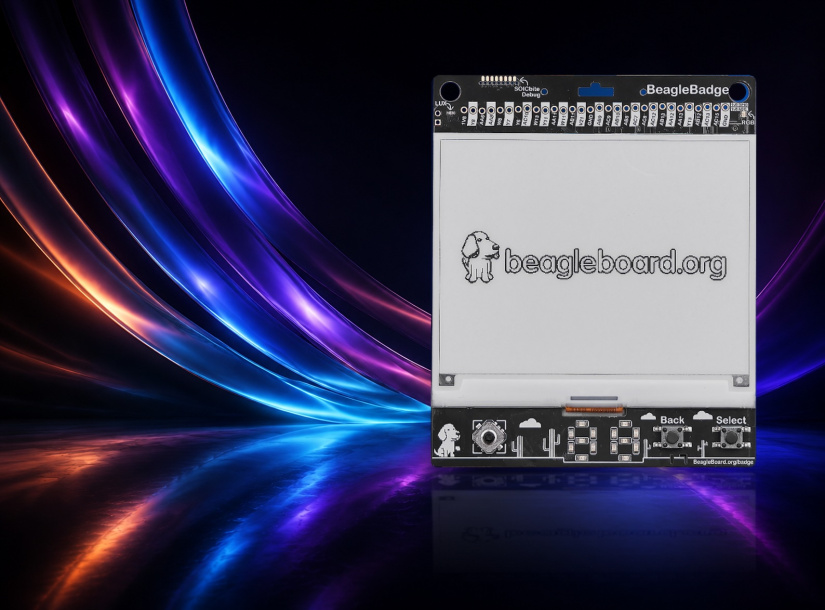
The BeagleBoard.org BeagleBadge is an unusual wearable development platform that combines a Texas Instruments AM62L32 application processor, ePaper, sensors, battery support, Wi-Fi 6, Bluetooth, LoRaWAN and modular expansion in a badge-sized board.
The important detail is that BeagleBadge is not simply a programmable conference badge. Its dual-core Arm Cortex-A53 processor can run Linux as well as Zephyr, while 256MB of LPDDR4, 4GB of eMMC, removable microSD storage and multiple expansion interfaces give developers room to build more substantial embedded applications. At the same time, the memory capacity and ePaper-focused design make it very different from a conventional desktop-style single-board computer.
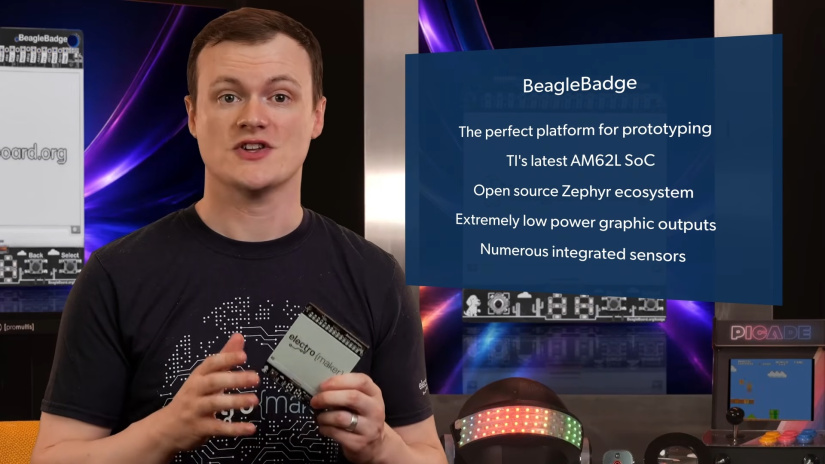
Zephyr is central to the software story. BeagleBadge appears as a maintained arm64 board in the upstream Zephyr Project documentation, while Texas Instruments is expanding Zephyr support across its MCU, MPU and wireless portfolio. For developers already working with TI hardware, that creates a route for reusing tooling, APIs and development knowledge across different device classes without pretending that all hardware-specific code disappears.
What is the BeagleBadge?
The BeagleBoard BeagleBadge is an open-source wearable development platform built around the Texas Instruments AM62L32 Sitara processor. It brings together functions that would normally require several boards: application processing, display, local storage, battery management, environmental sensing, motion sensing, wireless connectivity, physical controls and modular expansion.
That integration is the main reason to consider it. A conventional wearable prototype might need an SBC or MCU board, ePaper controller, wireless modules, an IMU, environmental sensors, battery circuitry and a custom collection of buttons or displays. BeagleBadge puts much of that infrastructure on one board so developers can spend more time on the application.
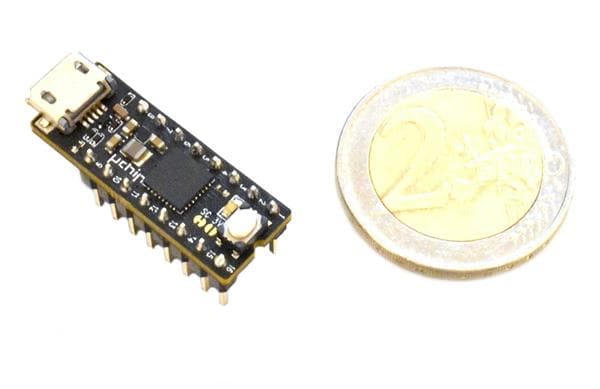
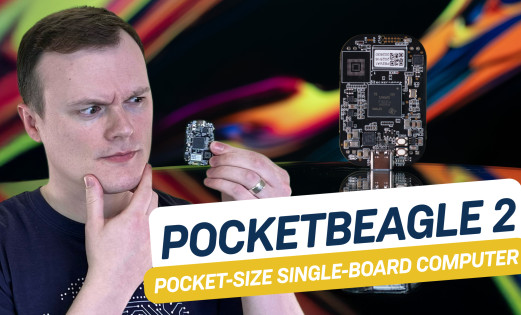
It also occupies a different part of the BeagleBoard ecosystem from a compact SBC such as PocketBeagle 2. BeagleBadge is built specifically around portable interaction, sensing and wearable experimentation rather than simply reducing the size of a conventional Linux computer.
BeagleBadge hardware at a glance
One specification needs particular attention. Current BeagleBoard, Texas Instruments and Zephyr documentation lists 2Gb LPDDR4, which equals 256MB.
| Feature | Current BeagleBadge specification |
|---|---|
| Processor | Texas Instruments AM62L32 Sitara, dual 64-bit Arm Cortex-A53 cores at up to 1.25GHz |
| RAM | 256MB LPDDR4 |
| Onboard storage | 4GB eMMC, 256Mbit OSPI flash and 32Kbit EEPROM |
| Removable storage | microSD socket |
| ePaper | Support for a 4.2-inch ePaper display through a 24-pin FPC connector |
| Additional display interface | MIPI DSI connector for LCD display development |
| Wi-Fi | BeagleMod CC3301-1216, 2.4GHz Wi-Fi 6 |
| Bluetooth | Current BeagleBadge board documentation lists Bluetooth 5.2 |
| Long-range wireless | Wio SX1262 LoRaWAN module/interface with u.FL connection in current board documentation |
| Built-in sensing | IMU, ambient light, temperature and humidity |
| User controls | 4-way joystick with press, Back and Select buttons, passive buzzer, RGB status LED and two 7-segment displays |
| Expansion | 2 x QWIIC, 1 x Grove and 1 x mikroBUS |
| USB | USB-C for power/debug and USB 2.0 Type-A host |
| Battery support | Battery management, fuel-gauge monitoring and BL-5C battery connector |
| Software | Linux and Zephyr base support |
Why this combination of features matters
BeagleBadge becomes more interesting when the hardware is viewed as a system rather than a specification list. The processor, display, controls, sensors, radios and battery support are designed to be used together in portable prototypes.
| Area | Developer value |
|---|---|
| AM62L processor | Runs application-class software and supports both Linux and Zephyr development |
| 256MB RAM | Enough for focused embedded applications, lightweight services and RTOS workloads |
| ePaper and controls | Good match for status, QR, menu and information interfaces |
| Built-in sensors | Lets prototypes react to movement, orientation, light and environmental conditions without immediate add-on hardware |
| Multiple radios | Supports local networking, nearby device communication and long-range low-data-rate projects |
| QWIIC, Grove and mikroBUS | Makes it easier to attach sensors and interfaces from several module ecosystems |
AM62L processing, memory and storage
The BeagleBadge AM62L32 is based on TI's AM62L Sitara family. It provides two 64-bit Cortex-A53 cores at up to 1.25GHz, giving the board a very different software profile from the Cortex-M microcontrollers commonly used in programmable badges.
The Cortex-A53 cores make embedded Linux practical for focused applications such as network services, sensor aggregation, scripting, local data management and compact user interfaces. This is enough processing capability to treat the badge as a small embedded computer rather than as a display peripheral attached to a microcontroller.
The main constraint is memory. 256MB LPDDR4 is deliberately modest for a Linux-class machine. A lightweight headless service, dedicated UI or tightly controlled embedded image can fit within that class of memory budget. Large desktop environments, multiple heavy services, modern browser workloads and large container deployments deserve much more caution.
For Zephyr, the constraint is less unusual. Zephyr has access to most of the board's 256MB of RAM, which is a generous amount for an RTOS-based application. The difference between installed memory and memory presented to a particular software target is another reason to use the current board documentation rather than assuming every byte is available to an application.
Storage is split between removable microSD and 256Mbit (32MB) OSPI flash, with an additional 32Kbit EEPROM. Linux images can be booted from microSD, while the onboard OSPI flash can store bootloader components and other low-level firmware. The final BeagleBadge board does not include onboard eMMC storage.
ePaper, physical controls and portable HMI design
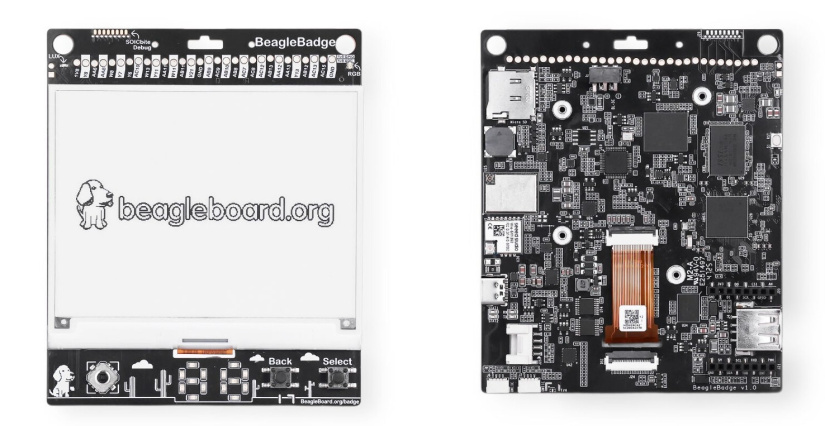
BeagleBadge includes a 4.2-inch ePaper display connected through a 24-pin FPC interface. The display is well suited to information that does not need to change constantly, such as names, QR codes, menus, status information and sensor readings.
ePaper is a good match for information that remains visible for relatively long periods and changes only when necessary. A name badge, QR code, meeting note, sensor summary, machine status page or menu does not need video-like refresh behavior. Where developers need a conventional display, BeagleBadge also exposes a MIPI DSI connector for LCD development.
The physical controls are particularly useful because the main interface does not have to depend on constant ePaper updates.
| Hardware | Practical use |
|---|---|
| 4-way joystick with press | Navigate menus, select applications and change status pages without touch input |
| Back and Select buttons | Provide simple predictable navigation for a badge or portable controller |
| RGB status LED | Show connectivity, mode or application state without redrawing the main display |
| Two 7-segment displays | Show compact numeric information, counters, IDs or fast-changing values independently of ePaper |
| Passive buzzer | Provide simple audible feedback and alerts |
This combination makes BeagleBadge more useful as a portable HMI development board than an ePaper panel alone. LVGL support is also referenced by BeagleBoard as part of the software environment, giving developers a familiar embedded graphics framework where current drivers and display integration support the intended design.
Built-in sensors
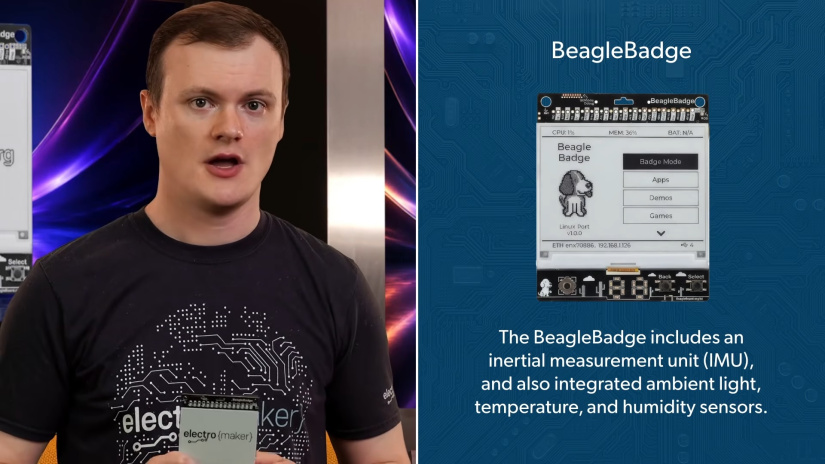
The onboard sensors make it possible to build useful context-aware prototypes before adding external modules.
| Sensor | Example developer use |
|---|---|
| IMU | Orientation-aware interfaces, movement logging, gesture experiments and vibration trend monitoring |
| Ambient-light sensor | Adjust interface behavior based on lighting conditions or experiment with context-aware badge interactions |
| Temperature and humidity | Environmental logging, room-condition dashboards and remote sensing demonstrations |
These sensors are useful for prototyping, research and education, but their presence alone does not make an application suitable for medical, safety-critical or calibrated industrial measurement.
Wi-Fi 6, Bluetooth and LoRaWAN connectivity
BeagleBadge has three distinct wireless paths, and each suits a different type of project. It is better to choose between them based on network requirements than to treat them as interchangeable radios.
| Connectivity | BeagleBadge implementation | Good fit |
|---|---|---|
| Wi-Fi 6 | 2.4GHz through the BeagleMod CC3301-1216 | LAN connectivity, web APIs, local dashboards, software updates and higher-throughput network communication |
| Bluetooth | Board documentation currently identifies Bluetooth 5.2 | Nearby peripherals, provisioning and short-range device communication |
| LoRaWAN | Current documentation lists a Wio SX1262 module/interface with u.FL connection | Long-range, relatively low-data-rate sensor reporting and field-network experiments |
There is one Bluetooth specification detail worth calling out. Current BeagleBadge board-level documentation lists Bluetooth 5.2 for BeagleBadge itself. However, TI documentation for the underlying CC3301 and BeagleMod CC33 technology describes Bluetooth Low Energy 5.4 capability.
Those statements should not be silently merged. The safest interpretation for application planning is to use Bluetooth 5.2 as the current BeagleBadge board-level specification and treat Bluetooth 5.4 as a capability of the underlying CC3301 or module platform unless updated board documentation explicitly changes the implementation claim.
The same revision awareness applies to LoRaWAN. Current BeagleBadge hardware documentation lists the Wio SX1262 implementation. If LoRa hardware is essential to a purchased unit, verify the exact retail revision and package contents before ordering.
QWIIC, Grove and mikroBUS expansion
BeagleBadge includes two QWIIC connectors, one Grove connector and one mikroBUS connector, giving developers access to several popular module ecosystems without building a custom expansion PCB for every experiment.
| Expansion system | Why it is useful | What to verify |
|---|---|---|
| QWIIC | Convenient access to a large ecosystem of compact I2C sensor and interface boards | Voltage requirements, address conflicts and software driver availability |
| Grove | Connects modular sensors, controls and interface boards widely used in prototyping and education | The electrical interface and driver required by the specific Grove module |
| mikroBUS | Opens access to a broad range of Click boards covering communications, sensing, positioning and industrial interfaces | Pin use, bus support, voltage compatibility and Linux or Zephyr software support |
The distinction between connector compatibility and software compatibility matters. A module may physically connect to BeagleBadge but still need a devicetree definition, Zephyr driver, Linux driver, library or application-specific integration before it becomes usable.
Battery support for portable development
BeagleBadge includes battery management, fuel-gauge monitoring and a connector for BL-5C batteries. That removes another common piece of external circuitry from portable prototypes and makes it easier to explore wearable or handheld designs.
No useful battery-life figure can be derived from the ePaper display alone. Whole-system consumption depends on processor workload, wireless activity, external modules, software configuration, display-update frequency, battery capacity and power-management behavior. AM62L low-power features should not be confused with a measured runtime for the complete BeagleBadge system.
Linux support on BeagleBadge
BeagleBoard describes BeagleBadge as having Linux and Zephyr base ports with a mainline roadmap. For developers wanting to explore Linux today, BeagleBoard currently publishes an Armbian BeagleBadge demo image created for Embedded World 2026.
Linux is useful for applications that benefit from a familiar userspace, networking tools, scripting languages, filesystems and standard application software. A network-connected status panel, compact terminal, sensor gateway or custom information display can all benefit from that model.
The 256MB RAM limit remains important. Developers should build deliberately rather than assuming the board behaves like a Raspberry Pi with several gigabytes of memory. Lightweight system images, constrained background services and a focused application architecture make more sense than a desktop-oriented distribution loaded with optional components.
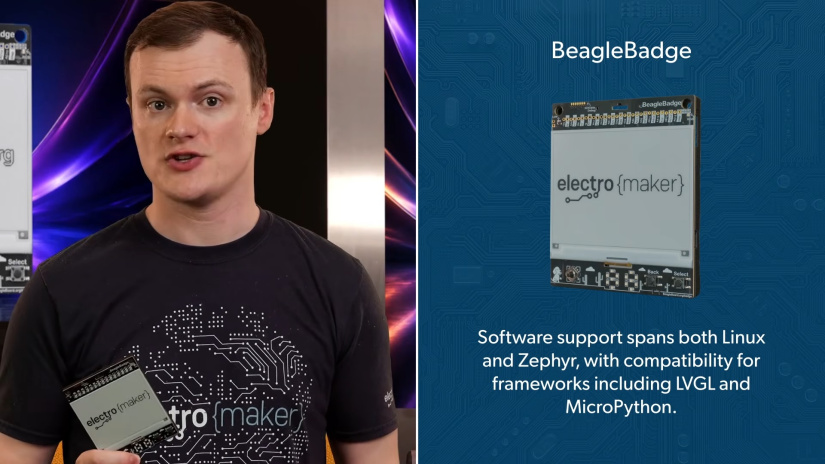
A published demo image demonstrates that Linux runs on the platform, but it does not prove that every sensor, radio, display mode and expansion interface has equally mature upstream support. Check the current BeagleBoard repositories and board documentation for the peripherals your project depends on.
Zephyr support on BeagleBadge
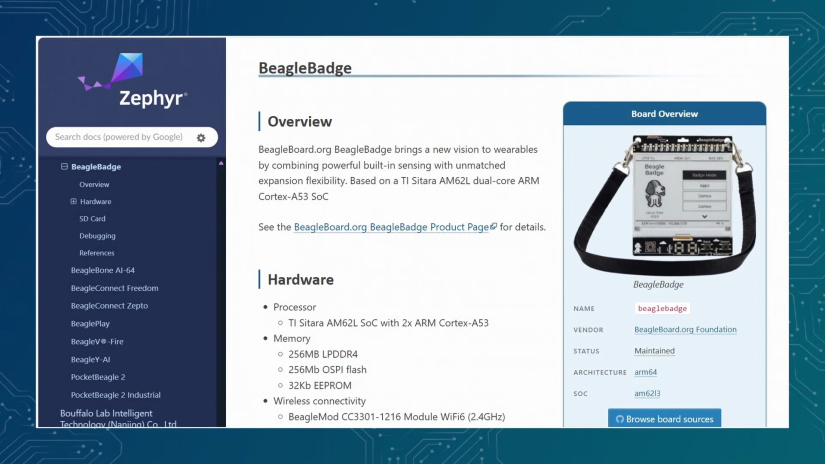
Zephyr is where BeagleBadge becomes particularly unusual. The upstream Zephyr Project documentation currently lists the board as a maintained arm64 target based on the AM62L3 family.
The current board target is: beaglebadge/am62l3/a53
This means developers can run Zephyr directly on the Cortex-A53 side of a Linux-capable application processor. That is a different use of Zephyr from the small Cortex-M microcontrollers where many developers first encounter the RTOS.
Zephyr provides common concepts including its device model, Kconfig configuration system, devicetree-based hardware description, drivers, networking components and west build tooling. Learning those concepts on BeagleBadge can therefore transfer to other supported Zephyr boards.
That portability still has boundaries. Moving an application to another board may require new devicetree definitions, different GPIO mappings, driver changes, Kconfig options, memory adjustments or modifications to radio and peripheral code. Zephyr can reduce the amount of platform-specific work. It does not make unrelated hardware identical.
Linux vs Zephyr on BeagleBadge
Linux and Zephyr solve different problems. BeagleBadge is interesting because the same hardware gives developers an opportunity to choose the software model that fits the project rather than forcing every application into one operating-system category.
| Area | Linux | Zephyr |
|---|---|---|
| Software model | Full operating system with kernel and userspace | Embedded RTOS built around a configured application image |
| Boot/runtime footprint | Larger and more service-oriented | More tightly controlled around the features selected for the application |
| Real-time behavior | General-purpose scheduling unless a real-time configuration is used | Designed around deterministic embedded and real-time workloads |
| Package/userspace ecosystem | Strong access to familiar Linux tools, filesystems, packages and scripting environments | Application functionality is selected and compiled into the embedded system |
| UI options | Linux graphics stacks or purpose-built display applications | Embedded UI frameworks such as LVGL where board/display support is available |
| Networking approach | Standard Linux network stack and services | Zephyr networking and protocol components selected for the application |
| Memory expectations | 256MB requires a deliberately lightweight Linux environment | 224MiB is reported for the current A53 Zephyr target, giving substantial headroom for an RTOS application |
| Development workflow | Build or deploy applications into a running OS | Configure and build an application image for a specific board target |
| Typical BeagleBadge project fit | Connected terminal, richer network service, gateway or Linux development project | Embedded HMI, deterministic control, RTOS learning or portable Zephyr application development |
Neither stack is the universal answer. Linux is attractive when the userspace ecosystem matters. Zephyr is attractive when you want tighter control over system composition, embedded APIs and deterministic behavior.
How to build and boot a simple Zephyr app on BeagleBadge
The current upstream Zephyr documentation provides a BeagleBadge A53 workflow using the standard Hello World sample. The outline below follows that documented process rather than substituting a generic MCU flashing guide.
Prerequisites
- A BeagleBadge!
- A microSD card prepared with the current BeagleBadge TI or AM62L boot environment as described by the upstream board documentation
- A working current Zephyr development environment with west and the matching supported toolchain installed
- A local checkout of the Zephyr repository
- Access to the BeagleBadge serial and U-Boot console
Build and boot Hello World
- Open a terminal at the root of your Zephyr repository.
- Build the standard Hello World sample for the BeagleBadge A53 target:
west build -b beaglebadge/am62l3/a53 samples/hello_world - The resulting binary should be available as
build/zephyr/zephyr.bin. - Copy
zephyr.binto the first FAT partition of the prepared BeagleBadge SD card. - Insert the card, power the BeagleBadge and interrupt the normal boot process at the U-Boot prompt.
- Load and start the Zephyr binary using the command currently documented by the Zephyr Project:
fatload mmc 1:1 0x82000000 zephyr.bin; dcache flush; icache flush; dcache off; icache off; go 0x82000000
The Hello World application should then start on the Cortex-A53 cores. Because bootloader, SDK and board support can change, check the current upstream BeagleBadge Zephyr page before treating these commands as a permanent production flashing procedure.
TI's wider Zephyr strategy and why it matters
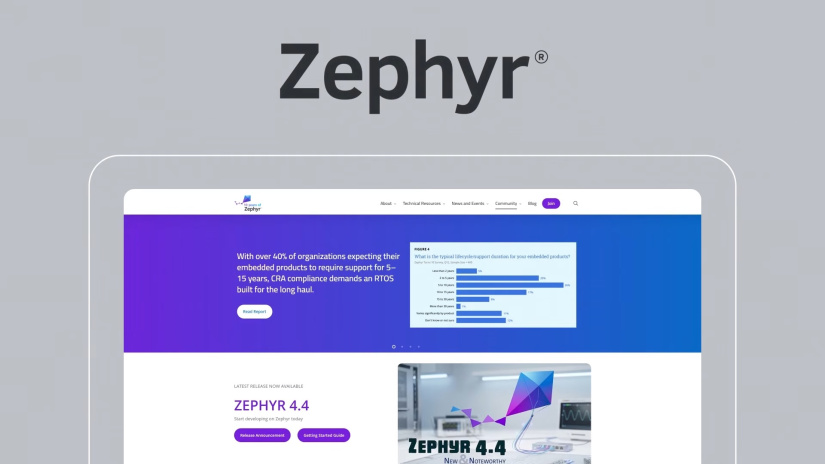
On October 1, 2026, Texas Instruments announced broader Zephyr support across its embedded portfolio, and the Zephyr Project confirmed that TI had upgraded to Platinum membership in the Zephyr Project.
The practical developer benefit is not that every TI device suddenly behaves the same. It is that more TI hardware can participate in a common Zephyr workflow. Developers can reuse knowledge of west, devicetree, Kconfig, common APIs and the Zephyr application structure across supported processors and microcontrollers.
For example, the MSPM0L1117 is a much smaller Cortex-M0+ MCU, while the CC2340R5 is a wireless MCU. BeagleBadge extends the same broad RTOS ecosystem into a dual-core Cortex-A53 application-processor platform.
This can reduce software fragmentation and make skills more reusable, but device-specific work remains. Pin assignments, board descriptions, radio stacks, driver availability, memory sizes and peripherals still differ between products.
LVGL, MicroPython, Meshtastic and other software options
BeagleBoard's current product page also references LVGL and MicroPython libraries. LVGL provides an embedded graphics framework for interface development, while MicroPython can make scripting and rapid hardware experimentation more approachable where the relevant board libraries are available.
BeagleBoard also lists Meshtastic and ActivityPub integration in its BeagleBadge software description. Meshtastic is an obvious area of interest because BeagleBadge combines a display, controls and long-range radio hardware in one portable device.
Those integration statements should not be read as a guarantee that every feature is already equally mature in upstream Linux or Zephyr. If Meshtastic or ActivityPub is central to a project, check the current BeagleBoard software repositories and project-specific documentation before designing around a particular feature set.
Real-world BeagleBadge project ideas
The strongest BeagleBadge projects are ones that take advantage of several onboard functions at the same time. The display, controls, sensors and radios are more compelling together than they are as isolated specifications.
| Project | Possible software approach | Connectivity | Display behavior |
|---|---|---|---|
| Dynamic event badge | Linux or Zephyr application | Wi-Fi or Bluetooth | Update name, schedule, QR code or status only when information changes |
| Privacy-aware contact badge | Zephyr or compact Linux UI | Optional Bluetooth or Wi-Fi | Hide identifying information by default and reveal a QR code only after deliberate user input |
| Environmental field badge | Zephyr sensor application or lightweight Linux logger | LoRaWAN or Wi-Fi | Show current values and refresh the dashboard periodically |
| Meshtastic information terminal | Use the currently supported Meshtastic integration path | SX1262-based long-range radio | Display messages, node status or menu information |
| Desk notepad or meeting display | Linux service, MicroPython prototype or custom Zephyr application | Wi-Fi for calendar or status data where required | Leave notes visible and redraw only when the meeting or task changes |
| Portable HMI | Zephyr with LVGL where supported, or a dedicated Linux application | Wi-Fi, Bluetooth or external wired interface | Use ePaper for state and menus, or attach an LCD through MIPI DSI for a faster interface |
| Condition-monitoring experiment | Zephyr sensor acquisition or Linux logging application | Wi-Fi or LoRaWAN | Show IMU trends and status information without claiming predictive-maintenance accuracy |
| Zephyr learning platform | Upstream Zephyr applications | Depends on the lesson | Use controls, status LEDs and display output to make RTOS concepts visible |
A privacy-aware QR badge
One useful event project is a contact badge that does not display a permanent QR code. The badge could show only a name or logo until the user presses Select, then display the QR code for a limited interaction.
The ambient-light sensor could also be used experimentally to explore scanner-detection ideas, but this should be treated as a research project rather than a privacy guarantee. A light sensor cannot reliably identify every scanner or prevent all forms of unwanted data capture.
A desk information display
BeagleBadge does not have to be worn. Put it in a stand and the same hardware becomes a compact desk display. The ePaper panel could hold meeting notes, reminders, build status, room information or a small task list without needing constant graphical updates.
Wi-Fi gives the application a route to network data, while the joystick and buttons provide local interaction without adding a keyboard or touchscreen.
BeagleBadge vs a conventional SBC or MCU badge
BeagleBadge sits between several familiar hardware categories. The right comparison is therefore not simply a specification contest. It is about which level of integration best matches the project.
| Platform type | Typical strength | Trade-off compared with BeagleBadge |
|---|---|---|
| Microcontroller conference badge | Simple firmware model, low component count and potentially low power | Usually less processing, storage and Linux capability |
| Conventional Linux SBC | More RAM, desktop-style interfaces and general-purpose Linux computing | May require separate battery, ePaper, sensing and wearable-interface hardware |
| Raspberry Pi plus ePaper HAT | Large Raspberry Pi software ecosystem and easy access to familiar SBC tools | Portable sensing, controls, battery support and long-range radio may require additional modules |
| BeagleBadge | Integrated wearable HMI, sensing, multi-radio connectivity and Linux/Zephyr experimentation | 256MB RAM and evolving software support require a more focused application design |
If a project only needs a microcontroller and a few LEDs, BeagleBadge is more system than necessary. If it needs a full desktop-style Linux environment with gigabytes of RAM, a conventional SBC is a more natural fit. The interesting middle ground is portable embedded work that benefits from Linux-class processing but also needs an integrated ePaper interface, sensors, physical controls, battery support and several connectivity options.
Who should choose BeagleBadge?
BeagleBadge makes the most sense when a project can use several of its integrated functions rather than treating it simply as another small Linux board.
- Embedded Linux developers building focused portable applications where 256MB is an acceptable memory budget
- Zephyr developers who want to work with a dual-core Cortex-A53 application processor using upstream board support
- Wearable developers who can benefit from integrated display, sensors, controls and battery support
- IoT engineers who want Wi-Fi, Bluetooth and LoRaWAN on one platform
- Portable HMI designers using ePaper, buttons, joystick, indicators or MIPI DSI
- Educators and students exploring the boundary between MCU-style RTOS development and application-processor systems
- Open-hardware developers who value OSHWA certification and accessible design resources
Think more carefully if the application needs gigabytes of RAM, desktop software, high-frame-rate graphics, measured multi-day battery life, a fully validated production software stack or guaranteed support for every possible expansion module.
Availability and developer resources
Retail stock and bundle contents can change, so check the exact SKU before buying, particularly if the design depends on the 4.2-inch ePaper panel, LoRa hardware or a battery being supplied as part of the package.
- BeagleBoard.org BeagleBadge product page
- Texas Instruments BEAGLE-BADGE page
- Zephyr Project BeagleBadge documentation
- TI AM62L product documentation
- TI CC3301 documentation
- TI Zephyr developer portal
- BeagleBoard Armbian BeagleBadge image
- OSHWA BeagleBadge certification
- More BeagleBoard content on Electromaker
- TI MSPM0L1117 product page
- TI CC2340R53 product page
Final thoughts
The BeagleBadge is interesting because it does not fit neatly into one hardware category. It has an application-class AM62L processor and Linux support, but only 256MB of RAM. It looks like a conference badge, but also provides eMMC storage, an upstream Zephyr target, Wi-Fi 6, Bluetooth, LoRaWAN, sensors, battery management, QWIIC, Grove, mikroBUS and MIPI DSI.
For a wearable, portable HMI, connected environmental monitor, Zephyr development platform or compact ePaper information terminal, that integration can remove a lot of prototype wiring and supporting hardware. The main requirement is to work within the board's real constraints rather than treating it like either a large Linux SBC or a simple MCU badge.
Zephyr adds another dimension. Developers can apply the same broad RTOS concepts, tools and APIs across increasingly diverse TI hardware, while still accounting for the drivers, board configuration, memory and peripheral differences that remain between devices.
FAQs
The following FAQs summarize the key BeagleBadge technical points covered in the article.
What is the BeagleBoard BeagleBadge?
BeagleBadge is an open-source wearable development board based on the Texas Instruments AM62L32 application processor. It combines ePaper support, local storage, built-in sensors, Wi-Fi, Bluetooth, LoRaWAN, physical controls, battery management and several expansion standards on one board.
How much RAM does BeagleBadge have?
Current BeagleBoard, Texas Instruments and upstream Zephyr documentation list 256MB of LPDDR4 RAM. Earlier material that states 512MB should not be used for the current documented board specification.
Can BeagleBadge run Linux?
Yes. BeagleBoard describes Linux base support with a mainline roadmap and currently provides an Armbian BeagleBadge demo image. Developers should verify current peripheral support for the particular Linux configuration they plan to use.
Does BeagleBadge support Zephyr?
Yes. BeagleBadge is currently listed as a maintained arm64 board in the upstream Zephyr Project documentation. The documented Cortex-A53 board target is beaglebadge/am62l3/a53.
What Bluetooth version does BeagleBadge support?
Current BeagleBadge board-level documentation lists Bluetooth 5.2. The underlying CC3301 and BeagleMod CC33 technology supports Bluetooth Low Energy 5.4, but that module capability should not be substituted for the current BeagleBadge board specification.
Does BeagleBadge have LoRaWAN?
Current BeagleBoard, TI and Zephyr documentation lists a Wio SX1262 LoRaWAN module or interface with a u.FL connection. Check the exact retail board revision and package contents before purchase if LoRa hardware is essential to the project.
Does BeagleBadge include a 4.2-inch ePaper display?
The board provides a 24-pin FPC connection for 4.2-inch ePaper, and current TI and retail material presents BeagleBadge with a 4.2-inch ePaper display. Because distributor bundles can vary, confirm the exact SKU contents before ordering.
Should I use Linux or Zephyr on BeagleBadge?
Use Linux when the project benefits from a conventional userspace, filesystems, scripting and standard network services. Consider Zephyr when you want a more tightly configured embedded system, deterministic RTOS behavior and access to the wider Zephyr development model. The best choice depends on the application rather than the processor alone.

Robin Mitchell is an electronic engineer who has been involved in electronics since the age of 13. After completing a BEng at the University of Warwick, Robin moved into the field of online content creation developing articles, news pieces, and projects aimed at professionals and makers alike. Currently, Robin runs a small electronics business, MitchElectronics, which produces educational kits and resources.









Leave your feedback...