





LattePanda Sigma 2: An Embeddable AI Server With Dual 10GbE
Your next AI project might need to run a language model, move data across a fast network, and talk to physical hardware. LattePanda Sigma 2 brings those jobs onto one x86 single-board computer, or SBC. Announced by DFRobot's LattePanda team on October 15, 2026, it combines an Intel Core Ultra X7 358H processor, up to 64GB of memory, dual 10GbE networking, and an RP2350 microcontroller.
LattePanda positions it as an embeddable single-board server for local AI appliances, robots, vision systems, and instruments. The appeal is the combination of computing and connectivity inside a 146 x 102 mm footprint. Its announced $2,599 pre-sale price also puts it firmly in the territory of serious development hardware. Board specifications and application performance claims below come from LattePanda's announcement unless otherwise identified.
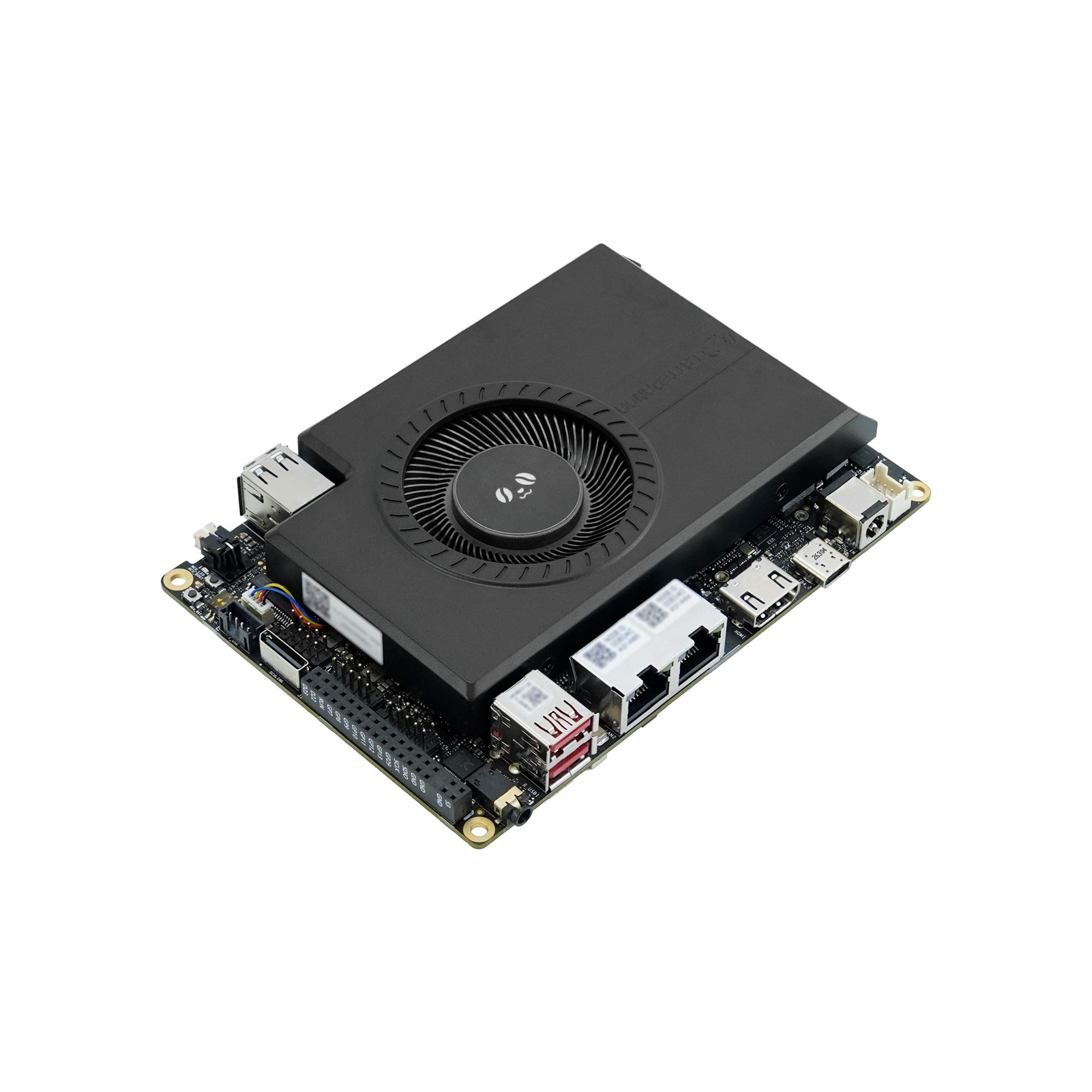

What is LattePanda Sigma 2?
Sigma 2 is a complete board with its main ports already fitted, intended for integration into a larger product or enclosure. That makes it a different starting point from the LattePanda Mu Ultra compute module, which needs a carrier board to provide those connections.
The x86 architecture matters if your project already uses PC applications, Windows tools, or Linux software built for Intel processors. You could keep your application, local inference service, storage, and device interface on the same computer. Whether that saves work depends on your drivers and peripherals.
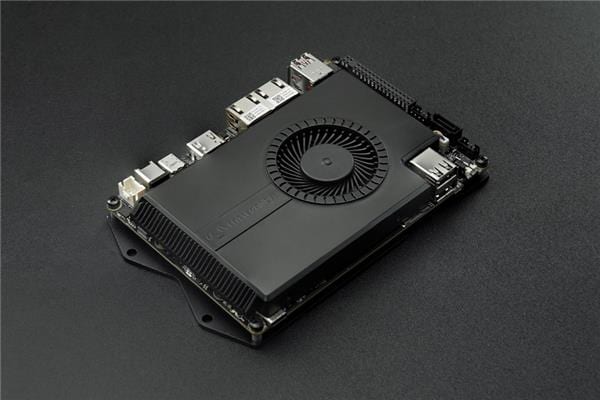
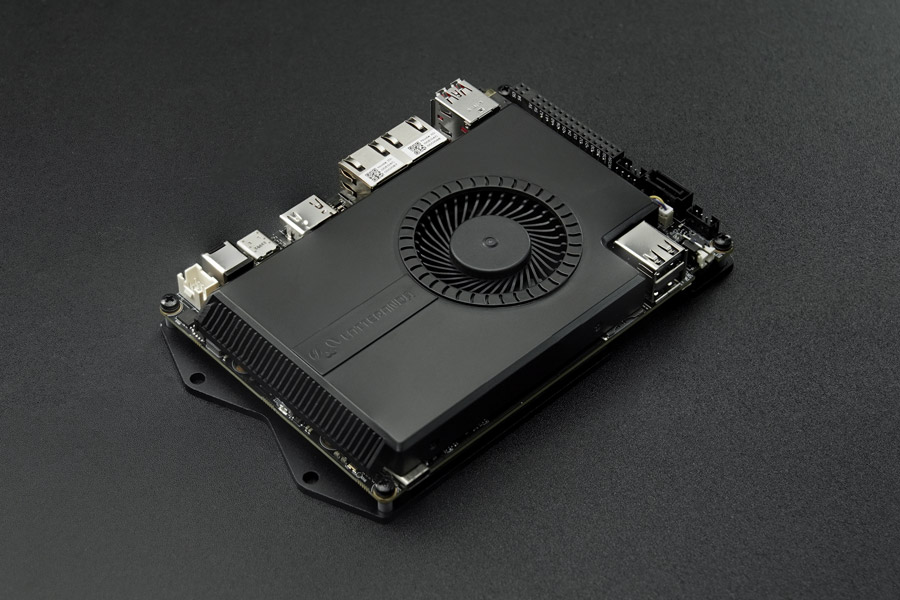
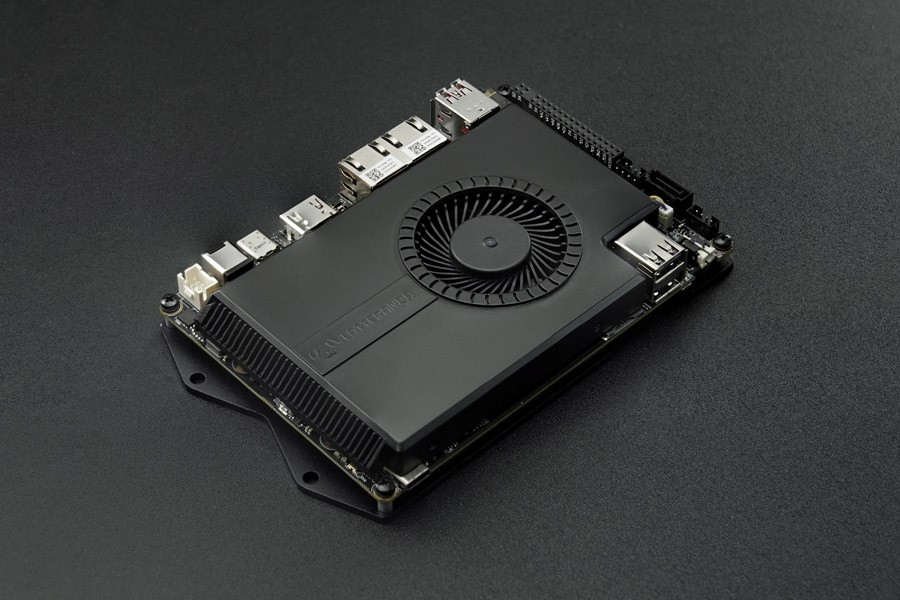
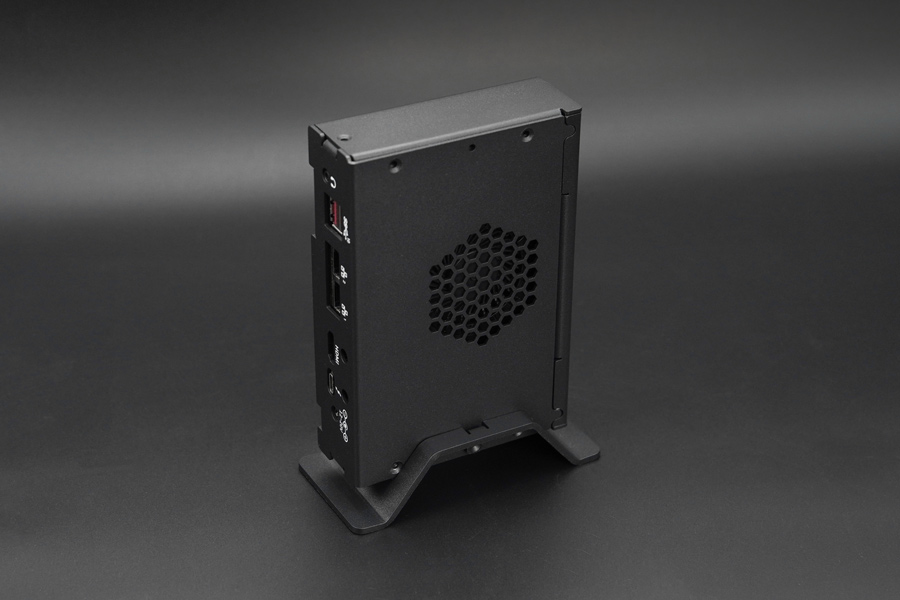
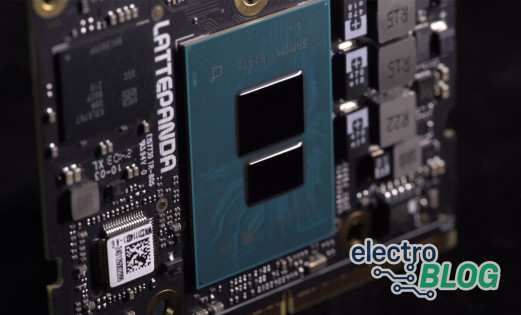
Plan the mechanical side early. The supplied photos show a substantial active cooler. Allow space for airflow, connectors, and cables around the board. Its compact footprint alone tells you little about enclosure temperature, fan noise, or sustained power consumption.
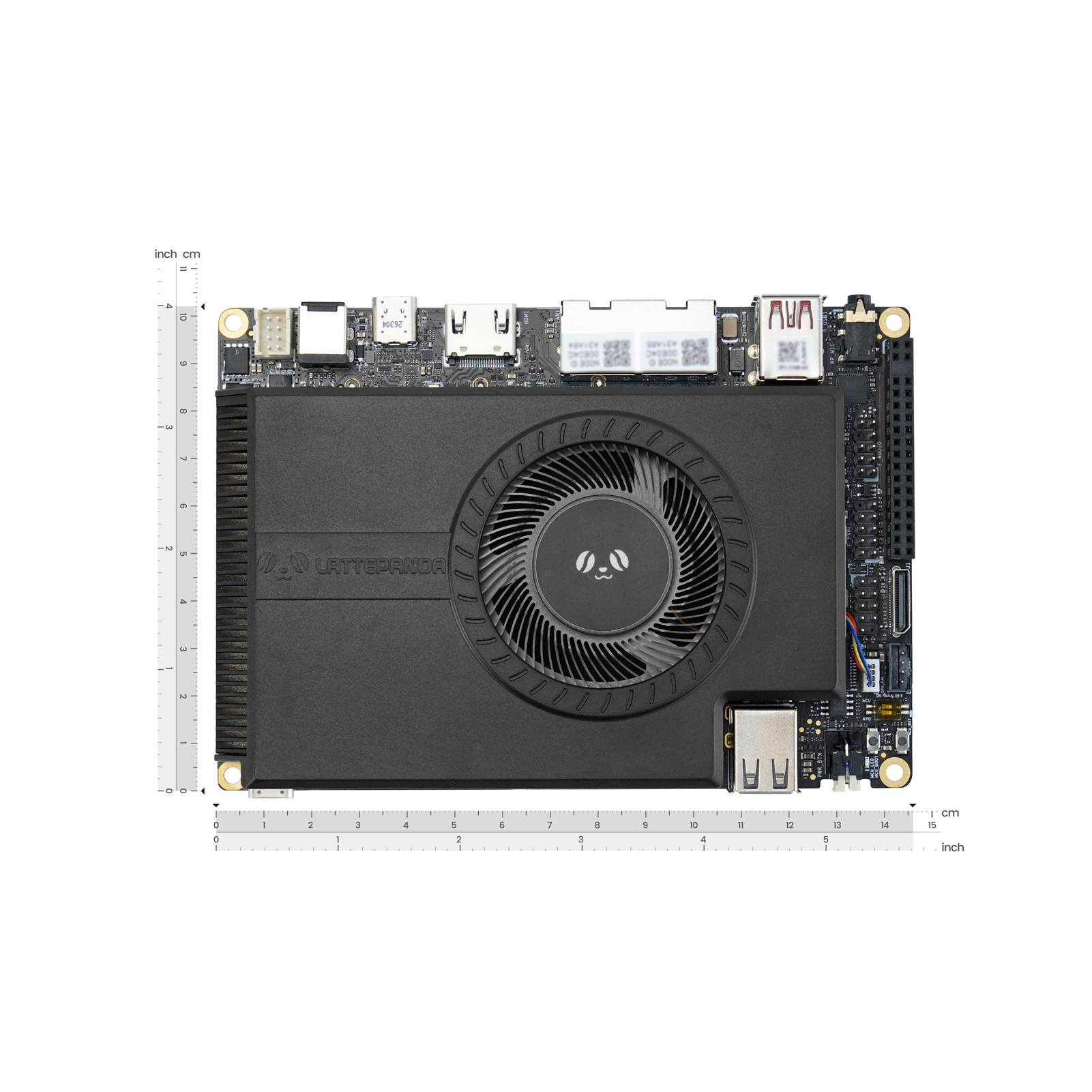
LattePanda Sigma 2 specifications at a glance
These are the announced board specifications. Intel's Core Ultra X7 358H specifications independently confirm the processor's core configuration, graphics, and per-engine AI figures.
| Component | Specification |
|---|---|
| Processor | Intel Core Ultra X7 358H, 16 cores and 16 threads, 4 performance + 8 efficient + 4 low-power efficient cores, up to 4.8GHz turbo, 18MB cache |
| Integrated GPU | Intel Arc B390, 12 Xe cores, up to 122 INT8 TOPS |
| NPU | Up to 50 INT8 TOPS |
| Combined AI figure | Up to 180 INT8 TOPS across CPU, GPU, and NPU, according to LattePanda |
| Memory | Up to 64GB LPDDR5X-8533, manufacturer-stated 136.5GB/s bandwidth and up to 59GB shared graphics/AI allocation |
| Expansion | Three M.2 M-Key slots, one M.2 E-Key slot, OCuLink with PCIe 4.0 x2, two Thunderbolt 4 ports |
| Networking | Two 10GbE RJ45 ports |
| USB and displays | Two USB 3.2 Gen 2 Type-A, two USB 2.0 Type-A, HDMI 2.1, DisplayPort 2.1 via USB Type-C, eDP 1.5 |
| Hardware control | RP2350 microcontroller with preloaded MicroPython |
| Announced OS support | Windows 11 and Ubuntu 24.04 LTS or later |
| Footprint | 146 x 102 mm |
The 4.8GHz figure is a maximum turbo specification. Sustained clocks depend on the workload, power configuration, and cooling. Board-level power measurements were not supplied.
What does 180 TOPS mean for local AI?
TOPS means trillions of operations per second. Here, INT8 identifies 8-bit integer arithmetic. LattePanda's 180-TOPS headline combines the CPU, integrated GPU, and neural processing unit, or NPU. The GPU accounts for up to 122 INT8 TOPS, while the NPU is rated at up to 50.
Your software must support the engine you want to use. One model does not automatically receive all three engines' combined peak throughput. For a local large language model, or LLM, the model format, memory traffic, runtime, and prompt can matter as much as the headline arithmetic figure.
Memory is a separate reason to look at Sigma 2. LattePanda specifies up to 64GB of system RAM and says up to 59GB can be allocated to graphics and AI. That allocation comes from the same shared memory pool. It does not add 59GB of dedicated GPU memory on top of the system RAM.
More memory can accommodate larger model weights and conversation buffers. Mixture-of-experts, or MoE, models activate selected parts of a model for each token, but still need access to the wider set of weights. The KV cache, which stores intermediate attention data, also consumes memory as context grows. Capacity alone cannot promise a particular context length or response speed.
LattePanda reports around 30 tokens per second with Qwen3.6-35B-A3B using INT4 quantization and OpenVINO. Quantization reduces numerical precision to shrink model storage and memory requirements. This is a manufacturer-reported result. Electromaker has not reproduced it, and the release omits the execution device, exact software versions, prompt and context length, power settings, and batching details.
An official OpenVINO Qwen3.6 INT4 model card documents a compatible model conversion and GPU deployment examples. That establishes a software route, while the reported Sigma 2 rate remains an unverified board performance claim.
Networking and expansion for a local AI server
Dual 10GbE is useful when your AI computer also needs to move substantial data. You could connect an instrument network to one interface and a storage or client network to the other. A local model service could draw documents or images from network storage while serving another machine.
These are two separate 10Gb/s interfaces. A single file transfer does not automatically become a 20Gb/s transfer. Storage, switches, cables, protocols, and the other endpoint all affect usable throughput.
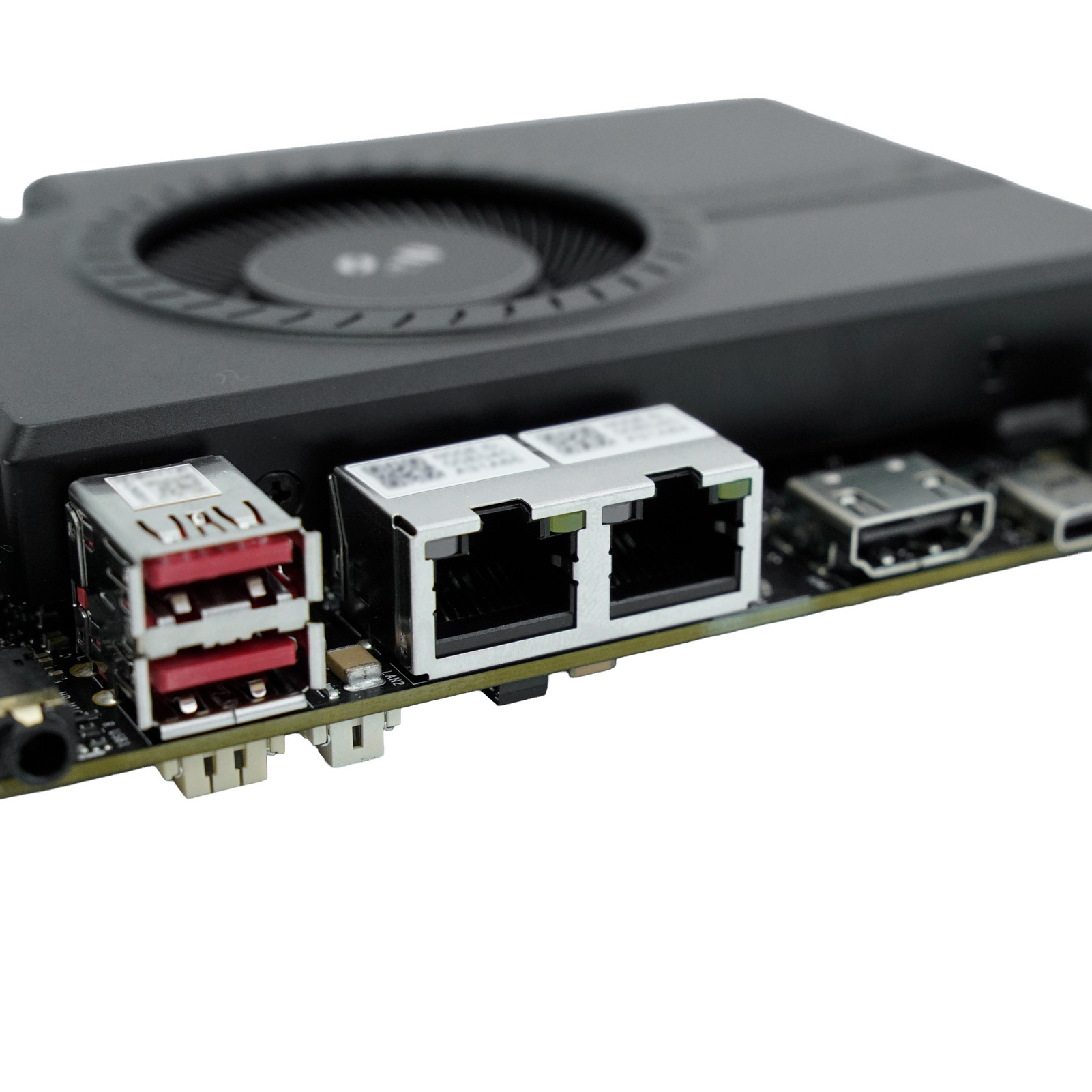
The three M.2 M-Key slots offer scope for storage and expansion, with a separate E-Key slot for compatible modules. M.2 describes a connector family. Check module lengths, electrical lanes, and shared resources before choosing devices. The release does not provide a complete slot-routing or simultaneous-use map.
OCuLink is explicitly specified as PCIe 4.0 x2. That lane count matters when assessing external accelerators. Thunderbolt 4 offers another expansion route, but an external GPU or AI accelerator still needs suitable drivers, adapters, power, and software support. Include that hardware in your budget.
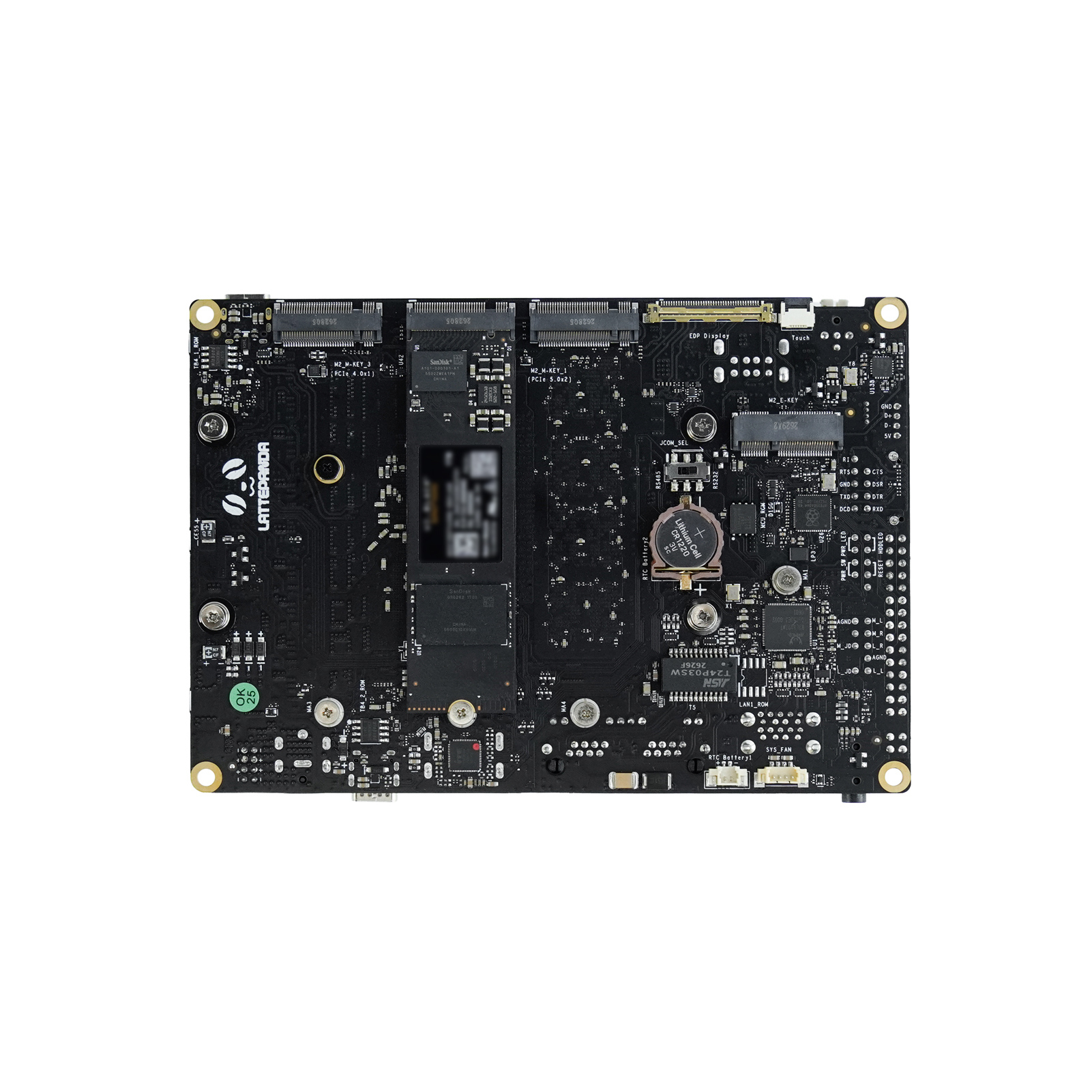
The RP2350 connects AI to physical hardware
The integrated RP2350 gives Sigma 2 a useful division of labor. The x86 host can run your application and inference software, while the microcontroller handles suitable low-level input and output. LattePanda says MicroPython comes preloaded on that co-processor.
Imagine an inspection instrument that classifies a captured image. The host could interpret the result while the RP2350 reads a button or updates an indicator through appropriate interface circuitry. In a robot, the same split could separate application decisions from peripheral handling.
Those are potential designs, not verified implementations. You still need the Sigma 2 pinout, electrical limits, host communication details, and firmware documentation. The announcement does not establish guaranteed control-loop timing, and the MicroPython preload belongs to the microcontroller rather than the main operating system.
Software and projects Sigma 2 could support
LattePanda lists Windows 11 and Ubuntu 24.04 LTS or later, alongside OpenVINO, llama.cpp, and Ollama compatibility. It says an SSD ships with Ubuntu, GPU/NPU drivers, OpenVINO Model Server, OpenClaw, and local models installed. SSD capacity, installed versions, and the exact configuration covered remain unconfirmed.
For the named Qwen conversion, the current model card specifies OpenVINO 2026.4.0 or newer and OpenVINO GenAI 2026.4.0.0 or newer. Start with the official OpenVINO supported-model list, then check your model's device and driver requirements against the supplied image.
Other runtimes have their own acceleration paths. The llama.cpp SYCL backend documentation describes Intel GPU support. Ollama's hardware documentation describes Vulkan GPU support on Windows and Linux. Neither is proof of a validated Sigma 2 configuration, and application compatibility does not establish automatic NPU use.
Three potential projects make the hardware combination easier to assess:
- A local document assistant. Retrieval-augmented generation, or RAG, retrieves relevant documents to help a model answer questions. Shared memory and fast storage could support the model and document index together. Validate latency with your documents and expected user count.
- A vision instrument or robot. Combine x86 application software, supported inference, and RP2350 peripheral control. Check camera interfaces, end-to-end latency, and the complete power budget before designing around it.
- A homelab with local AI. Storage services, containers, and inference could share one system. Confirm your chosen hypervisor, device passthrough, and storage layout rather than transferring support claims from an older Sigma.
Local inference can keep model execution on your device. A complete assistant may still access remote APIs, agent tools, telemetry, or downloads. Check those connections before describing your application as fully offline or private.
What changed from the original LattePanda Sigma?
The original Sigma's official specifications list a Core i5-1340P, Iris Xe graphics, 16GB or 32GB of LPDDR5, dual 2.5GbE, and an ATmega32U4 co-processor. Electromaker's original LattePanda Sigma coverage explains that earlier board's approach.
Sigma 2 moves to Core Ultra, Arc B390 graphics, and a dedicated NPU, raises the announced memory ceiling to 64GB, upgrades both Ethernet interfaces to 10GbE, and replaces the control MCU with an RP2350. Those changes expand its potential for local AI and data-heavy embedded projects. They do not establish an application speedup without comparable tests.
Price, availability, and who should consider it
LattePanda's October 15 announcement gives a promotional US$2,599 pre-sale price through mid-November, followed by US$2,799. It does not specify an exact offer cutoff, shipment date, or complete bundle. Current ordering availability could not be independently confirmed at the time of writing.
For product developers, LattePanda also announces a 3+ year product lifecycle, custom boot logos, BIOS customization, and engineering support. Confirm the scope and terms directly for your project. A lifecycle commitment is distinct from a warranty or a guaranteed supply allocation.
Frequently asked questions
These distinctions matter when choosing a configuration and planning your software.
Does Sigma 2 have a 180-TOPS NPU?
No. LattePanda's 180 INT8 TOPS combines CPU, GPU, and NPU peaks. The NPU itself is rated at up to 50 INT8 TOPS.
Is the claimed 59GB graphics memory dedicated VRAM?
No. It is an allocation from shared system RAM, according to LattePanda. Your operating system and applications need memory from that same pool.
Will Ollama automatically use the NPU?
The announcement does not establish that. Check the runtime backend and execution device. Ollama compatibility alone does not confirm an NPU acceleration path.
Can you upgrade the RAM later?
The release specifies up to 64GB of LPDDR5X but does not document user upgrades or available memory variants. Confirm your required capacity before ordering.
Is Sigma 2 shipping now?
The supplied release announces pre-sale pricing. A confirmed shipping date, exact orderable configuration, and working purchase destination still need verification.
Sigma 2's strongest case is an embedded project that can use its computing, networking, expansion, and microcontroller together. Before committing, match your model and peripherals to the supported software, then resolve the cooling plan and shipping configuration. Those details will determine whether this single-board server fits your build.
Residing on the south coast of England, Rich has spent the last few years building Electomaker.io from the ground up. He is usually found behind a laptop coordinating the rest of the EM team and occasionally finding time to contribute articles to the blog. When not tapping away at a laptop, he can be found either paddleboarding, at the beach, playing golf (badly), or camping with his family.








Leave your feedback...