





MNT Pocket Reform Gives Makers a Modular Linux Laptop for Hardware Hacking
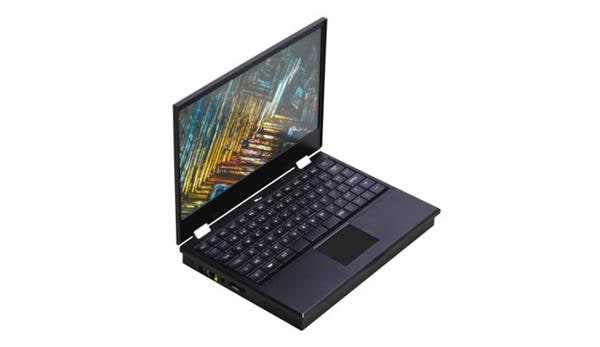
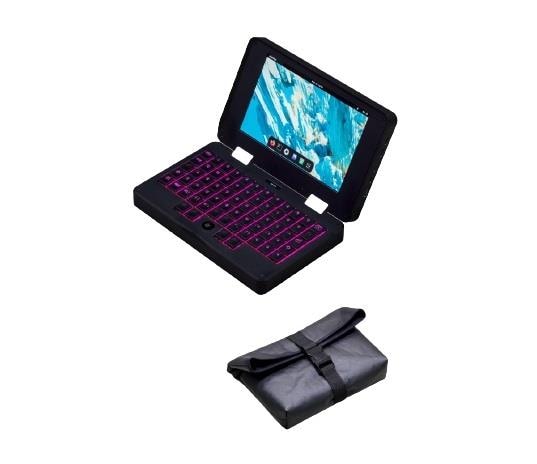
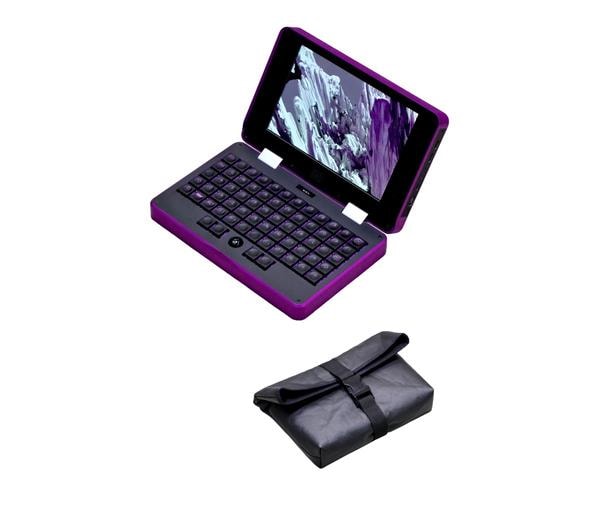
The MNT Pocket Reform is a 7-inch open hardware Linux laptop built for developers, makers, and hardware hackers who want a computer they can inspect, modify, repair, and use as a portable ARM Linux workstation. It is not trying to replace a high-performance x86 laptop. Its value is control: published design files, modular hardware, Linux-first software, physical ports, and a form factor small enough for field work.
The configuration covered here is the MNT Pocket Reform with the NXP i.MX 8M Plus processor module, 8GB RAM, 128GB eMMC storage, a 7-inch 1920 x 1200 display, mechanical keyboard, optical trackball, USB-C, Ethernet, microSD, M.2 expansion, and Debian GNU/Linux support. MNT also offers newer processor-module options, so always check the exact product listing before you buy.
Electromaker readers can start with the MNT Pocket Reform product page on the Electromaker Store or browse the full MNT Research range on the Electromaker Store. For schematics, manuals, and firmware details, cross-check against the official MNT Pocket Reform product page, Crowd Supply campaign page, and MNT Pocket Reform documentation.

What is the MNT Pocket Reform?
The MNT Pocket Reform is a compact, repairable, open source hardware laptop from MNT Research GmbH. It runs Linux, ships with a real keyboard and pointing device, exposes useful hardware interfaces, and is designed around the idea that a computer should be understandable rather than sealed away.
In practical terms, it is a portable Linux development machine for people who want a small system they can carry to a workbench, lab, classroom, hackerspace, data center, or field site. It gives you a full Linux environment with a display, keyboard, storage, networking, and expansion in a device much smaller than a normal laptop.
The important distinction is that Pocket Reform is not a mainstream ultraportable laptop with a different shell. It is closer to a transparent computing platform: the schematics, KiCad files, firmware sources, and parts information are part of the product story. That makes it useful not only as a computer, but also as a learning tool for open hardware computing.
Why open hardware still matters
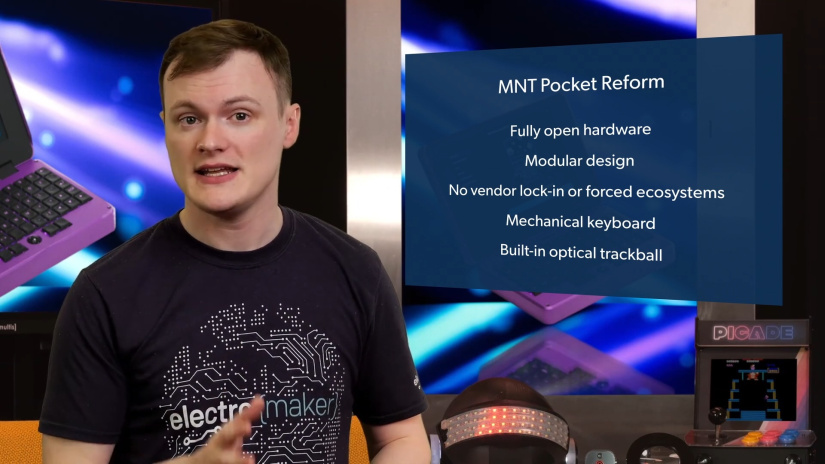
Open hardware matters because it changes the relationship between the user and the machine. With a conventional laptop, the motherboard, firmware, battery system, keyboard, and repair path are usually controlled by the manufacturer. With the MNT Pocket Reform, the design is documented so developers can study how the system is built, repair it more confidently, and modify it with fewer hidden assumptions.
For embedded engineers and hardware hackers, that transparency is useful. You can inspect the power system, keyboard firmware, trackball design, system controller, processor module interface, and expansion options. You are not limited to treating the laptop as a black box.
Open hardware also supports long-term ownership. If a keyboard switch, storage device, processor module, battery cell, or input component becomes a problem, the design philosophy favors replacement and service rather than disposal. That does not mean every repair is beginner-level, but it does mean the platform is designed for users who want to understand and maintain their own hardware.
Hardware at a glance
The Pocket Reform is small, but it includes the core hardware needed for real Linux development. The table below focuses on the i.MX 8M Plus configuration relevant to the supplied Electromaker and Crowd Supply product context.
| Feature | MNT Pocket Reform specification | Why it matters |
|---|---|---|
| Product type | 7-inch open hardware Linux mini laptop | A complete portable Linux environment in a compact, repairable form factor. |
| Manufacturer | MNT Research GmbH | Built as part of the wider MNT Reform open hardware ecosystem. |
| Processor | NXP i.MX 8M Plus with quad-core ARM Cortex-A53 up to 1.8GHz | Suitable for ARM Linux development, scripting, terminal work, embedded tooling, and lightweight desktop use. |
| Memory | 8GB RAM on the i.MX 8M Plus module | Enough headroom for a Debian desktop, terminals, editors, local services, and development tools. |
| Storage | 128GB eMMC plus M.2 Key M NVMe SSD expansion and microSD | Lets users separate onboard system storage, removable images, and larger project storage. |
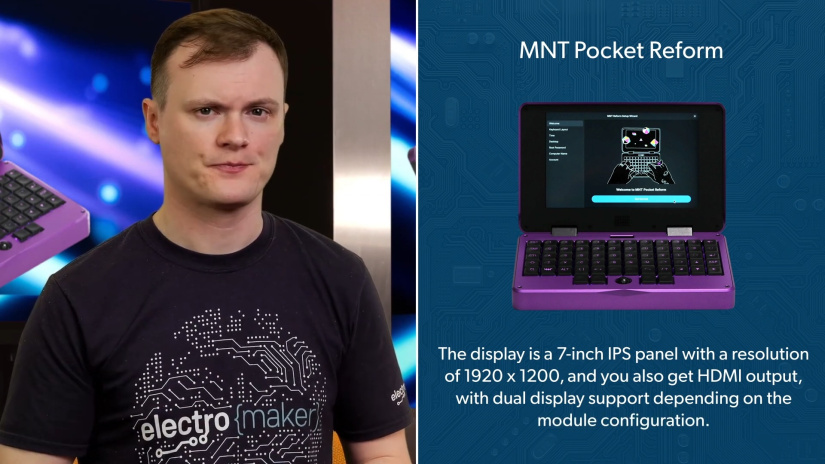
| Display | 7-inch IPS display, 1920 x 1200 resolution | Sharp enough for terminal panes, documentation, dashboards, and lightweight desktop work. |
| Video output | Micro HDMI output; dual-display behavior depends on processor module and board revision | Useful when docking the device at a desk or connecting to a monitor for debugging. |
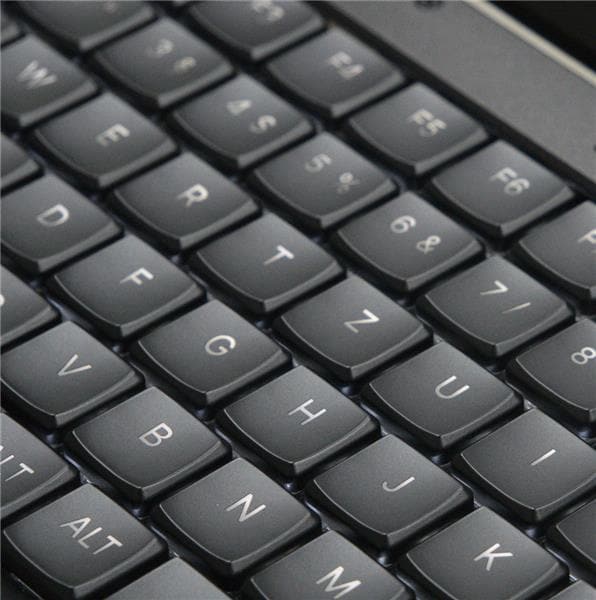
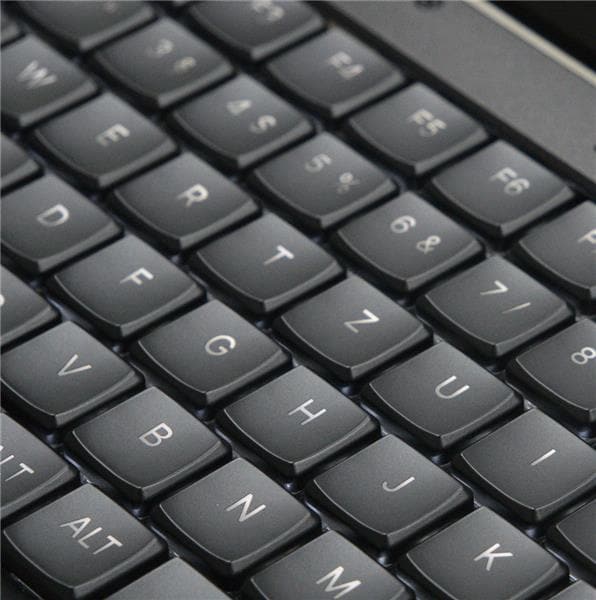
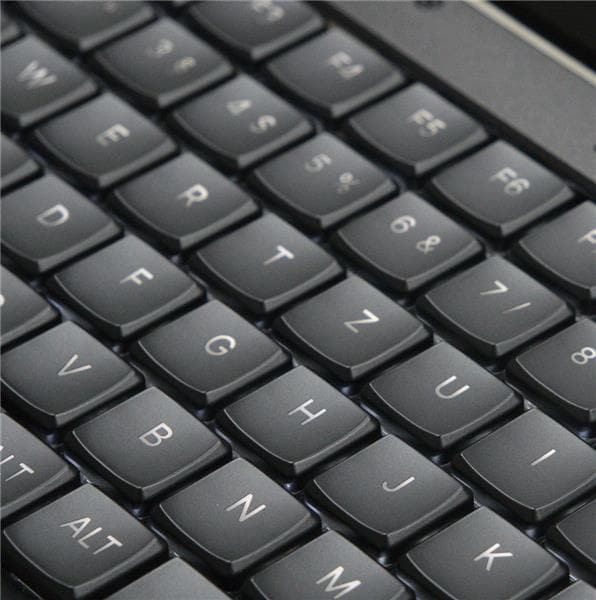
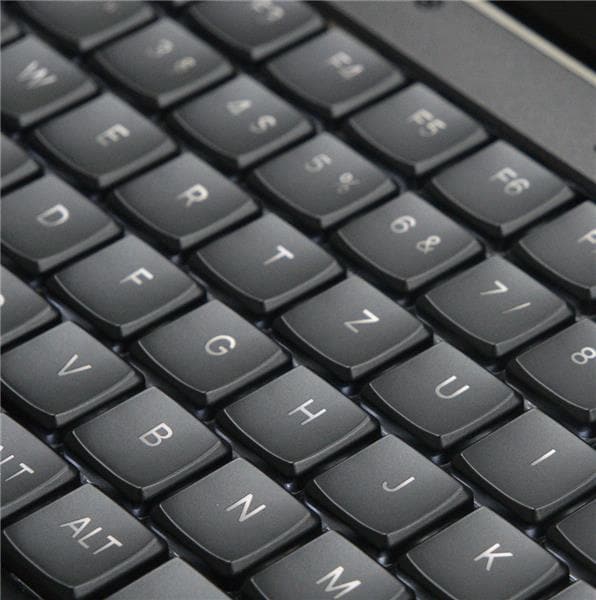
| Keyboard | Ortholinear mechanical keyboard with RGB backlighting | Better suited to real coding and terminal work than an on-screen keyboard or tiny thumb keyboard. |
| Pointing device | Integrated optical trackball with four buttons | Gives precise pointing control without needing desk space for a mouse. |
| Status display | 128 x 32 OLED system display | Provides direct system status and control information, including power-related feedback. |
| Networking | Wi-Fi, Bluetooth, and 1GbE ix Industrial Ethernet | Supports remote access, field diagnostics, wired network testing, and development workflows. |
| Expansion | M.2 Key M for NVMe, M.2 Key B for WWAN, micro SIM slot, Qwiic-compatible I2C connector | Adds storage, cellular connectivity, and hardware experimentation options. |
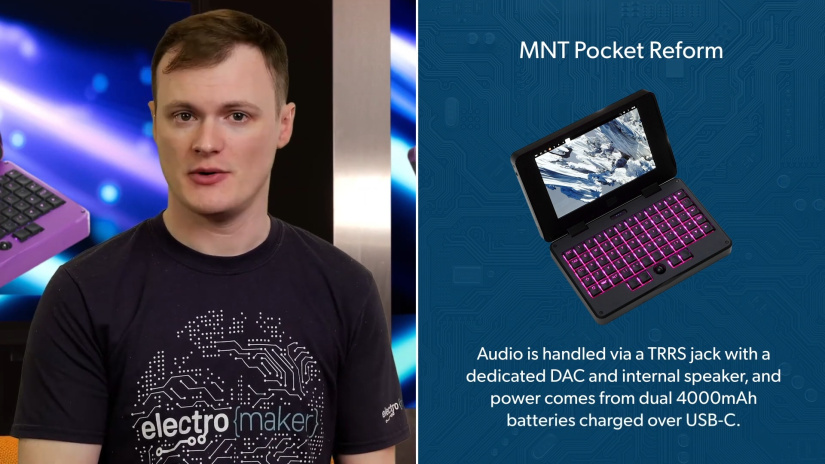
| Power | USB-C Power Delivery charging, two 4000mAh Li-ion cells, 8000mAh total | Makes the system practical for portable terminal, diagnostics, and off-desk development use. |
| Enclosure | CNC-milled aluminum chassis with modular internal construction | Supports durability, access, and serviceability. |
| Operating system | Debian GNU/Linux system image, with ARM64 Linux software support | Gives developers a familiar package manager, terminal, desktop, and open software stack. |
Key features and developer value
Feature lists are only useful when they connect to real workflows. For the Pocket Reform, the main benefit is not one isolated component. It is the combination of Linux, open hardware, compact size, physical I/O, and user-serviceable construction.
| Capability | Developer value |
|---|---|
| Open hardware sources | Study schematics, firmware, keyboard design, trackball design, case files, and board-level architecture instead of guessing how the device works. |
| Modular processor concept | The CPU and RAM live on a replaceable processor module, which gives the platform a clearer upgrade path than a soldered consumer laptop. |
| Mechanical keyboard | Makes shell commands, code edits, SSH sessions, and documentation work practical in a compact machine. |
| Trackball with four buttons | Avoids the need for a mouse or touchpad surface when working in tight spaces, racks, benches, or vehicles. |
| OLED system interface | Gives quick access to power and system status, which is useful when diagnosing boot, battery, or charging behavior. |
| Native Linux environment | Supports compilers, editors, Python, SSH, Git, network tools, serial tools, scripts, and package-managed workflows. |
| Repairable construction | Makes the device more suitable for long-term ownership, hardware education, and user maintenance. |
Connectivity, expansion, and hardware interfaces
The Pocket Reform is more useful to hardware people than its size suggests because it includes both everyday laptop connectivity and developer-oriented expansion. The key point is to understand what each port is for before planning a project.
| Interface | What it does | Typical use |
|---|---|---|
| USB-C ports | Two USB-C ports for USB devices, with Power Delivery charging on one port | Power, USB serial adapters, storage, debug tools, keyboards, audio interfaces, and other peripherals. |
| Micro HDMI | External display output | Docking to a monitor for longer coding, debugging, or documentation sessions. |
| ix Industrial Ethernet | Compact 1GbE wired networking connector | Network diagnostics, device provisioning, industrial equipment access, and stable SSH sessions. |
| MicroSD slot | Removable storage and bootable system image support | Testing system images, rescue media, logs, and project data. |
| M.2 Key M | NVMe SSD expansion | Larger local storage for projects, source trees, containers, data capture, or encrypted development environments. |
| M.2 Key B and micro SIM | WWAN modem support with SIM slot | Cellular data for remote field terminals, mobile diagnostics, and off-site IoT maintenance. |
| Qwiic-compatible I2C connector | Internal 4-pin I2C expansion connector connected to the RP2040 System Controller | Sensor experiments, system-controller extensions, custom status displays, and firmware hacking. |
| TRRS audio and speaker | Headset jack, DAC, and internal speaker | Alerts, audio output, headset use, or lightweight media and conferencing workflows where supported by software. |
One common mistake is assuming that every internal connector is exposed to Linux as a normal user-space bus. The Qwiic-style I2C connector is documented as part of the RP2040 System Controller side of the platform, so projects that use it may involve firmware work rather than a simple Linux Python script. For straightforward sensor logging from Linux, a USB-connected microcontroller or USB-I2C adapter may be the simpler first step.
Linux development and software support
MNT Pocket Reform ships with Debian GNU/Linux and is intended to run ARM64 Linux software. That gives developers familiar tools: apt, Git, Python, GCC, SSH, systemd services, network utilities, serial console tools, editors, and graphical desktops such as GNOME or Sway.
For Linux developers, the main benefit is that the Pocket Reform is a real Linux computer rather than a tablet with a terminal app. You can manage packages, run local services, write scripts, compile small projects, connect to remote servers, and attach embedded targets over USB serial. For hardware hackers, the combination of Linux, USB-C, Ethernet, microSD, M.2 storage, and open documentation makes it useful as a portable diagnostics box.
The ARM architecture is also part of the trade-off. Open source Linux packages are often available for ARM64, but proprietary x86-only binaries may not run natively. Some binary translation tools exist, but they are not a replacement for native ARM64 software when reliability and performance matter.
How to get started with MNT Pocket Reform
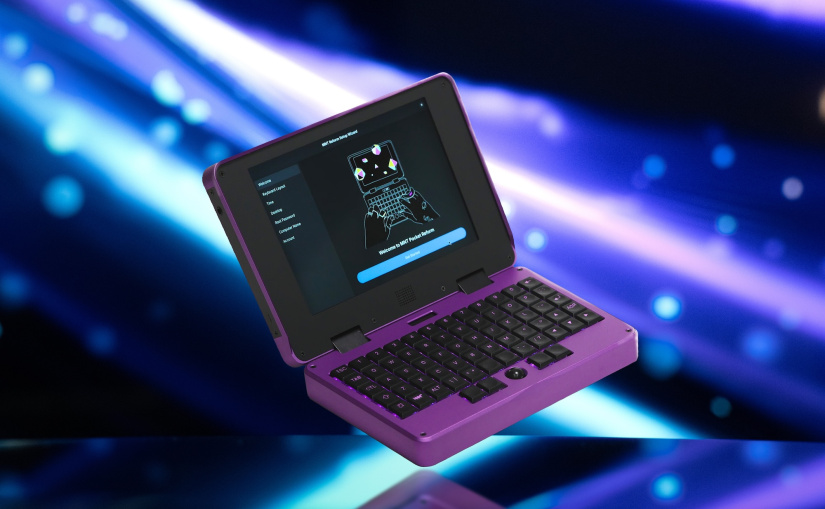
Getting started does not require a special vendor account or proprietary desktop setup. The basic path is to power the system, complete the first-boot wizard, update Debian, install the tools you need, and then tailor the device for your development workflow.
Prerequisites
- MNT Pocket Reform with the correct processor module and system image for your hardware.
- USB-C Power Delivery charger suitable for charging the device.
- Wi-Fi or Ethernet access for package updates and source downloads.
- USB-C or USB-A adapters as needed for serial tools, debug probes, storage, or embedded hardware.
- Optional USB-to-UART adapter for board bring-up, boot logs, routers, SBCs, microcontrollers, and industrial equipment.
First boot and development setup
- Turn on the standby power switch on the side of the device.
- Hold
Hyper + Enterfor more than two seconds to power on the main system. - Complete the first-boot setup wizard, including keyboard layout, time zone, desktop choice, and user account creation.
- Connect to Wi-Fi or Ethernet.
- Open a terminal and update the package index.
- Install a practical starter toolchain for Linux development and field diagnostics.
sudo apt update
sudo apt install git build-essential python3-venv python3-pip tio picocom
For USB serial devices, add your user to the dialout group, then log out and back in before testing the adapter.
sudo usermod -aG dialout "$USER"Create a small field diagnostics workspace
This example turns the Pocket Reform into a portable serial logging tool for embedded devices. It is useful when you need to capture boot logs from a microcontroller board, router, SBC, or Linux target over a USB-to-UART adapter.
mkdir -p ~/projects/pocket-field-tools
cd ~/projects/pocket-field-tools
python3 -m venv .venv
. .venv/bin/activate
pip install pyserial
Save the following as serial_logger.py. Platform: Debian GNU/Linux on MNT Pocket Reform or another ARM64 Linux machine. Dependency: pyserial.
#!/usr/bin/env python3
import argparse
import time
from pathlib import Path

import serial


def main():
    parser = argparse.ArgumentParser(
        description="Log serial output from an embedded target."
    )
    parser.add_argument("--port", default="/dev/ttyUSB0")
    parser.add_argument("--baud", type=int, default=115200)
    parser.add_argument("--out", default="serial-log.txt")
    args = parser.parse_args()

    out_path = Path(args.out)

    with serial.Serial(args.port, args.baud, timeout=1) as ser:
        with out_path.open("a", encoding="utf-8") as log:
            print(
                f"Logging {args.port} at {args.baud} baud to {out_path}. "
                "Press Ctrl+C to stop."
            )

            while True:
                line = ser.readline()
                if not line:
                    continue

                text = line.decode("utf-8", errors="replace").rstrip()
                stamp = time.strftime("%Y-%m-%d %H:%M:%S")
                entry = f"{stamp} {text}"

                print(entry)
                log.write(entry + "\n")
                log.flush()


if __name__ == "__main__":
    main()
Run it after connecting a USB-to-UART adapter to your target device. Adjust the port and baud rate to match the hardware you are debugging.
python serial_logger.py --port /dev/ttyUSB0 --baud 115200 --out target-boot.logReinstalling or testing a system image
The Pocket Reform can boot from microSD when a suitable system image is inserted. Use this carefully, because writing an image to the wrong device can erase data. Always download the image that matches your processor module, such as the i.MX 8M Plus image for the i.MX 8M Plus configuration.
gunzip pocket-reform-system-imx8mp.img.gz
lsblk
sudo dd if=pocket-reform-system-imx8mp.img of=/dev/sdX bs=8M status=progress
sync
Replace /dev/sdX with the actual microSD device, not a partition such as /dev/sdX1. After flashing, insert the microSD card and boot the Pocket Reform. Remove the card when you want to return to the internal system image.
Troubleshooting tips and common mistakes
The Pocket Reform is intentionally more transparent and serviceable than a mainstream laptop, but that also means users should pay attention to power state, boot media, ARM software compatibility, and module-specific details.
- No power after unboxing: check the standby power switch first, then hold
Hyper + Enterfor more than two seconds. - Unexpected boot behavior: remove any microSD card that may contain a bootable system image.
- USB-C monitor does not work: on the documented i.MX 8M Plus Pocket Reform hardware, use micro HDMI for video output unless your exact board and processor module documentation confirms DisplayPort over USB-C support.
- USB serial adapter cannot be opened: check
dmesg, confirm the device node withls /dev/ttyUSB*, and make sure your user is in thedialoutgroup. - NVMe drive is not visible: confirm the SSD is fully seated in the M.2 Key M slot, then check
lsblkanddmesg. - Cellular modem does not appear: verify modem compatibility, antenna installation, SIM placement, and ModemManager support before assuming the M.2 Key B slot is the issue.
- x86 Linux binaries do not run natively: use ARM64 packages where possible. Binary translation can be useful for experiments, but native ARM64 software is the safer baseline.
- Trackball movement becomes inconsistent: clean the trackball cup gently and avoid detergents that may damage printed or plastic parts.
- Charging, keyboard, or trackball behavior seems wrong: check MNT support resources and firmware update guidance, including GNOME Firmware and the relevant open firmware repositories.
Real-world use cases for developers and makers
The MNT Pocket Reform makes the most sense when portability, Linux access, hardware transparency, and repairability matter more than benchmark performance. These are practical workflows where the device fits well.
| Use case | How Pocket Reform helps | Useful tools |
|---|---|---|
| Portable Linux development | Carry a full Debian environment for coding, shell work, Git, Python, and remote access. | Git, Vim, micro, Python, GCC, SSH, tmux. |
| Embedded systems development | Use USB serial, network tools, local scripts, and documentation at the bench or in the field. | tio, picocom, pyserial, OpenOCD where hardware supports it. |
| IoT project work | Configure gateways, test sensors, provision devices, and troubleshoot networked hardware. | MQTT clients, curl, Python, systemd, NetworkManager. |
| Field diagnostics | Connect to equipment over Ethernet, USB serial, or SSH without carrying a full-size laptop. | ip, nmcli, tcpdump, ssh, rsync, serial loggers. |
| Linux learning | Learn package management, permissions, shells, boot media, firmware, and hardware architecture on a transparent machine. | apt, man pages, htop, journalctl, lsblk, dmesg. |
| Privacy-focused computing | Run a user-controlled Linux system without tying the device to a proprietary consumer ecosystem. | Debian, LUKS, SSH keys, firewall tools, password managers. |
| Open hardware education | Study schematics, firmware, case files, keyboard electronics, and system-controller behavior. | KiCad, Git, MNT documentation, firmware source trees. |
Project ideas for hardware hackers
The Pocket Reform is a good fit for projects that benefit from a full Linux system plus physical access to hardware. The best projects use its portability and openness rather than treating it like a normal laptop.
- Portable serial diagnostics kit: combine the Pocket Reform with USB-to-UART adapters, labeled cables, and a Python logging script for on-site board bring-up.
- IoT field terminal: use Ethernet, Wi-Fi, and optional cellular connectivity to configure MQTT devices, routers, gateways, and edge nodes.
- Encrypted travel development machine: use Debian, SSH keys, Git, and encrypted storage for a compact coding environment.
- MicroSD rescue image library: maintain separate microSD cards for recovery, testing, and processor-module-specific system images.
- Open hardware study project: trace the keyboard, trackball, charger, OLED, and system controller design through the schematics and firmware source.
- Bench documentation station: keep datasheets, pinouts, project notes, and shell tools open while working on embedded boards.
- Network troubleshooting tool: use the ix Industrial Ethernet port with an RJ45 adapter for DHCP checks, SSH access, packet capture, and device provisioning.
- Custom OLED or input firmware experiment: explore MNT’s firmware sources and documentation before modifying keyboard, trackball, or status-display behavior.
Repairability, modularity, and long-term ownership
Repairability is one of the strongest reasons to consider the MNT Pocket Reform. The device is built from documented modules rather than a sealed, glued assembly. The keyboard, trackball, processor module, storage, batteries, charger board, and case parts are part of an architecture intended for inspection and service.
The modular processor approach is especially important. The i.MX 8M Plus configuration is one processor-module option, not the only direction for the platform. MNT’s broader Reform ecosystem includes additional modules and evolving compatibility work, although buyers should verify exactly which modules are compatible with their Pocket Reform revision before planning an upgrade.
The M.2 NVMe slot also gives users a familiar upgrade path for larger local storage. Keycaps and switches are serviceable in a way that is unusual on modern compact computers. The trackball can be cleaned. The battery system uses replaceable cells, although battery work should be done carefully and according to official documentation.
This approach is useful for right-to-repair advocates, but it is also practical for developers. A repairable Linux laptop is less risky as a long-term tool because the user has more ways to diagnose, document, and fix failures.
MNT Pocket Reform vs MNT Reform vs a standard Linux laptop
The MNT Pocket Reform is not the only sensible Linux machine. It is the right choice when small size, openness, and hardware access matter more than raw compute performance or a large screen. The larger MNT Reform and a conventional Linux laptop each make sense for different workflows.
| Category | MNT Pocket Reform | MNT Reform | Standard Linux laptop |
|---|---|---|---|
| Best fit | Portable terminal, field diagnostics, ARM Linux development, hardware hacking, open hardware learning. | Desk-friendly open hardware laptop, daily Linux use, larger keyboard and screen, deeper hardware study. | General productivity, heavier desktop workloads, mainstream app compatibility, x86 development. |
| Portability | Very compact 7-inch system, easy to carry for short sessions and field work. | Larger and more comfortable for longer typing sessions, but less pocketable. | Usually thin and light, but less focused on hardware access and repair. |
| Performance profile | Good for lightweight ARM Linux tasks, scripting, terminal work, and embedded workflows. | More room for larger modules, screen, keyboard, and longer work sessions. | Often faster for CPU-heavy x86 workloads, large browser sessions, VMs, and proprietary software. |
| Repairability | Designed for serviceability, documented internals, modular components, and open firmware sources. | Similar open hardware philosophy with a larger chassis and more conventional laptop ergonomics. | Varies widely. Some models are serviceable, but many consumer laptops use more locked-down designs. |
| Hardware hacking value | High, especially for portable diagnostics, schematics study, input firmware, and expansion experiments. | High, especially when a larger screen and keyboard improve development comfort. | Useful as a host machine, but often less transparent at the hardware and firmware level. |
| Main trade-off | Small screen, compact keyboard layout, ARM software constraints, and lower performance than many x86 laptops. | Larger, heavier, and less convenient for tight field work. | Less open, often less repairable, and usually less interesting as an open hardware computing platform. |
Who should use the MNT Pocket Reform?
The MNT Pocket Reform is best for users who know why they want an open hardware Linux laptop. It rewards curiosity, patience, and comfort with Linux. It is not the simplest computer for every buyer, and that is part of the point.
- Buy it for Linux development: especially terminal work, scripting, Git, SSH, Python, and lightweight ARM64 software development.
- Buy it for embedded and IoT workflows: it is a strong fit for serial consoles, network diagnostics, device provisioning, and field notes.
- Buy it for open hardware learning: the published schematics and sources make it useful for studying real computer design.
- Buy it for repairability: it is designed for people who want to replace, inspect, and maintain hardware instead of discarding it.
- Think twice if you need high performance: a mainstream x86 laptop will usually be faster for heavy browsers, VMs, CAD, video editing, and x86-only software.
- Think twice if you dislike compact keyboards: the ortholinear layout is useful, but it requires adjustment.
- Think twice if you want a sealed appliance: the Pocket Reform is more of a transparent tool than a frictionless consumer laptop.
Availability and developer resources
The easiest starting point for Electromaker readers is the MNT Pocket Reform listing on the Electromaker Store. You can also browse the MNT Research supplier page on Electromaker for related hardware.
For technical evaluation, use the official MNT resources before planning upgrades, repairs, or processor-module changes. The most important resources are the MNT Pocket Reform documentation page, the MNT Pocket Reform Operator Handbook, the MNT Pocket Reform source repository, and the MNT community forum.
Before buying, check the exact processor module, RAM, storage, keyboard switch option, enclosure color, included accessories, and availability. The i.MX 8M Plus configuration remains important for this article, but MNT’s current product ecosystem includes additional module choices that may change the best configuration for your workflow.
Final thoughts
The MNT Pocket Reform is a compact open hardware computing platform first and a mainstream laptop second. That makes it unusually useful for Linux developers, embedded engineers, IoT developers, hardware hackers, privacy-focused users, and right-to-repair supporters who want a machine they can understand.
Its trade-offs are clear: it will not replace a powerful x86 workstation, and the 7-inch layout is not ideal for every daily task. But for portable Linux development, field diagnostics, open hardware study, and repairable computing, it offers a mix of transparency and practicality that normal laptops rarely provide.
FAQs
These are the main questions to answer before choosing the MNT Pocket Reform as a development machine or open hardware laptop.
What is the MNT Pocket Reform?
The MNT Pocket Reform is a 7-inch open hardware Linux laptop from MNT Research. It combines a compact clamshell design, Debian GNU/Linux, a mechanical keyboard, trackball, modular processor architecture, repairable construction, and published hardware sources.
Who is the MNT Pocket Reform designed for?
It is designed for Linux developers, makers, hardware hackers, embedded systems developers, IoT engineers, privacy-focused users, field technicians, and open hardware enthusiasts. It is best for people who value repairability, transparency, and Linux control more than maximum laptop performance.
What makes the MNT Pocket Reform open hardware?
MNT publishes design resources for the Pocket Reform ecosystem, including schematics, KiCad hardware sources, firmware source code, case design files, and documentation. This lets users study, repair, modify, and contribute to the platform.
What Linux distributions can the MNT Pocket Reform run?
The Pocket Reform ships with Debian GNU/Linux and supports ARM64 Linux software. Other ARM-compatible Linux distributions may be possible, but the most straightforward path is to use MNT’s tested system image and documentation for your exact processor module.
What hardware specifications does the MNT Pocket Reform include?
The i.MX 8M Plus configuration includes a quad-core ARM Cortex-A53 processor, 8GB RAM, 128GB eMMC storage, M.2 NVMe expansion, a 7-inch 1920 x 1200 display, USB-C, micro HDMI, Wi-Fi, Bluetooth, Gigabit Ethernet through ix Industrial, microSD, a mechanical keyboard, optical trackball, OLED system display, and USB-C charging.
How is the MNT Pocket Reform useful for developers and makers?
It works as a portable ARM Linux workstation for coding, SSH, Git, Python scripting, serial diagnostics, network troubleshooting, IoT device provisioning, embedded board bring-up, and open hardware learning. Its small size makes it useful when a full laptop is awkward.
Can the MNT Pocket Reform be repaired or upgraded?
Yes, the design emphasizes repairability and modularity. Users can work with documented parts, storage expansion, replaceable input components, processor modules, battery cells, and open firmware resources. Some repairs require electronics skills, so official documentation should be followed.
How does the MNT Pocket Reform compare with a standard laptop?
A standard x86 Linux laptop is usually faster and more convenient for heavy desktop workloads, virtual machines, and x86-only software. The MNT Pocket Reform is better for users who prioritize openness, repairability, portability, hardware access, ARM Linux development, and field diagnostics.

Residing on the south coast of England, Rich has spent the last few years building Electomaker.io from the ground up. He is usually found behind a laptop coordinating the rest of the EM team and occasionally finding time to contribute articles to the blog. When not tapping away at a laptop, he can be found either paddleboarding, at the beach, playing golf (badly), or camping with his family.












Leave your feedback...