





Arduino Nano R4 Review – 32-Bit Power in a Small Package
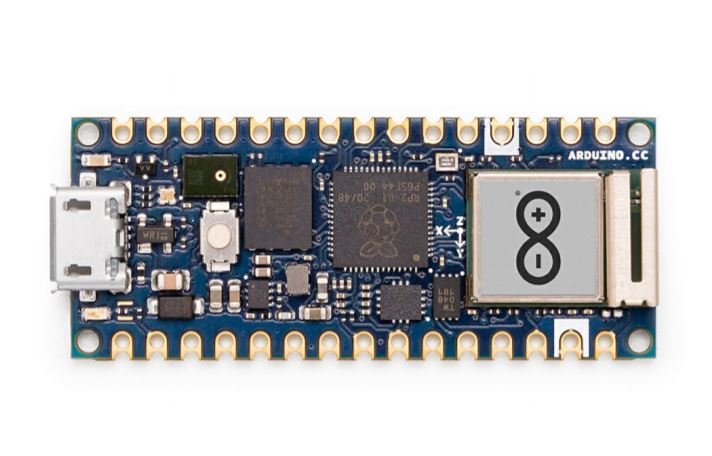
Say hello to the Arduino Nano R4! A compact development platform that brings serious performance to the legendary Nano form factor. This board combines 32-bit processing power, USB-C connectivity, and a host of hardware features that would’ve seemed out of reach for a board this size just a few years ago. Whether you’re working on a breadboard, laying out a stripboard, or embedding it directly into your next prototype, the Nano R4 fits seamlessly into the workflow while packing a punch where it counts.
Want to get your hands on one? We’re giving away an Arduino Nano R4 to one lucky viewer. Just drop a comment on the YouTube video linked above and tell us what you’d build with it. Whether it’s a drone flight controller, an IoT sensor node, or a retro game console mod, we want to hear your ideas.
From UNO R4 to Nano R4 – The Same DNA in a Smaller Shell
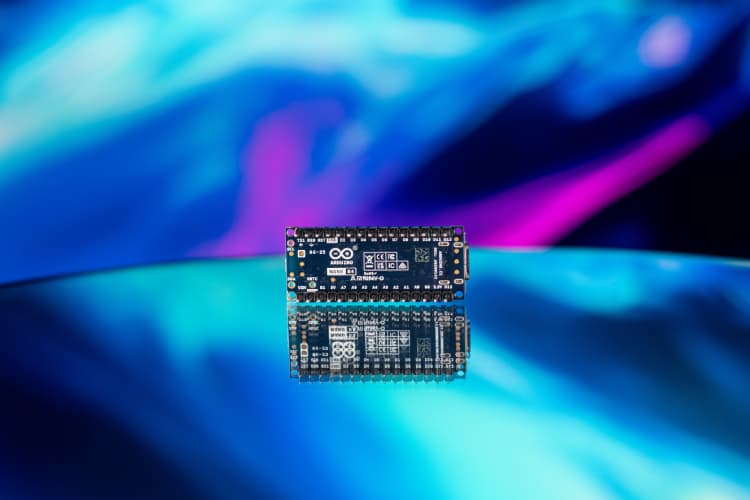
If you’ve been following the evolution of Arduino’s hardware, the Nano R4 will feel instantly familiar. It’s essentially the UNO R4’s younger sibling, cut from the same cloth, but designed for tighter spaces and more compact integrations. While it lacks the LED matrix and barrel jack found on the UNO R4, it retains the same powerful processing core, delivering a near-identical experience in a much smaller footprint.
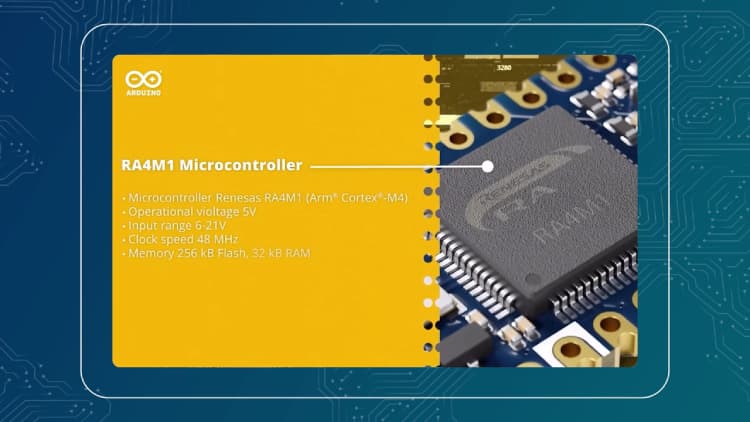
At the heart of both boards is the Renesas RA4M1 microcontroller, based on a 32-bit Arm Cortex-M4 core running at 48 MHz. That means whether you're prototyping on the UNO R4 or deploying a space-constrained solution with the Nano R4, you're working with the same level of performance and memory capabilities.
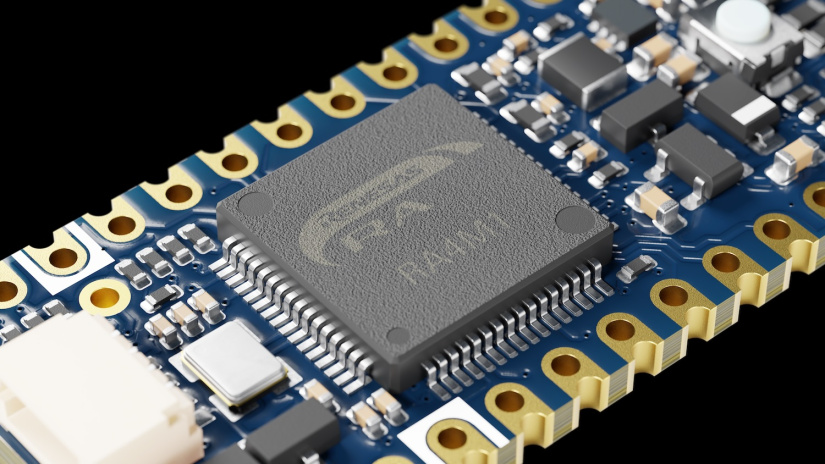
The form factor is where the Nano R4 really shines. True to the original Nano design, it’s built for seamless integration into breadboards and stripboards, making it an excellent fit for rapid prototyping, educational use, and production-ready custom carriers. It’s everything the UNO R4 offers, minus the bulk, ideal for projects where space and layout flexibility matter just as much as processing power.
“It’s the UNO R4’s brains in a board you can fit in your pocket.”

Why Nano R4 Is an Instant Classic – Simplicity Meets Power
The Arduino Nano R4 embodies everything that makes Arduino a cornerstone of modern electronics design, accessibility, stability, and an ecosystem that supports both beginners and professionals. As with all Arduino boards, it works seamlessly with the Arduino IDE, meaning you get instant access to thousands of libraries and examples without wading through vendor-specific documentation or tangled configuration steps.
One of the reasons Arduino remains the go-to for so many makers is its intuitive programming model. Need to toggle a pin? A single digitalWrite() gets the job done. Compare that to traditional embedded environments, where managing GPIO states often involves register maps and bit-shifting, and it's easy to see why the Nano R4 continues this legacy of simplicity.
But the Nano R4 doesn’t stop at being approachable; it’s also packed with features you won’t usually find in boards of this size. The inclusion of a built-in real-time clock (RTC) allows for timekeeping applications without external components. The onboard 12-bit DAC opens the door to audio synthesis, waveform generation, and analog signal control. And with an integrated operational amplifier (OPAMP), you can condition and amplify signals directly on board, streamlining your analog workflow.
Inside the Nano R4 – Technical Brilliance in 48 MHz

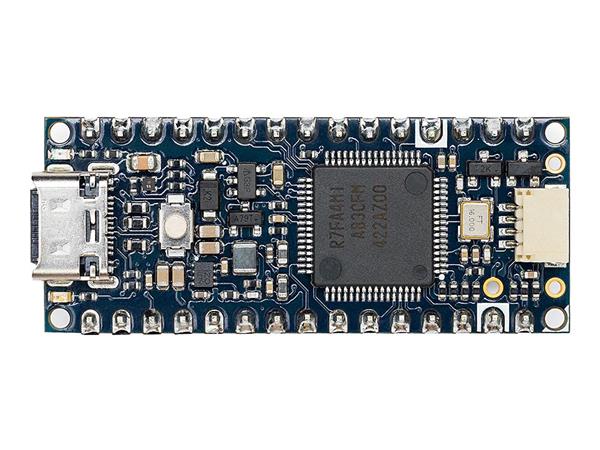
Don’t let the size fool you, the Nano R4 is absolutely loaded with features that push it far beyond what you'd expect from a board this compact. At its core is the Renesas RA4M1 microcontroller, a 32-bit Arm Cortex-M4 running at a smooth 48 MHz. That’s not just a minor bump in performance; it’s a serious upgrade that brings the Nano line into full modern microcontroller territory.
With 256 KB of Flash, 32 KB of SRAM, and 8 KB of onboard EEPROM, there's more than enough room for complex programs, sensor data, and persistent configuration settings. This kind of memory setup is especially useful when you're juggling real-time processing, data logging, or managing multi-layered user interfaces.
The analog features are just as impressive. A 14-bit ADC provides finer resolution than the typical 10-bit implementations seen in earlier Arduino boards, making it better suited for precision sensing. You also get a 12-bit DAC, perfect for generating clean analog signals, great for audio projects, analog control loops, or waveform generation. And let’s not forget the integrated OPAMP, which adds built-in analog signal conditioning right on the board, no breadboard hacks needed.
USB-C replaces the aging mini and micro USB options, giving you faster, more robust connections and a modern standard that’s easier to integrate into new designs.
| Feature | Spec |
|---|---|
| MCU | Renesas RA4M1, Arm Cortex-M4 @ 48 MHz |
| Flash | 256 KB |
| SRAM | 32 KB |
| EEPROM | 8 KB |
| ADC | 14-bit |
| DAC | 12-bit |
| USB | USB-C® (Power + Data) |
| Operating Voltage | 5V |
| Connectivity | Dual I²C, CAN Bus, UART, SPI |
| LEDs | 1x Standard + 1x RGB |
Connectivity & Interfaces – For More Than Just Blinking LEDs
The Arduino Nano R4 may be small, but it’s far from limited when it comes to connectivity. This board gives you a generous set of interface options that make it just as comfortable handling sensors as it is orchestrating complex device networks.
It features 22 digital IO pins, offering plenty of flexibility for switches, relays, sensors, and displays. Eight analog input channels give you the range needed for precise sensor readings, while six PWM-capable pins make motor control and dimmable lighting effortless. Whether you’re building a robotic arm or an LED matrix, there’s ample IO to get it done.
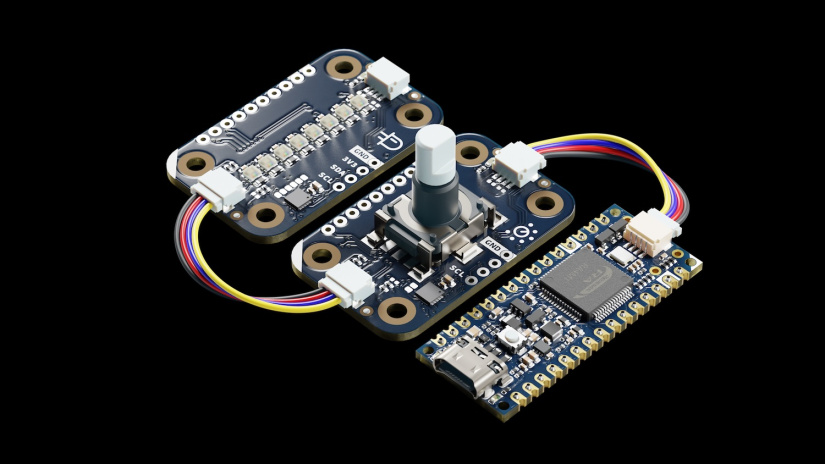
When it comes to communication protocols, the Nano R4 delivers in spades. It supports dual I²C buses: a standard 5V bus for compatibility with legacy components, and a 3.3V Qwiic-enabled bus for plug-and-play sensor integration. The onboard Qwiic connector makes it effortless to connect compatible modules without needing to solder or level shift, accelerating development and reducing wiring complexity.
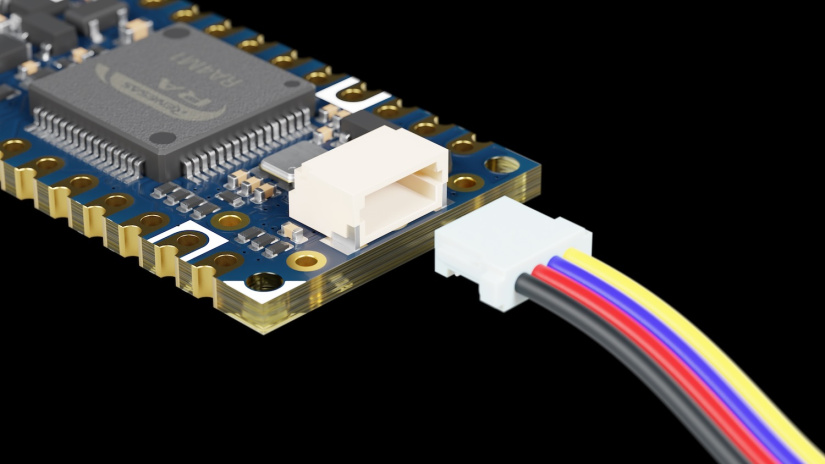
And then there’s the CAN bus. Available on pins D4 and D5, this opens up a whole new category of applications. CAN is the backbone of automotive systems, industrial equipment, and machine networks, enabling reliable, high-speed data exchange in noisy environments. Now, that level of communication is available in a board the size of your thumb.
The Nano R4 also includes a dedicated battery input specifically for powering the RTC (Real-Time Clock), allowing it to maintain accurate time even when the board is disconnected from main power. Ideal for logging applications, alarms, or time-based automation.
“Want to talk to your car’s engine? The Nano R4’s CAN bus has your back.”
Performance Gains – Why 32-bit Matters
For years, the classic 8-bit Arduino Nano was a staple on workbenches everywhere. But as projects grew more demanding, the need for more horsepower became clear. The Nano R4 answers that call with a 32-bit Arm Cortex-M4 core, delivering a significant boost in speed, precision, and versatility, without abandoning the form factor or ease-of-use that made the original so popular.
What does 32-bit actually mean for your projects? For starters, better timing and interrupt handling. This is a game-changer for applications like motor control, where tight timing loops and fast response to encoder feedback are critical. You’ll also notice smoother analog sampling, ideal for reading sensors at high resolution or performing real-time data analysis without missing a beat.
The upgrade also enables more robust multitasking. You can manage a PID loop, sample sensor data, and update an OLED display all in parallel, without bottlenecks or sluggish response. Whether you're building a robotic arm, a balancing bot, or a smart home controller, this board is built to keep up.
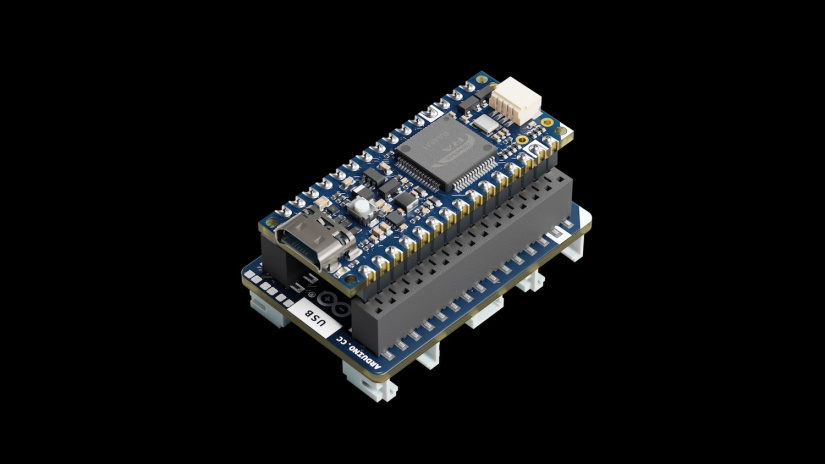
Best of all, it still plays nice with older projects. Thanks to its 5V-tolerant IO, you can drop the Nano R4 into many existing setups without touching the hardware. Legacy sensors, modules, and shields built around 5V logic levels continue to work as expected.
Use Case Scenarios – Where the Nano R4 Shines
The Arduino Nano R4’s compact footprint and advanced capabilities make it a versatile candidate for a wide range of projects. From precision robotics to lightweight aerial systems, it delivers performance that scales effortlessly across use cases.
Robotics & Automation
Need to drive servos or stepper motors with precision? The Nano R4’s six PWM outputs and 32-bit architecture provide smooth and accurate control for robotics applications. Its fast loop execution and interrupt handling make it ideal for tasks like real-time motion tracking, encoder feedback, and sensor fusion. Whether you’re designing a robotic arm or a line-following bot, this board keeps timing tight and latency low.
IoT and Edge Devices
While the Nano R4 doesn’t come with built-in wireless connectivity, it’s easy to expand using external Wi-Fi or Bluetooth modules. Its small footprint allows it to slide into enclosures or embedded systems with ease, making it a perfect core for sensor hubs, automation controllers, or portable IoT prototypes. Combined with its low power consumption and onboard RTC, it’s a strong choice for time-sensitive, always-on monitoring systems.
Drones & Aerial Applications
In drones, every gram counts. The Nano R4’s lightweight design and powerful processor make it well suited to onboard control tasks like flight stabilization, GPS navigation, and telemetry. The built-in CAN interface offers a direct line to engine or ESC data, while I²C makes it easy to integrate IMUs, barometric sensors, or GPS modules. This is serious processing power in a form factor that won’t weigh down your frame.
Education & Prototyping
For classrooms, workshops, and bootcamps, the Nano R4 is an ideal teaching tool. It’s fully compatible with the Arduino IDE, meaning students can start coding immediately with familiar tools and libraries. Breadboard-friendly headers and clearly labeled pins simplify hardware hookups, letting learners focus on logic and design rather than debugging hardware quirks.
Build a custom drone telemetry system that taps into a CAN-enabled flight controller while handling altitude sensors over I²C — all with a Nano R4 and a few lines of Arduino code.
User Experience – Dev Environment and Libraries
One of the strongest aspects of the Arduino Nano R4 is just how smoothly it fits into the existing Arduino ecosystem. If you’ve used any Arduino board before, you’ll feel right at home here. Simply plug it in, select the board from the Arduino IDE, and you’re ready to upload code. No driver hunting, no complex configuration, just code, compile, and run.
The Nano R4 is fully supported by the Arduino IDE and leverages the same vast library base that makes Arduino such a compelling platform. Whether you're driving stepper motors, logging data to an SD card, or interfacing with a sensor array, chances are there’s already a well-maintained library available and ready to go. The setup time is minimal, and the project possibilities are broad.
For those building out modular systems, the inclusion of a Qwiic connector makes it incredibly easy to integrate compatible peripherals lie IMUs, barometric sensors, environmental monitors, or displays, all with a single 4-pin cable. No level shifting, no manual wiring, just plug and play.
The Nano R4 also supports HID (Human Interface Device) emulation, allowing it to act as a keyboard or mouse. This opens up interesting possibilities for custom input devices, automation rigs, or USB-based control panels without needing extra firmware layers or workarounds.
And if you're upgrading from an older Nano, good news: much of your code will work out of the box. The Nano R4 maintains excellent compatibility with previous-generation libraries and codebases, making it easy to drop into existing projects with minimal rework.
Final Thoughts – A Nano Worth Upgrading To
The Arduino Nano R4 is a clear evolution of the Nano line, retaining everything makers love about the original while injecting it with the speed, flexibility, and capability needed for modern embedded projects. It’s a major performance upgrade packed into the same compact, breadboard-friendly footprint that made the original a household name.
Whether you’re a seasoned professional building out a precision control system, a hobbyist looking to add power to a wearable, or an educator introducing students to real-world embedded engineering, the Nano R4 is more than up to the task. It’s approachable, capable, and thoughtfully designed to handle both legacy compatibility and forward-looking features like CAN and Qwiic support.
It brings modern hardware to the microcontroller experience without losing sight of Arduino’s roots, simplicity, flexibility, and a frictionless developer experience.
Leave a comment on the YouTube video and tell us what you'd build. And if you're ready to bring the Nano R4 into your own projects, visit the Electromaker store to get started.



Matt Walker is a key contributor at Electromaker. With extensive experience in digital marketing, he crafts high-impact strategies that boost visibility for tech brands. His campaigns help businesses stay ahead in the fast-moving world of electronics and embedded systems.























Leave your feedback...