





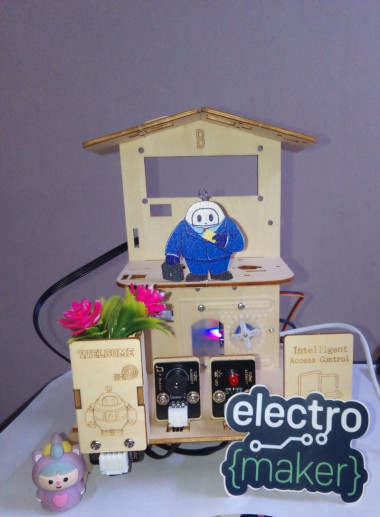
Acebott Smart Home: Rfid Room Access Control 🔐

Made by Aula_Jazmati / Communication / Home Automation / Kids & Family / Security / Sensors
About the project
This project adds a secure RFID access control system to the ACEBOTT Smart Home kit.
Project info
Items used in this project
Hardware components

Story
📖 Introduction
After building the basic structure of my ACEBOTT smart home, I wanted to add a realistic security feature: a card‑controlled door lock. This project uses the RFID RC522 I2C module that comes with the Level 2 kit. Unlike traditional RC522 modules that require four SPI wires, this I2C version needs only two data lines – making wiring clean and simple.
When an authorized card is tapped, a servo motor unlocks the door 🤩🔓 If an unrecognised card is used, a red LED flashes and a buzzer sounds to clearly signal denied access 😧🔐🚨 All logic runs on the ACEBOTT ESP32 using the dedicated libraries provided with the kit.
This project is perfect for beginners who want to learn about RFID, I2C communication, and access control logic – all while expanding their ACEBOTT smart home.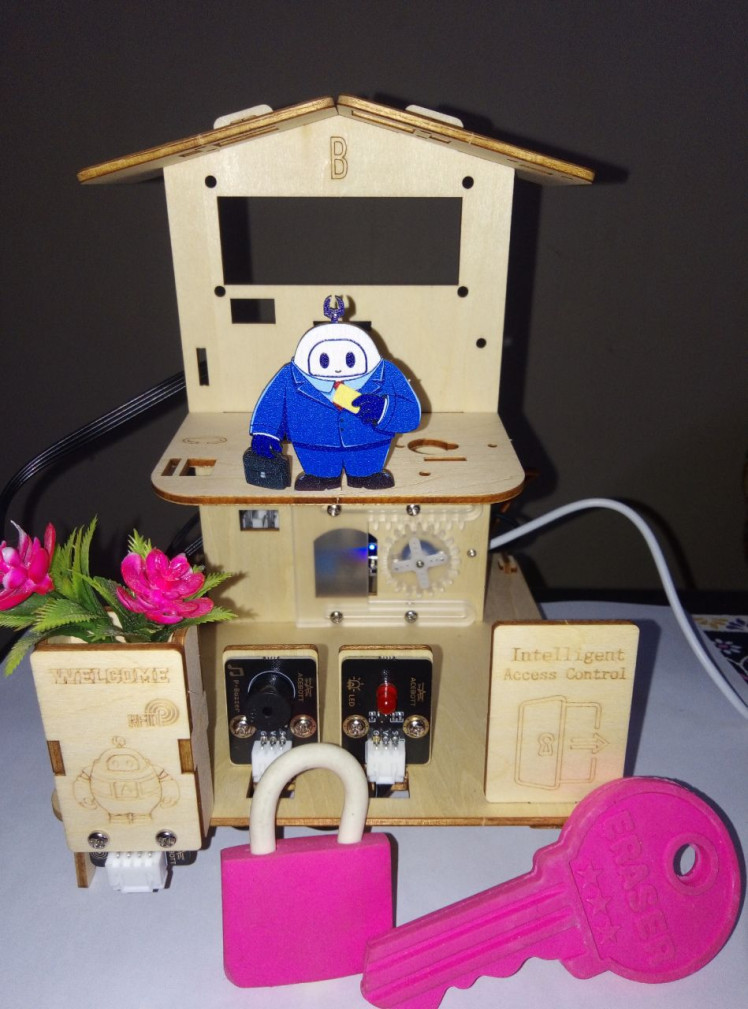
🛠 Things Used
Hardware ACEBOTT ESP32 Smart Home Edu Kit – Level 2
(includes main board, servo, LED module, buzzer module, RFID I2C module, and mechanical parts)
RFID RC522 I2C Module (ACEBOTT version)
Servo motor SG90
LED module (red)
Buzzer module
Acrylic structural parts (door, base, signboard, LUMI, etc.)
Software
- ACECode (Scratch‑based) OR Arduino IDE
🔐 What is RFID technology and how does it work?
An RFID (Radio Frequency Identification) system consists of two main components: a reader and a tag.
The RFID reader contains a radio frequency module and an antenna that creates a high-frequency electromagnetic field around it.
The RFID tag is attached to whatever object we want to identify or track. Most tags are passive, which means they don’t have batteries or their own power source. Instead, they wait quietly until they enter the reader’s electromagnetic field.
🏠 Assemble
All mechanical parts are laser‑cut acrylic and fit together without screws. Follow the kit’s official Assemble documentation – Level 2 for detailed visuals.
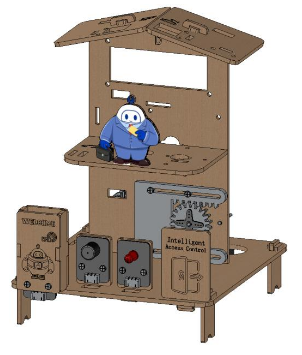
Step 1: Installing the RFID RC522 I2C Module.
Step 2: Installing the gear.
Step 3: Installing the door.
Step 4: Installing the Servo SG90.
Step 5: Installing the LED module and the buzzer module.
Step 6: Installing RFID and the signboard on the base.
Step 7: Installing the LUMI.
🔌 Wiring / Connection Diagram
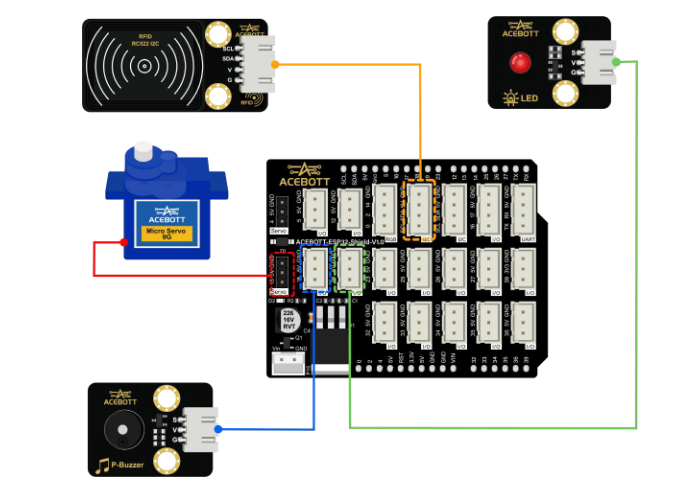
🔹 Logic Overview
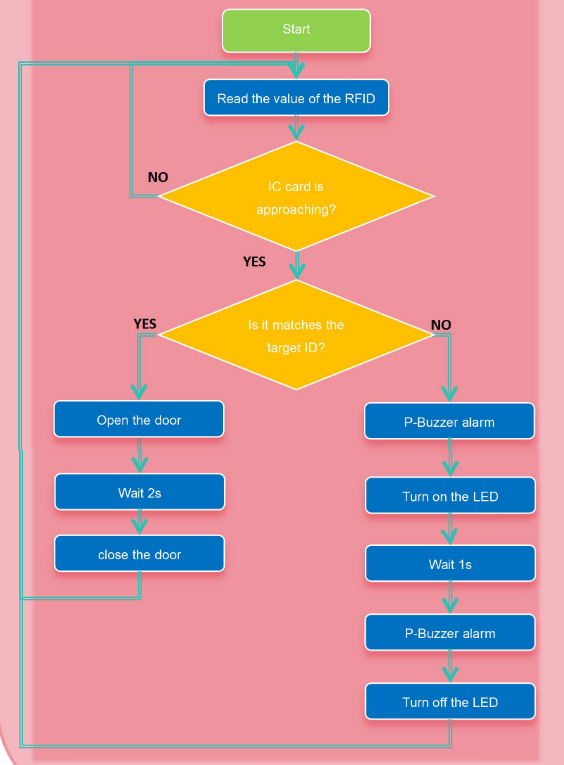
- Initialize the RFID reader, servo, LED, and buzzer.
- Wait for a card to be tapped.
- Read the card’s unique ID (UID).
- Compare it with the pre‑stored authorized UID.
- If matched: servo rotates to 100° (door opens), waits 2 seconds, then returns to 0° (door closes).
- If not matched: buzzer beeps twice at different frequencies, red LED flashes.
- Return to waiting state.
![]()
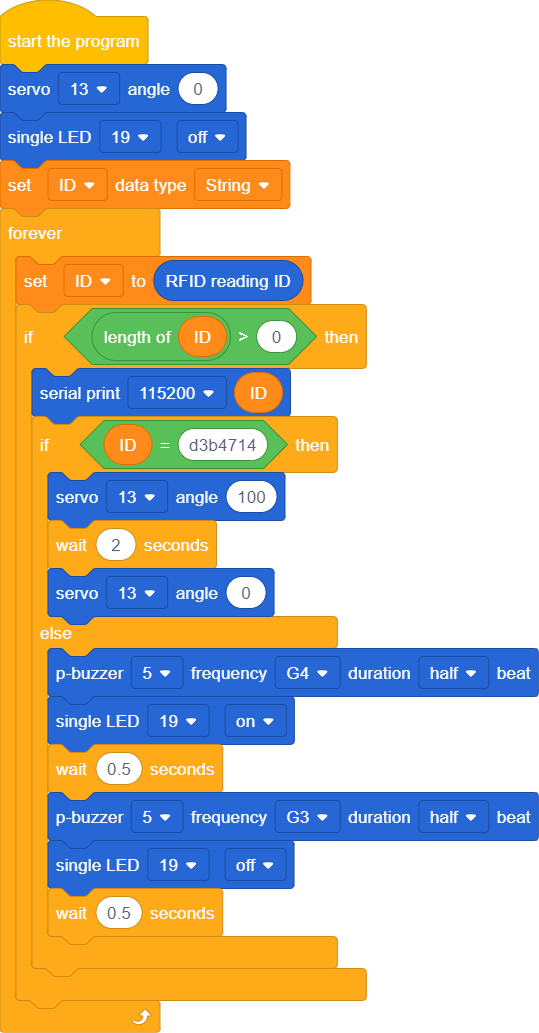
🧪 How to Get Your Card’s UID
Before the code will work for your cards, you need to find their unique IDs:
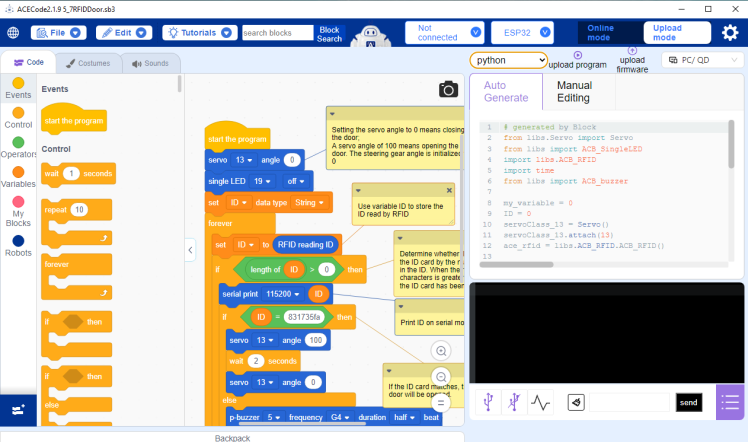
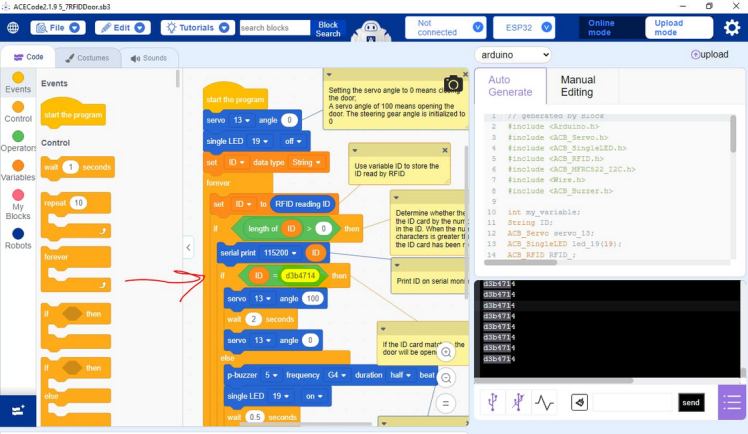 Open Serial Monitor.
Set baud rate to 115200.
Tap your card on the RFID module.
The Serial Monitor will display a hex string like d3b4714.
Copy this string and paste it into the code
🏠😊📹 Project Demo
Watch two real‑world tests of the RFID door lock:
❌ Denied – wrong card → red LED + buzzer
✅ Granted – correct card → door opens
Built with the ACEBOTT ESP32 kit and RC522 I2C module.
🏡 Conclusion
With just a few lines of code and four wires, I added a **secure, card‑based access system** to my ACEBOTT smart home. The same principle can be extended to multiple cards, a database of UIDs, or even logging access times.
This project is a great foundation for learning RFID and I2C – and it makes your smart home model much cooler!
Credits
Related products


Leave your feedback...