





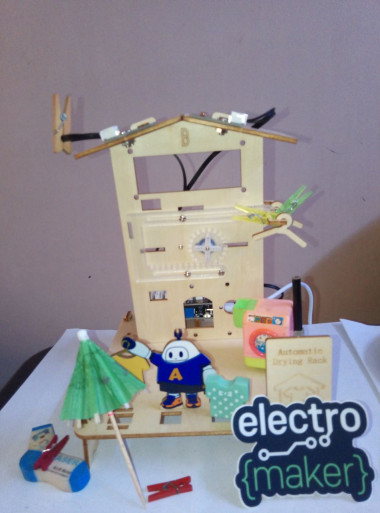
Acebott Smart Home: Automatic Drying Rack ☀️🌧️

Made by Aula_Jazmati / Environmental Sensing / Home Automation / Kids & Family / Sensors / IoT
About the project
Build a smart rain-sensing drying rack that automatically retracts when it rains & extends when sunny—perfect for your ACEBOTT smart home.
Project info
Story
📖 Introduction
Utilizing solar heat to air-dry clothes is the most traditional and common method. It not only has the effect of sterilization but also achieves energy conservatin and environmental protection. However, clothes hung outdoors are often soaked due to sudden rain showers. To address this issue, this project designs an automatic drying rack that can retract clothes indoors when it rains, avoiding exposure to rainwater.
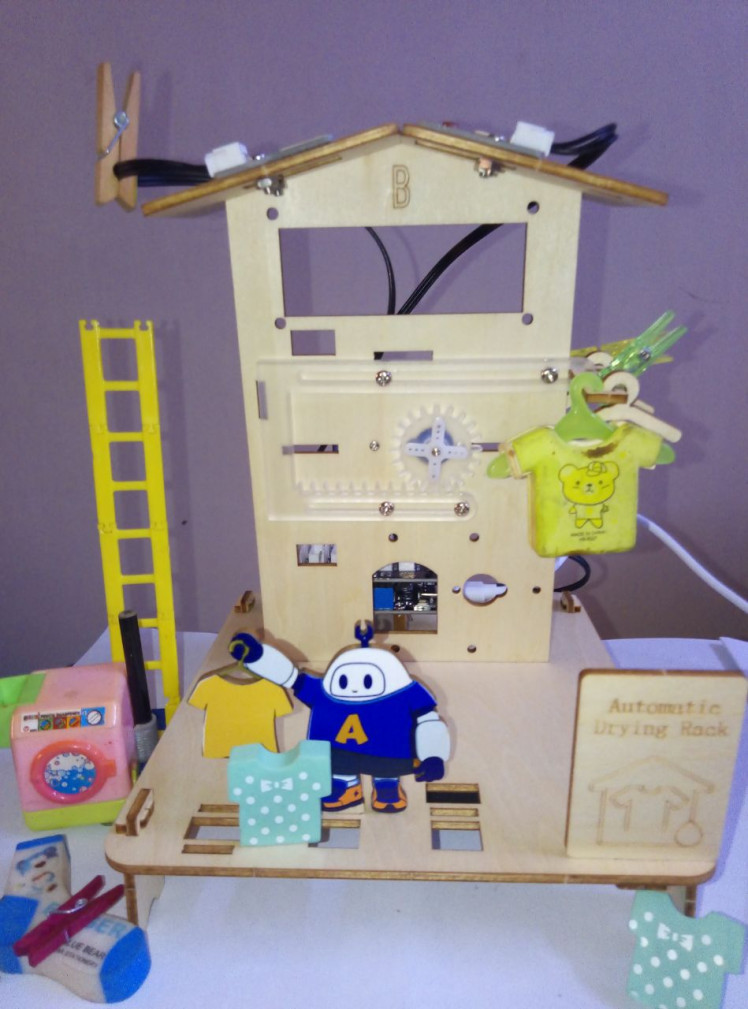
This project uses a raindrop sensor and a servo motor to simulate a retractable drying rack. When the sensor detects water (rain 🌧️), the servo rotates to retract the rack inside. When the sensor is dry (sunny ☀️), the servo extends the rack back out. An LED indicator shows the current status.
🛠 Things Used
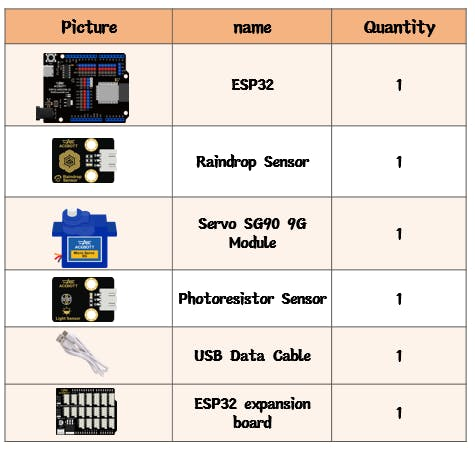
Raindrop Sensor:
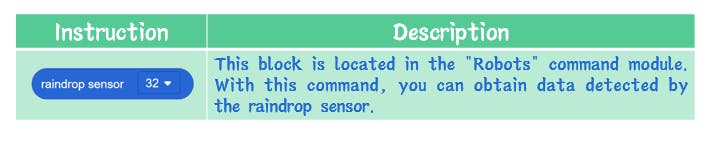
Raindrop sensor is a device used to detect the presence and intensity of rainwater.There are two main types of raindrop sensors: resistive raindrop sensors and capacitive raindrop sensors.
In this project, we are using a resistive Raindrop sensor, which detects the presence of rainwater by measuring the change in resistance.
❓ How Does the Sensor Detect Rain?
We can detect rainy days through a raindrop sensor, which works based on the conductivity of water.
💧 The Conductivity of Water
The conductivity of water mainly depends on the concentration of dissolved ions within it:
Pure water (distilled water or deionized water) is a poor conductor of electricity because it contains very few ions.
Natural water and most domestic water sources are not pure. They contain various dissolved minerals and salts such as sodium, calcium, magnesium, and chloride ions. These ions can move freely, making water a good conductor of electricity.
Rainwater also exhibits some conductivity because it contains traces of dissolved ion substances, such as hydrogen ions (H⁺) and hydroxide ions (OH⁻), which can form electrolytes in water.
🔬 Applications in Daily Life
The conductivity of water has many applications in daily life, including:
✅ Water quality testing
✅ Biochemical research
✅ Agricultural cultivation
✅ Rain detection (our project!)
⚙️ How Our Sensor Uses This Principle
The raindrop sensor has two exposed traces. When water droplets fall on the sensor surface, they complete a circuit between these traces. The sensor outputs:
- Low voltage / Low analog value → when water is present (conductive)
- High voltage / High analog value → when dry (non-conductive)
By reading this value with the ESP32's analog pin, we can determine if it's "raining" and automatically retract the drying rack!
This is the same principle used in:
- Automatic car windshield wipers
- Smart irrigation systems
- Leak detectors for basements
When raindrops touch the surface of the sensor, they will change the internal resistance value of the sensor, so that the presence of rain can be detected by the change of the resistance.
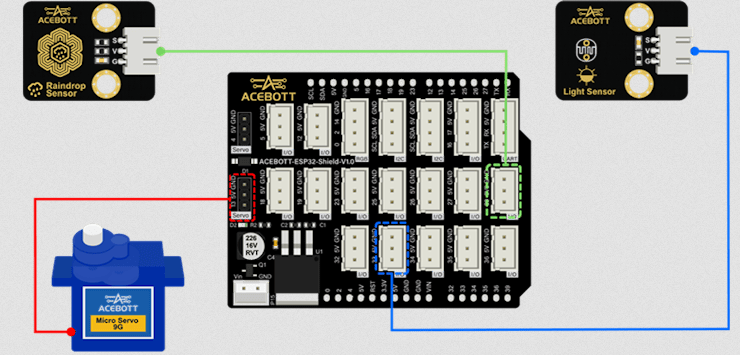
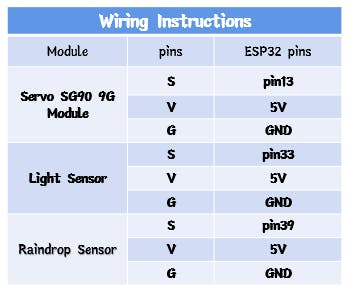
- S: Connect to the I/O pin of the controller board
- V: Connect the 5V pin of the controller board
- G: Connect the GND pin of the controller board
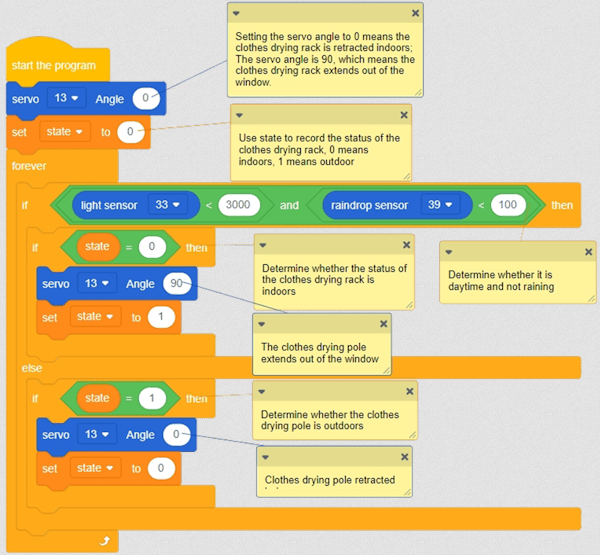
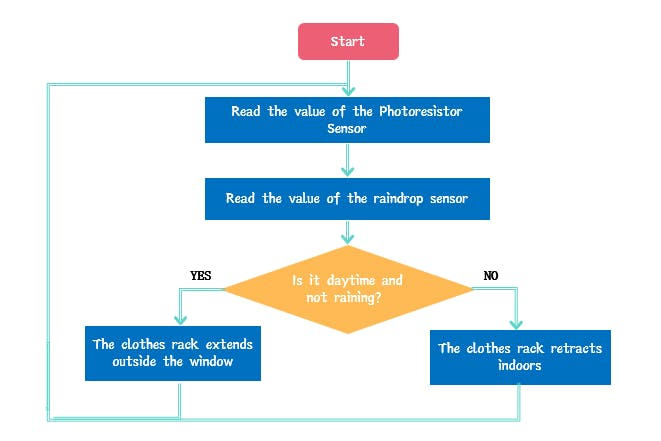
By using a photosensitive sensor to detect day and night, and a raindrop sensor to determine sunny or rainy conditions, if it is daytime and sunny, the clothes drying rack is extended outdoors; otherwise, the clothes drying rack is retracted indoors.
Note:
In the ACEBOTT Smart Home Kit, the LDR module usually has three pins :
- VCC: Connect to power
- GND: Connect to ground
- AO (Analog Output): Connect to an analog pin on the ESP32 to read varying voltage values
By reading the analog value from the LDR, we can determine:
- High value (e.g., >3000) → Bright sunlight ☀️
- Low value (e.g., <1000) → Darkness or night 🌙
In our project, we combine the LDR (to check if it's daytime) with the raindrop sensor (to check if it's dry):
IF (it's DAYTIME) AND (it's DRY) THEN
Extend the drying rack ☀️👕
ELSE
Retract the drying rack 🌙/🌧️
END IF
This two-condition check ensures our laundry only airs outside when conditions are perfect – sunny and dry!
🏠 Assembly
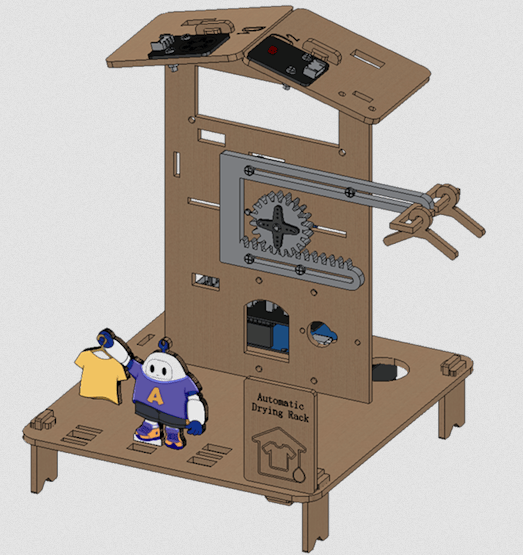
The drying rack mechanism uses laser‑cut acrylic parts. Follow the kit's official Assemble documentation – Level 2 for detailed visuals.
🔌 Wiring / Connection Diagram
💻 Code
🔹 Logic Overview
1. Read the analog values from the raindrop sensor and light sensor.
2. Compare the value to a thresholds (drier = higher value? wetter = lower value?.... – test your sensors).
3. If wet (rain detected): Retract rack (servo 0°).
4. If dry (sunny): Extend rack (servo 90° or 100°).
5. Repeat every second.
🧪 How to Calibrate Your Raindrop Sensor
Before the code works reliably, you need to find the right threshold value:
1. Make a simple "Sensor Reader" sketch that just prints the analog value.
2. Open Serial Monitor (115200 baud).
3. Test dry condition: Note the value when the sensor is completely dry.
4. Test wet condition: Dip a finger in water and touch the sensor, or drop water on it. Note the value.
5. Choose a threshold somewhere between the dry and wet values.
📹 Project Demo
Watch the automatic drying rack in action:
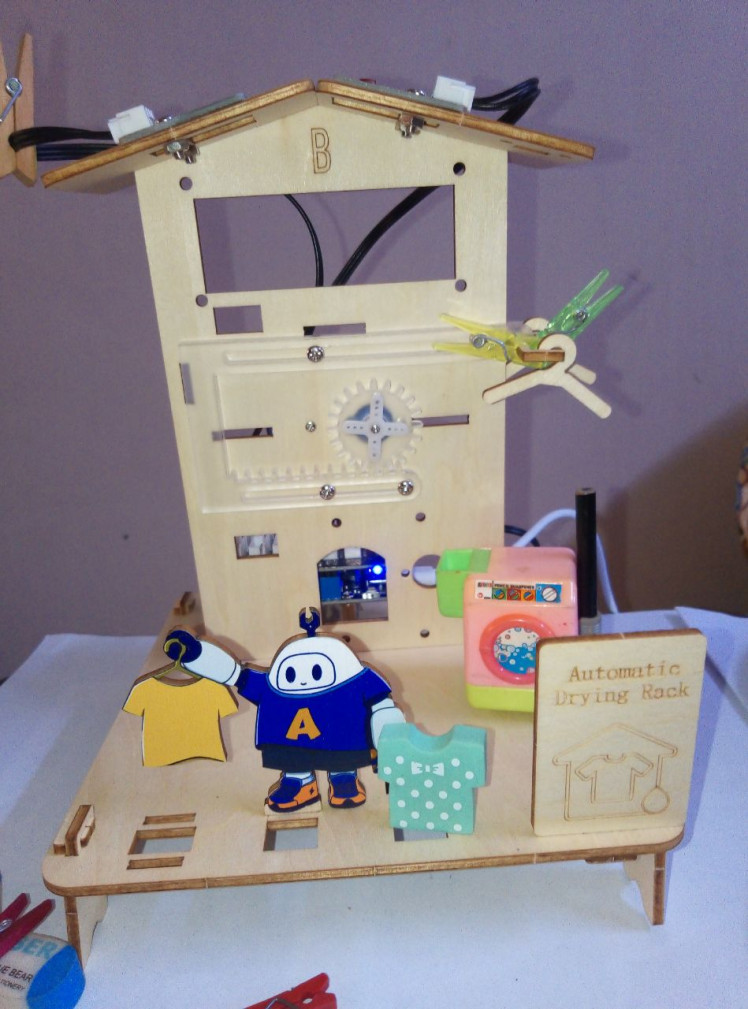
Scenario 1 – Sunny (Dry) ☀️
The sensor reads high → servo extends the rack.
Scenario 1
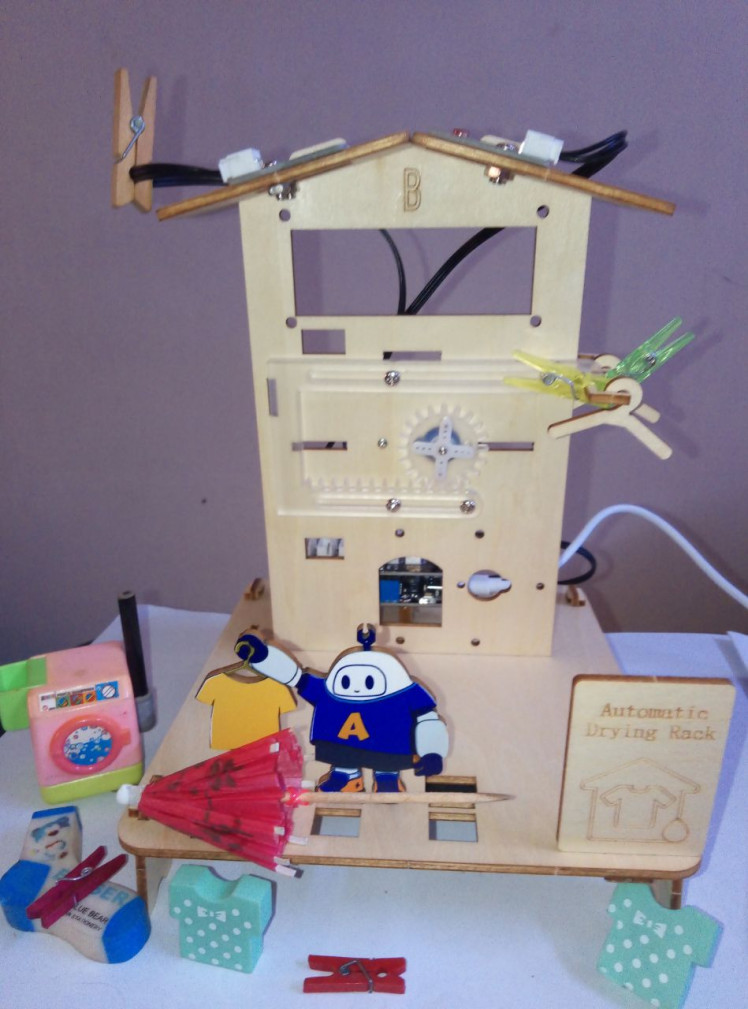
Scenario 2 – Rain (Wet) 🌧️
Water touches the sensor → value drops below threshold → servo retracts the rack.
Scenario 2
🏡 Conclusion
With a simple raindrop sensor and a servo motor, I added an intelligent automation feature to my ACEBOTT smart home. The drying rack automatically responds to its environment—just like real smart home devices!
This project teaches:
- ✅ Analog sensor reading
- ✅ Threshold-based decision making
- ✅ Real-world automation logic
Possible extensions:
- Add a second sensor for wind simulation
- Use IFTTT or weather API for real weather data
- Log rain events to an LCD display
- Add manual override button
Credits
Related products



Leave your feedback...