





Tokay Lite: Esp32-s3 Ai Camera That Wakes On Motion

Made by 40030 / Artificial intelligence / Photos & Video / Security / Sensors / IoT
About the project
An open-source ESP32-S3 camera board with PIR wake, IR night vision to 10 m and on-board face detection. It sleeps on microamps, runs the model itself and sends results over HTTP or MQTT.
Project info
Difficulty: Easy
Platforms: Arduino, Home Assistant, Edge Impulse, Espressif, MQTT
Estimated time: 1 hour
License: CERN Open Hardware Licence version 1.2 or later (CERN-OHL1.2+)
Items used in this project
Hardware components

Software apps and online services

Hand tools and fabrication machines
Story
Why we built it
Most ESP32 camera projects start with an ESP32-CAM. It is cheap and it works on a desk, but the moment the camera has to live on a battery, see at night and decide for itself whether something happened, you end up wiring a PIR module, an IR illuminator, a light sensor, a real-time clock and a charger to it. Every one of those is a second board and a few more milliamps.
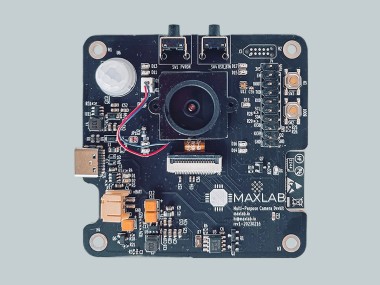
Tokay Lite puts all of that on one board behind an ESP32-S3. It wakes on motion or on a timer, takes a picture, runs face or object detection on the board, sends the result and switches itself off again. The hardware and the firmware are open source.
What is on the board
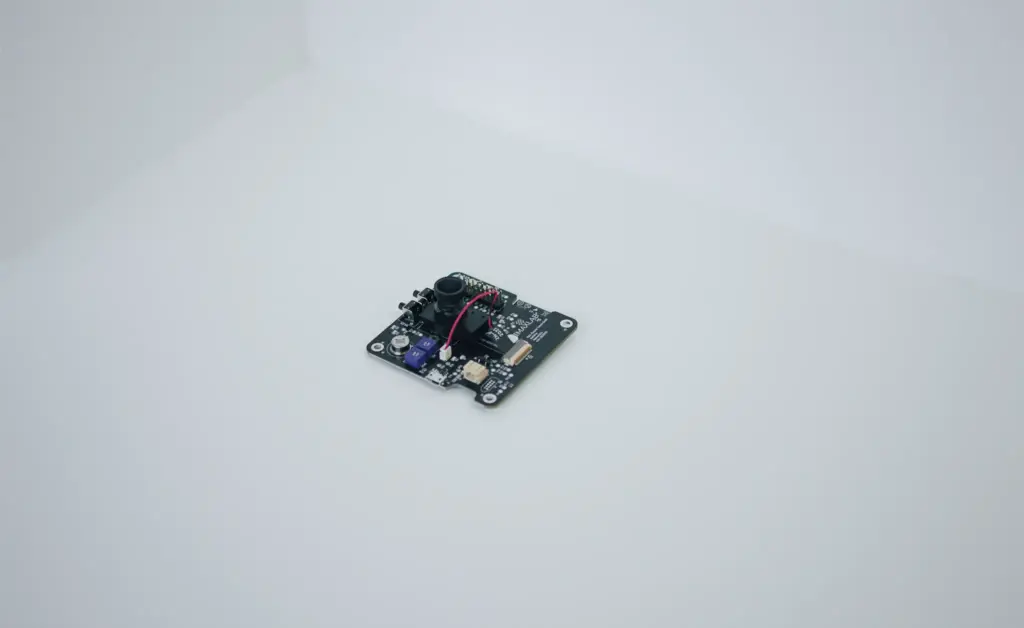
- ESP32-S3 module (ESP32-S3-WROOM-1-N16R8): 16 MB flash, 8 MB PSRAM, Wi-Fi and Bluetooth LE. The S3's vector instructions speed up neural networks, and 8 MB of PSRAM holds the frame and the model weights.
- OV2640 camera, 2 MP, on a connector so other DVP sensors can be fitted.
- PIR motion sensor that wakes the board from standby.
- IR LEDs and a switchable IR-cut filter: night vision to about 10 m, colour pictures in daylight.
- Ambient light sensor so the firmware knows when to switch to night mode.
- External real-time clock that cuts the main regulator between events, so standby draw is in microamps.
- 1-cell LiPo connector (JST-PH) and charger, powered and charged over USB-C.
- SPI and UART on the headers for external parts. Rated from −40 °C to +50 °C.
There is no SD card and no microphone. It is a detection camera, not a video recorder.
How one wake cycle works
- Wake. The RTC timer or the PIR sensor turns the power back on.
- Capture. The OV2640 takes a frame into PSRAM. The light sensor decides between colour and IR mode.
- Detect. The model runs on the ESP32-S3. The bundled face-detection model runs at 1–10 fps, depending on resolution and settings.
- Send. The result or the picture goes out over Wi-Fi by HTTP or MQTT.
- Sleep. The RTC switches the regulator off until the next event.
The board spends most of its life in step 5. A solar roof camera we built on this platform runs about six months on a single charge with a few events a day.
Getting started without writing code
- Connect the board to a computer or a USB charger with a USB-C cable (1 A supply) and press the PWR_ON button. The red USER LED blinks once a second.
- On your phone or laptop, join the Wi-Fi network Tokay AP and open
http://tokay-lite.local(orhttp://192.168.4.1if mDNS does not resolve). - Enter your home Wi-Fi credentials. The USER LED blinks fast while it connects and stays on once it is online.
- Open
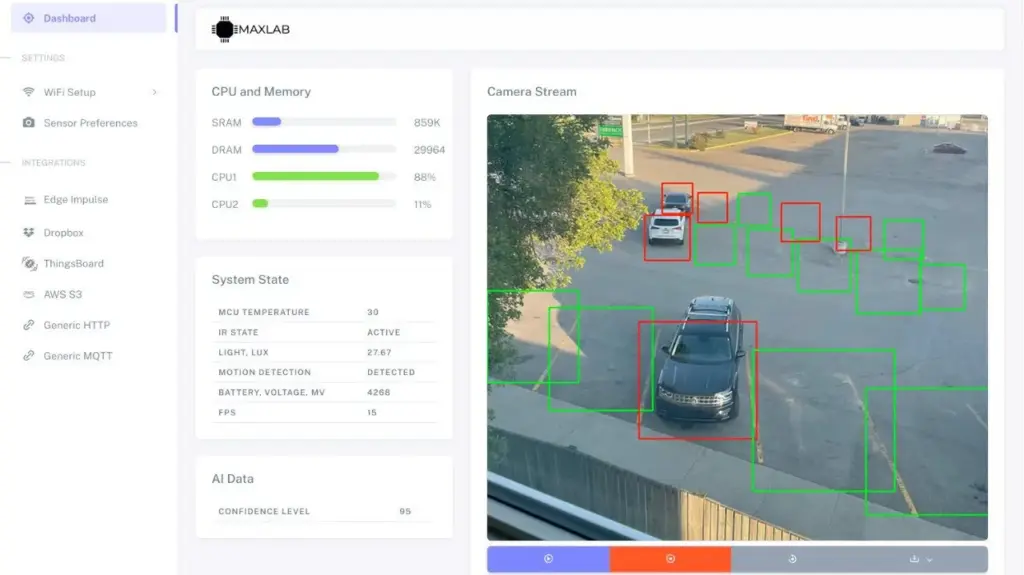
http://tokay-lite.localagain from your own network. The configuration page shows a live preview from the sensor (up to 15 fps while powered) and the settings: wake source (PIR, timer or both), face detection, and where to send results: an HTTP endpoint, an MQTT broker, AWS IoT, Edge Impulse or ThingsBoard. - Plug in a LiPo, unplug USB and leave it. It sleeps until something moves or the timer fires.
The full guide, including the onboard LEDs, buttons and power management, is at docs.maxlab.io.
Home Assistant
Tokay Lite has no cloud account of its own. Point its MQTT integration at the broker your Home Assistant already uses (Mosquitto add-on works) and subscribe to the camera's topic with the MQTT integration. Detection events then show up as sensor states you can automate on: turn on a light when a face is seen, send a phone notification with the snapshot, and so on.
Your own model
The face detector is a starting point. You can load your own TensorFlow Lite Micro or Espressif esp-dl model, or train one in Edge Impulse from pictures taken with the board and deploy it back. Small classifiers and single-object detectors fit comfortably; for several objects at once or high frame rates you want a Linux board instead.
Programming it yourself
When the configuration page is not enough, build the firmware yourself. It is an ESP-IDF project (v5.3) and flashes over the same USB-C port through the ESP32-S3's built-in USB-CDC:
git clone https://github.com/maxlab-io/tokay-lite-sdk.git
cd tokay-lite-sdk
git submodule update --init --recursive
idf.py build -C webserver
idf.py -p /dev/ttyACM0 flash -C webserver
Hold the PWR button while flashing so the board stays awake. A Docker route (espressif/idf:v5.3) and prebuilt binaries are described in the firmware guide. The SDK is Apache 2.0: github.com/maxlab-io/tokay-lite-sdk.
Open hardware
The KiCad schematic and layout are at github.com/maxlab-io/tokay-lite-pcb under CERN-OHL-P-2.0. Use them to add your own sensor, change the form factor, or base a product on it.
Tokay Lite vs ESP32-CAM ESP32-CAMTokay Lite ChipESP32ESP32-S3 PSRAM / flash4 MB / 4 MB8 MB / 16 MB Night visionWhite flash LEDIR LEDs to ~10 m, IR-cut filter Motion, light sensor, RTCNoneAll three Battery chargerNone1-cell LiPo, USB-C microSDYesNo
Pick the ESP32-CAM for a mains-powered experiment with an SD card. Pick Tokay Lite when the device has to run on a battery, see at night and decide for itself.
Where to get it
Tokay Lite is on Mouser (part TOKAY-LITE-01) and CrowdSupply. More details on the product page.
CAD, enclosures and custom parts
Code
Credits
Related products





Leave your feedback...