





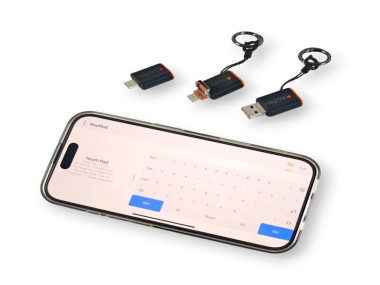
Use Your Phone As A Hid Keyboard And Mouse With Openterface

Made by TechxArtisan / Communication / Productivity / Security / Voice / IoT
About the project
Turn your phone into a plug-and-play USB/Bluetooth HID keyboard and mouse for quick, reliable local control of hard-to-reach devices.
Project info
Difficulty: Difficult
Estimated time: 1 hour
License: GNU General Public License, version 3 or later (GPL3+)
Items used in this project
Hardware components


Story
Introduction
In real deployments, it’s common to have a device with video output but no convenient keyboard and mouse nearby. Remote desktop is not always an option due to network policy, reliability, or because you simply want a direct, local workflow.
Openterface KeyMod is our “pocket input console” approach. It emulates a real HID keyboard and mouse over USB and Bluetooth, while your phone becomes the control surface. The target device stays clean and does not require any software installs.
This write-up documents a quick, repeatable setup we use for field work and lab benches, plus the areas we’re currently exploring and would love feedback on.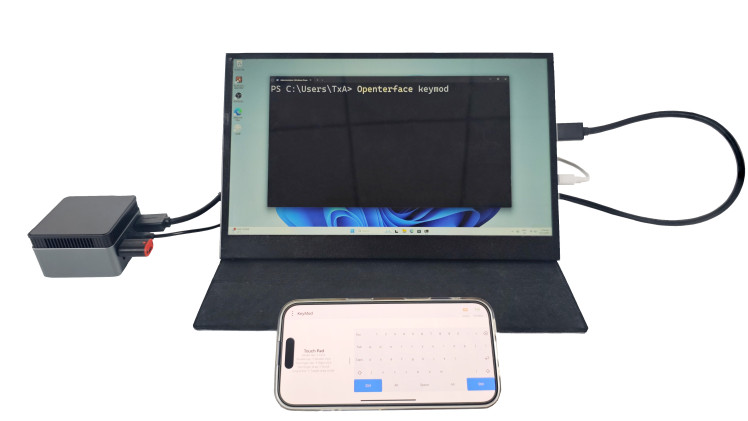
What is KeyMod?
KeyMod is a compact, phone-driven input tool that presents itself to the target as a standard HID keyboard and mouse. Practically, this means you can type, click, and navigate on the target just like a physical keyboard and mouse were connected.
It’s designed for productivity moments where input access is inconvenient, such as:
- kiosks and digital signage players
- set-top boxes and smart TV devices
- mini PCs used as utility machines
- lab rigs and test benches
- temporary demo setups
![]()
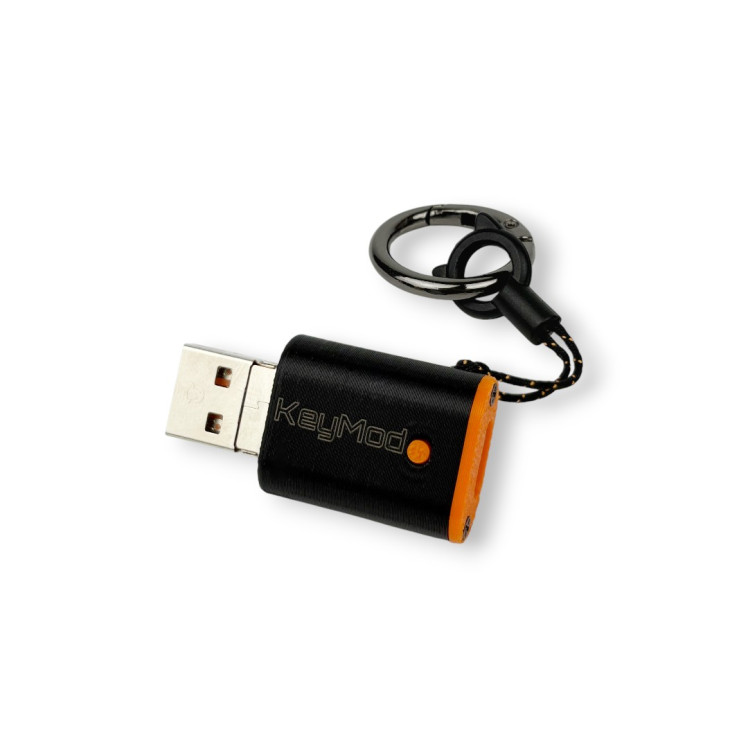
Step 1: Pick a target and a “60-second goal”
Choose a target device you can test with immediately. A good first goal is something simple and repeatable:
- move the pointer and click a UI element
- type a short command, URL, or password
- switch to a shortcut profile and trigger a hotkey
If you can reliably complete these, KeyMod is doing the core job.
Step 2: Connect KeyMod (USB HID mode)
What you’re validating here:
- the target accepts text input as standard keyboard events
- pointer movement and clicking work from the phone UI
- there are no stuck keys or unexpected repeats
Tip: If the target’s USB ports are hard to access, a short USB extension can make setup much easier.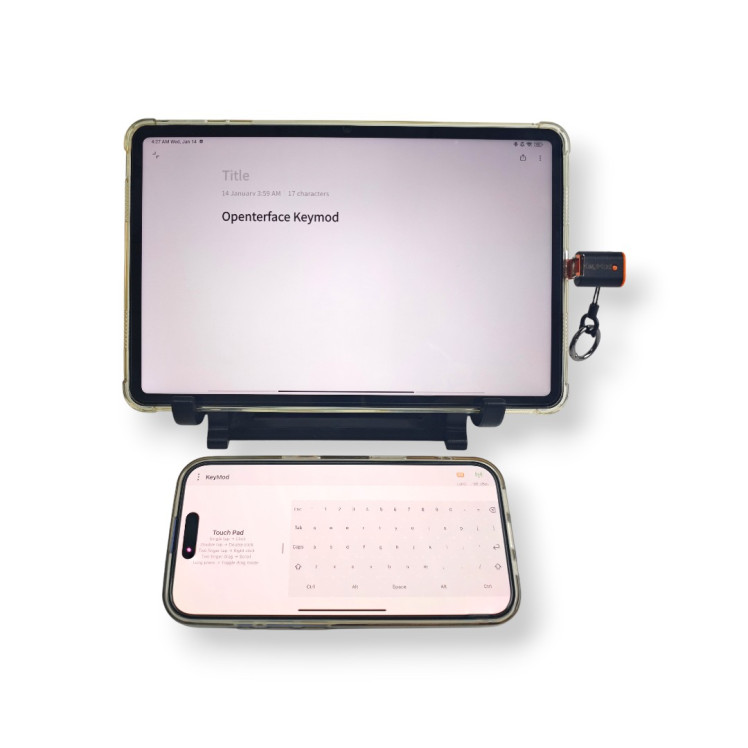
Step 3: Verify basic input
Use this quick checklist:
- pointer move + left click
- type a short line (for example: a terminal command or a Wi-Fi password field)
- press common keys (Enter, Tab, Esc)
- confirm the target behaves normally
This is the minimum “field-ready” bar for local input.
Step 4: Switch profiles and use shortcuts
Profiles are where KeyMod becomes a productivity tool. Instead of replacing a full keyboard, it’s meant to speed up the tasks you repeat.
Example profile ideas:
- Setup profile: navigation keys, Enter/Tab/Esc, quick text snippets
- Troubleshoot profile: function keys, arrow cluster, common hotkeys
- Maintenance profile: shortcut buttons for routine actions and frequent commands
We’re still refining how profiles should be structured, so real-world feedback matters a lot here.
Optional: Bluetooth mode (when you want fewer cables)
KeyMod also supports Bluetooth HID for cable-light scenarios when pairing makes sense for your setup. In practice, we treat Bluetooth as an optional convenience layer, while USB remains the most straightforward “just works” path for quick access.
Planned hardware options
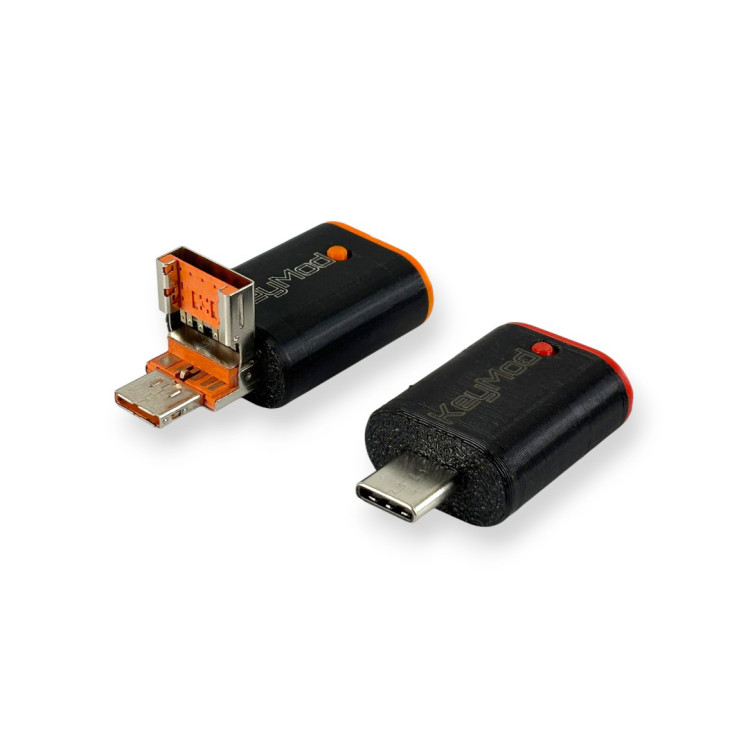
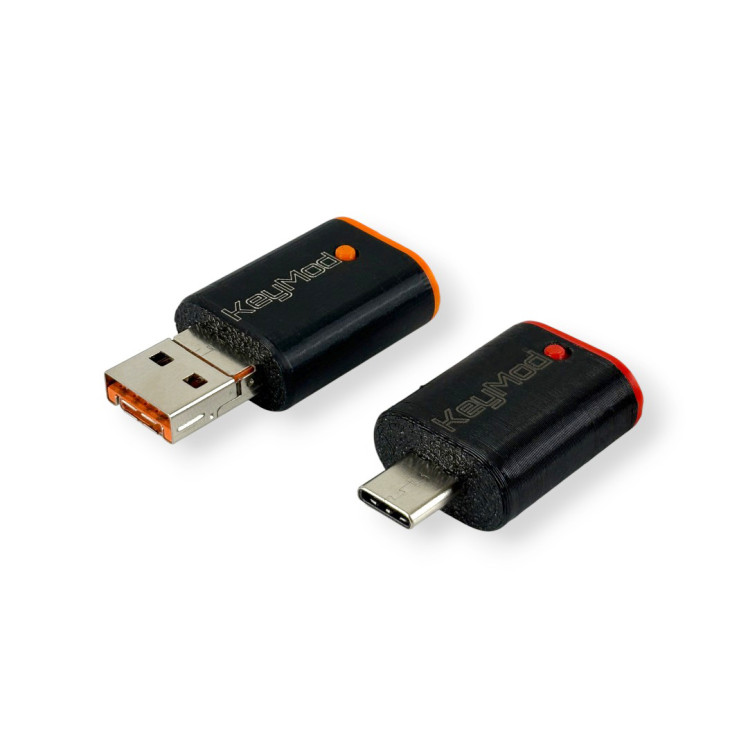
We’re working toward two connector variants:
- 2-in-1 connector version: flip-up USB Type-A plus USB Type-C for broad compatibility
- USB Type-C version: dedicated Type-C plug for modern devices and cleaner cable management
![]()
![]()
Open source direction
KeyMod is being developed as open hardware and open software. As the project evolves, we plan to publish schematics, PCB files, firmware, software, and BOM so the community can learn from it and build on it.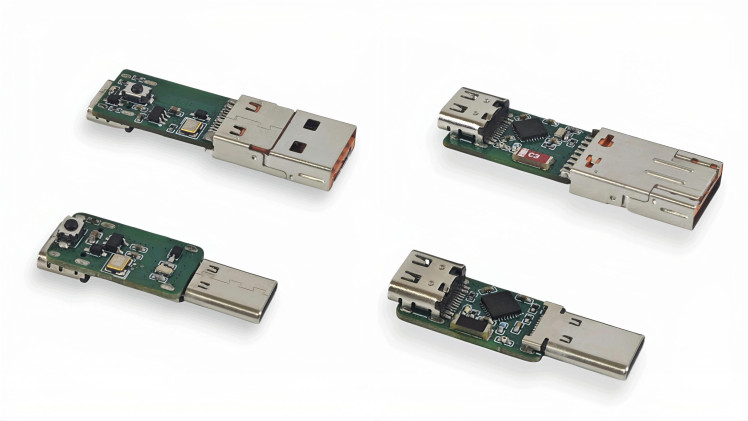
A small teaser: AI-assisted input (experimental concept)
AI is showing up everywhere in daily workflows, so we’ve been asking ourselves a simple question: could a pocket input tool benefit from it too?
One direction we’re experimenting with is voice-to-input, where spoken phrases in different languages could be converted into text and typed on the target through HID. This is early and prototype-level. No promises. We’re simply exploring whether it fits real field workflows or becomes a distraction.
What we’d love to hear from the community
- What devices do you most often need quick local input for?
- Which workflows matter most: BIOS/login, kiosk setup, signage maintenance, lab automation, or something else?
- What would your ideal input profile include: hotkeys, macros, layout presets?
- Would multilingual voice-to-text typed via HID be useful for you? If yes, what’s the must-have behavior?
Follow progress
KeyMod is currently listed on Crowd Supply. If you want launch notifications and build updates
Credits
TechxArtisan
Tech wizards team at play? From prototypes to wild tech art, mixing PCB, codes & AI magic to craft innovations that sparkle. Let's chat & craft together?✨
Related products






Leave your feedback...