





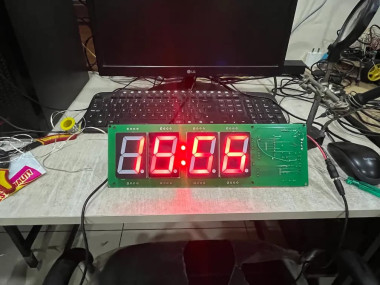
Building A Basketball Hoop Alarm Clock That Actually Gets

Made by chanchaldada / Sensors / IoT
About the project
A while back, a client came to us with a simple problem: phone alarms don't work. You swipe, you snooze, you go back to sleep.
Project info
Difficulty: Expert
Platforms: Espruino, JLCPCB, PCBWay
Estimated time: 5 hours
License: MIT license (MIT)
Items used in this project
Hardware components


Story
The idea was to make waking up physical. You don't just tap a screen — you get up and make a shot into a mini basketball hoop mounted on your wall. The hoop only stops ringing when the ball goes through the net.
Simple to describe. Not simple to build. Here's how our team took it from a sketch to a working prototype, and where the embedded engineering actually got interesting.
Component List
Here's the bill of materials we settled on after two revisions:
- MCU + radio: Nordic nRF52840 (BLE 5.0, built-in USB, plenty of RAM for the motion pipeline)
- Motion sensing: Bosch BMI270 6-axis IMU (low-power, good noise floor for vibration detection)
- Magnetometer: ST LIS3MDL (to distinguish a real score from the hoop being bumped)
- Audio: Piezo buzzer driven through a small MOSFET, plus a Class-D amp for the "swish" confirmation sound
- Power: 3.7V 1200mAh LiPo with BQ25100 charger IC and a TPS7A02 LDO for the analog rail
- UI: Two tactile buttons and a single RGB LED for pairing/status
- Enclosure: Two-piece ABS shell with a TPU bumper ring around the rim
- PCB: 4-layer, 1.6mm FR4, with a ground pour under the IMU
What We Were Building
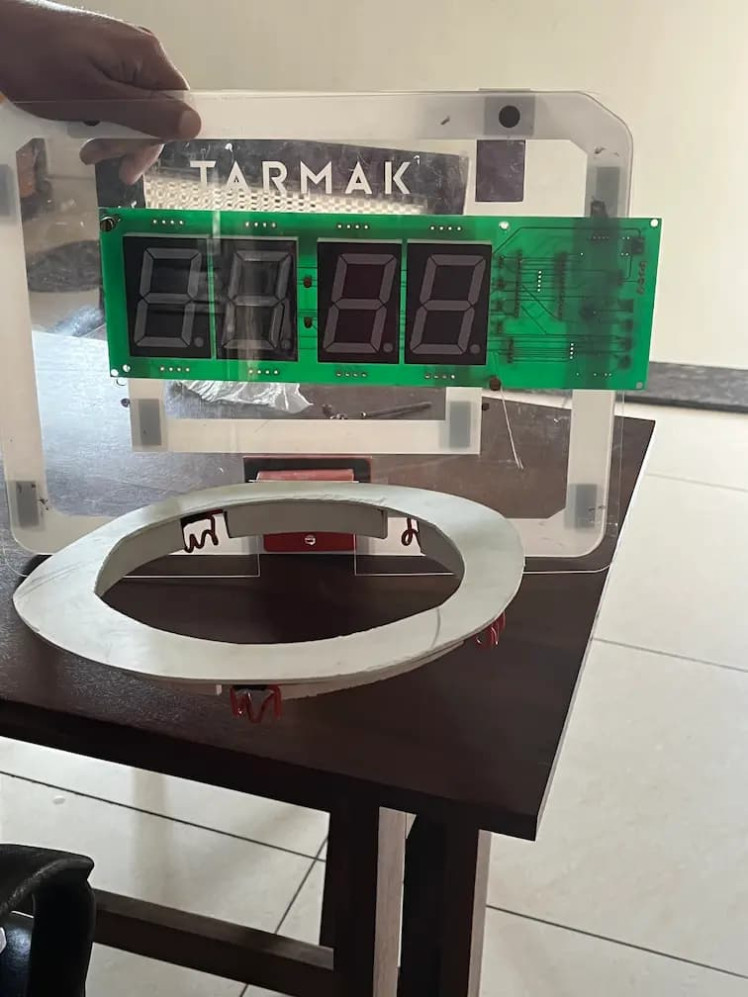
The product had three parts:
- A backboard-mounted hoop with a sensor that detects when a ball passes through.
- A speaker and light unit that plays the alarm and stays loud until the shot is made.
- A BLE mobile app for setting alarm schedules, choosing sounds, and tracking streaks.
That's a hardware product, a firmware project, and a mobile app in one. The client's team had the industrial design direction; we handled the electronics, firmware, app, and mechanical integration. This is exactly the kind of work where you'd normally hire embedded developer and a BLE mobile app development company separately and spend months coordinating. Keeping all of it under one roof saved a lot of back-and-forth.
Picking the Brain
We went with the Nordic nRF52840 for the main controller. The reasons were practical:
- Bluetooth 5 with a strong radio. The hoop lives on a wall and the phone sits on a nightstand, often across the room. The nRF52 handles that distance without drama, and pairing is stable after sleep.
- Low power. The device runs on a rechargeable LiPo. The radio and the speaker are the biggest draws, so we needed a chip that could sit in low-power modes and wake on a timer or a sensor event.
- Enough GPIO and peripherals for the sensor, audio, LED ring, and a button, without adding a second MCU.
We considered an ESP32 early on. It's a great chip, but Wi-Fi wasn't part of the spec, and for a battery device that only talks BLE, the nRF52 was the better fit on power. If the client had wanted over-the-air updates over Wi-Fi or cloud sync later, we'd have revisited that. We also kept the door open for Matter down the line — the nRF52 has the RAM and flash to run a Thread stack if the product ever grows into smart-home integration.
Detecting the Shot
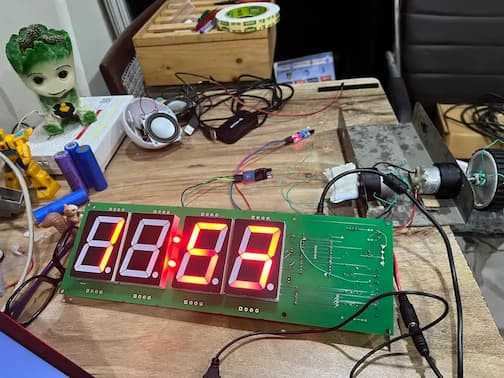
This was the hard part. A basketball going through a hoop seems easy to sense. It isn't. The ball is moving fast, the net moves after the ball is gone, and the whole backboard shakes when the ball hits the rim.
We tried an IR break-beam first. It worked in testing and failed in the field: the net draped through the beam, and ambient light near a window threw it off.
What worked was a combination of an accelerometer on the backboard and a small time-of-flight sensor under the rim. The accelerometer picks up the impact signature of a ball hitting the rim or backboard. The ToF sensor confirms something passed downward through the hoop's plane. The firmware correlates both within a short window. A net swish alone doesn't trigger it; a rim bounce alone doesn't either. Together, they're reliable.
We wrote the detection logic in Zephyr RTOS. Running a real-time OS instead of a bare-metal loop made the sensor timing predictable and let us keep the BLE stack, audio, and detection tasks cleanly separated. The detection task runs at a higher priority than the BLE task, so a fast shot never gets missed because the radio was busy.
Firmware Details
A few things that mattered in the firmware:
- Alarm scheduling lives on the device. The phone pushes the schedule over BLE, but the hoop keeps its own RTC and fires the alarm even if the phone is off or out of range. A product that only works when your phone is nearby is a product that fails at 6:30 AM.
- Escalating alarm. The speaker starts at a moderate volume and ramps up. The LED ring pulses. If no shot is detected in 90 seconds, the volume climbs.
- Snooze is a trap we designed around. There's a physical button for snooze, but it's on the backboard, above the hoop. You have to stand up and reach for it. The client wanted that friction on purpose.
- Battery management. We measured real-world current draw: about 12 µA in deep sleep, roughly 40 mA while the alarm is active. With a 1200 mAh cell, that's weeks of standby between charges, which we verified over a two-week test cycle.
The BLE App
The mobile app was built in Flutter so we could ship iOS and Android from one codebase. It handles:
- Pairing and reconnection, including remembering the device after app restarts.
- Setting alarm schedules with day-of-week rules.
- Choosing alarm tones and uploading custom ones to the device's flash.
- A streak counter and simple stats on shots made versus missed.
BLE on mobile is where a lot of projects quietly fall apart. Android's background restrictions, iOS's connection caching, and the way both platforms handle reconnects after the app is killed — none of it is hard individually, but it's a lot of edge cases. We built a reconnection layer that retries with backoff and caches the last known state so the app doesn't show stale data when it reopens. This is the kind of thing that separates a BLE mobile app development company that has shipped real products from one that has only built demos.
Mechanical and PCB
We did the PCB design in KiCad — a four-layer board to keep the radio and the audio section separated and to fit the round shape inside the hoop housing. The antenna got its own keep-out zone and a matching network tuned on the bench.
The 3D work covered the sensor housing under the rim and the mount that holds the electronics to the backboard. We printed iterations in-house and tested them with a real ball, because the impact forces on a wall-mounted hoop are higher than they look. The first housing cracked after a few hundred shots. The second one, with a thicker ribbed base, survived our abuse testing.
Where It Landed
The prototype shipped to the client working end to end: alarm fires on schedule, shot detection is reliable, the app pairs and reconnects, and the battery lasts. We handed over the KiCad files, firmware source, app code, and the 3D models, along with a test report on detection accuracy across a few thousand shots.
The client is now moving toward tooling and a small production run. If you're building something in this space — a connected device that needs firmware, a PCB, and an app that all talk to each other — that combination is what we do. We build the whole thing, not just one slice of it.
Schematics, diagrams and documents
Credits
chanchaldada
Chanchal Dada is an IoT developer at DigitalMonk, focused on building smart embedded systems using Arduino and ESP32. She specializes in IoT-based automation, smart monitoring solutions, and real-world hardware-software integration for practical applications.
Related products

Leave your feedback...