





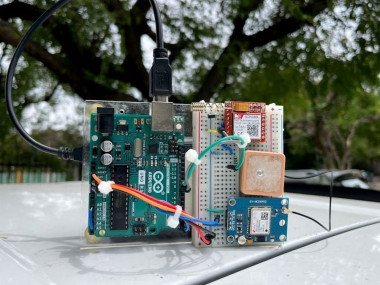
Gps Tracker Using Arduino – A Weekend Diy Project

Made by electroscope_archive / Security
About the project
GPS tracker using Arduino? No monthly fees, no untrustworthy cloud apps, and full control over your data.
Project info
Items used in this project
Hardware components

Story
Why DIY a GPS Tracker?
Commercial GPS trackers are fine, but they come with subscriptions and closed ecosystems. With our DIY version:
- You only need a cheap SIM card with basic data.
- Real-time location updates with timestamps.
- You get a web dashboard (GeoLinker) that looks decent and works on any device.
- Open-source code and hardware, so you can tweak to your heart's content.
How It Works
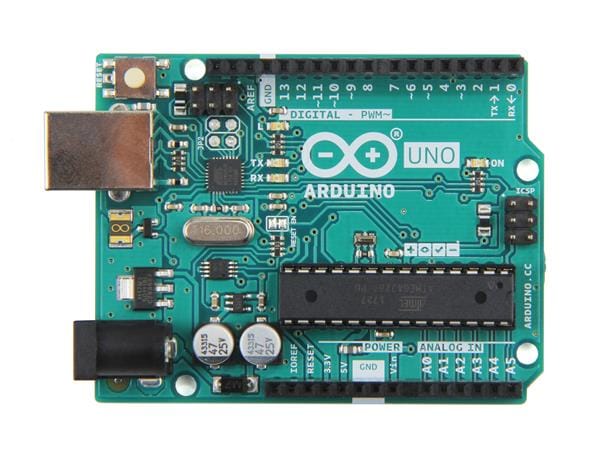
The NEO-6M talks to the Arduino and keeps yelling GPS data at it. Arduino processes that and sends it off to the cloud (GeoLinker) using the SIM800L. We built a small library called GeoLinker Lite to make this super easy. It’s optimized for the Arduino Uno’s tiny 2KB RAM. You just tell it your APN, API key, and device ID, and it does the rest.
Oh, and you get a nice web map where you can see your tracker’s location history, live updates, and all that good stuff. We also added CSV downloads, speed/distance calc, and multi-device support.
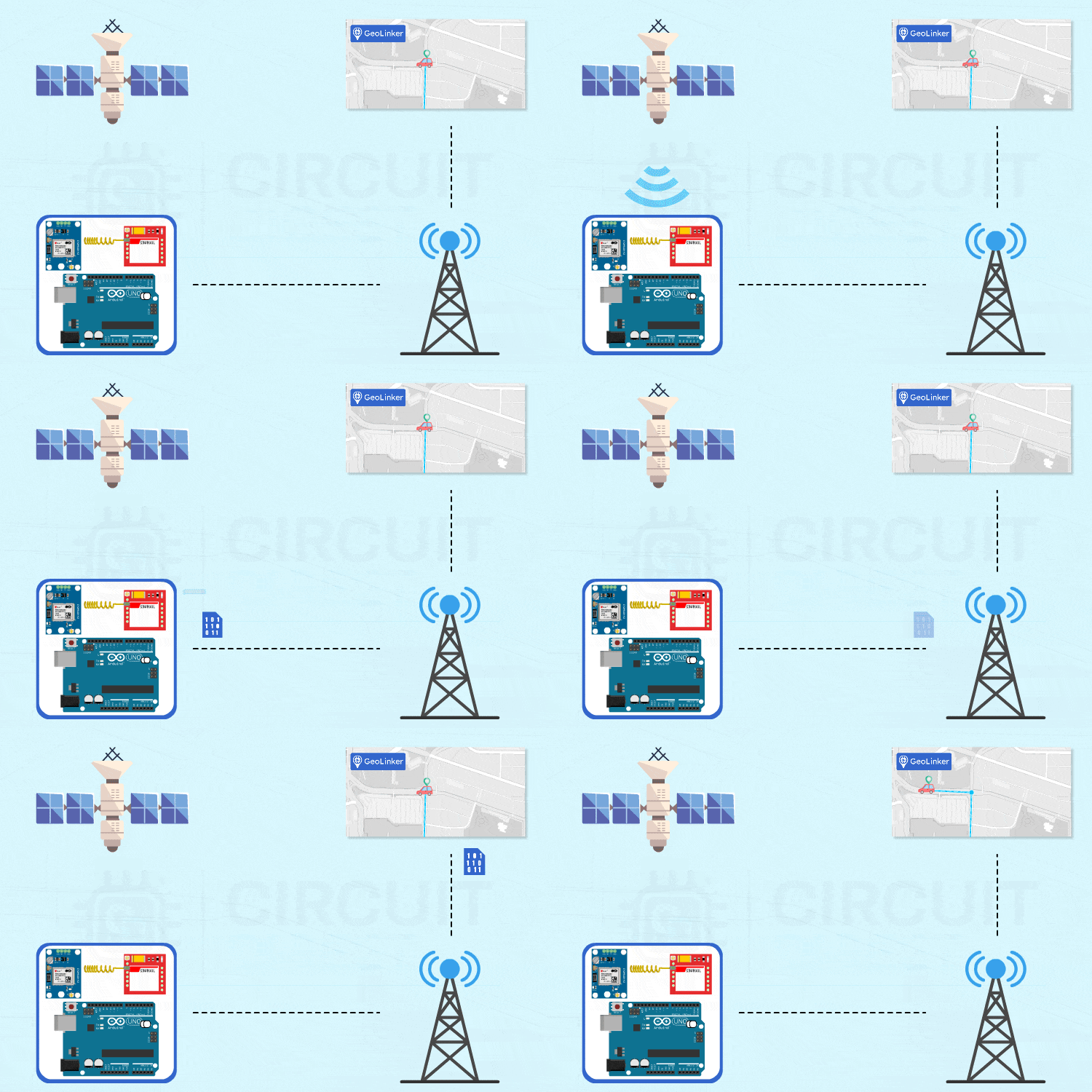
Circuit Basics
GPS Module:
- VCC -> 5V
- GND -> GND
- TX -> Pin 0 (RX)
- GSM Module (SIM800L):
- VCC -> 5V (through diode)
- GND -> GND
- RX -> Pin 8 (via voltage divider)
- TX -> Pin 9
Important:
- SIM800L is picky. It wants 3.7V-4.2V and a solid current supply.
- Arduino can't power everything from USB. Use a power bank.
- Connect Pin 2 of Arduino to its own Reset pin to avoid memory issues (Uno doesn’t like running GPS and GSM together for long).
Uploading the Code
Complete code available in the linked GitHub Repo.
Before uploading, unplug GPS TX from Pin 0 or it’ll block your upload.
Once uploaded, plug it back in and open the Serial Monitor. You’ll see GPS lock status, SIM registration, and data being sent to the cloud.
GeoLinker Cloud
GeoLinker is our free dashboard where your data lands. No apps, just visit it on a browser. Create an account, get your free API key, and you’re set. You can track multiple devices from one account too. Limit is 10,000 data points, which is more than enough for hobby use.
Install the GeoLinker Lite library from the Arduino Library Manager. In your code, configure these:
geoLinker.setResetPin(2); geoLinker.setGSMPins(8, 9);
geoLinker.setModemAPN("your.apn.here"); geoLinker.setAPIKey("your_api_key"); geoLinker.setDeviceID("your_tracker_name"); Then just run it:
geoLinker.begin(); delay(1000); geoLinker.run();
Want fewer updates to save battery? Increase the delay before run().
Real-World Testing
We powered the whole thing with a power bank and stuck it in a car. The tracker started uploading coordinates every 20 seconds. On GeoLinker, we could see the car moving around the streets in real time. Even showed traffic jams with dense waypoints!
The default accuracy was around 3-5 meters, which is totally usable. You can also download your tracking history, share the map with others, and see speed/distance traveled.
Troubleshooting
- GPS not working indoors? Go outside. Needs open sky.
- Code won’t upload? Unplug GPS TX wire first.
- Random resets? Your power source is weak. Use a power bank that can deliver 2A.
- SIM800L not connecting? Use Airtel, Vi, or BSNL. Jio’s 4G-only SIM won’t work.
- HTTP 401? You probably didn’t paste the API key right.
- Clone Arduino boards sometimes mess up Serial. Use a genuine Uno if things get weird.
Wrapping Up
So that’s our homemade Arduino GPS tracker. It’s cheap, fun to build, and actually works well enough to be useful. Whether you want to track your car, bag, pet, or mysterious packages, this DIY solution gets the job done.
If you're looking for more DIY projects: Arduino Projects
Let us know how yours turns out or what wild ideas you’ve got for upgrades!
Schematics, diagrams and documents
Code
Credits
Related products





Leave your feedback...