





Getting Started With Typecad
Made by typeCAD / Productivity
About the project
Create Your First Project
Project info
Difficulty: Easy
Estimated time: 1 hour
License: GNU General Public License, version 3 or later (GPL3+)
Items used in this project

Story
Getting Started with typeCAD
Install Node.js
- Download and install Node.js (LTS version recommended)
- Verify installation by running
node --versionin your terminal
Create Your First Project
npx @typecad/create-typecadStart Designing
- Open the project in VS Code
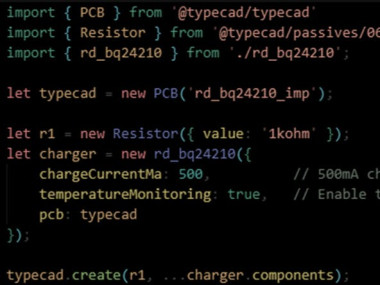
- Begin creating your hardware design using TypeScript
- build your code to generate outputs
Layout in KiCAD
- Open the kicad_pcb file in the ./build folder
- Your components and connections will be there
- If you make changes in typeCAD, you can see them by clicking File > Revert.
Credits
Related products



Leave your feedback...