





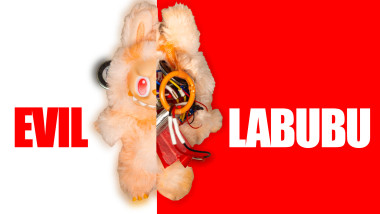
World's First Evil Talking Labubu

Made by terence-grover / Artificial intelligence / Games & Gaming / Kids & Family / Voice
About the project
Labubus have invaded every sidewalk we can think of. So much so that it started dragging around its own urban legend : Labubus are reincarnation of the mezopotamian god Pazuzu. So I tried to see what that would actually look like with a bit of engineering.
Project info
Difficulty: Easy
Platforms: Raspberry Pi
Estimated time: 1 day
License: GNU General Public License, version 3 or later (GPL3+)
Items used in this project
Hardware components

|
MEMS microphone | x 1 | |
|
|
DAC | x 1 | |
|
|
Coin-sized speaker | x 1 | |
|
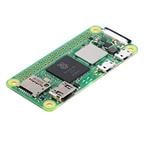
Raspberry Pi Zero 2 W | x 1 | |
|
Mini Vibration Motor | x 1 | |
|
|
500 mAh battery | x 1 | |
|
Tiny Battery Charger | x 1 | |
|
|
Bunch of Wires | x 1 | |
|
|
Resistors & Capacitors | x 1 |
View all
Software apps and online services

Story
Everyone sensitive enough to the climate cause and critical enough of our overconsumption, dislikes the exponential rise of the Labubu. Dressing up third-world country exploitation in a creepy-cute aka "kimo-kawaii" doll filled to the brim with microplastics is the exact thing that we need less of. However, it's already too late, $1B worth of units have been sold and the ecological impact has already been added to our ever-growing carbon debt. So why not make fun of it?
The Labubu's rise to glory was accompanied with concerned parents, religious groups and communities. The doll's appearance, method of wearing and name is considered to be suspiciously close to the mesopotamian demon Pazuzu.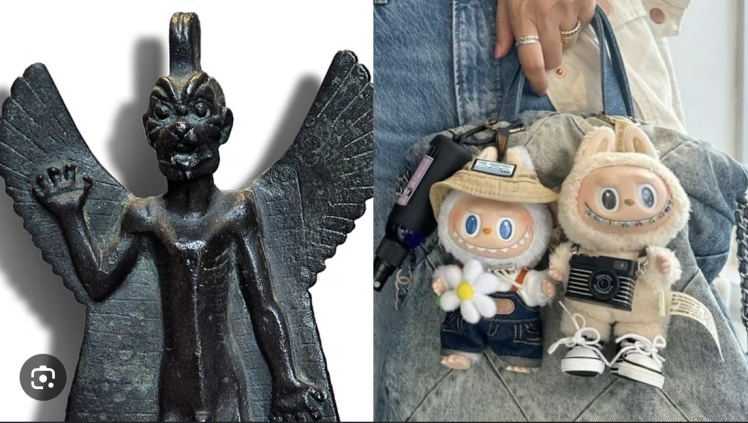 Pazuzu and Labubu side by side
Finding that this would be a good angle for my project, I jumped head first, and equipped my newly-purchased doll with speaking and vibrating capabilities. I struggled quite a bit making everything fit in it. The battery had to be much smaller than originally expected, so did the microcontroller, and the movement circuit. I originally though i could use the Seeed Studio Xiao Sense for this because of its surprisingly small form factor, its on-board Mems microphone and its spectacular power efficiency. But by that point, I already knew I really wanted to equip the doll with a wake-word activation software to make the interaction as seamless as possible. And the service i ended using : Picovoice, wasn't compatible with ESP-32 based micro-controllers. So I gave up that idea and opted for the Raspberry Pi Zero 2.
Now in possession of a Labubu with sound and movement capabilities, I needed to get some code running in there. Now, the Raspberry Pi Zero 2 is a tough cookie but it's pretty far from being able to run an AI model by itself... So in comes the multi-billion venture capitals backed company... OpenAI. Despite their obvious disregard for artists, creatives and the environment, their tech team is absolutely top-notch making their API... ridiculously easy to use. Ultimately, I practically set up my whole first prototype on their services. Record the voice, wait for a long enough silence, send the wav file to OpenAI Whisper (STT), process the returned text with GPT-5, get that answer through OpenAI TTS and play if from the on-board speaker and there we go.
But this whole thing was really anticlimactic, the response was flat and uninteresting, the speed was acceptable but not blazing fast and no matter the system prompt, I couldn't get it anywhere close to being interesting...
So it was time to move away from OpenAI and pimp my doll (like the show, not like the other type of pimp). I looked through hugging face for uncensored models and ended up finding a gem:
The Dolphin-Mistral-24B-Venice-Edition.
I have used dolphin models in the past to run them locally so I was always pretty limited because there's no way I can run any thing larger than a 7B model on my toaster of a computer... But this one had a full fledged API, reasonably priced and more than reasonably fast! So I set that up with the OpenAI python library (that's pretty cool actually), wrote a VILE system prompt mentioning heavily that the character I wanted was the mesopotamian demon Pazuzu trapped in the body of this Labubu doll and took it for a spin.
The results are in the video :)
Notes: If. you want to reproduce anything similar, note that a DAC amplifier and a MEMS microphone cannot work simultaneously if you only have one i2S bus on your microprocessor. The way I did it is i connected both the DAC and the mic to the same pins. And deactivated one before activating the other. The only downside to this was the speaker making a sound when the mic was turned on and off.
Schematics, diagrams and documents
Code
Credits
Related products






Leave your feedback...