






Passwords Vault - Keep It Simple!

Made by StanChicago / Security
About the project
Where do you keep the keys from your house? Or from you car? In your pocket (at least, us, men).
Project info
Difficulty: Moderate
Platforms: Teensy
Estimated time: 7 days
License: GNU General Public License, version 3 or later (GPL3+)
Items used in this project
Hardware components


Story
Arduino-like MCU (Teensy 3.1 in my project) + 320x240 TFT screen + micro-SD board.
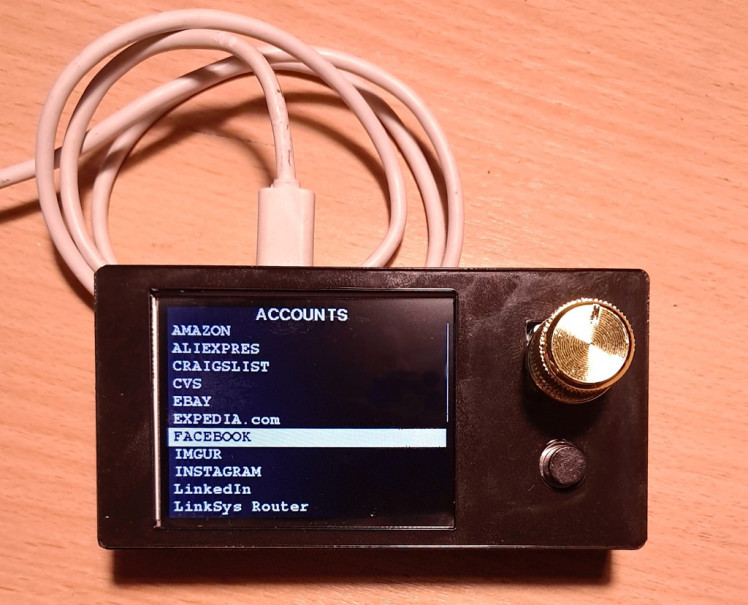
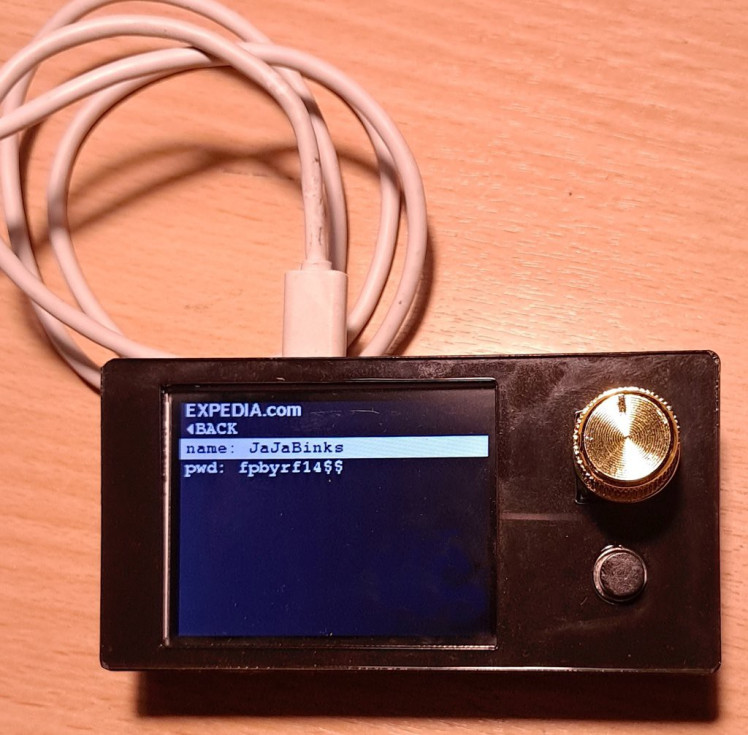
Passwords are stored on SD as simple .csv file, device does not need battery, it energizes when plugged into USB port and works as a keyboard. When plugged, it shows a list of all accounts on display, list is scrollable with rotary encoder, click the encoder knob to select an account - and list of two lines is displayed, username and password. Select whatever you need with encoder, click again - and selected value is pasted into input field of your PC (or smartphone). Unplug the device - and you passwords are safe.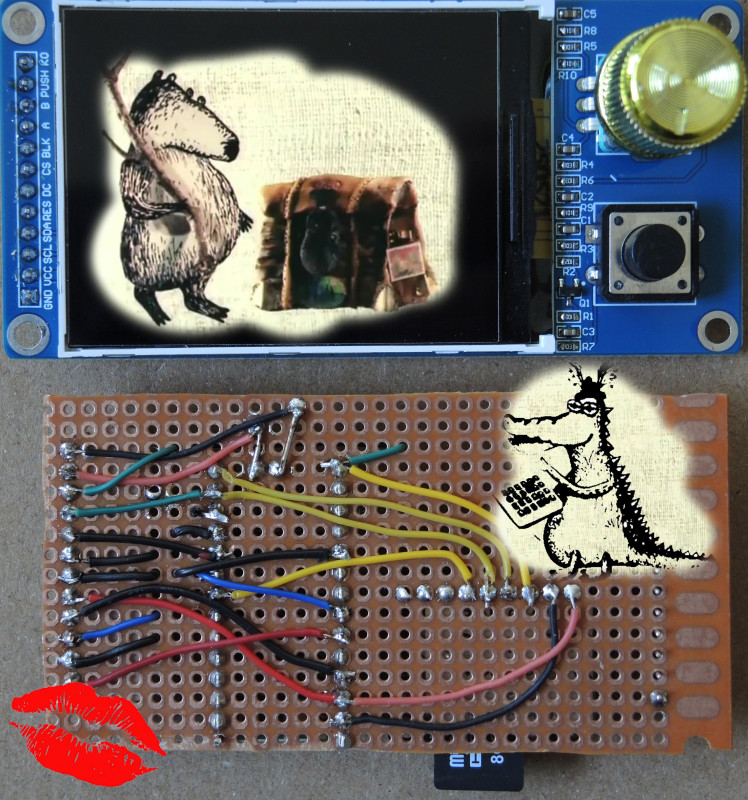

Details
Where do you keep the keys from your house? Or from you car? In you pocket (at least, us, men). You don't hide it in a secret place by the door, you don't handle them to a special keys-man, you don't send them by mail to the nearest self-storage facility. Just in you pocket. If you manage to loose them, blame yourself only, and just take a second pair of keys from your desk drawer.
Why shouldn't we do the same with our passwords?
We have to keep tens (or even a hundred or more) of them, and cyber crimes are growing more and more sophisticated, stealing passwords from cloud storage, from your cellphone, from your PC. So just don't put your keys under the doormat. Keep you passwords in a small standalone hardware gadget, with small screen and a single button/knob. When you need to enter your login and password - plug the gadget to USB port (No WI-FI, BLE or Bluetooth!), screen comes to life and shows you your available list of accounts, select account name from scrolling list, click a button - voila, username or password is pasted into input field on your PC (or a smartphone!) , no need to enter manually that 'strong password" chaotic line of characters.
As of now a market for hardware password vaults is next to nothing. There are 2 devices with keyboard and a tiny display, plus few 'encrypted' flash drive-like dongles. Those with keyboard and display are unable to transfer password to PC, need batteries and are crazy overpriced.
All of them are focused on encrypting stored passwords, and all of them have just a single master password that gives access to everything stored. What sense does it make to store all of your passwords under a single password??
I believe security of your passwords can be preserved not by storing all of them encrypted under some single key. Passwords just should be stored away from networks, from you PC, from your browser and God forbid away from all sorts of 'clouds'. Store them in a tiny separate device that is never connected to any network. When you need to enter a password - plug the gadget into USB port, and it is recognized as a keyboard. Select username and password from the list on gadget's screen, push a button - your selection is pasted into input field on your PC. Since the device never accesses any network - there is no need to encrypt stored password. Such device works as read-only, no need for editing stored info. Everything is stored on SD card, the card has a single unencrypted .csv file, set of text lines - account, username, password.
If you need to edit it - put SD into you computer and use any text editor. Then take it off your PC, plug into your storage gadget. When connected to USB port, it energizes, reads your file from SD, and displays the content on bright and well readable screen. No battery required.
The only way you passwords can be used without your consent - well, if you loose the device. Or if SD card gets corrupted (broken). Exactly the same way as the keys from your house/car, just don't loose them. And store a duplicate of SD (you key) at home in your desk drawer. (well, good idea might be to add a fingerprint sensor to the gadget as an extra barrier if device is lost/stolen).
So that is the idea.
In brief:
Arduino-like MCU (Teensy in my project) + 320x240 TFT screen + micro-SD board + rotary encoder.
Controls:
rotary encoder with click, used to navigate screen menu ans select menu items.
Push-button below rotary knob, used to initiate soft reset of MCU. Not as if we need it, but it comes with display board, so I tried to make it useful.
Passwords stored on SD as simple .csv file, device does not need battery, it energizes when plugged into USB port and works as a keyboard. When plugged, it shows a list of all accounts on display, list is scrollable with rotary encoder, push encoder knob to select an account, list of two lines is displayed - username and password. Select whatever you need with encoder, push again - string is pasted into input field of your PC. Unplug the device, enjoy.
Here is a video (sorry failed to make vault screen sharp):
Components used:
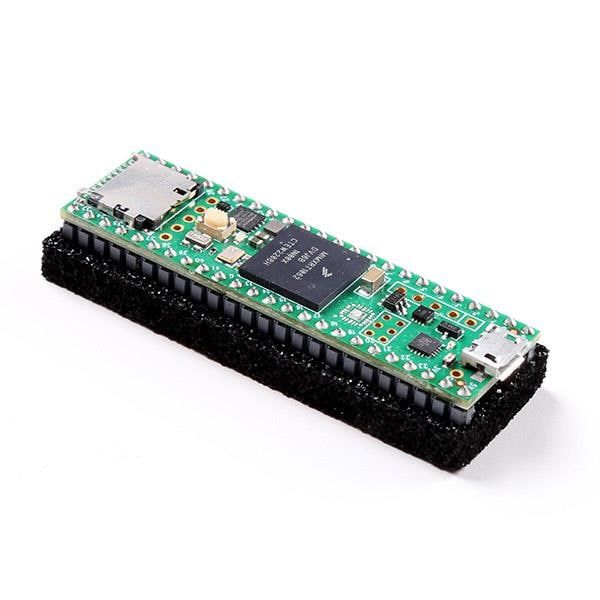
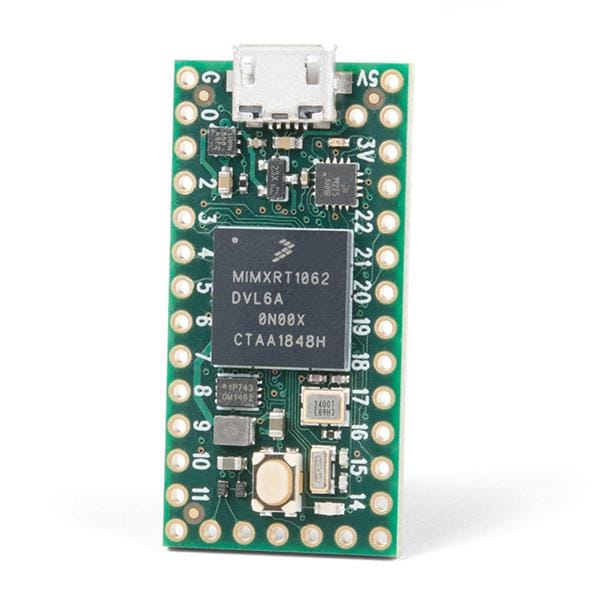
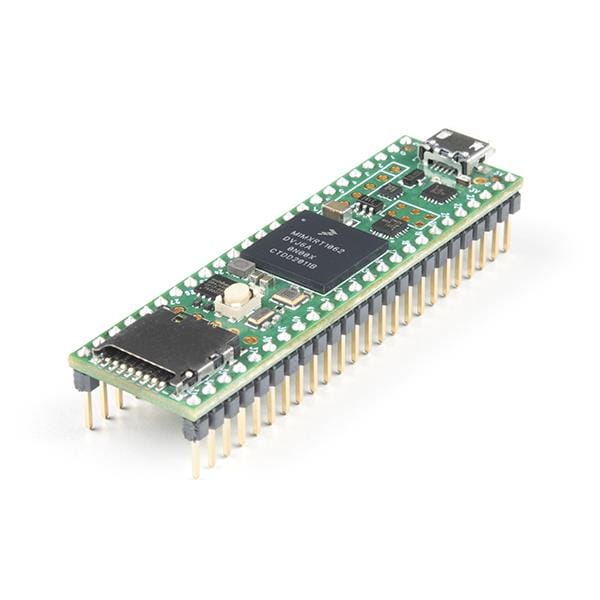
1. Teensy 3.1 development board.
Obviously, newer and more expensive Teensies can be used too. Or, Arduino Nano 33 IOT, Arduino Nano 33 BLE Sense. Any MCU board that has enough memory and HID functionality.
2. Display board: 2.4", 320x240, has EC11 encoder and extra push-button: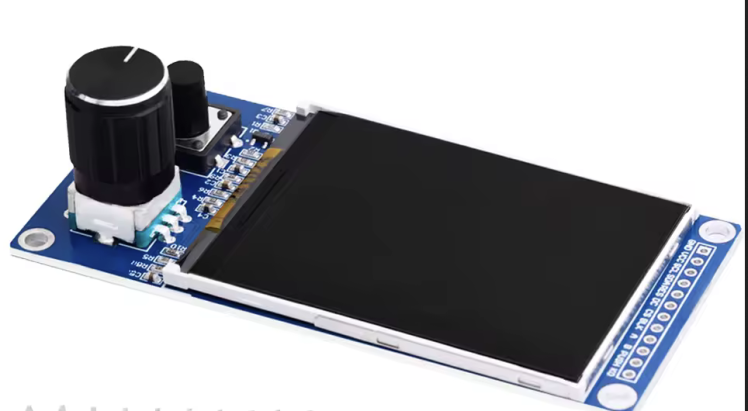 Driver chip ST7789, SPI interface, 3.3V
3. Adafruit micro-SD breakout board 3V
Wiring:
Display board - Teensy 3.1
SCL => D13
SDA => D11
RES => D8
DC => D9
CS => D10
BLK => 3.3V
A => A9(D23)
B => A6(D20)
PUSH=> A3(D17)
K0 => A7(D21)
SD board - Teensy 3.1
CLK => D13
SO => D12
SI => D11
CS => D6
Data file:
simple text file named 'data.txt', contains multiple lines of text,
each line has 3 fields separated by coma:
account name, user name, password.
File content example:
AMAZON,ADamS,3rHRBjyl
ALIEXPRES,allen,mExTOejD
CRAIGSLIST,BLAKE,M3J4eVCC
EBAY,CLaRk,BOp3XanC
FACEBOOK,ForD,df3leICL
INSTAGRAM,jaMes,16q4Cp5A
MARIANOS,JOnEs,oJ5uhsC7
REDDIT,KiNG,tnScCe1o
SPARKFUN,MaRTiN,jImUNqfe
XFINITY,MiLLEr,3pfETY5r
Arduino code used:
Parsing .csv file - from the post of user 'fat16lib' on arduino.cc forum:
https://forum.arduino.cc/t/a-simple-function-for-reading-csv-text-files/328608
Display the data as menu system with navigation control by click rotary encoder :
There are multiple libraries for creating menu system with arduino and linked display. Most of them are for LCD-based text displays. After searching for menu libraries for TFT graphic displays, I selected two:
1. KrisKasprzak 'Menu System for ILI9341_t3 displays (Teensy) with touch or mechanical input'. Very nice code I used initially when I did not have that ST7789 display combined with encoder. Unfortunately, this library does not work with ST7789 driver.
2. GEM library by Alexander Spiridonov(Spirik), designed for ST7789-based displays. I had to do minor modifications of library code in GEM_adafruit_gfx.cpp:
commented out two lines of code to make menu visualization matching my task. Just switched off small icons("sprites") in menu items and also added the line 'BACK' in submenu. See modified file GEM_adafruit_gfx.cpp in attachment.
I also added two external fonts for menu header and lines, font files are FreeSansBold9pt7b.h (for menu headers) and FreeMonoBold9pt7b.h for menu lines. These are fonts from Adafruit_Gfx_Library
Example file from GEM library
GEM/examples/AdafruitGFX/Example-05_Encoder/Example-05_Encoder.ino
was used as a template for my code.
Brief description of my code:
in 'Setup':
1. Initialize serial communication, display
2. Verify if SD card is present, if it has a file 'data.txt' and try to open it for reading.
On error print on display 'Card failed, or not present' and wait until the pushbutton pressed. When button pressed, implement MCU soft reset and retry the code from the beginning.
3. Read the file line by line and parse every line, populating declared earlier array(size 100) of records(structures), each record has three fields.
4. Create menu objects from the array of records (containing lines from SD file).
- in Setup() I only populate array of objects containing the top menu items - account names.
in a Loop():
Each of these items, when clicked, redirect to the same single submenu page, containing only two lines - with dummy username and password.
Each time when main menu line is selected and clicked, these two submenu lines are re-populated with second and third fields from parent data array.
When any of these submenu lines are clicked, HID procedure Keyboard.print() is implemented and the value (name) of this menu item is pasted on PC into input field, Teensy just pretends to be a usual USB keyboard.
Code source in attachment, password_vault.ino
Assembly:
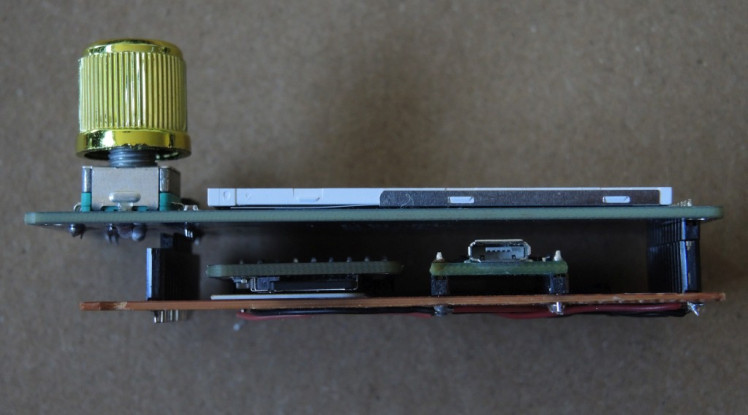
Teensy and SD breakout were soldered to perfboard along with a terminal header for display board. I did not solder display to the perfboard because I want to preserve access to Teensy reboot button in case if I want to play with updating the code in the future. So it is possible to open the lid, and unplug display board from perfboard with MCU. There is also a second DuPont female header installed on the other end of perfboard; not connected to anything, the only reason is just to support the opposite end of display board. Although I have in mind the idea to connect it to MCU in the future so that other type of displays can be installed too.
Perfboard front and back:
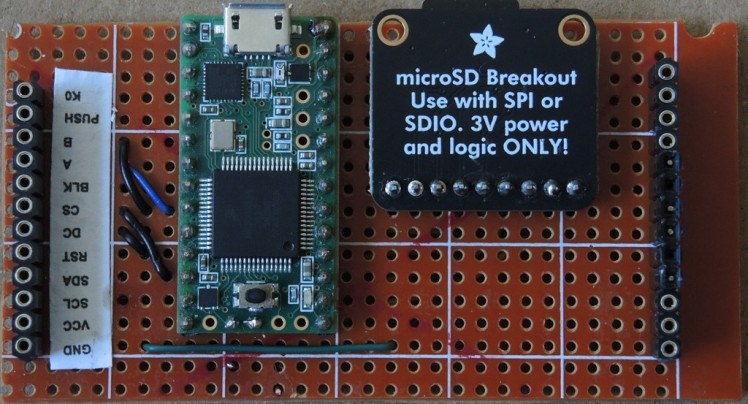
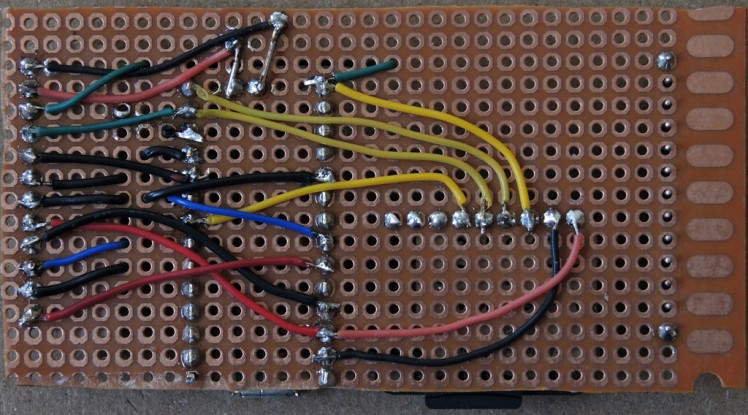
assembled:
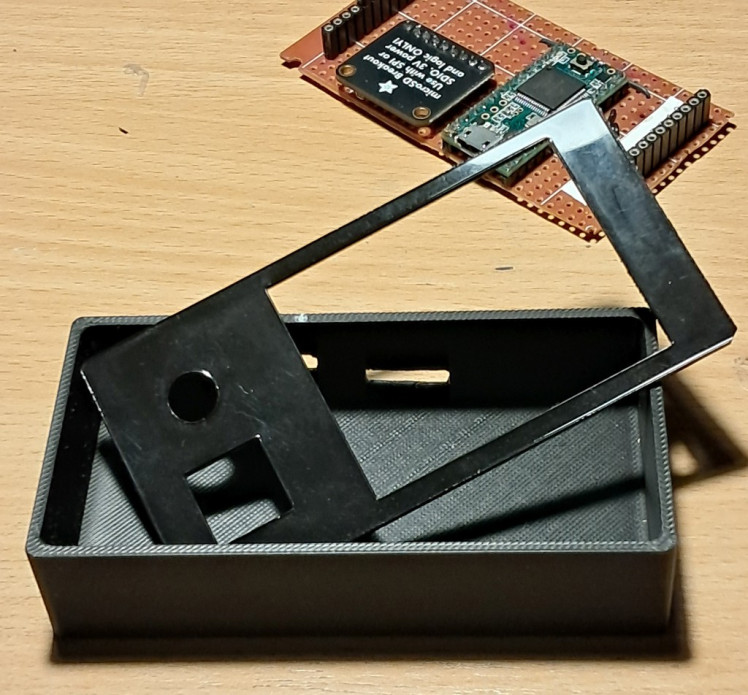
I ordered from sgt.taz (via treatstock.com) a nice and simple 3D-printed box and cut a top for it from 1mm black acrylic with my old Neje Master laser cutter:
Device fully assembled and energized (dummy pwds file):
This site does not allow to add files into attachments section.
Please email if you need a source code.
Credits
Related products

Leave your feedback...