






Circuit Schematic Visualizer Using Python And Schemdraw

Made by Aula_Jazmati / Art / Displays / Kids & Family
About the project
This project will demonstrate how to use Python & the Schemdraw library to create professional-quality circuit schematics programmatically.
Project info
Story
This project leverages the Python `Schemdraw` library to programmatically create professional-quality circuit diagrams. Users will learn to design essential circuit components, assemble full schematics, and export polished diagrams for documentation.
1. Core Setuppip install schemdraw
pip install --upgrade schemdraw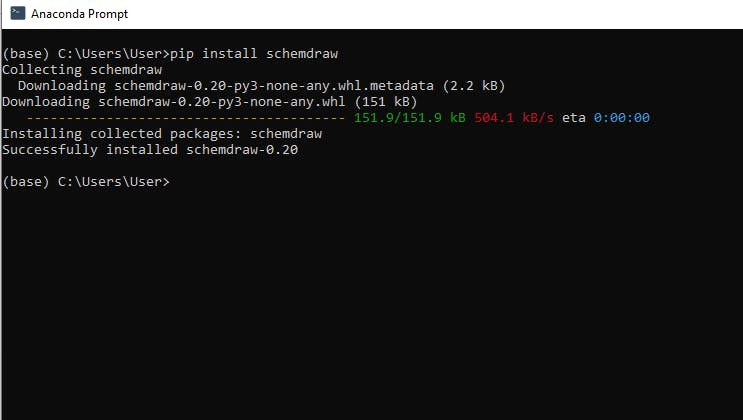
🐍 Library Overview
https://schemdraw.readthedocs.io/en/stable/
🔸 Available Elements:
- Passives: Resistor, Capacitor, Inductor, Ground
- Sources: DC, AC, Signal inputs
- Actives: BJT, MOSFET, Opamp
- Logic: Gates, flip-flops (`schemdraw.logic`)
- Custom ICs and blocks
- Element Library: Resistors, capacitors, ICs, transistors, etc.
- Automatic Routing: Components auto-connect when chained.
- Customization: Colors, styles, labels, and annotations.
- Export: SVG/PNG for documents or presentations.
Create a basic circuit to demo the library:
import schemdraw
import schemdraw.elements as elm
with schemdraw.Drawing() as d:
    d += elm.Resistor().right().label('1Ω')
    d += elm.Capacitor().down().label('10μF')
    d += elm.Line().left()
    d += elm.SourceSin().up().label('10V')

    d.save('simple_circuit.svg')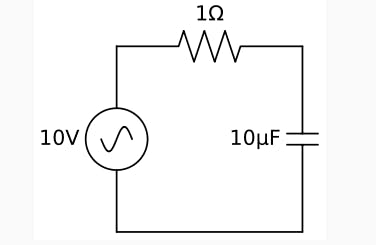
LED Blinker Example
import schemdraw
import schemdraw.elements as elm
from schemdraw import pictorial
import matplotlib.pyplot as plt
from PIL import Image
import os

# Set line width globally
elm.Line.defaults['lw'] = 4

def draw_breadboard_demo():
    filename = os.path.join(os.getcwd(), 'breadboard_demo.png')

    with schemdraw.Drawing(show=False) as d:
        bb = pictorial.Breadboard().up()
        pictorial.DIP().up().at(bb.E5).label('555', color='#DDD')
        elm.Line().at(bb.A8).to(bb.L1_7)
        elm.Line().at(bb.J5).to(bb.R1_4)
        elm.Line().at(bb.A5).to(bb.L2_4).color('black')
        pictorial.Resistor(330).at(bb.B7).to(bb.B12)
        pictorial.LED(lead_length=.3 * pictorial.INCH).at(bb.C12)
        elm.Line().at(bb.A13).to(bb.L2_13).color('black')
        pictorial.Resistor(520).at(bb.G6).to(bb.G3)
        pictorial.Resistor(520).at(bb.J6).to(bb.R1_10)
        elm.Line().at(bb.H3).to(bb.H7).color('green')
        elm.Wire('c').at(bb.G7).to(bb.D6).linewidth(4).color('green')
        elm.Line().at(bb.H8).to(bb.H12).color('green')
        elm.Line().at(bb.J13).to(bb.R2_14).color('black')
        pictorial.CapacitorMylar(lead_length=.2 * pictorial.INCH).at(bb.I12)
        elm.Line().at(bb.C6).to(bb.C3).color('green')
        pictorial.CapacitorMylar(lead_length=.2 * pictorial.INCH).at(bb.D2)
        elm.Line().at(bb.A2).to(bb.L2_1).color('black')

        d.save(filename, dpi=300)

    Image.open(filename).show()

draw_breadboard_demo()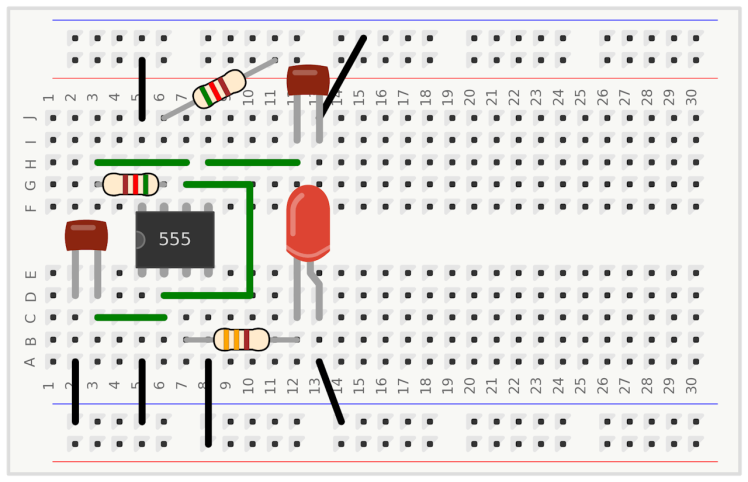
RaspberryPiand Led Example
RaspberryPi and Led Example
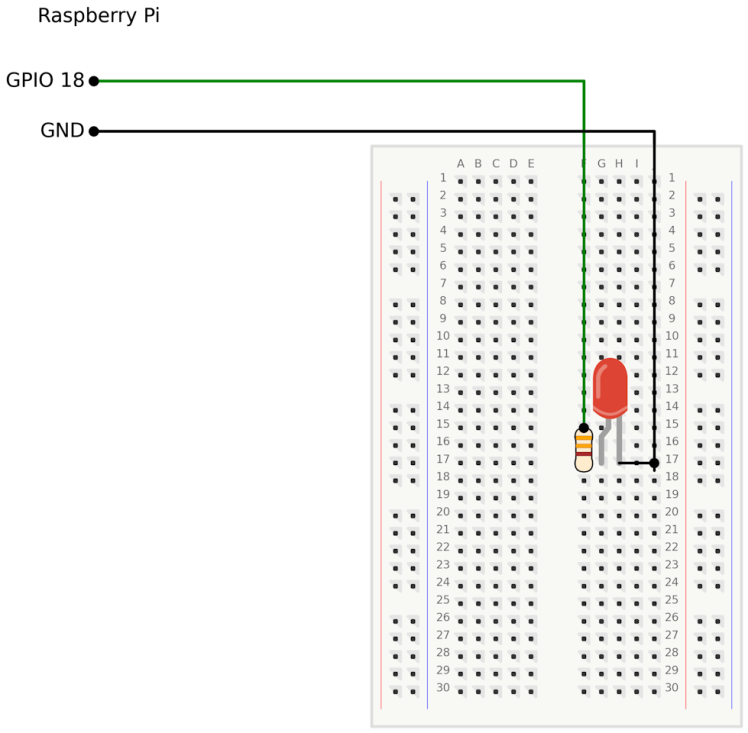
RaspberryPi and Led Example
3. Advanced Demo Ideas ✨- Visualize a non-inverting Op-Amp amplifier.
- Design a BJT amplifier and annotate voltage levels.
- Convert netlists (CSV or text) into complete visual schematics.
- Integrate with matplotlib to plot waveforms alongside circuit diagrams.
- Use `schemdraw.logic` to sketch digital circuits like gates and flip-flops.
🎨🐍💻⚡
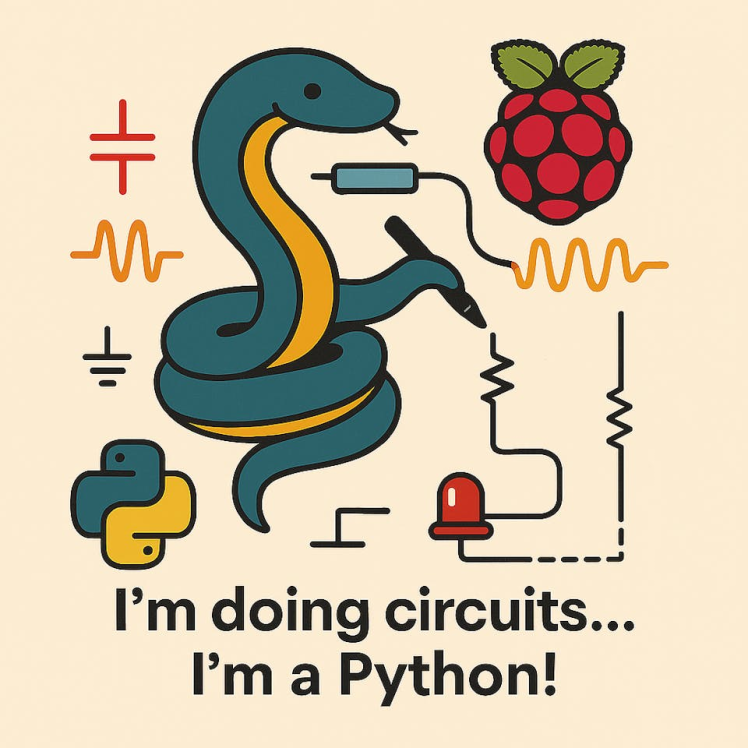
🎨🐍💻⚡
Code
Credits
Related products





Leave your feedback...