





Arduino Email Alerts Using Iot Cloud

Made by electroscope_archive / Sensors
About the project
Build a smart system that sends email alerts from Arduino using IoT cloud integration.
Project info
Items used in this project
Hardware components


Story
In this Arduino Send Email Notifications project, you’ll learn how to send automated email notifications using an Arduino board connected to an IoT cloud platform. This setup is useful for real-time alerts in applications like home security, environmental monitoring, or industrial systems.
Instead of relying on complex backend servers, this method uses a cloud-based trigger system to send emails whenever a specific condition is met. The result is a simple, scalable, and beginner-friendly alert system.

The core idea is straightforward:
- The Arduino reads data from a sensor or input.
- When a predefined condition is triggered (for example, temperature crossing a threshold), it updates a variable in the cloud.
- The cloud platform detects this change and triggers an automated email notification.
- This removes the need for SMTP configuration on the Arduino, making the system more reliable and easier to implement.

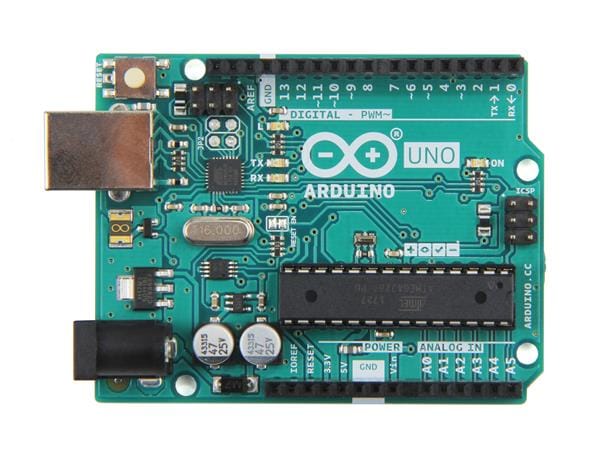
- Arduino board (such as Arduino Uno or similar)
- Wi-Fi-enabled module or board (e.g., ESP8266 or ESP32)
- Sensor (temperature, motion, or any input device)
- USB cable for programming
- Internet connection

Create an account on your preferred IoT cloud service.
- Set up a new project or “thing.”
- Define a variable that will store the alert state (for example, a boolean or integer).
Configure an automation rule:
- Trigger: When the variable changes or exceeds a value
- Action: Send an email notification
Make sure to verify your email address so alerts can be delivered successfully.

- Install the required libraries for your board and cloud integration.
- Connect your Arduino to Wi-Fi using the appropriate credentials.
- Link your device to the cloud project using the provided device ID or authentication keys.
Your Arduino code should:
- Continuously read sensor data
- Compare it with a defined threshold
- Update the cloud variable when the condition is met
For example:
- If motion is detected → update variable to “true”
- If temperature exceeds limit → send alert signal
To prevent repeated emails, you can add a delay or reset condition after triggering the alert.
Testing the SystemAfter uploading the code:
- Power the Arduino and ensure it connects to Wi-Fi.
- Monitor sensor values via serial output or cloud dashboard.
- Trigger the condition manually (e.g., simulate motion or heat).
- Check your email inbox for the alert message.
- If everything is configured correctly, you should receive notifications instantly.
This system can be adapted for many real-world uses:
- Home intrusion alerts
- Fire or smoke detection
- Water level monitoring
- Equipment fault warnings
- Smart agriculture notifications
- Use stable Wi-Fi to avoid missed alerts
- Add debounce logic to avoid false triggers
- Keep your thresholds realistic for your environment
- Use meaningful email messages for clarity
This Project demonstrates how combining Arduino with cloud automation can simplify real-time communication systems. By offloading email handling to the cloud, you reduce complexity while improving reliability.
It’s a practical and scalable approach that can be extended to many IoT-based applications. If you’re looking for inspiration, check out these Arduino projects with code and circuits to explore a variety of practical and creative ideas you can build yourself.
Schematics, diagrams and documents
Code
Credits
Related products





Leave your feedback...