





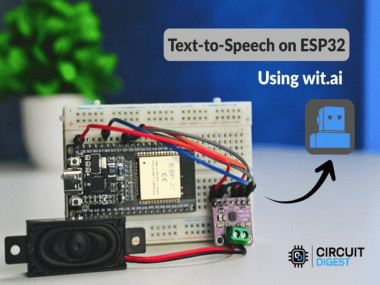
Ai-powered Esp32 Text-to-speech For Diy Voice Devices

Made by electroscope_archive / Voice
About the project
Build a cloud-connected ESP32 project that converts text into natural voice using AI and play it through an onboard speaker with real-time s
Project info
Items used in this project
Hardware components


Story
Text-to-Speech (TTS) technology transforms written text into spoken audio — a capability that underpins voice assistants, accessibility tools, alert systems, smart displays, and more. In this project, you’ll learn how to empower the low-cost ESP32 microcontroller with AI-driven TTS capabilities using cloud services, making it speak aloud any text you send it.
Microcontrollers like the ESP32 are resource-constrained: they lack the CPU power, memory, and storage necessary to synthesize high-quality speech on their own. To overcome these limits, we leverage a cloud-based AI service that does the heavy lifting and streams audio back for playback.
This ESP32 Text to Speech Using AI walks you through setting up the hardware, integrating the AI TTS service, installing the software, and customizing your voice output — making this project ideal for hobbyists, makers, educators, and IoT innovators.
ESP32 Text to Speech Using AI
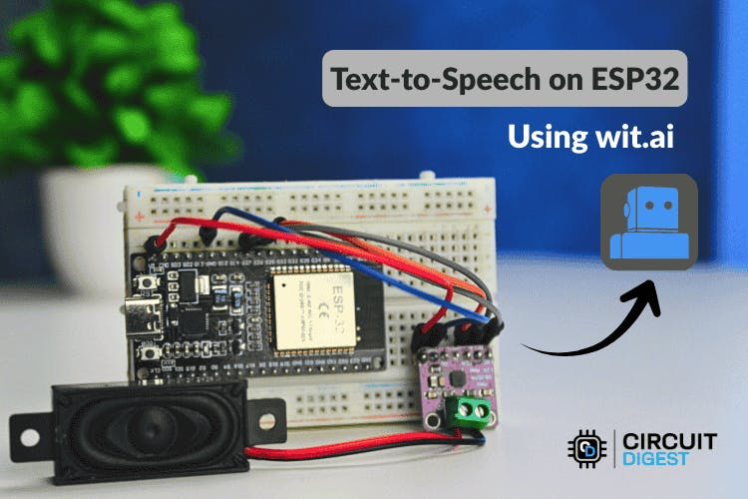
ESP32 Text to Speech Using AI
Why Use AI-Based TTS with ESP32?Turning text into natural-sounding speech involves multiple steps: preparing text (expanding abbreviations, converting numbers to words), analysing linguistic structure, deciding prosody (intonation and pacing), and finally generating digital audio samples. On PCs and phones, built-in processors handle all this. But on microcontrollers, local speech synthesis is impractical due to limited RAM (≈520 KB), slower CPUs (240 MHz), and tight flash storage.
By using a remote AI service, the ESP32 only needs to send text over Wi-Fi and play back the returned audio — offloading computation and enabling natural voice quality that rivals more expensive devices.
How It WorksThe core workflow:
- Text Input — You enter text via Serial Monitor or a web interface.
- Cloud Processing — The ESP32 sends this text to an AI TTS service through HTTPS.
- Audio Streaming — The service returns a speech audio stream (e.g., MP3).
- Playback — The ESP32 streams the audio through an I2S amplifier and speaker.
Because audio is streamed incrementally rather than buffered fully, memory use stays small, response times are improved, and you enjoy smoother playback.
Breadboard Connection
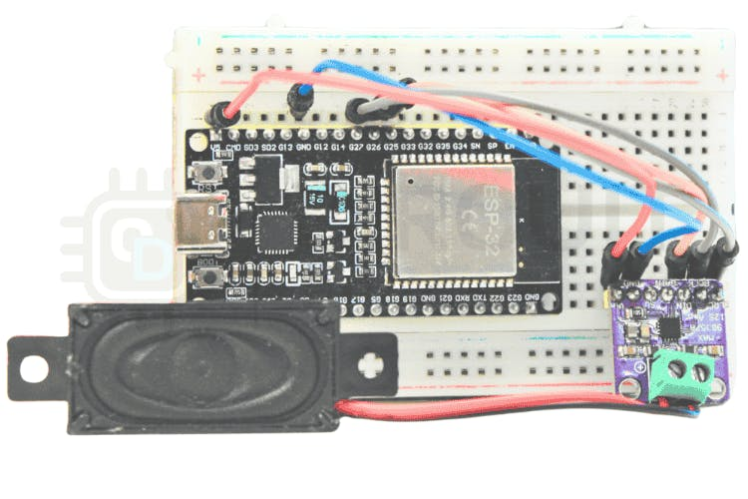
Breadboard Connection
Wiring OverviewConnect the I2S amplifier to the ESP32 as follows:
- GPIO27 → BCLK (Bit Clock)
- GPIO26 → LRC (Left/Right Clock)
- GPIO25 → DIN (Audio Data)
- 5 V → VIN
- GND → GND
These signals carry digital audio from your ESP32 to the MAX98357A, enabling amplification and speaker output.
Circuit Diagram
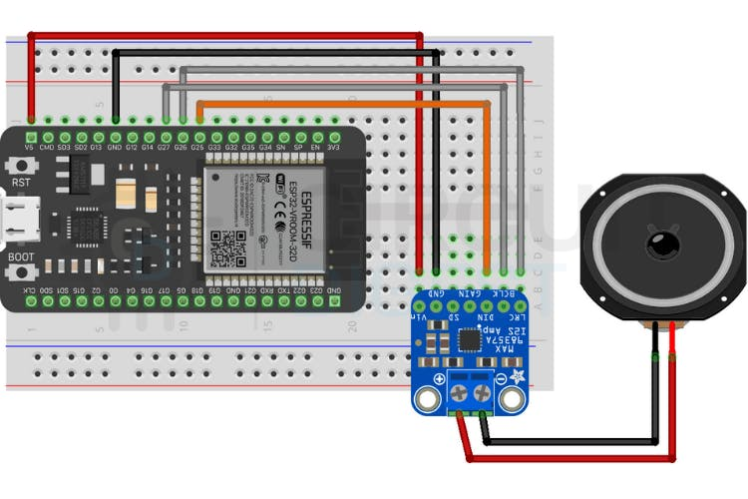
Circuit Diagram
Setting Up Wit.ai for TTSIn this guide, we use the Wit.ai platform, a cloud-based AI service that converts text into speech using an efficient HTTP API.
- Create an Account – Sign up on Wit.ai and verify your email.
- Create a New App – Name it and choose a language for speech synthesis.
- Get the Server Token – Under Settings → HTTP API, copy your Bearer token.
- Secure It – Store token securely; avoid hard-coding it in shared code.
With this token, your ESP32 can authenticate to the TTS service and request voice audio.
Wit.ai Homepage
Wit.ai Homepage
API token Key
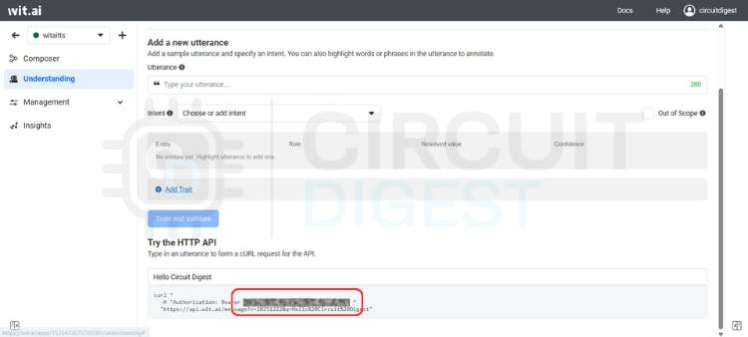
API token Key
Software IntegrationInstall the WitAITTS library through the Arduino IDE Library Manager. Then modify the example sketch:
const char* WIFI_SSID     = "YourWiFiSSID";
const char* WIFI_PASSWORD = "YourWiFiPassword";
const char* WIT_TOKEN     = "YOUR_WIT_AI_TOKEN_HERE";
const char* WIFI_SSID     = "YourWiFiSSID";
const char* WIFI_PASSWORD = "YourWiFiPassword";
const char* WIT_TOKEN     = "YOUR_WIT_AI_TOKEN_HERE";
Insert your credentials and token into the template code. This sketch connects to Wi-Fi, sends text entered via Serial Monitor to Wit.ai, and plays back the resulting audio stream through I2S.
Tips for Better Audio QualityWhile the cloud service handles synthesis, practical audio quality depends on:
- Stable Wi-Fi – Reduces latency and buffering hiccups.
- Strong Power Source – Keeps output clean without distortion.
- Quality Speaker – Higher fidelity = clearer speech.
- Proper I2S Setup – Correct sample rates and wiring improve tone and volume.
Common problems include:
- No Audio Output — Check I2S wiring, amplifier power, and pin assignments.
- HTTP Errors — Ensure valid text input and correct token.
- Distorted Voice — Improve power stability and Wi-Fi signal.
Witatts log page
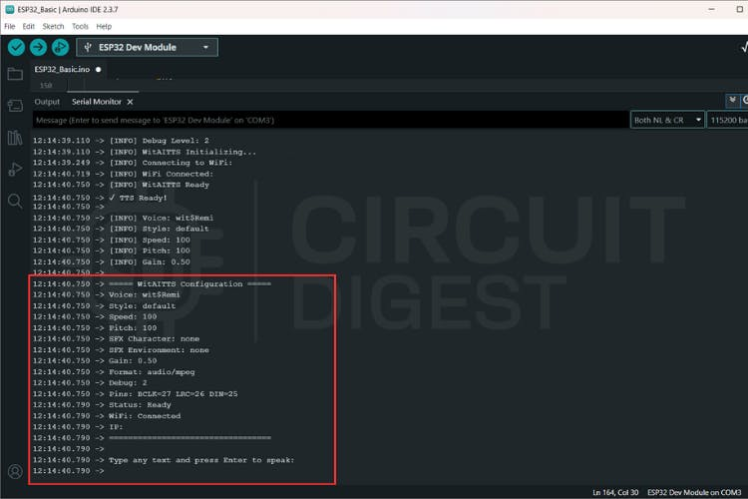
Witatts log page
ConclusionBy combining an ESP32 with a cloud AI TTS service, you can build a low-cost, internet-enabled voice output device that sounds natural and is scalable. This approach sidesteps hardware limits while delivering functionality similar to commercial voice systems.
Whether you’re making a talking robot, a status announcer, an assistive gadget, or a smart home interface, this project provides a solid foundation.
Discover hands-on IoT and wireless builds by exploring these ESP32 projects
Working Demo
Schematics, diagrams and documents
Code
Credits
Related products


Leave your feedback...