





Send Whatsapp Messages With Arduino & Circuitdigest Cloud

Made by electroscope_archive / Notifications
About the project
Use Arduino + WiFi to trigger WhatsApp alerts through CircuitDigest Cloud in minutes.
Project info
Items used in this project
Hardware components


Story
In many IoT projects, sending real-time alerts to users is essential. Instead of relying on SMS or email, WhatsApp notifications provide a faster and more convenient way to receive updates.
In this project, we will build a simple system where an Arduino with WiFi connectivity sends WhatsApp messages automatically using CircuitDigest Cloud. This method is beginner-friendly and avoids the complexity of integrating official WhatsApp APIs.
By the end of this guide, your Arduino will be able to send WhatsApp alerts whenever an event occurs—such as a sensor trigger, device status change, or alarm condition.
Send WhatsApp Messages using Arduino
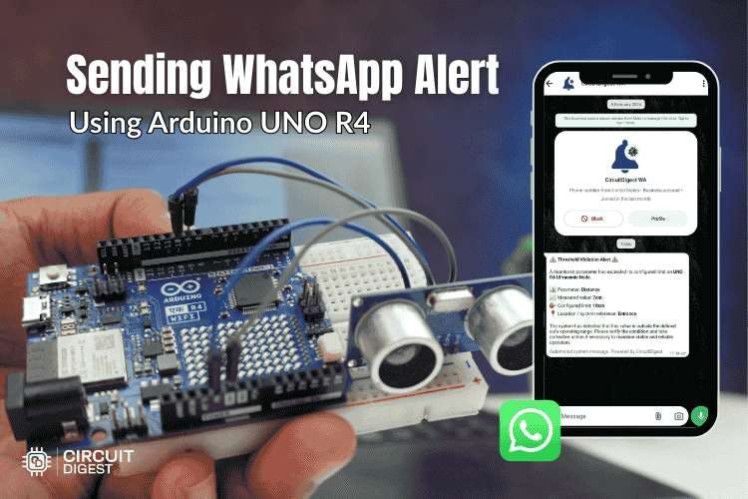
Send WhatsApp Messages using Arduino
How It WorksThe project uses CircuitDigest Cloud as a bridge between Arduino and WhatsApp.
- The Arduino connects to WiFi.
- It communicates with the CircuitDigest Cloud API.
- The cloud service triggers a WhatsApp message to a predefined phone number.
This approach eliminates the need for complex server setup or direct WhatsApp API integration.
Hardware Set up
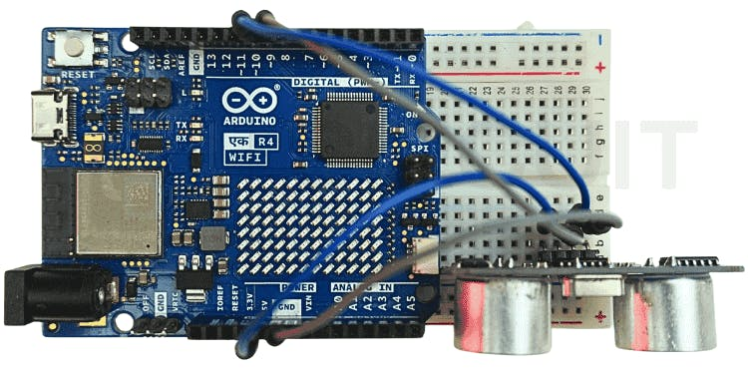
Hardware Set up
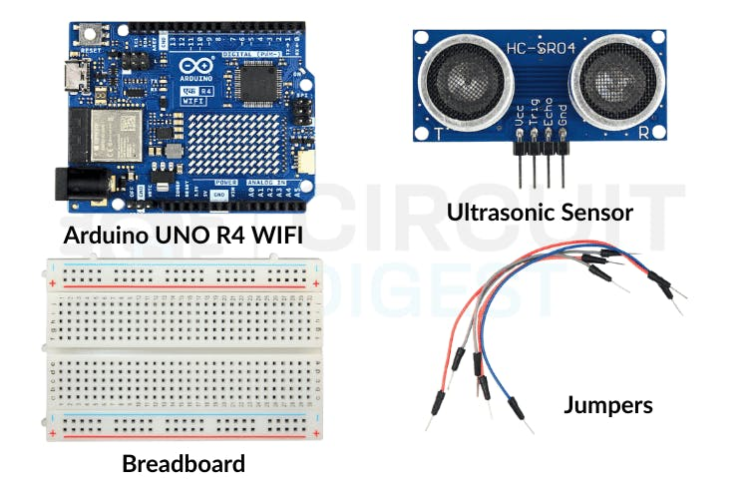
Hardware RequiredArduino board with WiFi (ESP8266 / ESP32 recommended)
- Arduino board with WiFi (ESP8266 / ESP32 recommended)
- USB cable for programming
- Internet connection
Optional (for automation use cases):
- Sensors (temperature, motion, gas, etc.)
- Relays or actuators
C
C
Software & Platform- Arduino IDE
- CircuitDigest Cloud account
- WiFi network
- Create an account on CircuitDigest Cloud.
- Create a new project/dashboard.
- Generate your API key.
- Add a WhatsApp messaging action inside the cloud dashboard.
- Enter the recipient phone number where alerts should be sent.
Once configured, the cloud service will handle the WhatsApp delivery whenever it receives a trigger from your Arduino.
CircuitDigest cloud
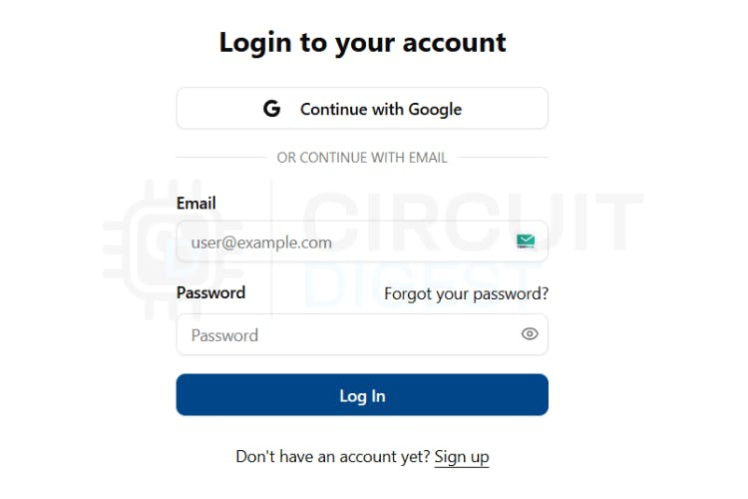
CircuitDigest cloud
Arduino Code OverviewThe Arduino program performs three main tasks
- Connects to the WiFi network
- Sends a request to the CircuitDigest Cloud API
- Triggers a WhatsApp notification
Circuit Diagram
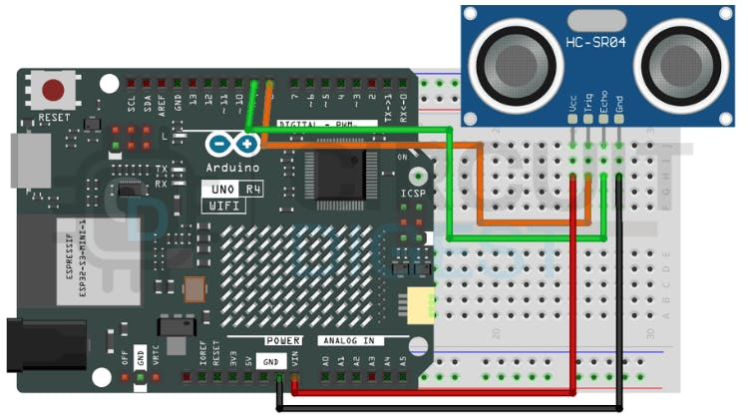
Circuit Diagram
Example Code#include <WiFi.h>
#include <HTTPClient.h>
const char* ssid = "YOUR_WIFI_NAME";
const char* password = "YOUR_WIFI_PASSWORD";
String apiURL = "https://api.circuitdigest.cloud/sendMessage?api_key=YOUR_API_KEY";
void setup() {
Serial.begin(115200);
WiFi.begin(ssid, password);
while (WiFi.status() != WL_CONNECTED) {
delay(1000);
Serial.println("Connecting to WiFi...");
}
Serial.println("WiFi Connected");
sendWhatsApp();
}
void loop() {
}
void sendWhatsApp() {
if (WiFi.status() == WL_CONNECTED) {
HTTPClient http;
http.begin(apiURL);
int httpResponseCode = http.GET();
if (httpResponseCode > 0) {
Serial.println("WhatsApp message sent successfully");
} else {
Serial.println("Error sending message");
}
http.end();
}
}- Upload the code to your Arduino/ESP board.
- Open the Serial Monitor.
- Once WiFi connects, the Arduino sends a request to the cloud.
- The cloud service instantly triggers a WhatsApp message to the configured phone number.
You should receive the notification within a few seconds.
Example Use CasesThis project can be integrated into many IoT systems, such as:
- Home security alerts
- Motion detection notifications
- Temperature warnings
- Smart doorbell alerts
- Industrial monitoring systems
- No direct WhatsApp API integration required
- Easy setup using CircuitDigest Cloud
- Works with common Arduino WiFi boards
- Suitable for beginner IoT projects
You can expand this project by:
- Sending sensor data in the WhatsApp message
- Creating scheduled alerts
- Integrating multiple devices
- Building a full IoT monitoring dashboard
✅ With just a few lines of code and CircuitDigest Cloud, your Arduino projects can build Arduino WhatsApp notification, making them far more interactive and useful in real-world applications.
Schematics, diagrams and documents
Code
Credits
Related products





Leave your feedback...