





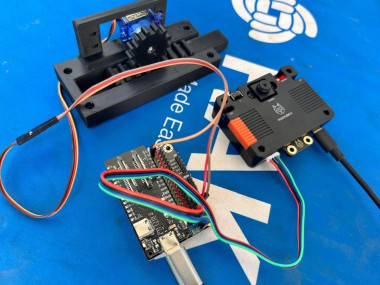
Ai‑powered Automatic Gate With Huskylens & Esp32-p4

Made by pradeeplogu0
About the project
Learn to build a gate opener that reacts to facial emotions using Huskylens V2 and ESP32 P4.
Project info
Difficulty: Moderate
Platforms: DFRobot
Estimated time: 1 hour
License: GNU General Public License, version 3 or later (GPL3+)
Items used in this project
Hardware components


Story
What if happiness was the key to entry? Imagine a gate that opens only when you smile — a playful, futuristic way to welcome customers. In this project, we’ll build an automatic gate system using the HuskyLens 2 AI vision sensor and an FireBeetle ESP32 P4
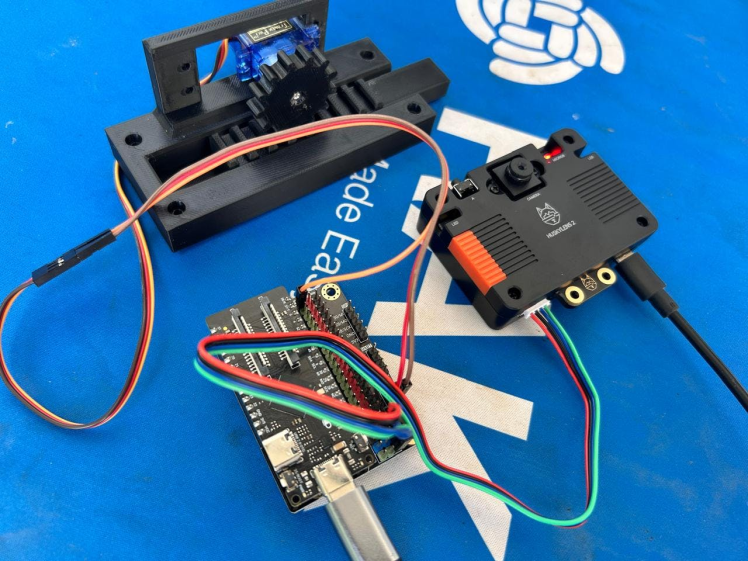
The HuskyLens 2 detects smiles, and the ESP32 P4 controls a motor or servo to open the gate. Only happy customers get in!
Project Concept 🎯- Input: HuskyLens detects facial expressions.
- Processing: If a smile is recognized, HuskyLens sends a signal to ESP32 P4
- Output: ESP32 P4 drives a servo/motor to open the gate.
- Result: Gate opens only for smiling faces.
This project blends AI vision with embedded control for a fun, interactive IoT prototype.
Hardware Overview ⚙️🧠 HuskyLens 2 AI Vision Sensor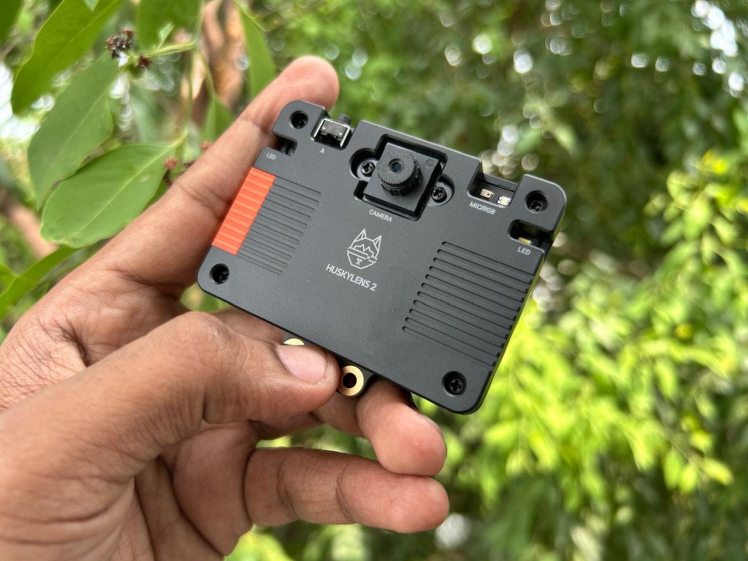
- Built‑in AI algorithms for face recognition, object tracking, emotion detection and much more.
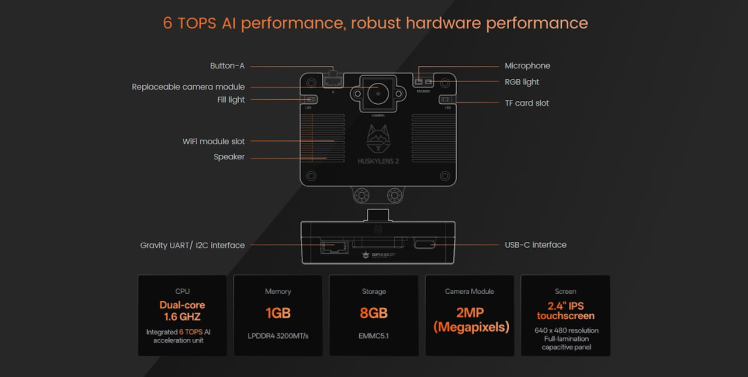
- Supports multiple communication interfaces: UART, I2C.
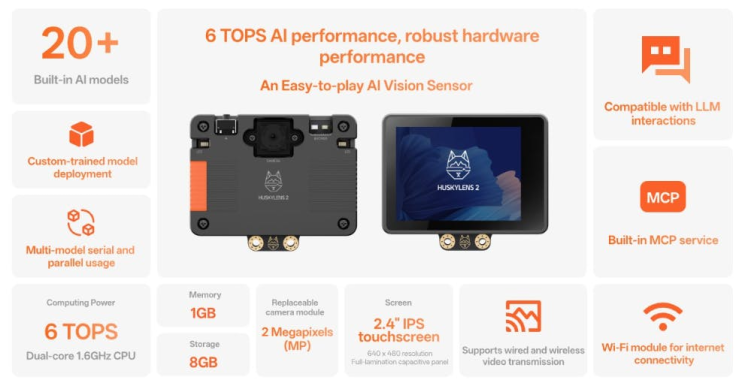
- Compact design, ideal for robotics and interactive projects.
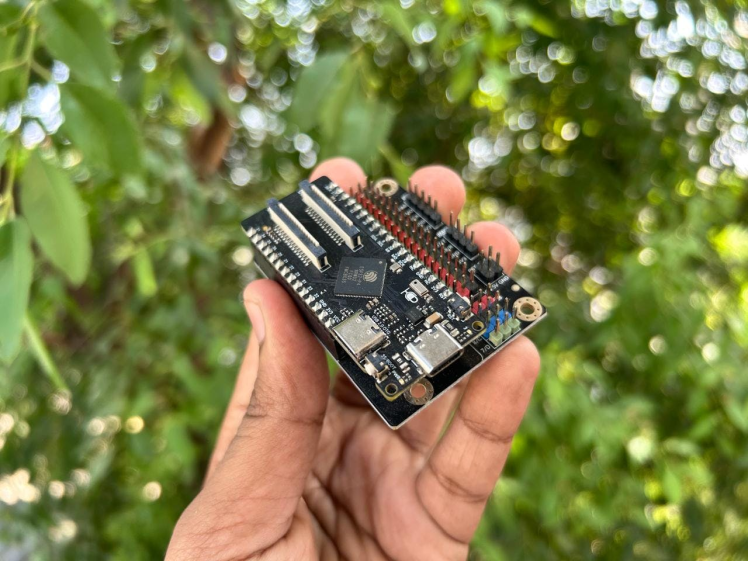
The DFRobot FireBeetle ESP32-P4 is a powerful, low-power development board designed for edge AI, computer vision, and IoT applications.
It combines high-performance processing with modern connectivity features, making it ideal for projects that require multimedia capabilities, human-machine interfaces, or smart automation.
🔹 Overview- Model: FireBeetle 2 ESP32-P4
- Chipset: Espressif ESP32-P4R32
- Target Use Cases: Edge AI, computer vision, IoT, multimedia, and human-machine interfaces (HMI)
- Dual-core RISC-V processor (360MHz + 40MHz)
- 32MB PSRAM and 16MB Flash memory
- Built-in Wi-Fi 6 and Bluetooth 5 connectivity
- Supports 1080p video playback and image capture
- Interfaces: MIPI-CSI/DSI for camera & display modules
- Hardware JPEG/H.264 encoding support
- Multiple I/O options: USB OTG, I2C, SPI, UART, ADC, PWM
- Designed for edge AI, IoT, and multimedia projects
- Smart Home: Central control panels, intelligent doorbells, and interactive displays.
- Retail & Security: AI-powered surveillance, digital photo albums, and customer-facing kiosks.
- Education & DIY Projects: Perfect for makers exploring AI vision and IoT integration.
- Edge AI: Deploying lightweight ML models directly on-device for real-time inference
- Servo motor for small demo gates.
- DC motor + driver (L298N or relay) for larger gates.
- Controlled by DFRobot Huskylense V2 based on HuskyLens input.
- Individual 5V regulated supply for HuskyLense 2 and DFRobot FireBeetle ESP32 P4.
- Separate supply for motor if needed.
- HuskyLens is trained to recognize smiles.
- When a person smiles, HuskyLens outputs Happiness.
- ESP32 P4 reads this signal.
- If Happiness→ Servo/motor activates → Gate opens.
#include "DFRobot_HuskylensV2.h"
#include <ESP32Servo.h>
#include <Wire.h>

// Dynamic variables
volatile float mind_n_EmotionTotal, mind_n_IndexVariable;
HuskylensV2 huskylens;

#define LED_PIN 3   // Change this to your desired LED pin

Servo myservo;      // create servo object to control a servo
int pos = 0;        // variable to store the servo position

#if defined(CONFIG_IDF_TARGET_ESP32S2) || defined(CONFIG_IDF_TARGET_ESP32S3)
int servoPin = 4;
#elif defined(CONFIG_IDF_TARGET_ESP32C3)
int servoPin = 4;
#else
int servoPin = 4;
#endif

void setup() {
  Serial.begin(115200);
  Wire.begin();
  pinMode(LED_PIN, OUTPUT);

  Serial.println("n==============================");
  Serial.println("🚀 Huskylens Emotion Recognition System");
  Serial.println("==============================");

  while (!huskylens.begin(Wire)) {
    Serial.println("⚠️ Huskylens not detected... retrying");
    delay(200);
  }
  Serial.println("✅ Huskylens initialized successfully!");

  mind_n_EmotionTotal = 0;
  mind_n_IndexVariable = 0;

  // Allow allocation of all timers
  ESP32PWM::allocateTimer(0);
  ESP32PWM::allocateTimer(1);
  ESP32PWM::allocateTimer(2);
  ESP32PWM::allocateTimer(3);

  myservo.setPeriodHertz(50);
  myservo.attach(servoPin, 1000, 2000);

  Serial.println("✅ Servo initialized on pin " + String(servoPin));
  Serial.println("System ready. Waiting for emotions...n");
}

void loop() {
  huskylens.getResult(ALGORITHM_EMOTION_RECOGNITION);

  if (huskylens.available(ALGORITHM_EMOTION_RECOGNITION)) {
    mind_n_EmotionTotal = huskylens.getCachedResultNum(ALGORITHM_EMOTION_RECOGNITION);
    Serial.println("📷 Frame captured → " + String(mind_n_EmotionTotal) + " emotions detected");

    bool happyDetected = false;

    while (mind_n_IndexVariable < mind_n_EmotionTotal) {
      String emotionName = RET_ITEM_STR(
        huskylens.getCachedResultByIndex(ALGORITHM_EMOTION_RECOGNITION, mind_n_IndexVariable),
        Result, name
      );

      Serial.print("   ➡️ Emotion #");
      Serial.print(mind_n_IndexVariable + 1);
      Serial.println(": " + emotionName);

      if (emotionName == "Happiness") {
        happyDetected = true;
      }

      mind_n_IndexVariable++;
    }

    mind_n_IndexVariable = 0;

    if (happyDetected) {
      Serial.println("n🎉 Happiness detected! Triggering servo + LED response...n");

      // Servo sweep forward
      for (pos = 0; pos <= 180; pos += 10) {
        myservo.write(pos);
        Serial.println("   🔧 Servo moving to " + String(pos) + "°");
        delay(50);
      }

      // LED heartbeat pattern
      for (int i = 0; i < 3; i++) {
        digitalWrite(LED_PIN, HIGH);
        Serial.println("💡 LED ON (heartbeat pulse)");
        delay(200);
        digitalWrite(LED_PIN, LOW);
        Serial.println("💡 LED OFF");
        delay(200);
        digitalWrite(LED_PIN, HIGH);
        delay(600);
        digitalWrite(LED_PIN, LOW);
        delay(400);
      }

      // Servo sweep backward
      for (pos = 180; pos >= 0; pos -= 10) {
        myservo.write(pos);
        Serial.println("   🔧 Servo returning to " + String(pos) + "°");
        delay(50);
      }

      Serial.println("n✅ Response cycle complete.n");
    }
  }

  delay(500);
}
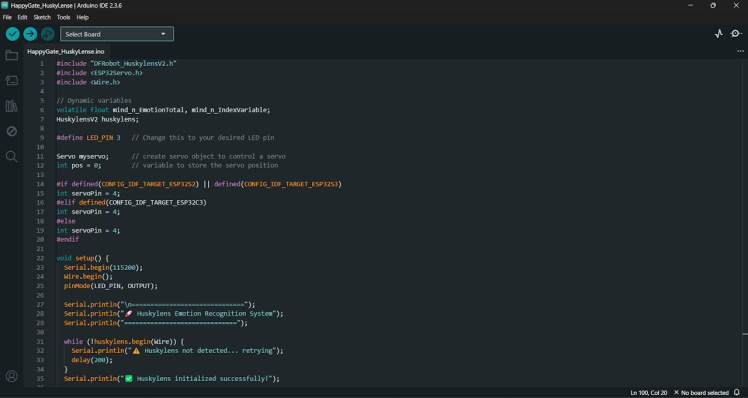
Upload the code to the FireBeetle ESP32 P4
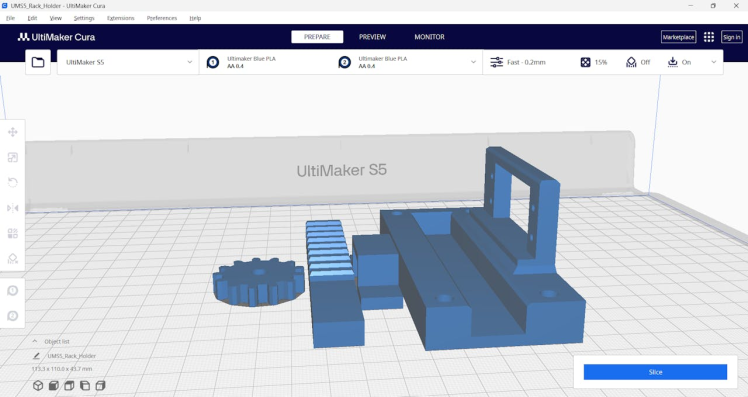
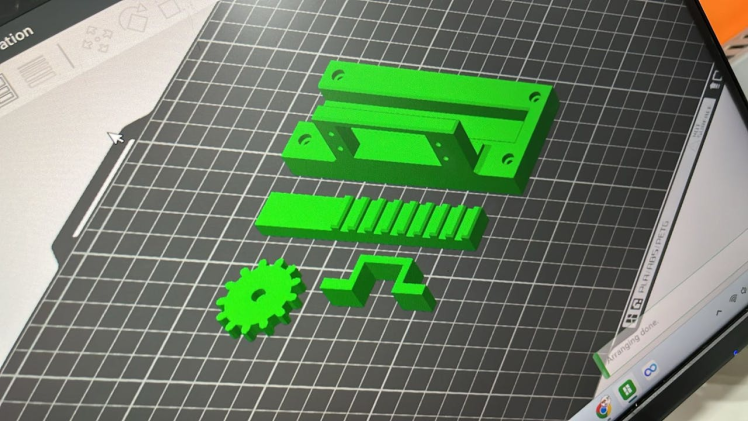
Design: A small swing‑style gate printed in PLA using a desktop 3D printer.
- Design: A small swing‑style gate printed in PLA using a desktop 3D printer.
- Mounting: The gate is fixed on a frame, with a servo motor attached to the hinge.
- Control: When HuskyLens detects a smile, ESP32 P4 sends a signal to the servo, rotating the gate open.
- Reset: After a short delay, the servo returns the gate to its closed position.
This prototype makes it easy to demonstrate the concept in classrooms, exhibitions, or maker fairs without needing a full‑scale gate. It’s lightweight, portable, and visually clear for audiences.
Here is the simple 3D model that demonstrates the setup.
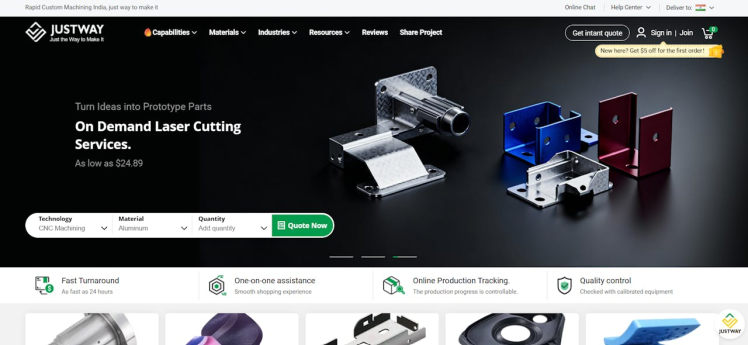
For the prototype, I partnered with JUSTWAY 3D Printing Service — a reliable platform that brings ideas to life with precision and speed.

- High‑quality prints: Smooth finishes and durable PLA parts.
- Fast turnaround: Perfect for makers who want to iterate quickly.
- Professional support: From design upload to delivery, the process is seamless.
- Scalable: Whether it’s a small demo gate or larger mechanical parts, JUSTWAY ensures consistent quality.https://www.justway.com/
For this project, I used JUSTWAY 3D Printing Service to bring my gate prototype to life. Ordering your own custom print is simple and beginner‑friendly:
- Create or download a 3D model (e.g.,
.STLor.OBJfile).
- Visit the JUSTWAY 3D Printing Service platform.
- Upload your design file directly through their interface.
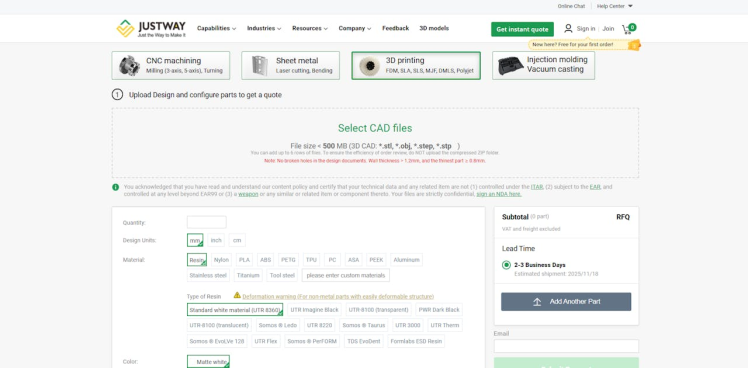
- Select from options like PLA, ABS, PETG, or specialty filaments.Pick the color and finish that suits your prototype.
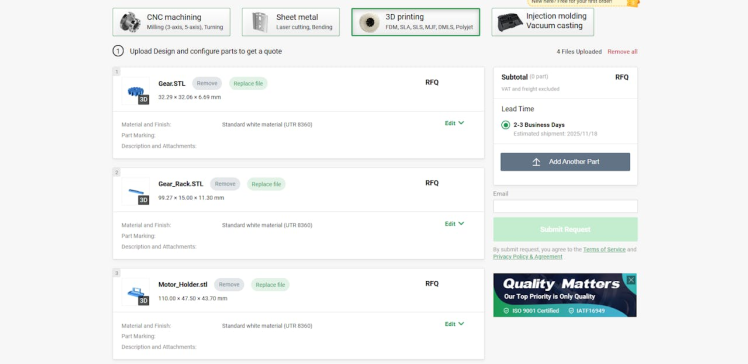
- The platform provides a real‑time cost estimate based on size, material, and complexity.
- Confirm your design and checkout securely.
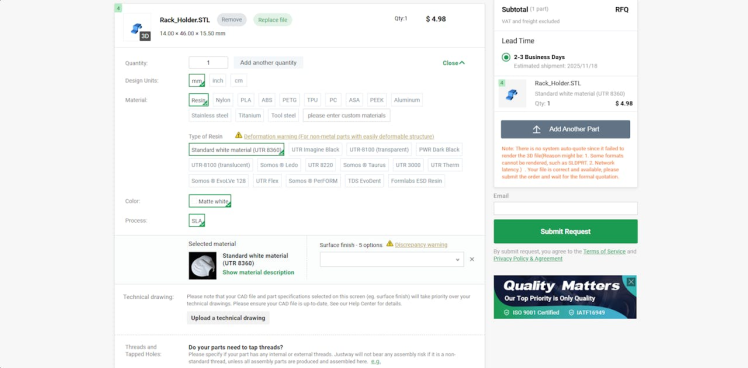
- JUSTWAY handles the printing and ships the finished part to your address.
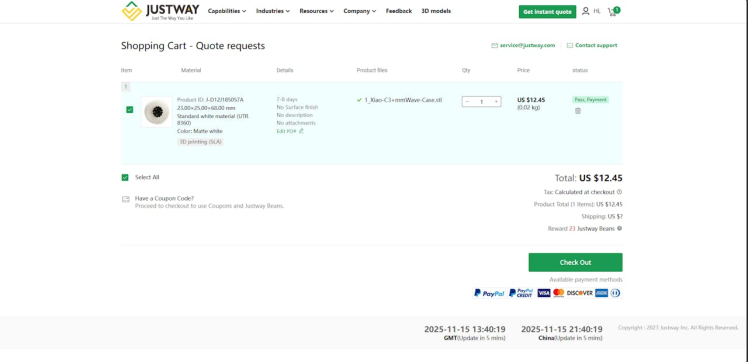
- Once delivered, integrate the printed gate with your servo and ESP32 P4 setup.
- You’ll have a professional‑looking prototype ready for demos.
👉 With JUSTWAY, you don’t need your own 3D printer — you can focus on design and electronics, while they handle the manufacturing. It’s fast, reliable, and perfect for makers, educators, and startups.
Assembly- Mount the servo and gear to the frame
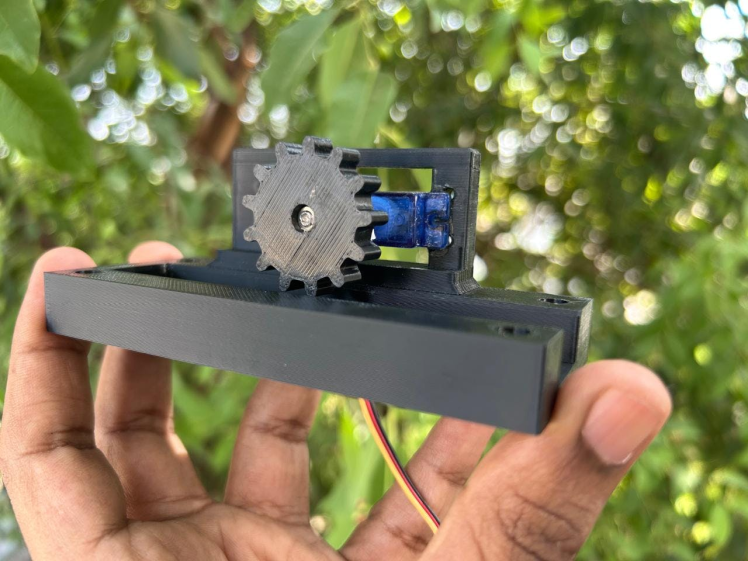
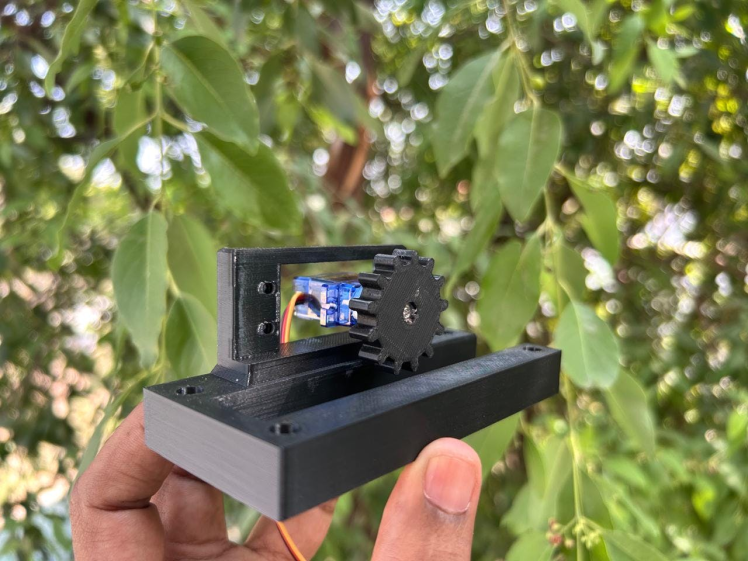
- Attach the gate mechanism to the frame
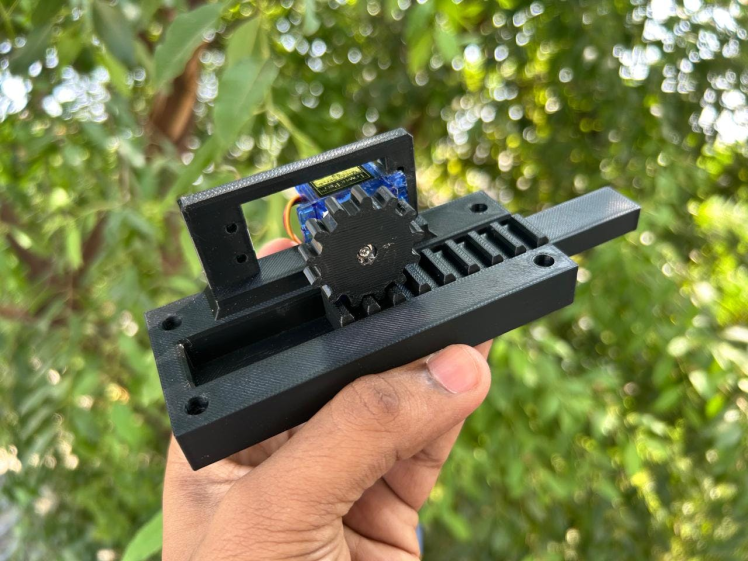
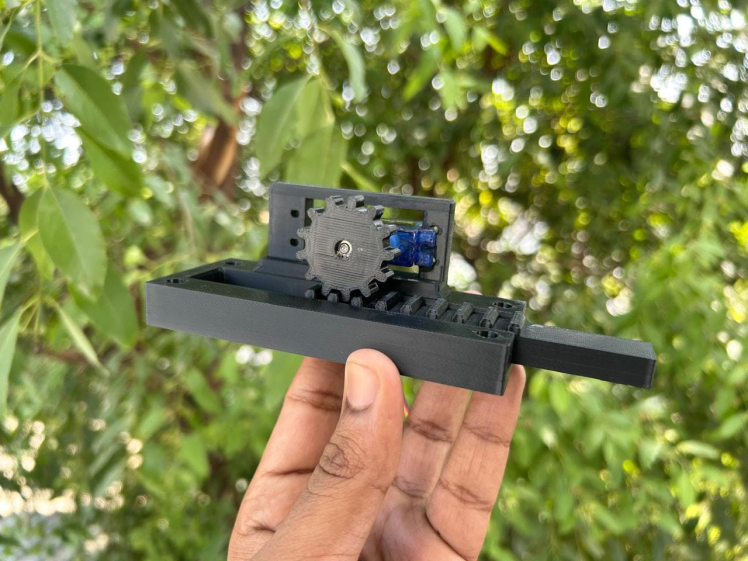
- Connect the servo and the Huskylense to the DFRobot Beetle ESP32 P4.
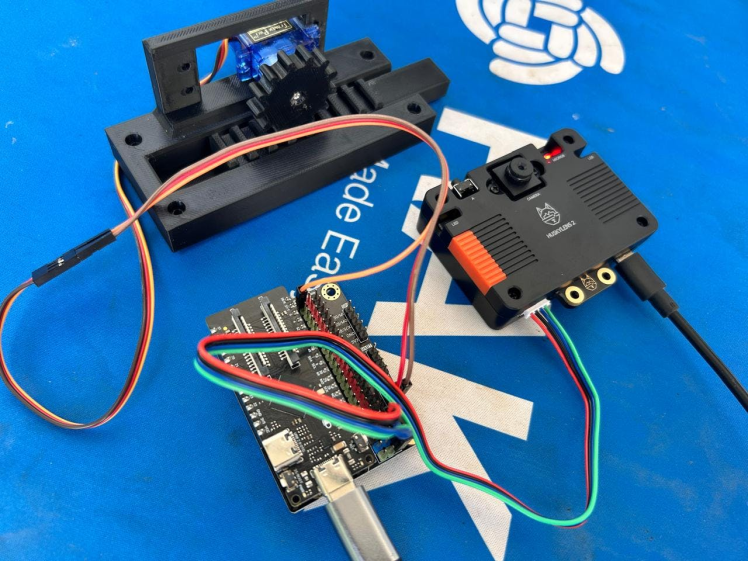
👉 Thanks to JUSTWAY, the Smile Gate prototype looks professional, works reliably, and is ready to impress in demos. If you’re a maker, educator, or startup, services like JUSTWAY can help you move from concept to reality faster than ever.
Applications- Retail stores: Fun way to greet customers.
- Events/exhibitions: Interactive entry system.
- Smart homes: Playful door unlock mechanism.
- Education: Demonstrates AI + IoT integration.
- Add voice greetings when gate opens.
- Log entries with timestamps on SD card.
- Integrate with IoT cloud for analytics.
- Use servo + lock mechanism for real doors.
This project shows how AI vision (HuskyLens2) and embedded control (FireBeetle ESP32 P4) can create a gate that opens only when customers smile. It’s fun, engaging, and a great way to demonstrate the power of combining emotion recognition with IoT hardware. Whether for a shop, event, or classroom demo, this project is guaranteed to bring smiles — literally!
Credits
Related products



Leave your feedback...