


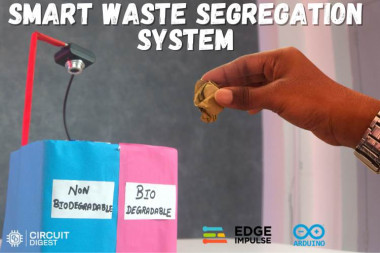
Ai Waste Segregator With Arduino Uno Q

Made by electroscope_archive / Artificial intelligence
About the project
Use computer vision and a servo motor to automatically sort paper, plastic, cardboard, and batteries.
Project info
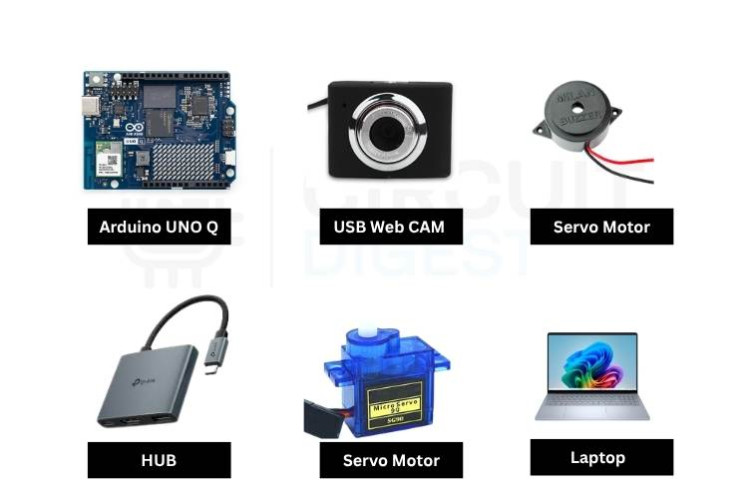
Items used in this project


Story
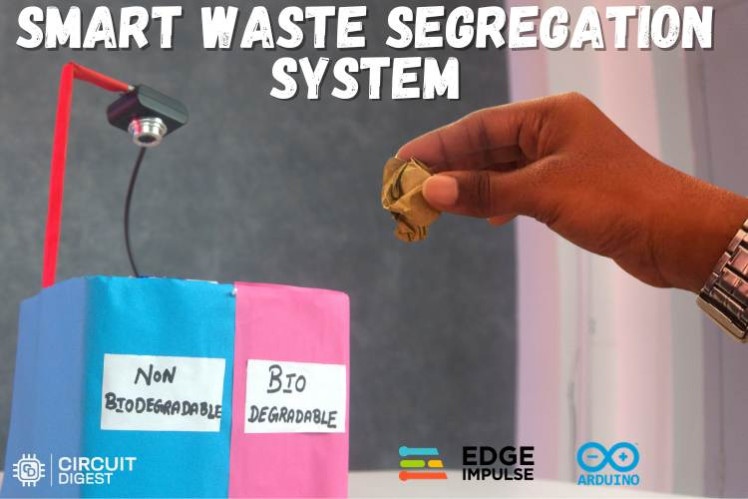
Proper waste segregation is one of the simplest ways to reduce landfill waste and improve recycling efficiency. Unfortunately, in day-to-day life, most people throw everything into a single bin because sorting waste manually takes time and effort.
This project solves that problem by building an AI-powered waste segregation system using the Arduino UNO Q, a USB camera, and a machine learning model trained with Edge Impulse. The system identifies waste items in real time and automatically directs them into the appropriate bin using a servo motor. If a battery is detected, the system sounds a buzzer to alert the user because batteries require special disposal.
This AI project is a practical demonstration of TinyML, computer vision, and embedded automation working together to solve a real-world environmental problem. It is ideal for students, hobbyists, and anyone interested in building smart recycling systems.
How the System Works
The system uses a USB camera to continuously capture images of waste items placed in front of the sorting mechanism.
The captured images are processed by an object detection model trained to recognize four classes:
- Paper
- Cardboard
- Plastic
- Battery
Once an object is detected with sufficient confidence across several consecutive frames, the Python application sends a command to the Arduino UNO Q.
Depending on the detected item:
- Paper and cardboard are directed to the biodegradable bin.
- Plastic is directed to the non-biodegradable bin.
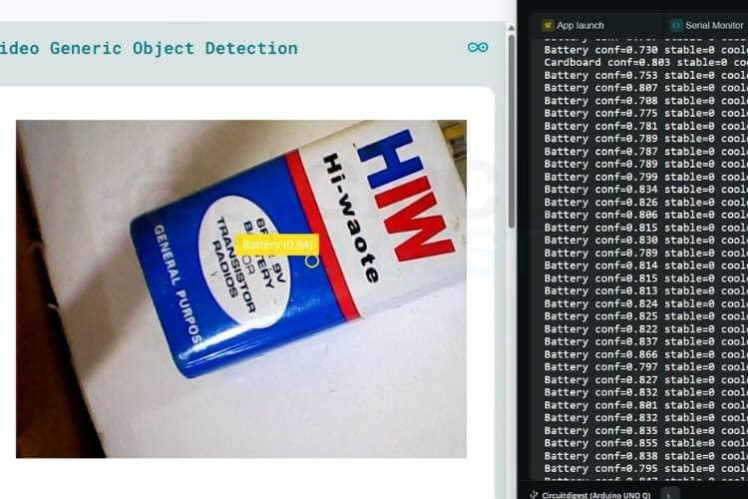
- Battery triggers an audible warning through a buzzer.
A servo motor rotates to predefined angles to physically guide the waste into the correct compartment.
Features
- Real-time waste detection using machine learning
- Automatic sorting with a servo motor
- Battery hazard alert with buzzer
- Web dashboard for monitoring detections
- Confidence filtering and cooldown logic to reduce false triggers
- Low-cost and easy to replicate
Components Required
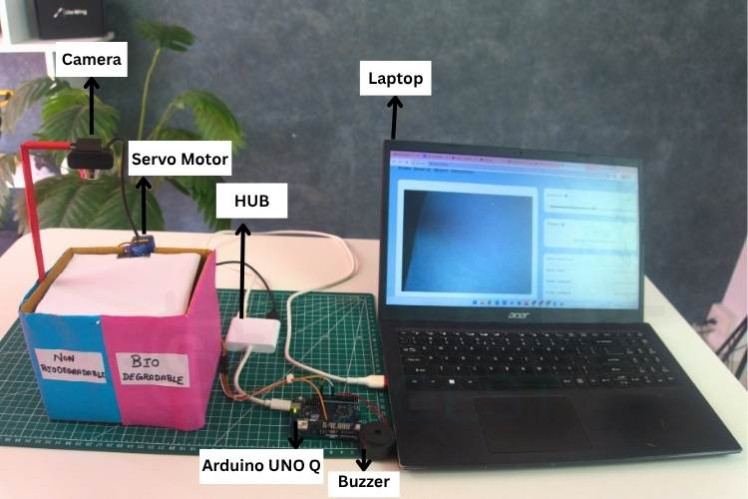
- Arduino UNO Q
- USB camera
- Micro servo motor (SG90 or similar)
- Active buzzer
- USB hub
- Jumper wires
- Cardboard or acrylic frame for the bin
- Laptop or PC
Software Used
Edge Impulse
Used to:
- Collect training images
- Label each waste category
- Train an object detection model
- Export the model for deployment
Arduino App Lab
Provides a Python environment and RouterBridge communication between the PC and the Arduino.
Arduino IDE
Used to upload firmware to the Arduino UNO Q.
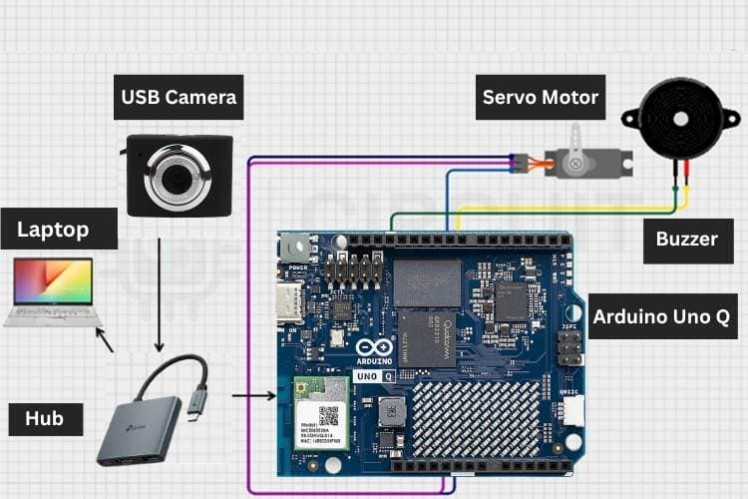
Hardware Connections
The wiring is very simple:
- Servo signal → Digital pin 9
- Buzzer positive → Digital pin 8
- Servo VCC → 5V
- Servo GND → GND
- Buzzer GND → GND
- Arduino and camera connected to the PC through a USB hub
The laptop powers the system and runs the detection model.
Detection and Sorting Logic
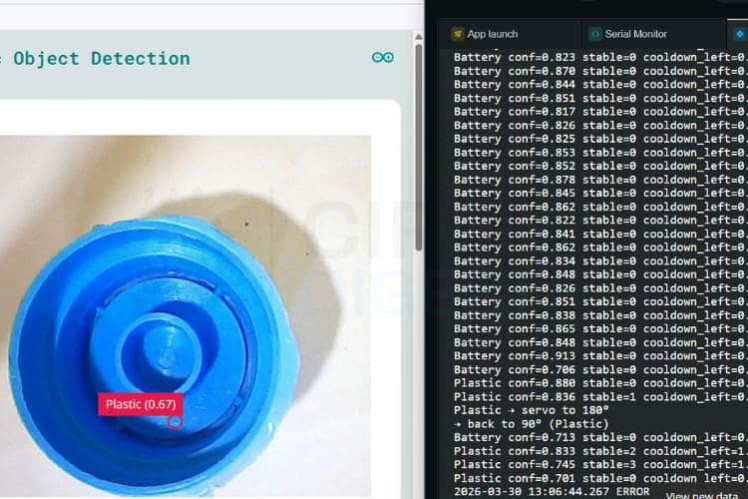
When the model detects an object consistently for several frames, the corresponding action is executed.
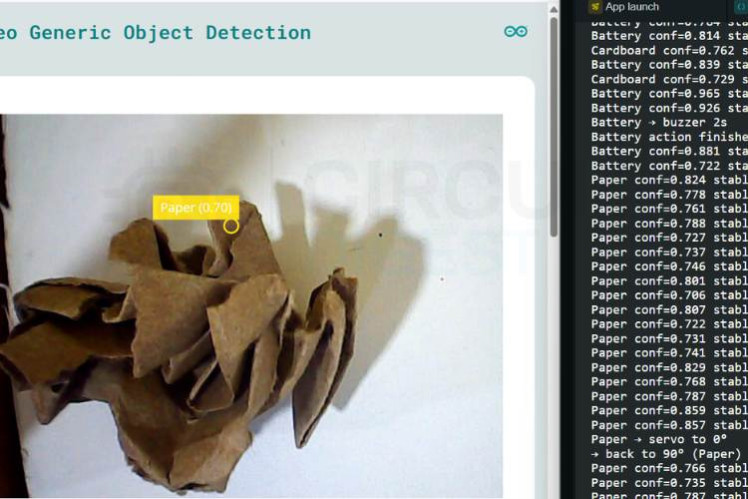
Paper or Cardboard
The servo rotates to 0° to direct the item into the biodegradable bin.
Plastic
The servo rotates to 180° to direct the item into the non-biodegradable bin.
Battery
The servo remains in the center position while the buzzer turns on for two seconds to warn the user.
After each action, the servo returns to its neutral position at 90°.
Why Use Consecutive Detection?
Single-frame detections can be unreliable because of lighting changes or camera noise.
To improve accuracy, the system waits until the same object is detected in multiple consecutive frames before triggering the sorting mechanism. This significantly reduces false activations.
Python Application Overview
The Python script performs the high-level processing.
Its responsibilities include:
- Capturing frames from the USB camera
- Running object detection
- Checking confidence thresholds
- Maintaining stability counters
- Enforcing cooldown timers
- Sending commands to the Arduino using RouterBridge
Confidence Thresholds
- Paper/Cardboard/Plastic: 82%
- Battery: 88%
Stable Detection Requirement
An object must be detected in at least two consecutive frames before any action is triggered.
Arduino Firmware Overview
The Arduino firmware handles the hardware control.
It exposes two functions:
set_servo(angle)
Moves the servo to the requested angle.
buzz(duration)
Activates the buzzer for the specified time.
The firmware continuously listens for commands from the Python application through RouterBridge.
Project Workflow
Mechanical Design
A simple cardboard structure can be used to build the sorter.
The servo controls a rotating flap that directs waste into different compartments:
- Left compartment for paper and cardboard
- Right compartment for plastic
- Alert only for batteries
This design is inexpensive and easy to customize.
Training the AI Model
To achieve reliable results:
The more diverse the training images, the better the detection performance.
Applications
This project can be adapted for:
- Smart recycling bins
- School science exhibits
- Environmental awareness demonstrations
- TinyML education
- Prototype municipal waste sorting systems
Challenges and Improvements
Challenges
- Similar-looking objects can confuse the model.
- Poor lighting affects detection quality.
- Mechanical alignment is important for reliable sorting.
Future Improvements
- Add more waste categories such as metal and glass.
- Use conveyor belts for continuous sorting.
- Store sorting statistics in the cloud.
- Add an LCD or touchscreen interface.
- Deploy the model directly on an edge device.
Testing Results
During testing, the system accurately classified and sorted paper, cardboard, and plastic. Battery detection reliably triggered the buzzer alert without moving the servo.
The use of confidence thresholds and stable frame detection greatly improved overall performance.
What You Will Learn
By building this project, you will gain hands-on experience with:
- Arduino programming
- Python hardware communication
- Computer vision
- TinyML
- Servo motor control
- Environmental automation
Conclusion
This AI-based Automatic waste segregation system combines machine learning and embedded control to automate one of the most important steps in recycling.
Using the Arduino UNO Q, Edge Impulse, a USB camera, and a servo motor, the system identifies waste items and sorts them with minimal human intervention. The result is an affordable and educational project that demonstrates how intelligent systems can be used to build cleaner and smarter communities.
If you are interested in TinyML, sustainability, and practical automation, this is an excellent project to build. Explore hundreds of innovative DIY electronics builds in the Arduino Projects, featuring step-by-step tutorials for beginners and advanced makers alike.
Schematics, diagrams and documents
Code
Credits
Related products





Leave your feedback...